
We may earn a commission if you buy through links on this page. It never changes a score or a ranking. How we make money
The bottom line
Worth considering for citation-heavy teams; budget for paid seats and annual billing.
A small team needs Paperpile if it regularly collects papers, manages PDFs, and cites research together. Its Word and Google Docs plugins and shared research features fit that job, though the free plan is a nonstarter: there isn’t one.
The pricing page lists Regular at $8.30 per user per month, billed annually, and Expert at $11.50. Reddit comments are mixed: one user praised Paperpile, while other commenters favored Zotero or raised concerns about relying on a university-supported account.
Good fit if
- Research teams writing in Google Docs
- Small groups sharing paper libraries
- Researchers managing growing PDF collections
Skip it if
- Teams that need a free plan
- Groups avoiding annual subscriptions
- Teams needing published support details
ScoresHow it rates
What works
- Unlimited PDF storage on Regular
- Citations in more than 10,000 styles
- Word and Google Docs plugins
- Expert adds PDF search and annotations
- Expert includes shared folders and libraries
What doesn't
- No free plan
- Monthly billing is unavailable
- Annotations require Expert
- Shared folders require Expert
- Enterprise pricing is not published
01Who Paperpile is for
Paperpile is for people who collect research papers, keep PDFs organized, and cite sources while writing. For a one-to-five-person team, it makes most sense when several people work with research regularly and use Word or Google Docs. The Regular plan covers core reference management; Expert adds PDF search, notes and annotations, shared folders, and supplementary-file storage.
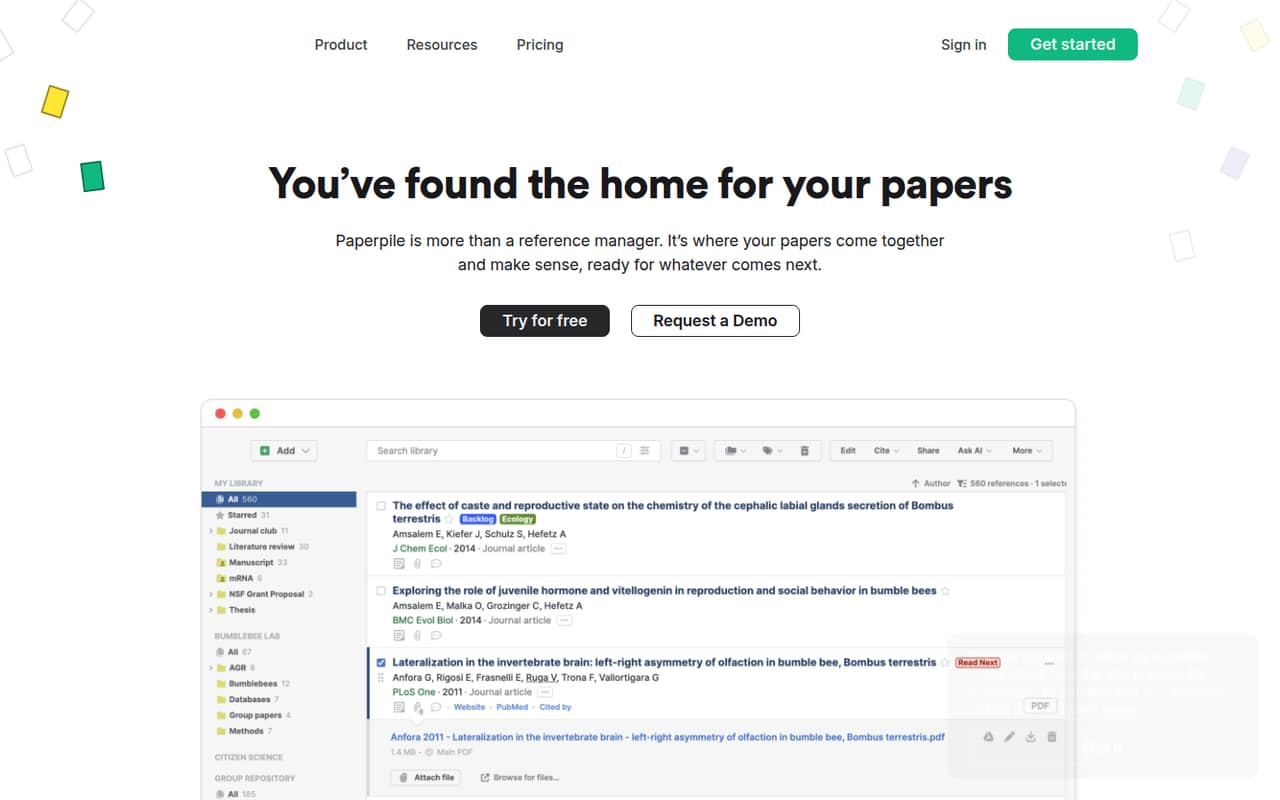
The workflow is more specialized than a general-purpose team document tool: Paperpile brings papers together so researchers can organize, read, annotate, cite, and share them. That focus may be worthwhile when citations and paper libraries are daily work. If the team only needs occasional references, the annual per-user commitment may be harder to justify. The pricing page lists no free plan, so even a small team needs budget approval before moving past the trial.
02Paperpile free plan and trial
Paperpile has no free plan. The pricing page lists a 30-day free trial, but does not publish which plan features or limits the trial includes. Confirm those details with Paperpile before using the trial to assess a team workflow.
The cheapest published paid option is Regular, at $8.30 per user per month when billed annually. It includes unlimited PDF storage, citations in 10,000+ styles, Word and Google Docs plugins, and basic integrations. Monthly billing is not available, so the listed monthly figure is an annual-billing equivalent, not a month-to-month price. If you need PDF notes and annotations or shared folders, those are listed under Expert rather than Regular.
03What a small team pays for Paperpile
Regular costs $8.30 per user per month, billed annually. That works out to $99.60 a year for one person, $24.90 monthly equivalent or $298.80 a year for three, and $41.50 monthly equivalent or $498 a year for five. Paperpile does not offer monthly billing.
For PDF notes and annotations, full-text PDF search, or shared folders, Expert is $11.50 per user per month, billed annually. Three seats cost $34.50 monthly equivalent or $414 a year; five cost $57.50 monthly equivalent or $690 a year. Those totals are listed per-user prices multiplied by seats and 12 months.
Eligible users and nonprofits can get a 50% academic discount. Expert group discounts are listed at up to 20%, with per-user prices decreasing as seats increase; the exact discount for a particular team is not published. Multi-year subscriptions are available by contacting Paperpile.
04Getting started with Paperpile
The basic workflow is clear from the listed features: collect papers and PDFs, organize them in a library, then read, annotate, and cite them while writing. Regular includes Word and Google Docs plugins, so a team using either editor can start with the citation workflow it needs. Expert adds PDF notes and annotations and shared folders and libraries for groups managing research together.
Paperpile does not publish setup time or a detailed learning-curve estimate in the pricing details. Plan time for each person to connect their writing workflow and learn how the team will organize and share its library; ask Paperpile for onboarding guidance if that matters to your rollout. Reddit comments include users describing a positive workflow, but they don’t establish how long setup takes. For a small team, the key decision is whether everyone needs the shared library and Expert features or only individual citation tools.
05When small teams outgrow Paperpile
The first pressure point is the per-user bill. A team that grows from three to five seats pays $199.20 more per year on Regular, based on the listed annual rate. If the team needs shared folders, notes, annotations, or full-text PDF search, it must also budget for Expert instead of Regular. Enterprise and Institutions adds SAML single sign-on, custom MSA and SLA, HIPAA, and vendor security reviews, but its price is not published.
A second concern is control of the workflow. In one Reddit thread, a researcher said Paperpile stopped reformatting a paper after their university may have blocked it. Commenters in that thread recommended local tools and data control. That is not a general report about Paperpile reliability, but it is a reason for teams to ask about access, exports, and account ownership before depending on it for important work. Ask Paperpile what happens if an institution blocks access or a team changes providers.
From the threadsWhat users say
Reddit sentiment is mixed. Some users speak positively about Paperpile, while several commenters recommend Zotero, and one thread describes a university access problem.
Paperpile was my go to!
Use Zotero. Use plugin for storing in your choice cloud service and to not pay them for storage
Just use one like Zotero which is free and stores data locally in open file formats
I just found out that my universities administrative team probably blocked paperpile
Questions people ask
Does Paperpile have a free plan?
No. The pricing page lists a 30-day free trial, but no free plan. It does not publish the trial’s feature limits, so confirm what you can use during the trial before making it the basis for a team decision.
Does Paperpile use AI?
Paperpile’s listed features cover collecting, organizing, reading, annotating, citing, and sharing research papers. The listed features do not include AI, so ask Paperpile directly if a specific AI capability is important to your team.
Can I cite papers in Google Docs?
Yes. The Regular plan includes Word and Google Docs plugins, and Paperpile lists collaborative writing and citing in Google Docs as a feature. The pricing page does not describe plugin setup steps, so check Paperpile’s guidance before planning a rollout.
How much does Paperpile cost for a small team?
Regular is $8.30 per user per month billed annually. Three seats cost $298.80 per year; five cost $498. Expert is $11.50 per user per month billed annually, or $414 a year for three seats and $690 for five.
Is Paperpile better than Zotero?
That depends on your needs. Paperpile lists Word and Google Docs plugins, unlimited PDF storage on Regular, and shared folders on Expert. Reddit commenters often recommend Zotero, including for local data control. Compare the workflows and costs that matter to your team.