
We may earn a commission if you buy through links on this page. It never changes a score or a ranking. How we make money
The bottom line
Good for visual approvals; watch the jump from a free solo seat to Team pricing.
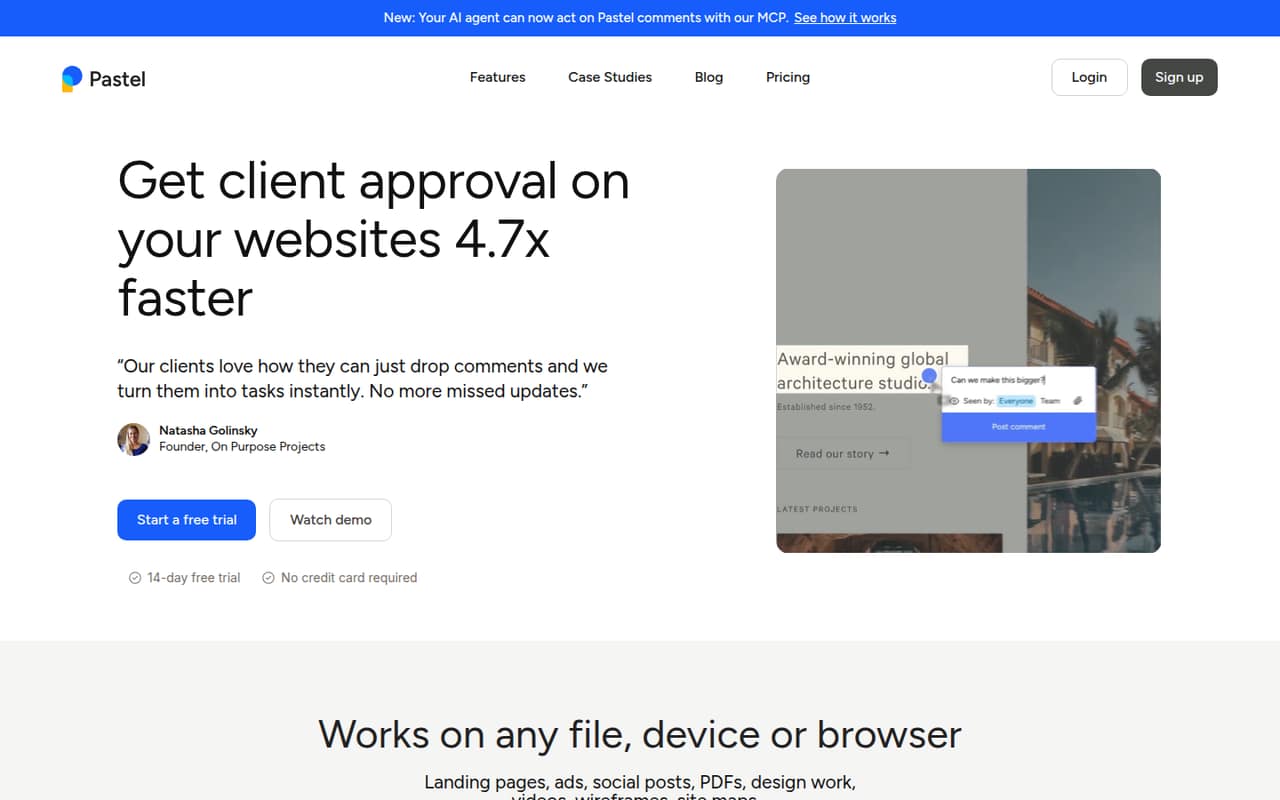
Pastel gives clients and colleagues a shared place to comment on live websites, images, PDFs, and other creative files. Its free plan covers one user and one canvas, with unlimited reviewers, comments, views, and versions.
The catch for small teams is seats: Pro supports two users, while Team starts at five. A three-person team therefore pays Team pricing—$99 per month with annual billing or $119 month to month—even if it needs only three seats.
Good fit if
- Solo reviewers with one project
- Teams collecting visual client feedback
- Agencies reviewing many creative files
Skip it if
- Three-person teams on a tight budget
- Teams needing several canvases for free
- Buyers seeking published support details
ScoresHow it rates
What works
- Free plan includes unlimited reviewers and comments
- Comments work on websites and creative assets
- Pro includes three canvases
- Team adds unlimited canvases and project integrations
- Responsive tester covers mobile, tablet, and desktop views
What doesn't
- Free plan is limited to one user and canvas
- Pro is limited to two users
- Team starts at five users
- A three-person team pays for Team
- Support details and response times aren't published
01Who Pastel is for
Pastel is for people who need feedback pinned to the work itself: a website, image, PDF, social post, or another creative file. Share a link so clients or colleagues can leave in-line comments, then organize, assign, and resolve that feedback. A responsive tester lets reviewers switch among mobile, tablet, and desktop views.
For a solo founder or designer reviewing one project, the free plan may be enough. Two-person teams can look at Pro, which includes two users and three canvases. The awkward fit is a team of three or four: Pro stops at two users, while Team starts at five. Team makes more sense for agencies or marketing groups handling several projects, since it includes unlimited canvases and project management integrations. If visual approvals are occasional and comments can live in email or a task tool, Pastel may be more tool than a small team needs.
02Pastel free plan and trial
The Free plan costs $0 and includes one user and one canvas. It also lists unlimited reviewers, comments, views, and versions, so a solo reviewer can invite clients without a stated reviewer cap. For one person working on one project, that is a useful starting point.
The limits are the seat and canvas count: Free is not a shared workspace for multiple team members or several active projects. Pro is the next step, with two users and three canvases, at $29 per month with annual billing or $35 month to month. Pastel also lists a 14-day free trial, but the trial's plan scope and what happens when it ends aren't specified in the pricing details. Check those terms before relying on the trial for a team rollout.
03What a small team pays for Pastel
For one person reviewing one project, Free costs $0. If that person needs Pro's three canvases, the listed price is $29 per month with annual billing or $35 month to month. Pro includes two users, which works out to $14.50 or $17.50 per included seat, respectively.
A team of three cannot fit on Pro. Team starts at five users, so both a three-person and five-person team pay $99 per month with annual billing or $119 month to month. That is $19.80 per included seat on annual billing or $23.80 month to month, before any extra users. Team includes unlimited canvases, 500GB video storage, webhook export, and project management tool integrations.
The pricing page lists an additional Team user at $24. Enterprise starts at 10 users and costs $450 per month, billed yearly. Pastel doesn't list an additional-user price for Pro, so ask the vendor if your team needs more than two seats but fewer than five.
04Getting started with Pastel
Pastel's core workflow is straightforward to understand: share a link to a website or creative file, collect in-line comments, and organize or resolve them. That suggests a light start for a team already comfortable reviewing work in a browser. The vendor doesn't publish a setup-time estimate, so allow time to decide how your team will label, assign, and close feedback.
The responsive tester can help reviewers check layouts at mobile, tablet, and desktop sizes. For teams that want feedback to become tracked work, Team lists project management tool integrations and webhook export; the specific tools are not named in the pricing details. Pastel also lists support for Cursor, Claude, and ChatGPT acting on comments. A small team can begin with shared links, then connect its project workflow if needed. Confirm which integrations are available on the plan you intend to buy.
05When small teams outgrow Pastel
The first growth hurdle is seats. Free is for one user, and Pro includes two. A team of three must move to Team, which starts at five users and costs $99 per month with annual billing or $119 month to month. That's a meaningful jump if you only need one extra reviewer. Team does list an additional-user price of $24, but Pastel doesn't publish an extra-seat price for Pro.
Project volume can also prompt an upgrade: Free includes one canvas and Pro includes three, while Team offers unlimited canvases. Team adds 500GB video storage, webhook export, and project management tool integrations. Larger organizations may need Enterprise, which starts at 10 users and lists a SOC 2 report, SAML single sign-on, and a dedicated account representative. Before upgrading, compare the plan's included seats and features with your actual review workflow; don't assume every team needs the five-seat minimum.
Questions people ask
What is Pastel used for?
Pastel is a visual feedback and approval tool. Teams share a link so clients and colleagues can comment on live websites, images, PDFs, social posts, and other creative files. Comments can be organized, assigned, and resolved.
Can clients leave comments in Pastel?
The Free, Pro, and Team plans list unlimited reviewers and comments. Pastel describes a link-sharing workflow for collecting in-line feedback. The pricing details don't specify whether reviewers need to create an account, so confirm that with the vendor.
Can Pastel review PDFs and images?
Yes. Pastel lists asset annotation for images, PDFs, social posts, and other creative files, alongside in-line feedback on live websites.
Does Pastel include project management integrations?
Project management tool integrations and webhook export are listed with Team. The specific integrations aren't named in the pricing details, so check with Pastel before choosing a plan based on a particular tool.
Does Pastel work with AI assistants?
Pastel lists AI agent support for Cursor, Claude, and ChatGPT to act on Pastel comments. Check with the vendor for details on setup, plan availability, and what actions each assistant can take.