
We may earn a commission if you buy through links on this page. It never changes a score or a ranking. How we make money
The bottom line
A capable B2B finance network, but custom annual pricing puts it out of easy-budget territory.
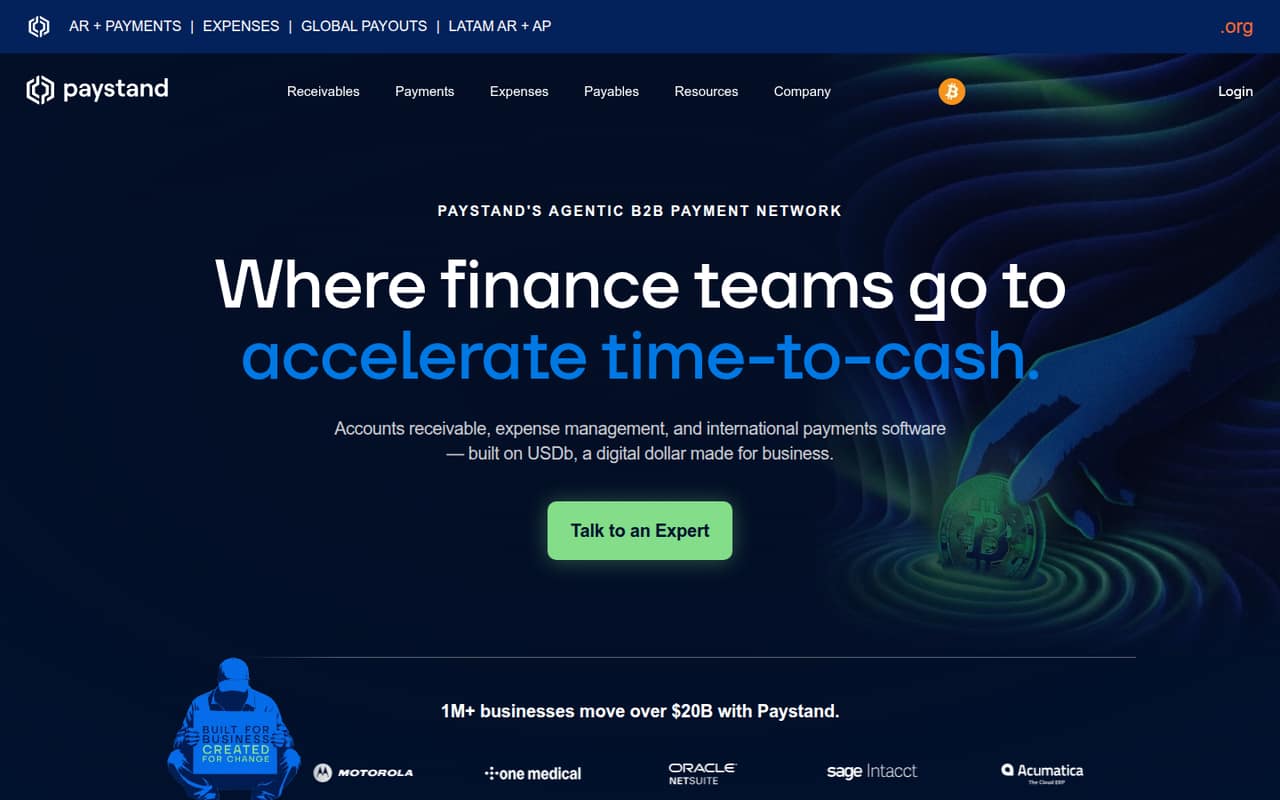
PayStand combines accounts receivable, expense management, international payments, ERP connections, and AI agents on a B2B payment network. It may suit a small team with a real collections or reconciliation workload, but it is more platform than a basic payment gateway.
There is no free plan or published starting price. The pricing page lists an annual custom subscription, and Reddit users report uneven implementation and support experiences. Ask for a full quote and implementation plan before deciding.
Good fit if
- B2B teams automating collections
- Finance teams needing ERP connections
- Businesses making cross-border payments
Skip it if
- Teams needing a free payment tool
- Buyers requiring clear upfront prices
- Businesses wanting quick self-serve setup
ScoresHow it rates
What works
- Automates collections, cash application, and reconciliation
- Combines AR, expenses, and international payments
- Lists $0 transaction fees for network payments
- Wholesale card processing starts at 1.99%
- AI agents handle several finance tasks
What doesn't
- No free plan or published starting price
- Annual platform fee requires a custom quote
- Monthly pricing and seat costs are unpublished
- Reddit users report drawn-out implementations
- Some Reddit users describe slow support
01Who PayStand is for
A small team does not need PayStand just to accept a few payments. It becomes more relevant when B2B invoicing, collections, cash application, or reconciliation takes enough staff time to justify a finance platform. PayStand combines those accounts receivable tasks with expense management and international payments on a B2B payment network.
For a team of 1–10, the deciding factor is workload, not headcount: the pricing page lists a custom annual subscription, not a low-cost per-seat option. PayStand also describes AI agents for collections, reporting, spend control, and reconciliation, plus ERP integrations. Those features may fit a finance team trying to connect payment workflows to its existing systems. If your needs are limited to taking occasional card payments, this could be more software and commitment than you need. Ask PayStand for a quote tied to your products, volume, integrations, and workflows.
02PayStand free plan and trial
PayStand does not list a free plan, and a free trial is not published. There is no free tier to use for basic payment collection or to test whether the platform suits a small team. The cheapest listed route is a custom subscription billed annually, with an accounts receivable platform fee. PayStand does not publish a starting price, so you will need a quote to know the cost.
The pricing page lists $0 transaction fees for Paystand Network payments, but that does not mean the software itself is free. Wholesale card processing starts at 1.99%, and specific add-on and overage fees are not published. Before signing, ask what the subscription covers, which payment types qualify for the network fee, and whether any setup or additional service charges apply.
03What a small team pays for PayStand
PayStand lists one option: a Custom subscription, billed annually. It describes a flat annual platform fee for accounts receivable, with the quote tailored to products, volume, integrations, and workflows. The vendor does not publish the annual price, a monthly price, or per-seat pricing. That means we cannot calculate a reliable cost for one person, three people, or five people—or compare monthly and annual totals.
The pricing page lists $0 transaction fees for Paystand Network payments. Wholesale card processing starts at 1.99%; specific add-on and overage fees are not published. A small team should ask for a written quote showing the annual platform fee, payment-processing rates by method, any minimums, and the cost of the integrations it needs. Make sure the quote distinguishes network payments from card processing. Without those details, a three-person team cannot tell whether PayStand fits its budget simply by counting seats.
04Getting started with PayStand
Plan for a guided setup rather than assuming you can switch it on in an afternoon. PayStand describes ERP integrations and workflows for accounts receivable, expenses, and payments, so the work will depend on which products and connections your team needs. The vendor does not publish a standard setup timeline in its pricing details; ask for one alongside the quote.
A Reddit user whose company implemented invoice payment links said setup took longer than promised and that the implementation contact needed a manager to help resolve issues. Another commenter said PayStand automatically reconciled payments within NetSuite, while a different commenter questioned whether the service was listed as a supported NetSuite vendor. These are individual reports, not a guarantee of your setup experience. Confirm your exact ERP, required workflows, responsibilities, and escalation path before you commit.
05When small teams outgrow PayStand
PayStand is more likely to be a mismatch before a small team outgrows it: if you only need a basic payment gateway, its combination of AR, expenses, international payments, and automation may be more than your workflow calls for. Budget can also be a limit. The annual custom subscription has no published starting price or seat costs, so growing from one person to five does not come with a public price you can plan around.
A team may also need to reconsider if it wants a quick implementation or fast, predictable support. One Reddit user reported slow follow-up and an implementation that took longer than promised; another said support was slow and moved to a different provider. A separate user said escalating implementation calls to a manager helped. Before expanding use across a larger finance team, get a quote for the added workflows and seats, and agree on support and implementation expectations in writing.
From the threadsWhat users say
Reddit sentiment is mixed, with users describing both working payment workflows and frustrating implementation or support. Some commenters raise concerns about bank-login payment flows, while others explain why they consider the approach useful.
We streamline the whole AR process, from invoicing to reconciling
It works as expected but it took longer to implement than promised
Support was slow, security features were lacking
the tradeoff is often a less familiar or convenient user experience, which can impact adoption
Questions people ask
Does PayStand have a free plan or trial?
PayStand does not list a free plan or free trial. Its listed option is a custom annual subscription, with an annual platform fee for accounts receivable. The vendor does not publish a starting price, so ask for a quote before budgeting or planning a rollout.
How much does PayStand cost?
PayStand does not publish monthly or annual prices. The pricing page describes an annual custom subscription, with the accounts receivable platform fee tailored to products, volume, integrations, and workflows. Wholesale card processing starts at 1.99%; ask for a quote covering your payment methods and expected costs.
Does PayStand integrate with NetSuite?
PayStand lists ERP integrations. A PayStand employee on Reddit said the company was an Oracle partner and described automatic NetSuite reconciliation, while another commenter questioned its listing as a supported NetSuite vendor. Confirm your specific NetSuite setup and required workflows directly with PayStand before signing.
What does PayStand automate?
PayStand describes accounts receivable automation for collections, cash application, and reconciliation. Its AI agents are listed for collections, reporting, spend control, and reconciliation. The platform also covers expense management and international payments, with the exact products and workflows depending on your quote.
Can PayStand accept bank-to-bank payments?
Reddit discussions describe PayStand bank-to-bank payments and debate the experience of authorizing a payment through a bank-login flow. PayStand's pricing page lists $0 transaction fees for Paystand Network payments. Ask the vendor which payment methods your customers can use, how authorization works, and what fees apply.