
We may earn a commission if you buy through links on this page. It never changes a score or a ranking. How we make money
The bottom line
A Windows-only PDF workbench with broad markup tools and a one-time per-user price.
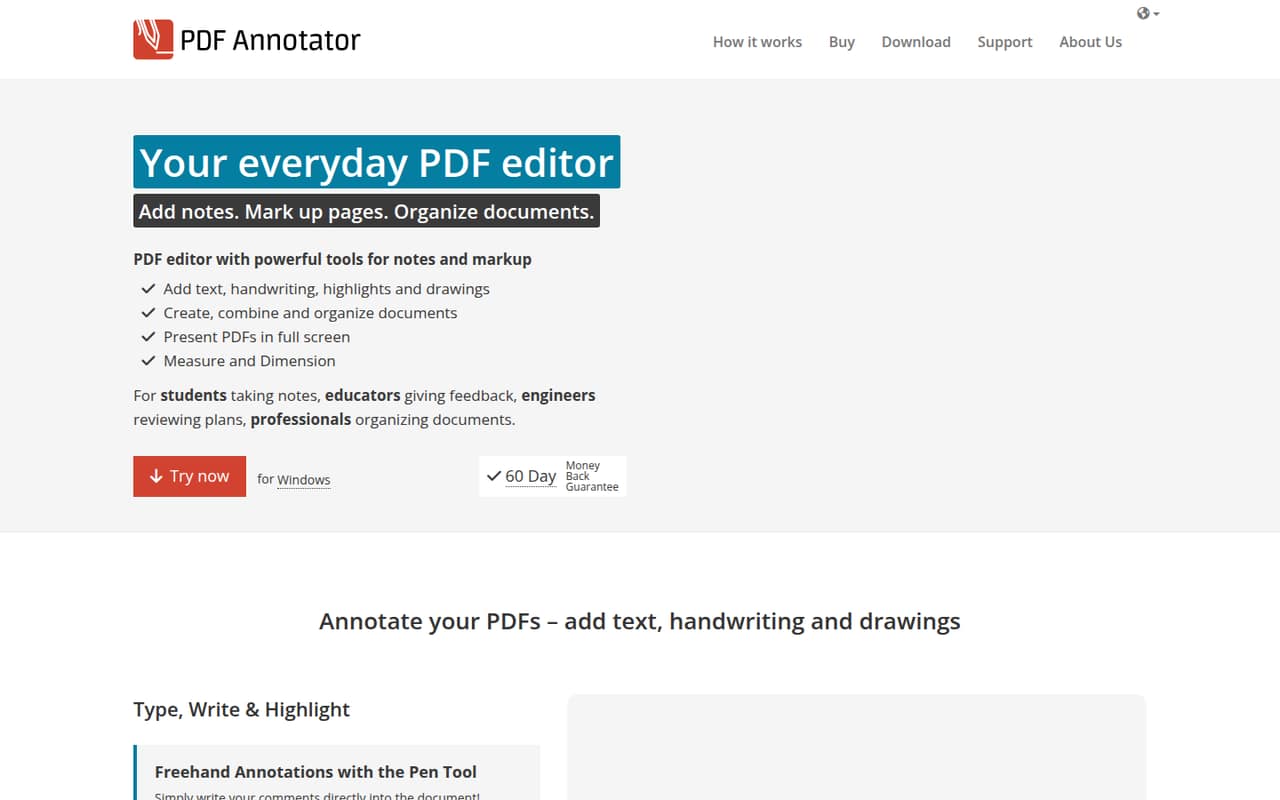
PDF Annotator is a locally installed Windows app for marking up and organizing PDFs. It handles typed and handwritten notes, highlights, drawings, stamps, images, measurement tools, and page management; the resulting files remain PDFs that standard viewers can open.
There’s no free plan, but the vendor lists a 30-day trial. A commercial license costs $79.95 per user for one to four people, with volume pricing at five seats and up. That can suit a small Windows team with regular PDF work, but check fit if your team needs other operating systems or shared cloud workflows.
Good fit if
- Windows teams marking up PDFs
- Technical drawing and plan review
- Small teams buying once per user
Skip it if
- Teams that need a free plan
- Mac or browser-based workflows
- Teams requiring shared cloud collaboration
ScoresHow it rates
What works
- Typed and handwritten notes, highlights, and drawings
- More than 330 predefined stamps
- Measures distances, areas, and angles
- Reorders, deletes, and extracts pages
- One-time license with volume rates
What doesn't
- No free plan
- Commercial license starts at $79.95 per user
- Windows application, not a cross-platform app
- Vendor does not publish integration details
- A Reddit user reports occasional lag
01Who PDF Annotator is for
PDF Annotator is aimed at people who work with PDFs on Windows and want more than basic highlighting. A small team of one to ten can use it to add typed or handwritten notes, draw on documents, stamp approvals, measure plans, and rearrange pages. Annotated files stay in PDF format and can be opened in standard PDF viewers.
It may be a fit for teams reviewing technical drawings, marking up forms, or organizing document pages. The commercial license is a one-time per-user purchase, so it avoids a recurring subscription, though every user needs a license. The price is easier to justify when several people regularly annotate PDFs; for occasional signing or simple notes, a paid desktop editor may be more tool than the team needs. PDF Annotator is a Windows application, so teams using other operating systems should confirm compatibility before buying.
02PDF Annotator free plan and trial
PDF Annotator has no free plan. The pricing information lists a 30-day free trial, but does not specify whether the trial limits features, documents, or exports. Ask the vendor if your team needs to know those details before starting.
The cheapest listed way in is the Student License at $44.95 per user for one to four users, for educational use. For businesses and professional users, the Regular / Commercial License starts at $79.95 per user for one to four. Both licenses are one-time purchases, not subscriptions, and both list a 30-day trial. The student price is not a general discount for small businesses; it is for educational use.
03What a small team pays for PDF Annotator
The pricing page lists the Regular / Commercial License at $79.95 per user for one to four users, paid once. One seat costs $79.95; three seats cost $239.85 ($79.95 × 3). At five seats, the listed volume rate is $69.95 per user, so five cost $349.75 ($69.95 × 5). There is no monthly or annual subscription price listed.
Upgrade Assurance covers two years of upgrades and support. The listed commercial rate is $39.94 per user for one to four, or $119.82 for three users. At five seats, the listed rate is $34.94 per user, or $174.70 total. These are one-time listed prices for the assurance term, not annual subscriptions. The vendor also lists a Student License for educational use, starting at $44.95 per user for one to four. Ask the vendor about any other charges; overage costs are not published.
04Getting started with PDF Annotator
PDF Annotator is a locally installed Windows application, so the first requirement is a Windows computer for each person using it. The vendor’s listed features cover annotation, image and shape markup, measuring, stamps, PDF creation and merging, and page management. That gives a team a range of tools to learn, rather than just a basic highlighter.
The vendor does not publish setup effort or a list of integrations in the pricing details. The product summary does not identify a shared cloud workspace or an integration requirement for the listed PDF tasks. Teams can ask the vendor about deployment across several computers, document storage, and any connection to their existing file or approval systems. The 30-day trial gives a team a chance to check its workflow before buying, though the vendor does not publish trial limits in the pricing details.
05When small teams outgrow PDF Annotator
The clearest reason to move on is a change in how your team works: PDF Annotator is a Windows application, so a mixed-device team should confirm that it fits everyone. If your workflow depends on shared cloud review or integrations, ask the vendor whether those are supported; the listed feature set focuses on local PDF editing and organization.
Seat costs also add up, even though volume pricing lowers the per-user price at five seats and above. A commercial license costs $79.95 each for one to four people, then $69.95 each for five to nine. One Reddit user who wrote on PDFs with a Surface Pro 7 reported that it could be laggy at times. That is one user’s report, not a benchmark, but teams with performance concerns should check the trial on their own devices before purchasing.
From the threadsWhat users say
The available Reddit discussion is mixed: one user reports occasional lag, while other commenters discuss different apps for their own PDF workflows. It offers a small amount of user sentiment, not a broad consensus about PDF Annotator.
But sometimes it is too laggy
Not sure if it's the best, but I like Drawboard PDF
for simple signing or something like that, i'd just use the built-in feature in Microsoft Edge
I Only write on handouts for classes or write on blank pdfs as notes
Questions people ask
Is PDF Annotator free?
No. PDF Annotator does not have a free plan. The pricing information lists a 30-day free trial, but does not specify whether it limits features, documents, or exports. After the trial, a commercial license starts at $79.95 per user for one to four users, as a one-time purchase.
How much does PDF Annotator cost for a small team?
The Regular / Commercial License is listed at $79.95 per user for one to four people, so three seats cost $239.85 once. At five seats, the listed volume rate is $69.95 per user, or $349.75 total. The vendor does not list monthly or annual subscription prices.
Does PDF Annotator work on Mac?
PDF Annotator is described as a locally installed Windows application. The published product details do not list a Mac version. If your team uses macOS or a mix of operating systems, confirm compatibility with the vendor before purchasing.
Can I use PDF Annotator to measure plans?
Yes. The product supports measuring distances and areas, as well as angles in technical drawings. It also includes markup tools such as typed and handwritten notes, highlights, drawings, shapes, images, and stamps. Check the trial against your team’s specific measurement workflow before buying.
Are PDF Annotator licenses subscriptions?
No. The listed licenses are one-time purchases per user, and monthly and annual billing prices are not published. Optional Upgrade Assurance covers two years of upgrades and support, with a separate listed price. Ask the vendor what support is included without Upgrade Assurance.