
We may earn a commission if you buy through links on this page. It never changes a score or a ranking. How we make money
The bottom line
Good value for everyday PDF jobs, but free limits and team details need checking.
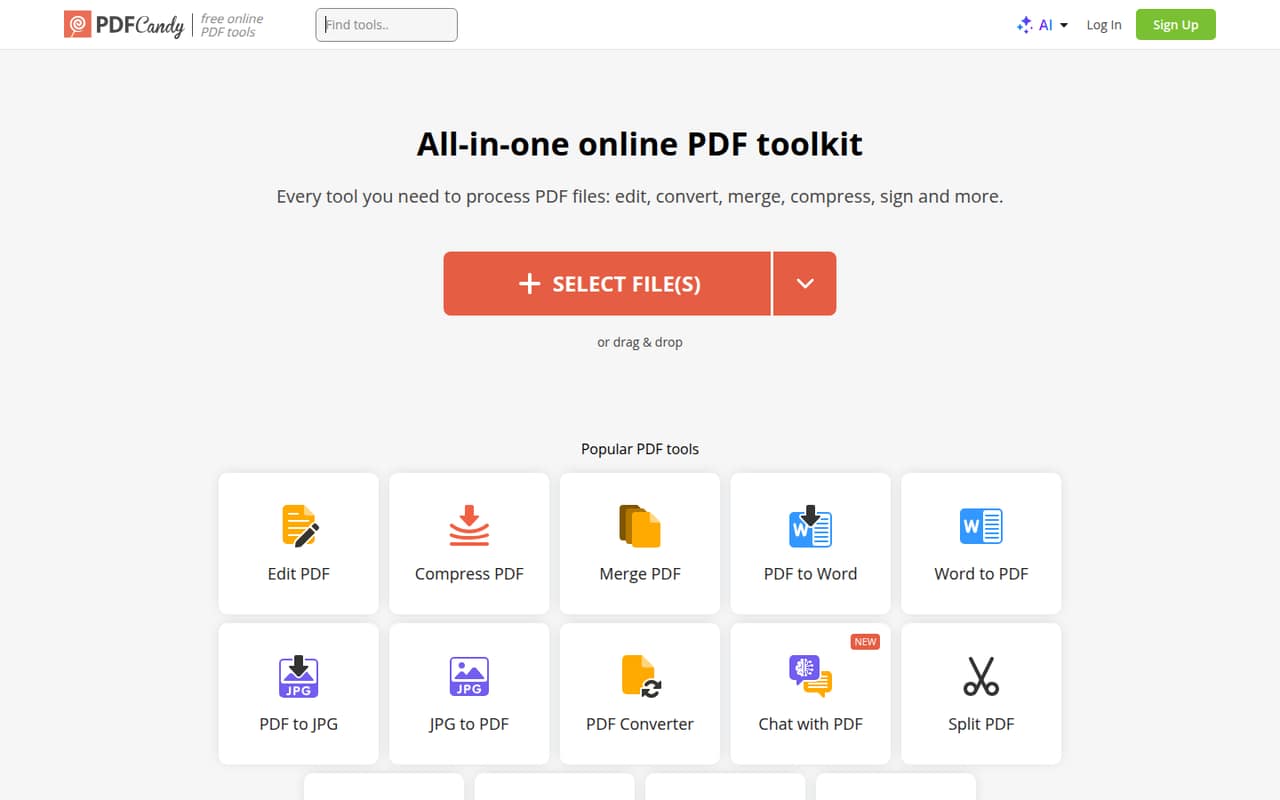
PDF Candy brings common PDF jobs—editing, converting, merging, compressing and signing—into an online toolkit. The free plan is a sensible place to start, though it has page and hourly restrictions and no batch processing.
Paid access starts at $6 per month for Web Monthly or $4 per month with annual billing for Desktop + Web. Those are individual-plan prices; the vendor does not publish team-seat pricing.
Good fit if
- Small teams with occasional PDF jobs
- Budget-conscious file conversion
- People who want browser-based tools
Skip it if
- Teams needing batch processing free
- Organizations needing published seat pricing
- Workflows requiring listed integrations
ScoresHow it rates
What works
- Free plan available for occasional tasks
- Converts PDFs to and from Word and Excel
- Includes merging, compression and signatures
- Paid plans allow files up to 500 MB per task
- Lifetime option avoids recurring billing
What doesn't
- Free plan has page and hourly restrictions
- Free plan has no batch processing
- Free file-size limit is not published
- Team or seat pricing is not published
- Lifetime plan excludes major upgrades
01Who PDF Candy is for
PDF Candy is worth considering if your 1–10-person team handles PDFs now and then but does not need a full document workflow platform. It brings editing, conversion, merging, compression and signing into one online toolkit, with a desktop version also listed on the homepage. The homepage also lists Chat with PDF.
For a tiny team watching every subscription, the free plan may cover occasional jobs. If restrictions get in the way, Web Monthly is $6 per month, while the annual Desktop + Web plan works out to $4 per month. Those prices are per plan, not a published team quote, so check how licenses work before buying for several people. The homepage says uploaded files are kept on its servers for no longer than two hours. Teams handling sensitive documents should confirm whether that retention policy fits their requirements.
02PDF Candy free plan and trial
The Web + Desktop FREE plan costs $0 and is aimed at occasional PDF tasks. The pricing page lists page and hourly restrictions, no batch processing, and limited file size; the exact free file-size limit is not published. It also lists a PDF Candy Desktop operations limit. The plan requires no account and includes ads.
There is no free trial listed. The free plan is the cheapest way in, but it may not suit a team that processes many files or needs to run jobs in batches. The paid Web Monthly plan removes hourly limits, allows up to 500 MB per task and includes high-priority processing with no queue. It costs $6 per month. The annual plan is a different package that includes desktop access.
03What a small team pays for PDF Candy
The pricing page lists Web Monthly at $6 per month. That is $6 for one person, $18 for three and $30 for five, assuming each person needs a separate plan. Annual billing for Desktop + Web is listed at $4 per month, or $48 per person for a year: $144 for three and $240 for five. This annual plan also includes Video Candy WEB and Image Candy WEB. It is not the same package as Web Monthly, which is web access only.
The vendor does not publish team-seat pricing, so these totals are simple per-plan arithmetic, not a team quote. Ask whether one account can be shared and what license terms apply. Desktop + Web Lifetime costs $99 once and includes permanent access to a specific desktop version, minor updates and web access; major upgrades are excluded. No add-ons are listed. The pricing page shows $18 as the undiscounted monthly reference price for annual billing, alongside the $4-per-month annual rate.
04Getting started with PDF Candy
The online toolkit is a straightforward starting point for a team: choose a PDF task, such as merging or converting, and use the browser-based tool. The free plan requires no account, per the pricing details. A desktop version is also available, but the published plan details do not describe its installation steps or setup requirements.
The features are organized around individual jobs rather than a shared team workflow, so the learning curve should be modest for people who already know what they need to do with a PDF. That is an assessment based on the listed tools, not a claim about hands-on testing. The vendor does not publish integrations in the published product and pricing details. Ask about integrations, shared access and account administration if your team needs them on day one. The homepage says files remain on its servers for no longer than two hours.
05When small teams outgrow PDF Candy
The first pressure point is volume: the free plan has page and hourly restrictions, no batch processing and an unpublished file-size limit. Regular users may need a paid plan for no hourly limits and a 500 MB task limit. That is a simple upgrade if the toolkit’s individual PDF jobs are all you need.
A growing team may instead need published seat pricing, shared administration or integrations. The vendor does not list team licensing or integrations in the published details, so ask before standardizing on the tool. The lifetime plan also covers a specific desktop version and excludes major upgrades, which may matter if your team expects ongoing version changes. One r/softwaregore thread mentions a Chrome display issue after restarting a laptop, but its comments do not assess PDF Candy’s PDF tools or paid plans. That is too little relevant feedback to judge product sentiment.
From the threadsWhat users say
The available Reddit discussion is not an assessment of PDF Candy’s features or service, so it offers little signal about buyer satisfaction. We treat sentiment as neutral rather than reading a product verdict into a browser-display complaint.
hurting my eyes
I can’t stop looking at it
when I reboot my laptop
does this for a few mins and then stops
Questions people ask
Is PDF Candy free?
Yes. The Web + Desktop FREE plan costs $0 and is intended for occasional tasks. The pricing page lists page and hourly restrictions, no batch processing, a desktop operations limit and a limited file size whose exact cap is not published. It also says the free plan requires no account and includes ads.
How much does PDF Candy cost?
Web Monthly is listed at $6 per month. Desktop + Web costs $4 per month with annual billing, or $48 per year, and includes desktop access plus Video Candy WEB and Image Candy WEB. A lifetime option costs $99 once. The vendor does not publish team-seat pricing.
What can PDF Candy do?
The homepage lists tools for editing, converting, merging, compressing and signing PDFs, as well as Chat with PDF. Conversion options include Word, Excel, JPG and EPUB. The homepage also lists a desktop version alongside the online toolkit.
How large a file can I use with PDF Candy?
The paid plans list a limit of up to 500 MB per task. The free plan is described as having a limited file size, but the exact limit is not published. If your files are near or above 500 MB, ask the vendor to confirm the applicable limit before choosing a plan.
How long does PDF Candy keep uploaded files?
PDF Candy’s homepage says files are kept on its servers for no longer than two hours. If your team has specific document-retention or security requirements, confirm how that policy applies to your use and whether any other handling terms matter.