
We may earn a commission if you buy through links on this page. It never changes a score or a ranking. How we make money
The bottom line
A low-cost desktop editor for everyday PDF work, with license details to confirm for teams.
PDF Pro brings editing, conversion, merging, splitting, annotation, security and OCR to Windows and macOS. The pricing page lists an annual plan at $5 per month, billed annually, but there’s no free plan listed.
It may suit a small team that mainly needs desktop PDF tools. Seat limits, usage limits and license scope aren’t published, so confirm whether one purchase covers multiple teammates before budgeting.
Good fit if
- Small teams editing PDFs on desktop
- People who need OCR for scans
- Budget-conscious Windows and Mac users
Skip it if
- Teams needing a free plan
- Teams requiring published seat limits
- People who need confirmed team licensing
ScoresHow it rates
What works
- Edits and rearranges PDF text
- Converts files to Word, Excel, images, or HTML
- Merges and splits PDF files
- Includes IRIS-powered OCR for scanned documents
- Annual plan lists a $5 monthly equivalent
What doesn't
- No free plan is listed
- Seat limits aren’t published
- Usage limits aren’t published
- Team license scope isn’t published
- No free trial is listed
01Who PDF Pro is for
PDF Pro is aimed at people who need desktop PDF tools on Windows or macOS. For a small team of one to ten, it fits best when the regular job is editing, converting, merging, splitting, annotating or securing documents—not coordinating a larger document workflow.
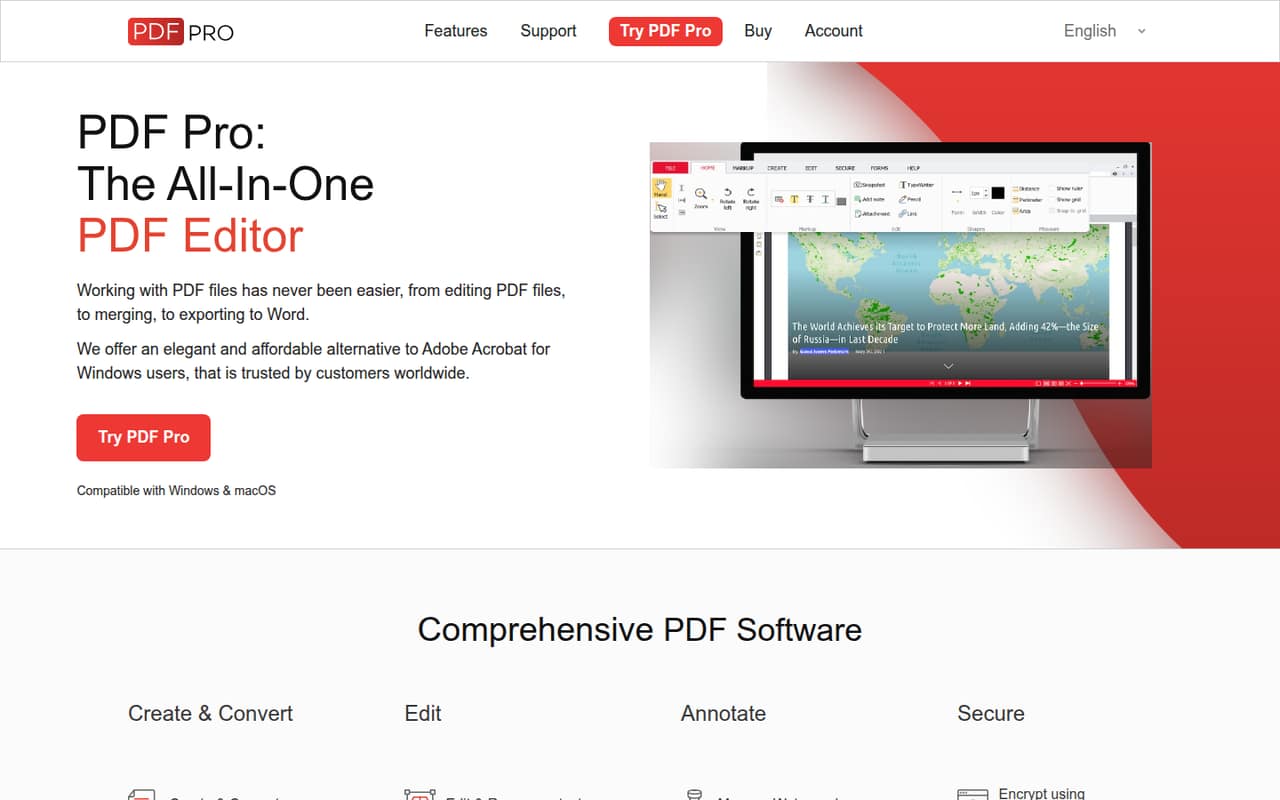
The feature set covers familiar office tasks: edit and rearrange text, move or resize images, add watermarks, highlight or underline text, and protect files with passwords or signatures. IRIS-powered OCR makes scanned PDFs searchable and exportable. The homepage presents PDF Pro as an affordable alternative to Adobe Acrobat, while the pricing page lists an annual price equivalent to $5 per month.
That price looks budget-friendly for an individual. For a team, the key question is licensing: the vendor doesn’t publish seat limits or license scope. Before buying for several people, ask whether the listed price covers one person or multiple users.
02PDF Pro free plan and trial
PDF Pro doesn’t have a free plan listed, and a free trial isn’t listed in the pricing information. The listed plans include a 30-day money-back guarantee, which is different from being able to use the software free before buying.
The cheapest listed way in is the Annual Plan: $5 per month, billed annually. That works out to $60 for one year for one person, based on the listed monthly equivalent. The Monthly Plan costs $15 per month. A Perpetual License is listed at $192 as a one-time purchase.
The vendor doesn’t publish seat or usage limits, so ask what the purchase covers before choosing a plan for a team. If you need to evaluate the software without paying upfront, ask the vendor whether a trial is available.
03What a small team pays for PDF Pro
The pricing page lists three options: the Monthly Plan at $15 per month, the Annual Plan at $5 per month billed annually, and a Perpetual License at $192 one time. All listed plans include a 30-day money-back guarantee. There’s no free plan listed, and no add-ons are listed.
If each teammate needs a separate subscription, the Monthly Plan comes to $45 per month for three people or $75 for five. The Annual Plan’s listed rate works out to $15 per month for three people ($180 billed annually) or $25 per month for five ($300 billed annually). Those totals assume one paid seat per person; the vendor doesn’t publish seat limits or license scope, so confirm the assumption before buying.
The $192 Perpetual License is a one-time price, but the vendor doesn’t publish how many users it covers. Don’t treat it as a team total until you’ve confirmed the license terms.
04Getting started with PDF Pro
PDF Pro is desktop software for Windows and macOS, so teams should first confirm that each person’s computer is supported. The product’s listed tasks—editing, converting, combining, splitting, annotating and securing PDFs—are familiar document jobs. The available information doesn’t specify installation steps, account requirements or how long setup takes, so we can’t promise a particular rollout effort.
The product description names IRIS-powered OCR for scanned documents. It doesn’t list integrations with cloud storage, office suites or team management tools, and it doesn’t describe shared workspaces. If your day-one setup depends on one of those, ask the vendor before buying.
For a one-person setup, the decision is mostly whether the desktop tool covers the PDF work you need. For a small team, also confirm device compatibility, license scope and whether each user needs a separate purchase. Those answers matter more than the low per-month equivalent.
05When small teams outgrow PDF Pro
PDF Pro may stop fitting when a team needs clear controls for several users. The vendor doesn’t publish seat limits, usage limits or license scope, so a growing team can’t calculate its true cost from the advertised price alone. Ask whether each teammate needs a separate license and whether there are minimum seat requirements before expanding.
The listed features focus on working with PDF files on desktop: editing, conversion, combining, splitting, annotation, security and OCR. If your team needs integrations or shared document workflows, those aren’t described in the product details here; confirm whether PDF Pro supports them before relying on it.
Cost can also change with team size. If every person needs a separate plan, five Monthly Plan seats total $75 per month, while five Annual Plan seats equal $300 per year at the listed rate. The Perpetual License is $192 one time, but its user coverage isn’t published. Recheck the license terms as the team grows.
Questions people ask
What can PDF Pro do?
PDF Pro edits and rearranges text, inserts and resizes images, converts PDFs to Word, Excel, images or HTML, and merges or splits files. It also supports annotations, watermarks, password encryption, electronic or digital signatures, and IRIS-powered OCR for scanned documents.
Does PDF Pro work on Windows and Mac?
Yes. PDF Pro is desktop PDF software for Windows and macOS. The vendor’s product description identifies those operating systems, but the specific supported versions aren’t published in the pricing information. Check compatibility with the vendor before purchasing.
Does PDF Pro have a free plan or trial?
A free plan isn’t listed, and a free trial isn’t listed in the pricing information. The listed plans include a 30-day money-back guarantee. If you need to evaluate the software before paying, ask the vendor whether a trial is available.
Can PDF Pro make scanned PDFs searchable?
PDF Pro includes OCR powered by IRIS. The product description says OCR makes scanned documents searchable and exportable. The vendor doesn’t publish usage limits, so ask whether any limits apply to your expected volume of scanned files.
Can one PDF Pro purchase cover my whole team?
The vendor doesn’t publish seat limits or license scope. The listed prices therefore don’t confirm whether a purchase covers one person or multiple teammates. Ask the vendor how many users each plan or Perpetual License includes before buying for a team.