We may earn a commission if you buy through links on this page. It never changes a score or a ranking. How we make money
The bottom line
Good for quick PDF jobs; undisclosed paid prices make team budgeting harder.
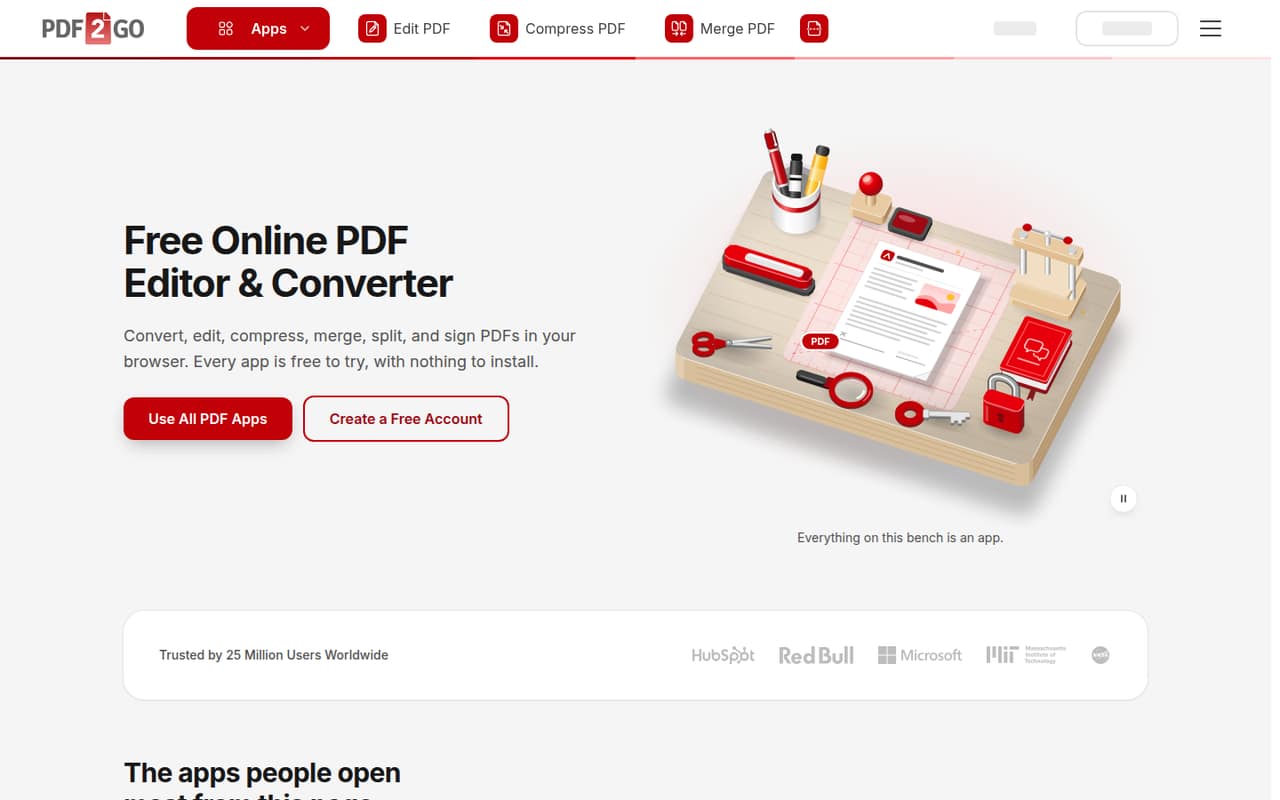
PDF2Go handles common PDF jobs in a browser: editing, converting, compressing, merging, splitting, signing, and password protection. Everyday tasks are free without an account, and a free account raises the allowance.
For a small team, the catch is pricing: the vendor lists Starter, Pro, and Business plans but does not publish their monthly or annual prices. Check the cost and the free-plan limits before relying on it for regular team work.
Good fit if
- Small teams with occasional PDF tasks
- People who want browser-based PDF tools
- Teams converting or combining documents
Skip it if
- Teams needing known subscription costs
- Heavy users needing published free limits
- Organizations requiring detailed admin controls
ScoresHow it rates
What works
- Everyday tasks are free without an account
- Works in a browser without installation
- Covers editing, conversion, compression, and signing
- Starter includes batch processing
- Pro lists Zapier and Make automation
What doesn't
- Paid plan prices aren't published
- Free processing limits aren't specified
- Free plan uses a standard queue
- Batch processing is listed on paid Starter
- Extra users cost €5 per month each
01Who PDF2Go is for
PDF2Go suits a solo user or a small team that handles PDFs now and then, rather than a group that needs a full document system. It runs in a browser, so there’s no installation, and it covers common jobs such as editing, converting, compressing, merging, splitting, signing, and password protection.
For a team of one to five, the free option can cover occasional tasks; a free account raises the allowance, though the vendor doesn’t publish the exact limits. Paid plans add features such as batch processing, larger files, and faster queue handling. Starter includes two users, while Pro includes five, but the plan prices aren’t published. That makes it harder to judge whether a regular workflow fits a tight budget. We’d consider PDF2Go for straightforward PDF work, but ask the vendor for exact prices and limits before choosing a paid plan.
02PDF2Go free plan and trial
PDF2Go’s Free plan gives access to most apps, limited file processing, and a standard queue. The pricing page lists no account as necessary for free use, so a person can try everyday PDF tasks without signing up. Creating a free account raises the allowance, but the vendor doesn’t publish the exact file or processing limits.
There’s no free trial listed. The main stopping points are limited processing and the standard queue; the paid plans list larger files, batch processing, and priority or skipped queues. Starter and higher plans also include user seats and, on Pro and Business, additional team features. Since paid prices aren’t published, there’s no clear cost to compare against the free plan. For occasional work, start free; ask the vendor about limits if your team depends on predictable volume.
03What a small team pays for PDF2Go
The pricing page lists monthly and yearly billing, but doesn’t publish the price for either. So the paid starting price is unknown, and we can’t give a reliable monthly or annual total for one person, three people, or five. Ask the vendor for both billing rates before budgeting.
Starter includes two users, so its per-seat cost would be the plan price divided by two. Pro includes five users, so its per-seat cost would be the plan price divided by five. Those rates can’t be calculated until the plan prices are disclosed. For three or five people, Pro’s listed seat allowance covers the group; Starter includes two seats, and the pricing page lists extra users at €5 per user per month. It doesn’t specify which plans can use that add-on. Business includes 20 users, centralized billing, and a custom file size limit, but its price is also unpublished. Add-on credit pack prices aren’t listed either.
04Getting started with PDF2Go
Getting started should be simple for occasional tasks: PDF2Go is browser-based, needs no installation, and allows everyday work without an account. Choose an app for the job—such as converting, compressing, merging, or signing a PDF—and use the browser tool. The vendor doesn’t publish a detailed setup time, so teams with a formal onboarding process should confirm any account or workflow requirements first.
For a small team, the main setup decision is whether people work individually or need shared tools. The Free plan has no account requirement, while paid plans include seats. Pro lists document sharing and Zapier and Make automation; Starter doesn’t list those features. If your team needs automation on day one, confirm the plan price and how the integrations work before committing. The product’s browser-based approach avoids a desktop installation, but there’s no published information here about other integrations or centralized setup on lower plans.
05When small teams outgrow PDF2Go
The free plan may stop fitting when limited processing or a standard queue slows regular work. The vendor doesn’t publish the exact free limits, so a team can’t easily predict when it will hit them. Starter lists batch processing, a 64 GB maximum file size, and a priority queue; those may matter when individual files or recurring jobs exceed what the free tier handles.
A team may also need more seats or shared workflows. Starter includes two users, while Pro includes five and adds document sharing, Zapier and Make automation, and five times the Starter AI usage. Business lists 20 users, centralized billing, a custom file size limit, and a skip queue. Extra users are listed at €5 per month each, but paid plan prices and add-on eligibility aren’t published. If those details determine your budget, get a written quote before moving work over—or compare other tools with transparent pricing.
Questions people ask
Is PDF2Go free to use?
Yes. PDF2Go lists a Free plan with access to most apps, limited file processing, and a standard queue. Everyday tasks can be done without an account, and a free account raises the allowance. The vendor doesn’t publish the exact free processing limits, so check whether your team’s workload fits.
What does PDF2Go cost for a team?
The vendor lists Free, Starter, Pro, and Business plans, but doesn’t publish monthly or annual prices. Starter includes two users and Pro includes five. Extra users are listed at €5 per user per month; ask the vendor which plans support the add-on and request current plan prices.
Can PDF2Go edit and sign PDFs?
Yes. PDF2Go lists browser-based tools for editing PDFs and signing them. It also offers conversion, compression, merging, splitting, and password protection. The available published material doesn’t detail the editing or signing controls, so confirm that the specific changes your workflow needs are supported.
Does PDF2Go require installation?
No installation is required for PDF2Go’s browser-based apps. You can use its tools for tasks such as converting, compressing, merging, splitting, and signing PDFs in a browser. The vendor doesn’t publish specific browser compatibility details in the available information, so check compatibility if your team has a managed browser environment.
Does PDF2Go support team workflows?
Paid plans list team-oriented features: Pro includes five users, document sharing, and Zapier and Make automation; Business includes 20 users and centralized billing. Starter includes two users. The plan prices aren’t published, so ask the vendor for a quote and confirm which features and add-ons fit your team.