
We may earn a commission if you buy through links on this page. It never changes a score or a ranking. How we make money
The bottom line
Useful PDF tools in a browser, but check renewal terms before entering payment details.
PDFAid brings editing, conversion, signing, OCR, page management, and forms into a browser, with no installation required. That range suits occasional PDF jobs, but the vendor lists no free plan, and the renewal terms deserve attention.
Reddit users describe editing as easy, while several report unexpected charges or unclear billing and support. We’d consider it for non-sensitive, short-term work only after confirming the price and renewal terms.
Good fit if
- Occasional PDF edits in a browser
- Small teams needing varied PDF tools
- Users who want no software installation
Skip it if
- Teams requiring a free PDF editor
- Sensitive files needing clearer assurances
- Teams needing published seat pricing
ScoresHow it rates
What works
- More than 50 PDF tools
- Works in desktop and mobile browsers
- Edits text and adds images
- OCR supports 95+ languages
- Includes 2,000+ customizable forms
What doesn't
- No free plan is listed
- Usage limits are not published
- Team or seat pricing is not published
- Reddit users report unexpected charges
- Some users describe slow or unclear support
01Who PDFAid is for
PDFAid is a browser-based PDF editor, converter, signer, and forms toolkit. It is aimed at people who need to make occasional changes without installing software: edit text, add images, rotate or watermark pages, convert common file types, sign documents, and manage pages. The site lists more than 50 tools and 2,000+ forms.
For a one-to-five-person team on a tight budget, it may fit when PDF work is occasional and the team values having several tasks in one browser service. It is less suited to a team that expects a lasting free tier or wants clear published limits and team-seat costs before signing up. PDFAid works in desktop and mobile browsers, and its homepage lists uploads up to 100 MB with automatic deletion after 48 hours. For sensitive work documents, we’d still check the service’s terms and privacy details before uploading. The small-team question is not whether the tool can edit a PDF; it is whether its recurring billing and unclear usage limits suit your workflow.
02PDFAid free plan and trial
PDFAid does not list a free plan, and a free trial is not listed. So teams should not treat the browser editor as a free service just because they can reach its tools online. Reddit users describe being able to edit or merge files before encountering a payment request or later charge, which makes it especially important to read the checkout terms before uploading work.
The cheapest published route is the 4-week plan, which auto-renews at $10 every 4 weeks. The other listed option is the Annual plan at $50 per year. PDFAid does not publish usage limits for either plan in the pricing details we have, so ask the vendor what applies to your planned volume and whether the plan covers every tool you need. Confirm the renewal date and cancellation process before paying.
03What a small team pays for PDFAid
The pricing page lists a 4-week plan that auto-renews at $10 every 4 weeks and an Annual plan that auto-renews at $50 per year. There is no free plan, and usage limits are not published. The listed Annual plan price works out to $4.17 per month when paid as $50 for the year.
PDFAid does not publish team or per-seat pricing. If each person needs a separate subscription at the listed individual rate, three people would total $30 every 4 weeks or $150 per year on the Annual plan. Five would total $50 every 4 weeks or $250 per year annually. These are simple multiples of the published rates, not confirmed team quotes; ask PDFAid whether accounts can be shared or whether team pricing applies.
No add-ons are listed. The main potential cost trap is renewal: the 4-week plan renews automatically, and Reddit users report confusion about charges and subscriptions. Before paying, check the checkout page for the exact plan, renewal date, cancellation terms, and any limits that could affect your team.
04Getting started with PDFAid
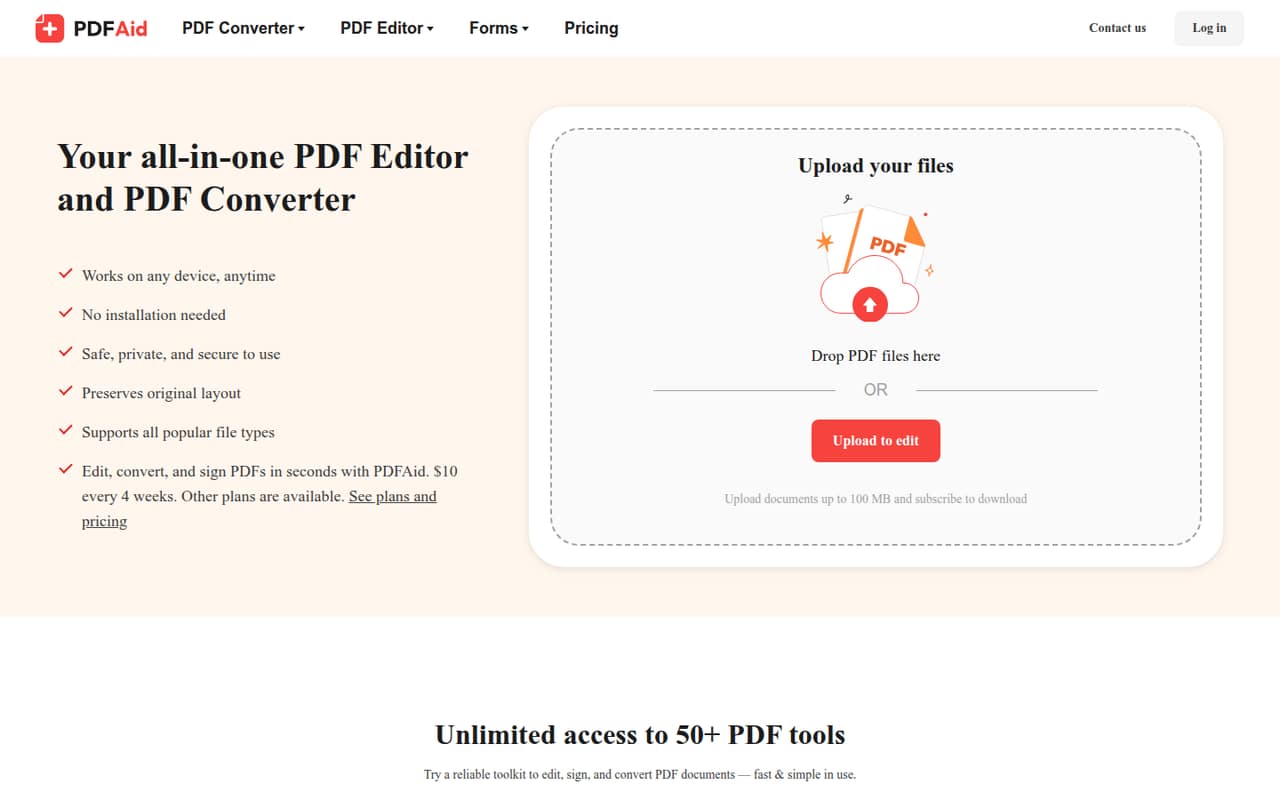
PDFAid works in desktop and mobile browsers without installation, so the basic setup is to open the service and use a PDF tool. The homepage lists uploads up to 100 MB and says files are automatically deleted after 48 hours. The available tools cover editing, conversion, signing, OCR, page management, and customizable forms.
The range should make it straightforward to choose a tool for a single task, though PDFAid does not publish usage limits or detailed setup requirements on the vendor's site. It also does not list integrations, so teams that need a connection to their storage, document workflow, or identity tools should ask the vendor before committing. Reddit commenters describe the editing itself as easy, but some report confusion around payment and charges. Keep an eye on checkout terms as part of setup, not as an afterthought. Since files are uploaded to an online service, check the vendor’s privacy and security terms before using it for sensitive documents.
05When small teams outgrow PDFAid
A team may outgrow PDFAid when it needs a published usage allowance, team administration, integrations, or a clear quote for multiple seats. The pricing details list no usage limits, add-ons, or team rates, so ask the vendor directly if your work volume is growing or several people need access. At the published rates, five separate Annual plans would total $250 per year; that is only a multiplication of the listed individual price, not a confirmed team plan.
Reddit users report unexpected charges, confusing subscription terms, and, in some cases, slow or unclear support. Those reports do not establish what every customer will experience, but they are a reason to confirm renewal and cancellation details before expanding use across a team. The product may remain adequate for occasional browser-based edits; teams handling frequent or sensitive work should compare services with clearer published limits, team pricing, and workflow options. PDFAid’s listed automatic file deletion after 48 hours is useful context, but it is not a substitute for reviewing privacy terms.
From the threadsWhat users say
Reddit sentiment is mixed on the editing experience and mostly negative on billing clarity. Some commenters say the tools were easy to use, while others report unexpected charges and support problems.
Yeah, actually it was really easy
The editor did the job, but the payment side was kind of confusing
I used pdf aid last week. It worked for merging and converting files, but I was surprised by an unexpected charge
I contacted support, but got no assistance at all
Questions people ask
What is PDFAid used for?
PDFAid is a browser-based service for editing, converting, and signing PDFs. It also offers OCR, page tools such as merge and split, and customizable forms. The product lists more than 50 PDF tools and works in desktop and mobile browsers without installation.
Is PDFAid free to use?
PDFAid does not list a free plan, and a free trial is not listed. Its published paid options are the 4-week plan, which renews at $10 every 4 weeks, and the Annual plan, which renews at $50 per year. Check the payment terms before using the service.
How much does PDFAid cost?
The pricing page lists a 4-week plan at $10 every 4 weeks and an Annual plan at $50 per year. The annual price is listed as $4.17 per month when paid yearly. Usage limits and team pricing are not published.
Does PDFAid delete uploaded files?
PDFAid’s homepage says uploaded files are automatically deleted after 48 hours and lists a maximum upload size of 100 MB. If your documents are sensitive, review the service’s privacy and security terms before uploading them.
How do I cancel PDFAid or request a refund?
Reddit users describe confusion about subscriptions and say support response times or explanations varied. Check the cancellation and refund terms shown at checkout, save your plan confirmation, and contact PDFAid support if you need to cancel or dispute a charge. The exact refund policy is not published in the pricing details.
Sources
- PDFAid homepage
- PDFAid pricing, compiled via web search from pdfaid.com
- Reddit: Looking for honest PDFAid feedback before I try it
- Reddit: My honest PDFaid review after trying it for the first time
- Reddit: My fraudulent PDFAid experience – what actually happened
- Reddit: PDFAid feedback: Is this PDF editor trustworthy?