
We may earn a commission if you buy through links on this page. It never changes a score or a ranking. How we make money
The bottom line
A budget-friendly PDF creator for workstations, with a personal-use-only free plan.
PDFCreator is worth considering if your small team mainly needs to make PDFs from other applications. The free plan is limited to private, non-commercial use; business use starts at €2.48 per workstation per month on annual pricing.
For editing text, images, or pages, the homepage points to the separate PDF Architect product. Reddit comments include both installer-safety concerns and a suggestion for avoiding bundled software, so teams should review the installer before deployment.
Good fit if
- Small Windows teams creating PDFs
- Businesses watching per-seat costs
- Private users who need free conversion
Skip it if
- Commercial users needing a free license
- Teams wanting editing in one product
- Organizations needing published monthly pricing
ScoresHow it rates
What works
- Creates PDFs from any application.
- Free plan for private, non-commercial use.
- Professional licenses cost €2.48 per workstation monthly equivalent.
- Volume discounts are available.
- PDF Architect edits text, images, and pages.
What doesn't
- Free plan excludes commercial use.
- Monthly billing prices are not published.
- Business licenses are priced per workstation.
- Editing is promoted through separate PDF Architect.
- Reddit users report installer-safety concerns.
01Who PDFCreator is for
PDFCreator is for people who need to create PDFs from other applications, rather than a full document-editing suite. For a team of 1–10, the Professional plan is aimed at individual Windows desktop users and licenses each workstation separately. That makes it a straightforward fit when a few employees need PDF creation on their own computers.
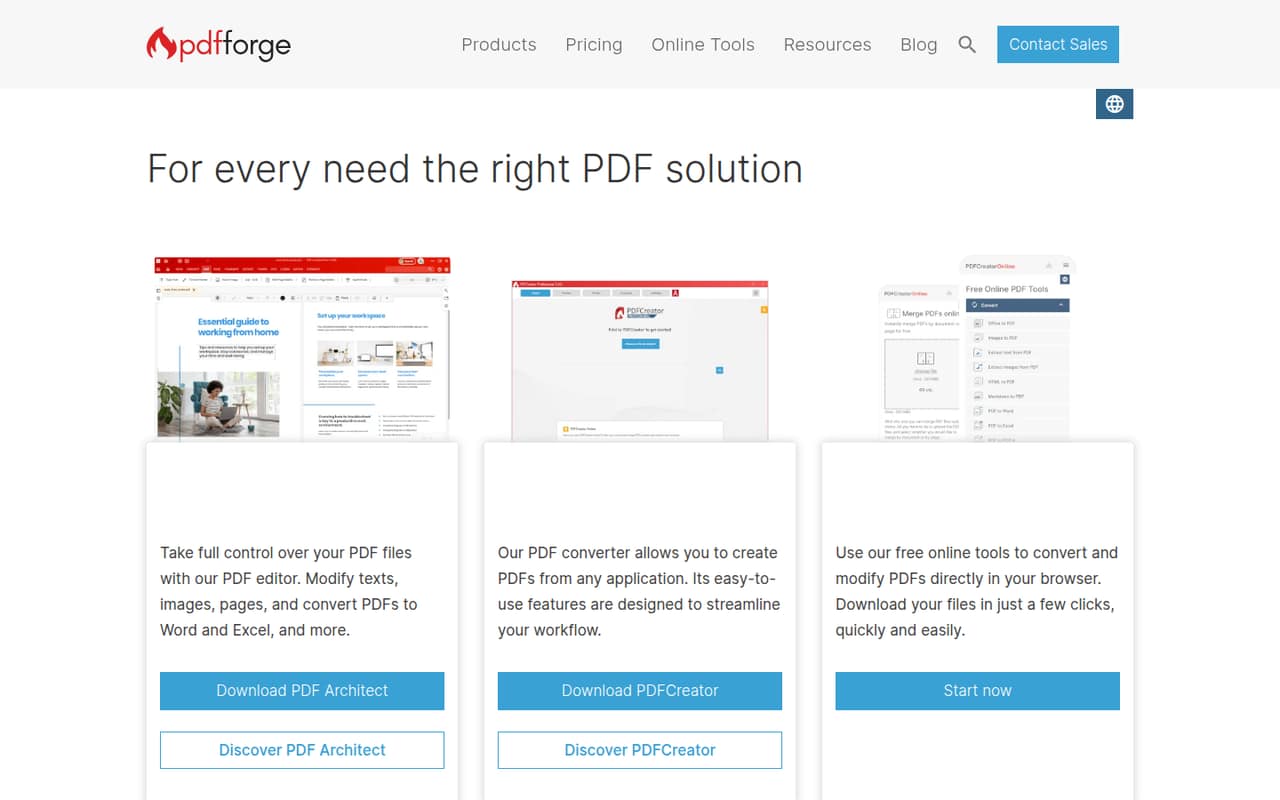
The main budget distinction is use: PDFCreator Free is for private, non-commercial use, while a business needs a paid license. Professional starts at €2.48 per workstation per month on annual pricing, so even a small team can estimate its base cost by multiplying that rate by its workstations. The homepage also promotes PDF Architect for editing PDF text, images, and pages, plus browser-based tools for conversion and modification. If your main job is editing files rather than creating PDFs, check whether those separate offerings fit before choosing PDFCreator.
02PDFCreator free plan and trial
PDFCreator Free is available, but the pricing page limits it to private, non-commercial use. That can suit a home user making PDFs from applications, but it is not the free option for a company or a team using the tool for work. Business use starts with PDFCreator Professional, listed at €2.48 per workstation per month when paid annually.
The pricing information also lists a 30-day free trial. It does not specify which plan or features the trial covers, so confirm the trial scope with the vendor before relying on it for a team rollout. The free-plan details list private and non-commercial use, not a feature checklist; ask the vendor which capabilities are included if your decision depends on a specific workflow. Monthly billing prices are not published.
03What a small team pays for PDFCreator
PDFCreator Professional is listed at €2.48 per workstation per month, with annual pricing. That works out to €29.76 per workstation for a year. Assuming one licensed workstation per person, one user costs €2.48 monthly equivalent or €29.76 annually; three users cost €7.44 monthly equivalent or €89.28 annually; five cost €12.40 monthly equivalent or €148.80 annually. These are calculations from the published annual rate, not monthly-billing quotes. The vendor does not publish monthly billing prices.
Professional is for 1–100 individual Windows desktop users, and volume discounts are available, though the pricing page does not publish discount amounts. The other listed plans target different setups: Terminal Server costs €41.65 per server per month, and Server costs €133.88 per server per month, both on annual pricing. Terminal Server covers Citrix and Windows RDS environments; Server is for centralized organizational conversion without local installs. There are no add-ons listed in the pricing information. PDF Architect is promoted separately, so ask the vendor about its price if you need editing.
04Getting started with PDFCreator
The core task is simple to explain: PDFCreator makes PDFs from any application. Professional is licensed per workstation and described for individual Windows desktop users, so a small team should first identify which computers need a license. The homepage does not lay out a setup checklist, supported application list, or deployment steps; ask the vendor for those details if you need managed installation across several computers.
The homepage describes workflow features as a way to streamline work, but does not detail the setup or learning curve for those features. It also promotes PDF Architect and browser-based conversion and editing tools, which are separate offerings to evaluate if your day-one needs go beyond PDF creation. Reddit discussions raise installer concerns: one original poster alleges unwanted software, while a commenter says using Ninite avoids it. Those are user reports, not a vendor installation guide, so teams should review the installer and deployment options before rolling it out.
05When small teams outgrow PDFCreator
The first reason to move on may be that PDF creation is only part of the job. The homepage places text, image, and page editing in PDF Architect, and presents browser-based tools separately. If your team wants those tasks in the same product, compare the separate offering and confirm its price before expanding your subscription. The vendor does not publish monthly billing prices for PDFCreator, which can also make month-to-month budgeting harder.
A growing desktop team pays by workstation on Professional: at the listed annual rate, each additional workstation adds €2.48 per month equivalent before any volume discount. Teams using Citrix or Windows RDS have a separate per-server plan, while centralized organizational conversion has its own Server plan. Reddit sentiment is mixed: one thread includes strong installer-safety allegations, while another commenter offers a way they say avoids bundled software. Those reports may prompt a cautious rollout, especially for less technical users.
From the threadsWhat users say
Reddit sentiment is mixed, with a strong installer-safety complaint and a commenter offering a workaround. Another discussion focuses on alternatives for page preview and editing tasks rather than PDF creation itself.
Last I checked PDFCreator sneaks shitware on even with everything unchecked
If you install PDFCreator through ninite it doesn't include the crapware, if you're into that kind of thing
PDF24 hat doch eine ganz gute Vorschau der Seiten
Wir nutzen PDF-XChange auf Arbeit
Questions people ask
Is PDFCreator free for business use?
No. The pricing page lists PDFCreator Free for private, non-commercial use only. For individual Windows desktop users, the listed business plan is PDFCreator Professional at €2.48 per workstation per month on annual pricing. Monthly billing prices are not published.
Is PDFCreator safe to install?
Reddit users have reported concerns about unwanted software in the installer, while one commenter says installing through Ninite avoids it. These are user reports, not confirmation of current installer behavior. Review the installer carefully and ask the vendor about deployment options before installing it across a team.
What does PDFCreator do?
PDFCreator is presented as a tool for creating PDFs from any application. The homepage also promotes PDF conversion, including conversion to Word and Excel, and browser-based tools for converting and modifying PDFs. PDF text, image, and page editing is promoted through the separate PDF Architect product.
How much does PDFCreator cost for a small team?
The Professional plan is listed at €2.48 per workstation per month on annual pricing. At that rate, three workstations cost €7.44 per month equivalent, or €89.28 for a year; five cost €12.40 per month equivalent, or €148.80 for a year. Monthly billing prices are not published.
Does PDFCreator include PDF editing?
The homepage promotes PDF Architect for modifying text, images, and pages in PDFs. It presents PDF Architect separately from PDFCreator, so do not assume those editing features are included in the PDFCreator license. The vendor does not publish an add-on price in the listed pricing information; ask for a quote if editing is required.