
We may earn a commission if you buy through links on this page. It never changes a score or a ranking. How we make money
The bottom line
A genuinely free design workspace for small teams, with paid upgrades for storage and history.
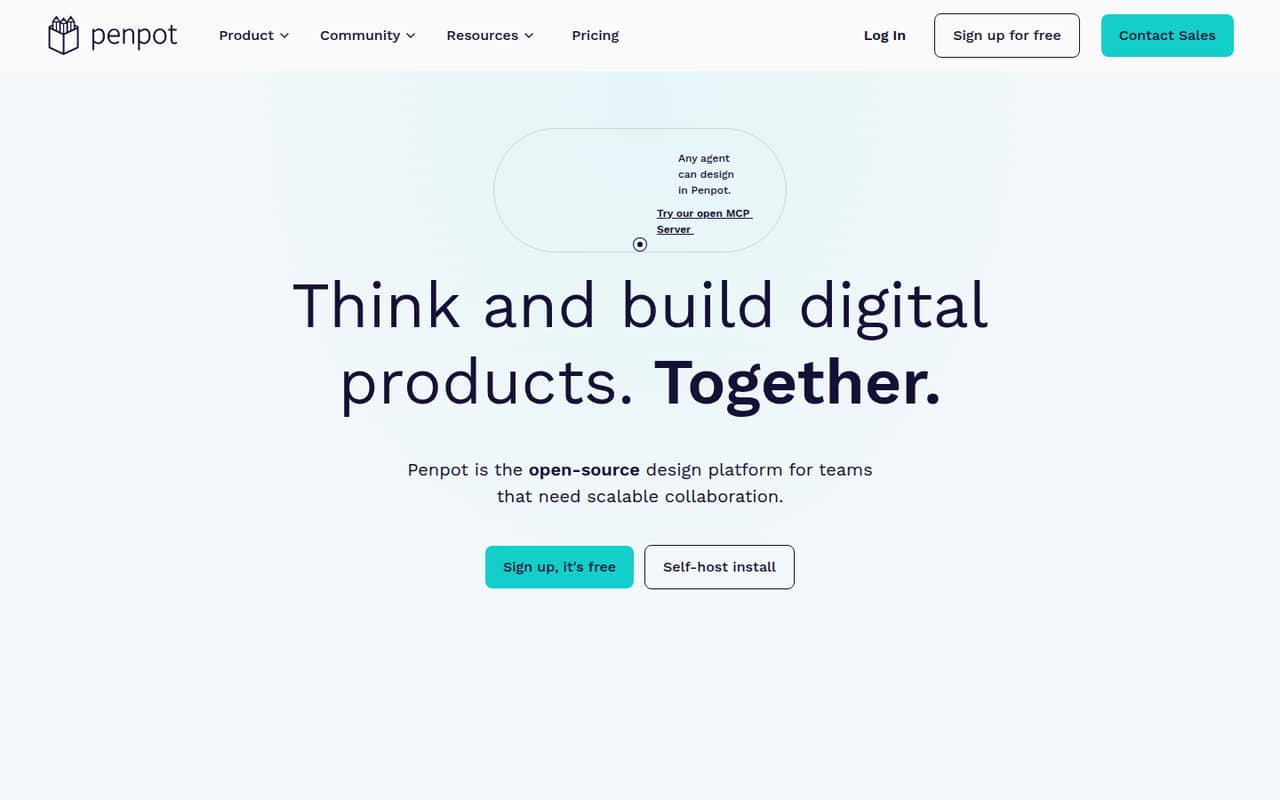
Penpot gives small teams UI design, prototypes, design systems, code inspection, and CSS Grid and Flex layouts without a paid entry plan. The pricing page lists its free plan as fully featured, with unlimited teams and no file limits within storage capacity.
Paid plans start at $7 per editor per month for extra space and extended history. Reddit users praise the open standards and value, but some report lag on larger projects and see established competitors as having broader ecosystems.
Good fit if
- Budget-conscious product teams
- Designers working closely with developers
- Teams that value open standards
Skip it if
- Teams needing offline-first design
- Teams with very large design files
- Organizations needing governance on a budget
ScoresHow it rates
What works
- Free plan includes the full feature set
- Unlimited teams on the free plan
- Uses CSS Grid and Flex layouts
- Works with CSS, HTML, SVG, and JSON
- Paid editor plan starts at $7 monthly
What doesn't
- Free storage capacity is not published
- Extra space and extended history cost more
- Some users report lag on complex files
- One Reddit user wanted an offline option
- Enterprise governance costs $25 per member monthly
01Who Penpot is for
Penpot suits solo designers and small product teams that want to keep software costs low while working on interfaces, prototypes, and shared design systems. It brings UI design, responsive layouts, interactive prototypes, design components, tokens, and code inspection into one open-source platform. Developers can work with familiar standards such as CSS, HTML, SVG, and JSON, rather than treating design files as a closed format.
For a team of one to ten, the free plan is an unusually strong place to start: the pricing page lists full features and unlimited teams at no charge. We’d consider it especially when designers and developers need to discuss layouts together or the team values open standards. A few Reddit commenters praise its CSS Grid and Flex approach. If your work depends on large, complex files or a broad plugin ecosystem, compare it with other tools before moving the whole team. Some Reddit users report performance concerns and point to competitors’ larger ecosystems.
02Penpot free plan and trial
The pricing page lists Penpot’s Professional plan at $0 per user per month. It says the plan is fully featured, has no missing tools, allows unlimited teams, and has no file limits within storage capacity. That makes it a practical starting point for a small team that wants to create interfaces, prototypes, and shared design systems without paying for seats.
The important qualifier is storage capacity: the pricing page does not publish its size, so ask Penpot what applies to your workspace before relying on the free plan for a large asset library. The page also lists a 14-day free trial, but does not specify which plan or terms it covers. If your team needs extra space or extended history, Unlimited is the cheapest listed paid plan at $7 per editor per month.
03What a small team pays for Penpot
The free Professional plan costs $0 for one person or a team, subject to its storage capacity. If you need extra space, extended history, or early access to features, the pricing page lists Unlimited at $7 per editor per month. That works out to $7 monthly for one editor, $21 for three, or $35 for five. The plan is capped at $175 per month.
For organizations needing advanced governance, centralized administration, team permissions, and secure collaboration, Enterprise costs $25 per member per month: $25 for one, $75 for three, or $125 for five. These are monthly calculations from the listed per-seat prices; no annual-billing discount is listed. Private Server is listed at $50,000 per year for dedicated infrastructure and custom hosting, which is a very different budget category from a small cloud team. The pricing page lists no add-ons. For most teams of one to ten, the sensible starting point is free, moving to Unlimited only when its extra space or history matters.
04Getting started with Penpot
Penpot doesn’t publish a setup-time estimate, so we wouldn’t promise a specific time to get a team running. A sensible first step is to create a workspace, build a small sample file, and check that the team’s design and developer handoff needs fit the available CSS, HTML, SVG, and JSON workflows. The platform’s design systems and shared libraries can help organize repeatable components as work grows.
The feature list includes responsive design, CSS Grid and Flex layouts, prototypes, code inspection, and AI workflows; it does not name specific third-party integrations. One Reddit user who installed the app said the first screen required SSO or account creation and complained that it wasn’t a local-first experience. That is one user’s report, not a universal setup rule. If offline use or a particular integration is essential, confirm the current options with Penpot before adopting it.
05When small teams outgrow Penpot
The first reason to upgrade is practical rather than headcount: a team may need more space or extended history, both listed with the $7-per-editor Unlimited plan. If you need governance, centralized administration, or team permissions, the listed route is Enterprise at $25 per member monthly. That is $125 a month for five members, so price that requirement before rolling Penpot out across a larger organization.
Performance is another reason to test with representative work before switching a busy team. Reddit users report lag while zooming or working with many images, and one commenter said Penpot struggled with projects containing several screens. Those are individual reports, not a measured limit. Other commenters cite a broader ecosystem in competing tools as a reason to stay put. Ask your team to try its typical file size and check any must-have integrations. The pricing page lists Private Server at $50,000 per year, so dedicated infrastructure is not a small-team budget option.
From the threadsWhat users say
Reddit sentiment is positive about Penpot’s free access and CSS-based layouts, but mixed on performance and how it compares with established tools. Some users describe it as a good fit for personal or lighter work, while others report trouble with larger files.
it's the tool we use in Fedora for most if not all of our design (both UI and marketing artwork) work
One thing I really love about it - it uses standard CSS grid and flexbox models for layout instead of inventing its own
Performance for me makes it nearly unusable for anything more complicated than wireframes
Its great for individuals but the pricing skyrockets the second you're working with anyone else
Questions people ask
Is Penpot free for a small team?
Yes. The pricing page lists the Professional plan at $0 per user per month, with the full feature set and unlimited teams. It says there are no file limits within storage capacity, but does not publish the capacity. Ask Penpot what storage applies to your workspace if you expect to keep many large files or assets.
How much does Penpot cost for a team of five?
A five-editor team pays $35 per month on Unlimited, calculated from the listed $7 per editor monthly price. Enterprise is $125 per month for five members at the listed $25 per member rate. The free Professional plan is also listed, and may be enough if its storage capacity works for your team.
Does Penpot support CSS Grid and Flex layouts?
Yes. Penpot’s feature list includes CSS Grid and Flex layouts, plus responsive, rules-based interface design. A Reddit commenter praised its use of standard CSS Grid and Flex models as helpful when moving design work toward development. Check your own handoff requirements before settling on a tool.
Can a team use Penpot offline?
Don’t assume Penpot is an offline-first desktop tool. One Reddit user reported being asked to sign in with SSO or create an account after installing the app and objected to not being able to work locally. That is an individual report; ask Penpot about current offline and hosting options if they are essential.
When should a team upgrade from Penpot’s free plan?
Consider Unlimited when your team needs extra space or extended history; the pricing page lists it at $7 per editor per month. Enterprise is the listed option for advanced governance, centralized administration, team permissions, and secure collaboration at $25 per member monthly. Confirm storage needs and test performance with your typical files before deciding.