
We may earn a commission if you buy through links on this page. It never changes a score or a ranking. How we make money
The bottom line
Good choice for dedicated bare metal; a poor fit if you want free, simple, per-seat cloud pricing.
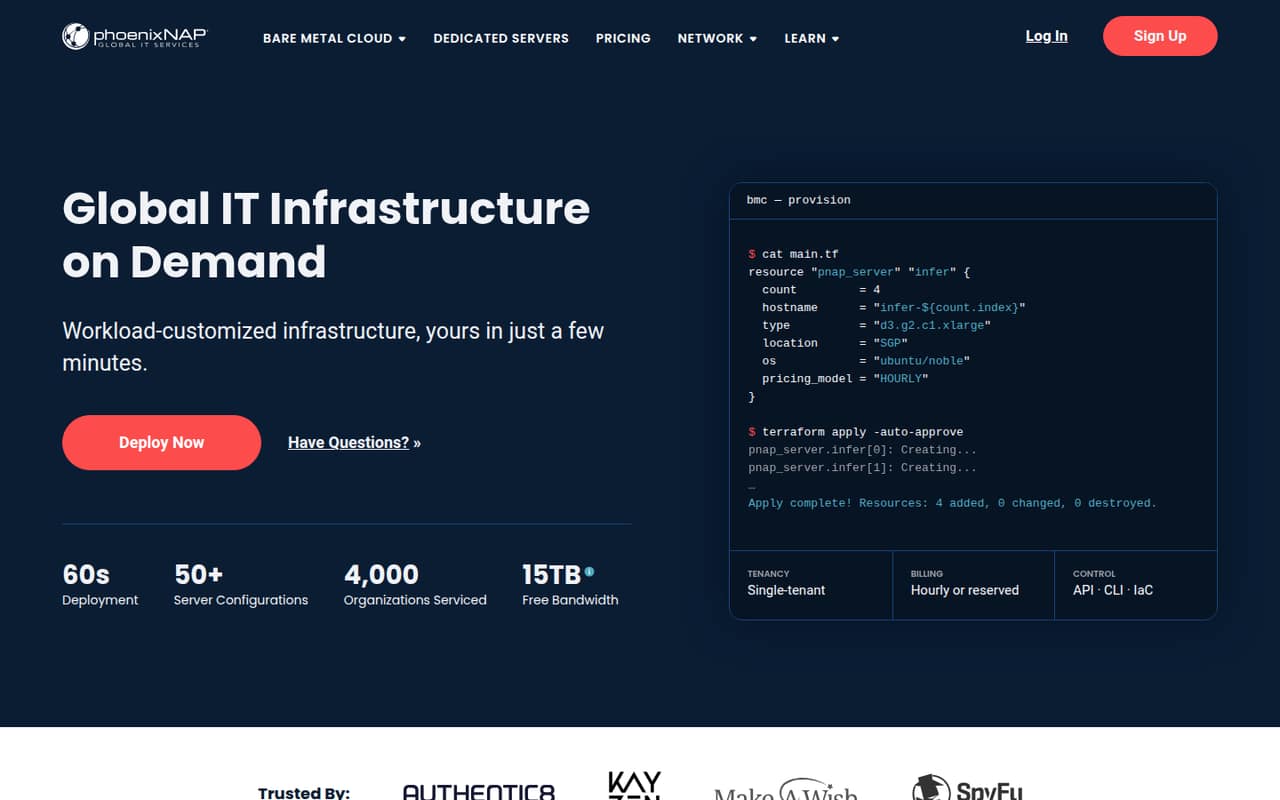
phoenixNAP is for teams that need dedicated servers, storage, and networking—not a general-purpose app with seats. Its Bare Metal Cloud lists 50+ server configurations, hourly or reserved billing, and management through a web interface, API, CLI, and infrastructure-as-code tools.
The cheapest listed server starts at $0.08 per hour, and there’s no free plan. That can work for a small team with a clear infrastructure need, but it’s harder to budget than a fixed monthly subscription. Reddit reports include both long-running customer history and concerns about a data-center incident and server suitability.
Good fit if
- Teams running dedicated server workloads
- Infrastructure teams using automation
- Workloads needing configurable bare metal
Skip it if
- Teams looking for a free cloud tier
- Nontechnical teams wanting managed simplicity
- Buyers needing predictable per-seat pricing
ScoresHow it rates
What works
- More than 50 bare-metal server configurations
- Hourly or reserved billing options
- Web interface, API, and CLI management
- Terraform, Ansible, Pulumi, and Chef support
- 15 TB bandwidth included in most locations
What doesn't
- No free plan or published free trial
- Hourly prices make monthly budgets usage-dependent
- No annual prices listed
- Singapore bandwidth allowance is 5 TB
- Reddit users report service and server-fit concerns
01Who phoenixNAP is for
phoenixNAP is aimed at small teams that need dedicated infrastructure, rather than a shared app for a handful of coworkers. A three-to-ten-person engineering or operations team could use it to run workloads on bare-metal servers, with storage and networking available through the same on-demand platform. The Bare Metal Cloud lists more than 50 server configurations, and the homepage says servers can deploy in about 60 seconds.
The best fit is a team that already knows what hardware and operating environment its workload needs, and has someone comfortable managing infrastructure. The platform offers a web interface, API, CLI, and tools including Terraform, Ansible, Pulumi, and Chef. That gives a technical team options, but it is not the same as a simple managed service for a business without infrastructure skills.
Budget-wise, this is a pay-for-capacity decision, not a per-seat software subscription. It makes sense when dedicated hardware is a real requirement; for ordinary team collaboration or a small project with no server needs, it’s more platform than you need.
02phoenixNAP free plan and trial
The pricing information lists no free plan, and a free-trial offer is not published. There is no free tier for a small team to use as a low-risk starting point, so expect to pay for the infrastructure you provision.
The cheapest listed way in is the s0.d1.small server at $0.08 per hour. It includes a single Intel E-1240v3, 16 GB RAM, and two 240 GB SSDs. That is an instance price, not a fee per user. The pricing page lists hourly rates for most configurations and monthly rates for two; it also describes hourly or reserved billing. It does not show an annual price for these plans.
Before committing, ask phoenixNAP about any minimum term, billing details for reserved capacity, and costs for storage beyond the listed bandwidth allowance. Those details matter when there’s no free tier to test the service at no cost.
03What a small team pays for phoenixNAP
phoenixNAP charges for infrastructure, not seats. The cheapest listed instance, s0.d1.small, costs $0.08 per hour. One instance is $0.08 per hour; three instances are $0.24 per hour; five are $0.40 per hour. Those figures scale the listed hourly rate, not a per-seat charge, and the actual monthly spend depends on how long the instances run. The vendor does not publish an annual price for this option, so there’s no annual-versus-monthly discount to compare.
For a more capable single-CPU option, the listed s1.c1.small costs $0.16 per hour and includes 64 GB RAM and 1 TB NVMe. The two instances with monthly prices are AmpereOne configurations at $616.25 and $650.02 per month. Most other listed configurations use hourly rates. The pricing page lists 15 TB of free bandwidth in most locations and 5 TB in Singapore. It also lists low-cost network and object storage, but does not publish prices for those add-ons. Check storage needs and location before setting a budget; the server rate alone won’t answer what a continuously running deployment costs.
04Getting started with phoenixNAP
The platform offers a web interface for deployment and management, plus an API and CLI for teams that prefer to automate infrastructure tasks. The homepage says servers can deploy in about 60 seconds, and the Bare Metal Cloud lists more than 50 preconfigured server options. Choosing a configuration still means understanding the workload’s CPU, memory, and storage needs; this is a tool for infrastructure decisions, not a one-click business app.
For a team that already uses infrastructure as code, phoenixNAP supports Terraform, Ansible, Pulumi, and Chef. That may help fit provisioning into an existing workflow. The vendor's site does not publish a step-by-step setup estimate, so allow time for configuration and operational planning rather than assuming the stated deployment speed covers the whole setup.
Before launch, confirm the location’s bandwidth allowance and whether shared network file storage meets the workload’s needs. The platform says storage is shared by Bare Metal Cloud instances in the same location.
05When small teams outgrow phoenixNAP
phoenixNAP is less likely to be outgrown because of seat limits than because your infrastructure needs change. The listed prices are tied to server configurations, and the platform offers many choices, including memory-intensive and high-capacity NVMe systems. Costs can still climb as you add instances or select larger hardware, while the vendor does not publish annual prices for most listed configurations or prices for network and object storage add-ons.
A growing team may need a different provider if it wants a free development tier, simpler fixed monthly budgeting, or a managed service that asks less of its engineers. It may also need to move if a specific server configuration does not support its workload. In one Reddit thread about Plex hosting, a commenter reported a CPU and motherboard compatibility issue; another called the service pricey. Those are individual reports, not a general measure of service quality.
A separate Reddit thread about a Phoenix data-center incident described elevated temperatures, outages, and trouble reaching support. A commenter in that thread also said they had previously experienced years without outages lasting more than a minute. Teams with strict uptime needs should ask phoenixNAP about incident response and resilience before choosing a deployment.
From the threadsWhat users say
Reddit sentiment is mixed but limited: comments include a report of a difficult data-center incident and concerns about price and server fit. One commenter also described years of service with very short outages before that incident.
Their own support services went offline. So you can't even submit tickets
We've colo'd there for 3.5 years and have never had outages lasting more than 1 minute, until now
Seems a bit pricey, I'd probably look at SoYouStart/OVH instead
I had like a huge escalation with them for the exact same issues!
Questions people ask
Does phoenixNAP have a free plan?
No free plan or free trial is listed. The cheapest listed entry point is the s0.d1.small server at $0.08 per hour. It includes a single Intel E-1240v3, 16 GB RAM, and two 240 GB SSDs. Ask the vendor about any minimum term or other charges before provisioning.
How much does phoenixNAP cost for a small team?
Pricing is for server instances, not user seats. The lowest listed rate is $0.08 per hour for one s0.d1.small. Three such instances total $0.24 per hour, and five total $0.40 per hour. Monthly spend depends on how long they run; the vendor does not list an annual price for this configuration.
Does phoenixNAP offer hourly billing?
Yes. The pricing page lists hourly rates for most server configurations and monthly rates for two. The platform also describes hourly or reserved billing. Annual prices are not shown on the vendor's site, so ask phoenixNAP for details about reserved terms and billing before choosing a commitment.
How quickly can phoenixNAP deploy a server?
phoenixNAP’s homepage says servers can deploy in about 60 seconds. That refers to server deployment, not necessarily the time needed to choose a configuration, plan storage, or prepare your workload. The platform offers a web interface, API, CLI, and infrastructure-as-code tools for managing deployments.
What bandwidth and storage does phoenixNAP include?
The pricing information lists 15 TB of free bandwidth in most locations and 5 TB in Singapore. It also says network file storage is shared by Bare Metal Cloud instances in the same location. Network and object storage are described as low-cost, but their prices are not published in the listed pricing.