
We may earn a commission if you buy through links on this page. It never changes a score or a ranking. How we make money
The bottom line
Good for custom AI photos and videos; less convincing when every teammate needs a paid plan.
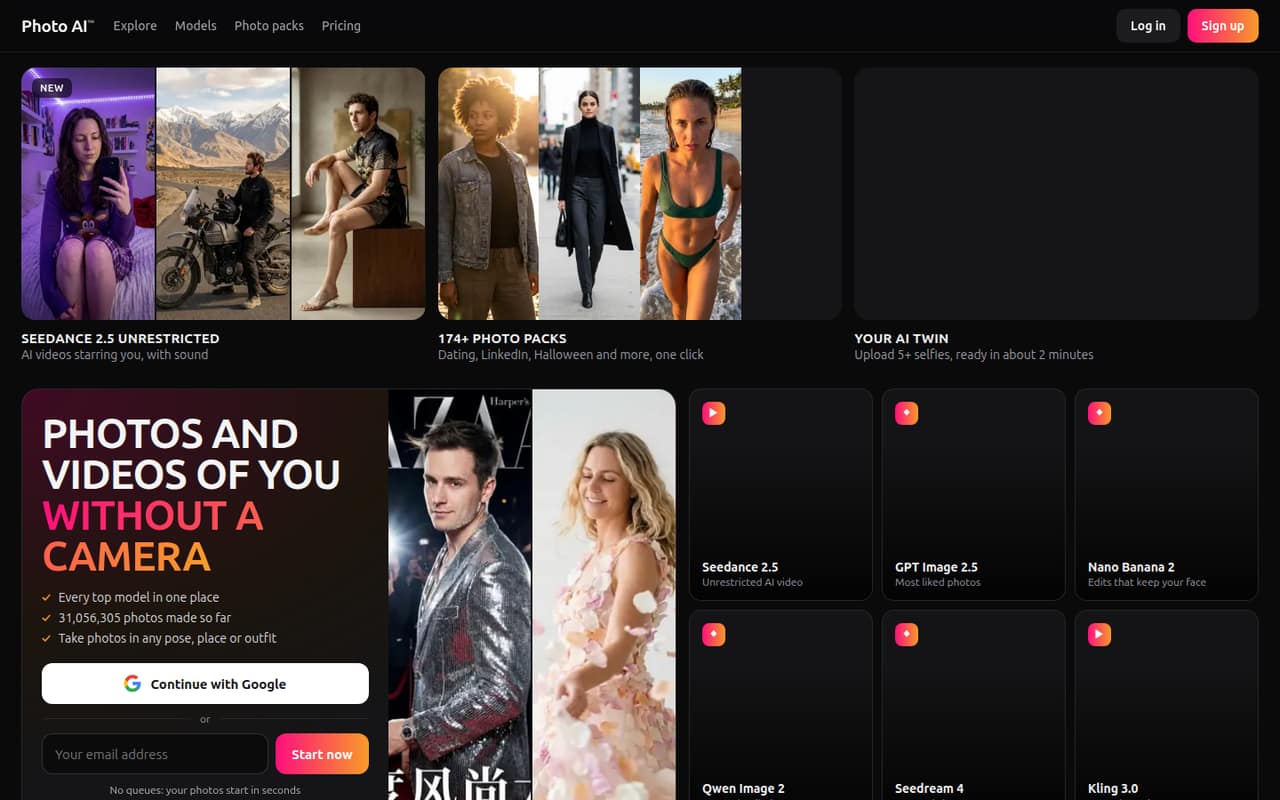
Photo AI turns selfies into photos of you in different settings and outfits, and can make videos from photos or text prompts. Its personal AI model needs at least five selfies, and the listed integrations include ChatGPT, Claude, Cursor, and other MCP-supporting apps.
There’s no free plan or trial listed. Starter costs $9 per month per plan with annual billing, or $19 month to month, and limits you to personal use and 50 monthly AI credits. For work use, Pro starts at $29 per month with annual billing; video generation and photo editing are listed on Max, starting at $49 per month annually.
Good fit if
- Small teams making personal-brand content
- Creators who need custom AI portraits
- Teams already using MCP apps
Skip it if
- Teams needing a free plan
- Businesses on a tight per-seat budget
- Teams needing published usage details
ScoresHow it rates
What works
- Makes photos of you in different settings and outfits
- Most personal AI models are ready in under two minutes
- Photo generation starts at $9 monthly with annual billing
- Pro includes a commercial-use license
- Max lists AI video generation and photo editing
What doesn't
- No free plan or free trial is listed
- Monthly billing starts at $19 per plan
- Starter is for personal use only
- Credits are included, but their per-photo cost isn't listed
- Seat sharing and team billing details aren't published
01Who Photo AI is for
Photo AI is for small teams that need custom images or videos featuring a particular person—not a general-purpose design or project-management tool. Upload at least five selfies to make a personal AI model, then generate photos of that person in different outfits and settings. You can pick a themed pack or describe a scene with your own prompt.
For a one-person creator, Starter may cover personal projects. A team using the images for business should look at Pro, which lists a commercial-use license. Max is the relevant tier for frequent video generation and listed photo edits. Photo AI could suit a team of one to ten people if only a few people need models. If every teammate needs an individual plan, the bill rises quickly, and the pricing page doesn't explain shared seats. We’d confirm account and licensing arrangements before rolling it out to the whole team.
02Photo AI free plan and trial
Photo AI lists no free plan and no free trial. Its cheapest way in is Starter: $9 per month per plan with annual billing, charged yearly, or $19 per month with monthly billing. Starter includes 50 AI credits per month, one photo at a time, low quality and likeness, and personal use only.
The plan also lists 48 auto-generated free photos per model. Those are an inclusion in a paid plan, not a free account you can use before subscribing. The pricing page doesn't explain how many credits a particular photo or video uses, so the monthly credit allowance may be hard to budget against without checking your intended workflow first. For commercial work, Starter's personal-use restriction makes Pro the more relevant entry point.
03What a small team pays for Photo AI
The pricing page lists Starter at $19 per month, or $9 per month with annual billing; Pro at $49 or $29; Max at $99 or $49; and Ultra at $199 or $99. Annual rates are per-month equivalents charged yearly. If each person needs a separate plan, Starter costs one person $19 monthly or $108 upfront yearly. Three people pay $57 monthly or $324 yearly; five pay $95 monthly or $540 yearly.
For business use, Pro costs one person $49 monthly or $348 yearly. Three Pro plans cost $147 monthly or $1,044 yearly; five cost $245 monthly or $1,740 yearly. Those totals assume one plan per person—the vendor doesn't publish seat-sharing details. No add-ons are listed. Credit use per image, any extra-credit purchase options, and shared billing aren't published, so ask the vendor before estimating a larger team's usage.
04Getting started with Photo AI
The basic setup is to upload at least five selfies and let Photo AI build your personal model. The product says most models are ready in under two minutes. After that, choose a themed photo pack or write a prompt describing the scene, then generate photos. That sounds like a short setup for one person, though teams creating models for several people will need to repeat the selfie-upload process for each one.
MCP access lets you use Photo AI through ChatGPT, Claude, Cursor, or another app that supports MCP. It’s an option, not a stated requirement for making photos directly. The vendor doesn't publish further setup steps or a detailed team onboarding flow here. Before inviting coworkers, confirm how they access the account, whether plans can be shared, and how to connect your preferred MCP app.
05When small teams outgrow Photo AI
The first pressure point is likely cost: if each person needs a paid plan, even five Starter plans cost $95 per month, or $540 billed yearly. Business use pushes the same five-person example to $245 per month on Pro, or $1,740 billed yearly. Because the vendor doesn't publish seat-sharing details, confirm whether every person really needs a separate subscription.
The next limit is what each tier includes. Starter offers 50 monthly AI credits and one photo at a time; Pro lists 1,000 credits and up to four photos in parallel; Max lists 3,000 credits and up to eight. Ultra raises that to 10,000 credits and 16 parallel photos. Max is where video generation and the listed editing tools appear, while unlimited photo storage is listed on Ultra. If you need predictable credit costs, shared team controls, or capabilities beyond these plan limits, ask the vendor what’s available before expanding.
Questions people ask
Does Photo AI have a free plan or trial?
No free plan or free trial is listed. The cheapest plan is Starter at $9 per month with annual billing, charged yearly, or $19 month to month. Starter includes 50 monthly AI credits. Its 48 auto-generated free photos per model are part of the paid plan, not a free account.
How many selfies do I need to make a Photo AI model?
Photo AI requires at least five selfies to create a personal AI model. The product says most models are ready in under two minutes. If several people on your team want their own AI photos, each person will need a model; confirm with the vendor how account access works for multiple people.
Can I use Photo AI images for business?
Pro lists a commercial-use license, while Starter is for personal use only. If you plan to use generated images in business materials, Pro is the listed starting point. Check the vendor’s terms for details on permitted uses, especially if your work involves client deliverables or multiple people’s likenesses.
Can Photo AI make videos?
Yes. Photo AI can turn photos or text prompts into videos using Seedance 2.5 and Kling 3.0. The pricing page lists AI video generation on Max, which starts at $49 per month with annual billing or $99 month to month. Check how video generation uses credits before estimating your monthly output.
Can my team share one Photo AI plan?
The vendor’s pricing page doesn't publish whether plans can be shared or how team seats work. The team totals in this review assume each person has a separate plan. Before buying for several coworkers, ask the vendor about shared access, billing, and whether each person needs an individual subscription.