
We may earn a commission if you buy through links on this page. It never changes a score or a ranking. How we make money
The bottom line
Useful DAM features, but sales-only pricing makes the real cost hard to judge.
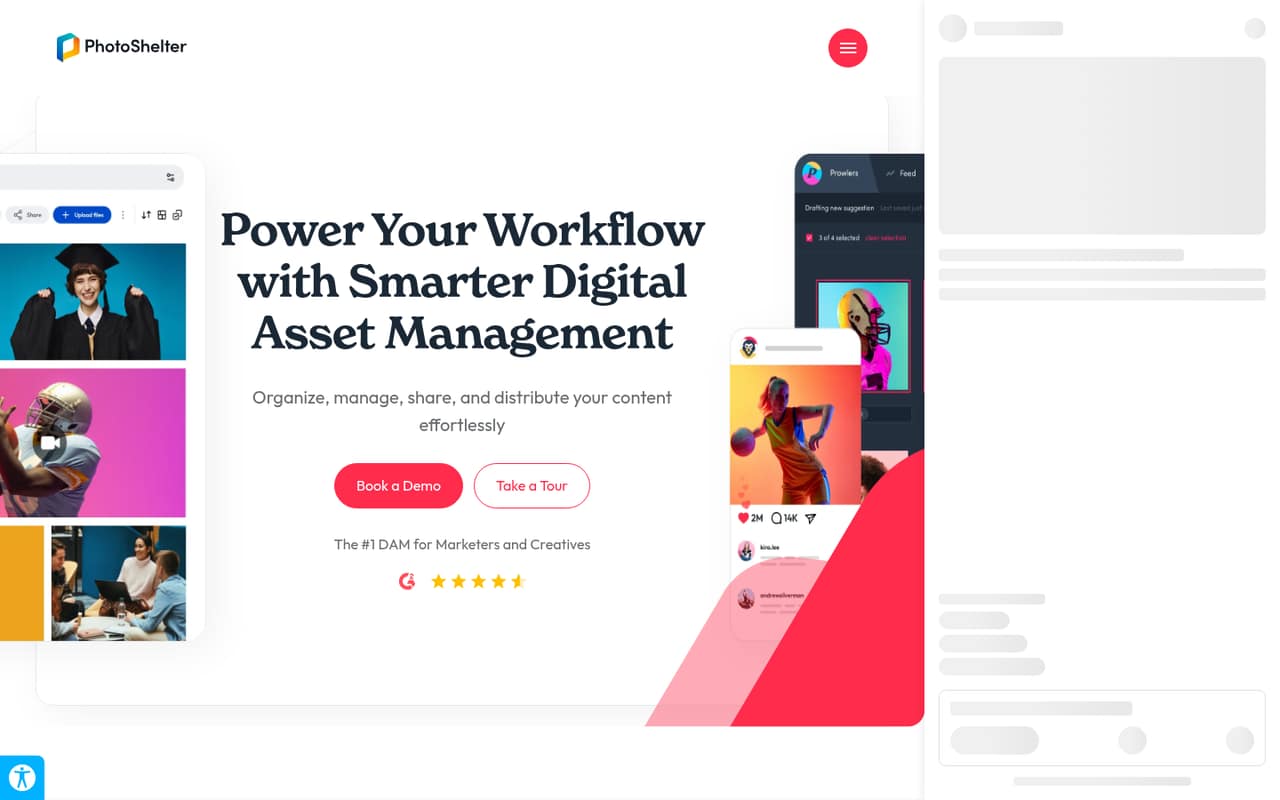
A small team needs PhotoShelter if it has a growing content library to organize, search, share, and distribute—not just a few folders of files. Its homepage highlights AI search and tagging, generated alt text, audience-submitted content, distribution, and analytics.
The pricing page lists a Starter plan with two library seats and 1 TB of storage, but the vendor doesn’t publish its price. Reddit comments show mixed experiences, including concerns about cost, galleries, and moving large libraries.
Good fit if
- Teams managing large content libraries
- Marketers who need AI image search
- Organizations sharing content with contributors
Skip it if
- Teams that need a published price
- People seeking a free DAM plan
- Photographers focused on client galleries
ScoresHow it rates
What works
- AI visual and similarity search
- Automatic tagging and generated alt text
- One library from upload through distribution
- Starter lists 1 TB of storage
- Unlimited invited users and contributors
What doesn't
- Starter pricing requires contacting sales
- No free plan is listed
- Starter includes only two library seats
- Starter lists zero advanced integrations
- Reddit users report migration and gallery concerns
01Who PhotoShelter is for
PhotoShelter is for teams that need more than a shared folder: marketers and creatives managing content from upload through distribution. Its homepage highlights AI-powered visual and similarity search, automatic tags, generated alt text, audience-submitted photos and videos, and analytics for usage, searches, and social performance.
For a team of one to 10, it could fit when several people need to find and share a substantial library. The Starter plan lists two included library seats, plus unlimited invited users and contributors, so ask sales how those categories apply to your team. The budget fit is harder to judge: the vendor doesn’t publish monthly or annual prices, and the tiers require a sales quote. We’d shortlist it when organizing and distributing content is a core job, not when a small team just needs inexpensive file storage or client galleries.
02PhotoShelter free plan and trial
The pricing page doesn’t list a free plan. It lists a Starter option for organizations beginning with digital asset management, but the vendor doesn’t publish its price; you have to contact sales. The plan includes two library seats, unlimited invited users and contributors, 1 TB of storage, and zero advanced integrations.
A free trial isn’t listed in the pricing information either, so ask sales whether one is available before committing. Don’t confuse the Starter plan for organizations with photographer plans mentioned by Reddit users: those comments describe separate offerings and do not establish the current price or terms for the team-focused product. If you need a known-cost entry point, PhotoShelter doesn’t provide one on the pricing page.
03What a small team pays for PhotoShelter
The vendor doesn’t publish Starter’s monthly or annual price, so we can’t give a reliable cost for one person or calculate a total for a team of three or five. The pricing page lists two included library seats, but doesn’t publish a per-seat rate or explain how extra library seats are priced. It also lists unlimited invited users and contributors; ask sales whether your team members need paid library seats or can use those roles.
Starter includes 1 TB of storage and zero advanced integrations. The vendor doesn’t publish prices for extra seats, storage, or integrations, and no add-on prices are listed. That leaves the total cost for a small team—and any monthly-versus-annual savings—unknown until you get a quote. Ask sales for itemized prices for your headcount, storage needs, and required integrations, plus any minimum term or setup charge. A Reddit commenter reported a $10,000 annual quote, but that individual example is not a published Starter price.
04Getting started with PhotoShelter
PhotoShelter’s described workflow covers a central library from upload through distribution, with AI search, auto-tagging, and generated alt text. Those features suggest a team can use it for both organizing and sharing content, but the vendor doesn’t publish setup time or the steps needed to configure a library. We can’t say how much initial work to expect.
For day one, confirm how to import your current files, structure folders or metadata, set access for two library seats and invited contributors, and train people to find and distribute content. The homepage mentions integrations with workplace and creative tools, but Starter lists zero advanced integrations and the specific integrations included aren’t published. Ask sales which connections your team needs and whether they require a different tier. Reddit discussions about downloading and reconciling long-running galleries suggest that moving an existing archive can take effort; those are individual user reports, not a setup estimate.
05When small teams outgrow PhotoShelter
The first likely pressure point is access: Starter includes two library seats. Although invited users and contributors are unlimited, the vendor doesn’t publish the price or rules for adding library seats, so a team growing beyond two active library users should get a quote before rolling it out. The other listed constraint is zero advanced integrations on Starter. Storage is 1 TB; the vendor doesn’t publish the cost or availability of additional storage in the pricing information.
Reddit users also report concerns worth checking before a large migration. One photographer described empty client galleries, while commenters in another thread said downloading and reconciling years of images was a hassle. Other comments report positive support experiences, so the anecdotes are mixed. If your team needs a public price, more than two library seats, advanced integrations, or a clear archive-export path, ask sales for those details in writing before you commit.
From the threadsWhat users say
Reddit sentiment is mixed: some users report helpful support and long-term use, while others raise concerns about gallery issues, cost, and the work of moving archives. These are individual accounts, not a guarantee of what another team will experience.
But Photoshelter is quoting me $10,000 a year
I have used Photoshelter for years and have never had an issue. Contact their support team. They have always been helpful in the past
I’ve noticed that quite a few of them are empty, including recent galleries which I definitely uploaded photos into
downloading each gallery one by one is just too time consuming
Questions people ask
Does PhotoShelter have a free plan?
The pricing page doesn’t list a free plan. It lists Starter for organizations beginning with digital asset management, with two library seats, unlimited invited users and contributors, and 1 TB of storage. The vendor doesn’t publish Starter pricing, so ask sales for a quote before deciding whether it fits your budget.
How much does PhotoShelter Starter cost?
The vendor doesn’t publish monthly or annual Starter pricing; the pricing page says to contact sales. It also doesn’t publish per-seat rates or prices for additional storage and integrations. Request an itemized quote for your headcount and needs rather than relying on individual prices reported by Reddit users.
How many people can use PhotoShelter Starter?
Starter lists two included library seats and unlimited invited users and contributors. The vendor doesn’t publish how those roles differ in practice or what extra library seats cost. Ask sales which access type each team member needs and whether contributors can perform the tasks your staff require.
What features does PhotoShelter include?
PhotoShelter describes a central content library for managing material from upload through distribution. Its homepage highlights AI visual and similarity search, automatic tagging, generated alt text, audience-submitted content, real-time distribution, analytics, and integrations with workplace and creative tools. Starter lists zero advanced integrations.
Can we try PhotoShelter before paying?
The pricing information doesn’t list a free trial, so availability is not published. Contact sales to ask whether your team can try the organization-focused DAM, what the trial includes, and whether you can test importing files, assigning user roles, and using the integrations you need.
Sources
- PhotoShelter homepage
- PhotoShelter pricing, compiled via web search from baseline.is, photoshelter.com
- Reddit: Is Photoshelter worth the cost? What's better?
- Reddit: Photoshelter deleting images
- Reddit: Has anyone successfully switched from one photo storage/delivery service to another? How did you do it?
- Reddit: Professionals - Alternatives to PhotoShelter?