
We may earn a commission if you buy through links on this page. It never changes a score or a ranking. How we make money
The bottom line
A capable scheduler with a useful free tier and low annual prices, but limited public setup and sentiment data.
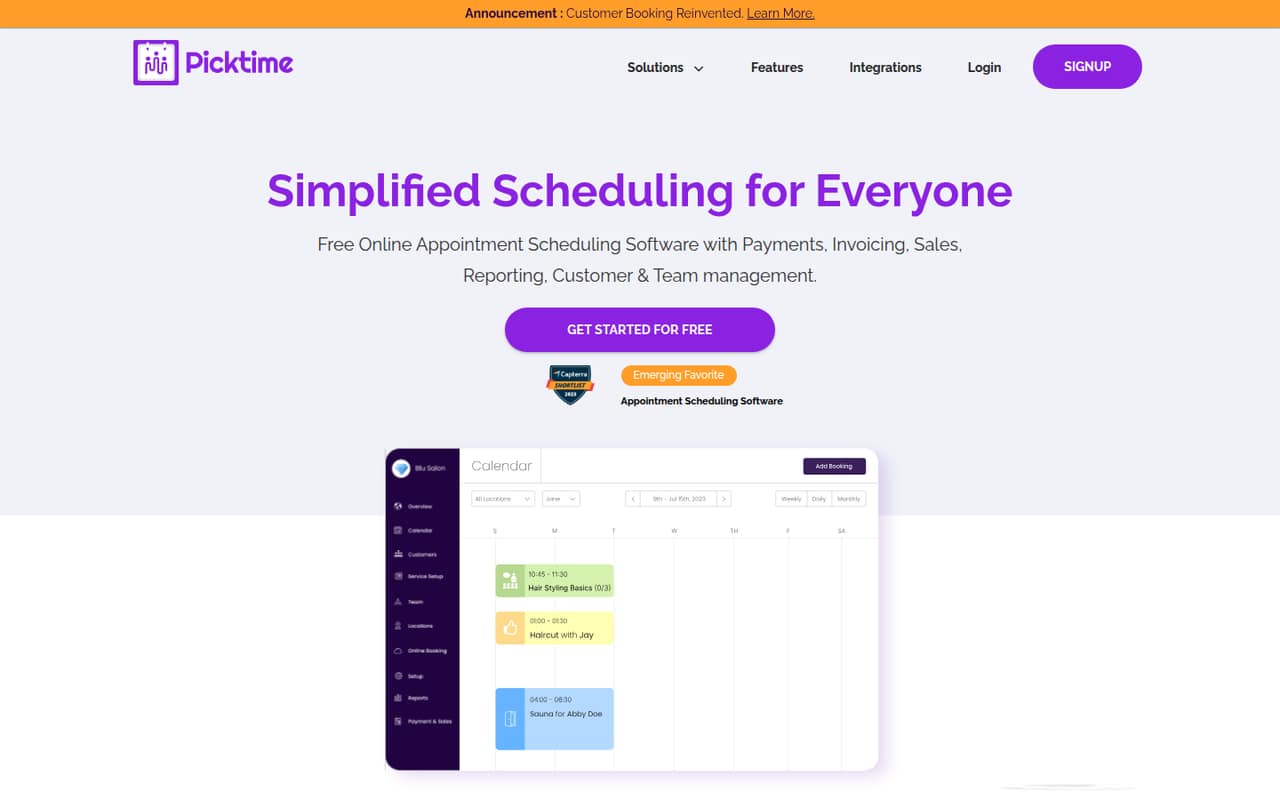
Picktime handles appointments, classes, interviews, rooms and equipment, with online booking, reminders, payments and video meetings. Its free plan allows three users, three resources and unlimited appointments, which is a lot to start with for a small team.
Paid plans are priced per user when billed annually: Starter is $3 per user per month, and Pro is $2.25. Monthly-billed prices aren’t listed, so confirm your billing options and any minimum charges before budgeting.
Good fit if
- Small teams scheduling appointments
- Teams managing classes and resources
- Budget-conscious businesses starting out
Skip it if
- Teams that need desktop-first software
- Businesses needing more than ten users
- Buyers who require monthly prices upfront
ScoresHow it rates
What works
- Free plan includes three users
- Unlimited appointments on every listed plan
- Online booking available around the clock
- Handles classes, rooms and equipment
- Pro is listed at $2.25 per user monthly, billed annually
What doesn't
- Monthly-billed prices aren’t listed
- Free plan allows only two classes
- Starter is limited to three users
- Extra user and resource prices aren’t listed
- Public setup-time estimate isn’t listed
01Who Picktime is for
Picktime is for a solo operator or a small team that needs to coordinate appointments, classes, interviews, rooms or equipment. It puts online booking, reminders, payments and invoicing alongside team and location management, so it can cover more than a simple appointment calendar.
The free plan includes three users, three resources, two locations and unlimited appointments. That gives a small team room to try the core scheduling setup without a software bill. Businesses that run classes should check the class cap: Free includes two, while Starter includes five. Pro has unlimited classes and locations, and lists capacity for ten users and ten resources.
We’d shortlist Picktime if your team needs these scheduling features and can work within the published limits. If you want desktop-first software, note that Picktime describes itself as online scheduling. One Reddit thread specifically asks for a Windows option rather than a web tool, which suggests that format won’t suit every buyer.
02Picktime free plan and trial
Picktime’s Free plan costs $0 and includes three users, three resources, two locations, two classes and unlimited appointments. It’s a meaningful starting point for a small team that mainly needs to take bookings and coordinate a few people or resources. The listed feature set also includes online booking, reminders, payments and invoices, but the plan details don’t say which features have separate limits.
The main published limits are the two-class cap and the caps on users, resources and locations. Starter raises the class limit to five but still lists three users, three resources and two locations. Picktime’s free-trial terms aren’t published, so ask the vendor whether a trial is available for paid features. For a team that fits the Free limits, there’s no need to pay just to get started.
03What a small team pays for Picktime
Picktime lists paid prices per user per month when billed annually. Starter is $3 per user monthly: one user works out to $3 per month, or $36 over a year; three users cost $9 per month, or $108 per year. Starter includes three users, three resources, two locations and five classes.
Pro is listed at $2.25 per user per month when billed annually. At that rate, one user is $2.25 monthly, three are $6.75, and five are $11.25; those amounts total $27, $81 and $135 over a year. Pro includes capacity for ten users and resources, unlimited locations and classes, and unlimited appointments. A five-person team needs Pro based on the listed user limits. The per-seat price is lower than Starter’s, but confirm with Picktime how billing works for your actual seat count.
Monthly-billed prices aren’t listed. Picktime says to contact support for more team members or resources, but doesn’t publish those prices. If you need capacity beyond the plan limits, ask for a quote before committing.
04Getting started with Picktime
Picktime’s published feature list points to the work a team needs to plan for: setting up online bookings, defining availability for people and resources, and choosing how to handle reminders, payments and invoices. If you offer classes, you’ll also need a process for attendance and waitlists. The vendor doesn’t publish a setup-time estimate, so we can’t put a reliable number of hours on the work.
For video meetings, Picktime lists Google Meet, Microsoft Teams, Zoom, GoToMeeting and Jitsi Meet. That gives a small team several named options, but confirm that your preferred service and booking flow work the way you need before rolling it out. The available Reddit discussion includes a request for Windows software rather than a web tool; it doesn’t provide setup feedback. We’d plan a short internal check of booking, reminders and resource availability before inviting clients.
05When small teams outgrow Picktime
The first signs are likely to be capacity limits: Free stops at three users, three resources, two locations and two classes. Starter keeps the same user, resource and location caps, so it won’t solve a need for more people or locations. Pro is the listed step up, with ten users and resources and unlimited locations and classes. For more team members or resources, Picktime asks customers to contact support; prices aren’t listed.
A team of five needs Pro under the published user limits, at a listed annual-billing rate of $2.25 per user per month. Monthly billing prices aren’t published, so the final cost may be less predictable if you don’t want annual billing. The sole Reddit thread in the discussion asks for a Windows alternative to web-based Picktime, mentioning customer lists and reports as desired needs. That’s a format preference, not a broad verdict on Picktime, but it’s worth considering if your team wants desktop software.
From the threadsWhat users say
The available Reddit discussion is too limited to show a broad user consensus. One thread seeks a Windows alternative to web-based Picktime, so the clearest signal is that some buyers may prefer desktop software.
software on windows (not on web )
preferable if it's free
having a list of customers
viewing reports
Questions people ask
What is Picktime?
Picktime is online scheduling software for appointments, classes, interviews, rooms and equipment. Its listed features include online booking, reminders, payments and invoicing, team and location management, and video meetings through several named services.
Is Picktime free?
Yes. Picktime lists a Free plan at $0 with three users, three resources, two locations, two classes and unlimited appointments. If your team needs more than those limits, compare Starter and Pro or ask the vendor about added capacity.
Does Picktime have a free trial?
Picktime’s free-trial terms aren’t published. It does list a free plan, so a team that fits the three-user, three-resource, two-location and two-class limits can start without paying. Ask Picktime whether paid features can be tested before you subscribe.
Which video meeting services work with Picktime?
Picktime lists Google Meet, Microsoft Teams, Zoom, GoToMeeting and Jitsi Meet for video meetings. Check with the vendor if your team uses another service or needs a particular workflow, since the listed integrations don’t establish support for every video platform.
Does Picktime offer monthly billing?
Picktime publishes paid prices per user per month when billed annually. Monthly-billed prices aren’t listed, so ask the vendor for a quote if you want to pay month to month or need to confirm minimum seat charges.