
We may earn a commission if you buy through links on this page. It never changes a score or a ranking. How we make money
The bottom line
Good for business visuals, but free downloads are scarce and team costs add up per seat.
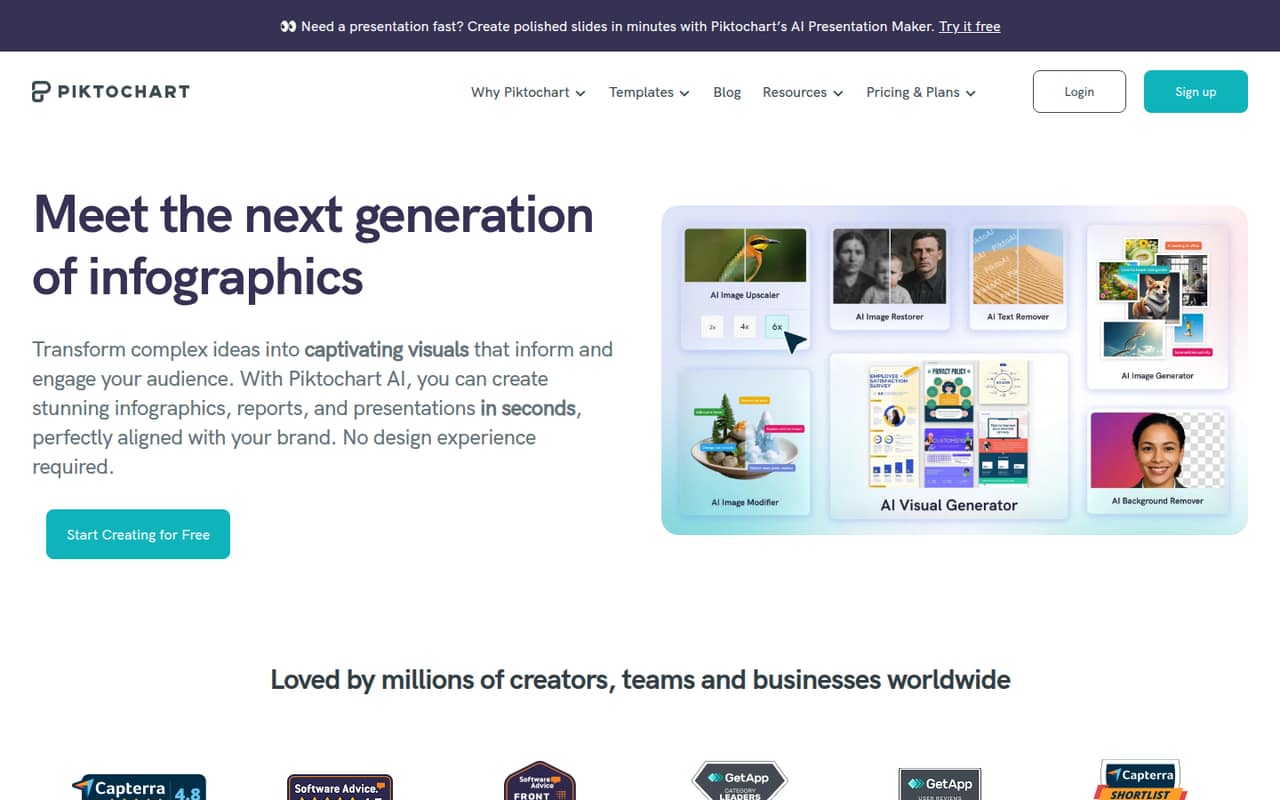
Piktochart makes infographics, reports, presentations, charts, maps, and other visuals, with AI tools and shared workspaces. It’s worth considering if those business-focused formats matter more to your team than an all-purpose design tool.
The Free plan includes unlimited projects but only two PNG downloads. Pro starts at $10 per member monthly with annual billing, so even a small team needs to budget for each seat.
Good fit if
- Teams making reports and infographics
- Small teams sharing visual reviews
- People who need charts and maps
Skip it if
- Teams needing frequent free downloads
- Buyers wanting published integration details
- Teams avoiding per-seat subscriptions
ScoresHow it rates
What works
- Templates cover reports, infographics, presentations, and more
- Charts, diagrams, tables, and interactive maps
- Free plan allows unlimited visual projects
- Pro includes 100 GB storage and 500 AI credits
- Business adds brand controls and PDF and PPT downloads
What doesn't
- Free plan allows just two PNG downloads
- Pro and Business costs multiply by seat
- Free plan has only 1 GB storage
- Business costs more per member than Pro
- One Reddit comment offers limited sentiment evidence
01Who Piktochart is for
Piktochart fits solo creators and small teams that regularly turn information into reports, infographics, presentations, or charts. The platform also supports social graphics, print materials, videos, diagrams, and interactive maps, so it can cover more than one visual job.
For a team of one to ten, the budget question is whether those formats justify a per-member subscription. Pro is aimed at individuals and small teams; Business is for teams that need brand controls. Pro costs $10 per member per month with annual billing or $15 month to month. A three-person team therefore pays $30 monthly on annual billing, before any taxes or other charges.
A Reddit commenter describes Piktochart as more focused on business visuals such as reports and infographics, while noting that it can also be used for other designs. That makes it a better fit when structured work visuals are a recurring need than when the team only makes occasional general-purpose graphics.
02Piktochart free plan and trial
Piktochart’s Free plan costs $0 and includes unlimited visual projects, 60 AI credits, and 1 GB of storage. The pricing page lists two PNG downloads, so the plan lets you create more than you can export. That can work for trying the editor or making a small number of finished visuals, but it is restrictive for regular team publishing.
The free tier does not list PDF or PPT downloads, premium templates and assets, or the Brand Kit and branded templates included on paid plans. Pro is the cheapest paid option, at $10 per member monthly with annual billing or $15 month to month. A free trial is not listed; the Free plan is the available no-cost way to start.
03What a small team pays for Piktochart
The pricing page lists Pro at $10 per member per month with annual billing, or $15 per member month to month. For one person, that is $120 for a year on annual billing versus $15 each month. For three people, it works out to $30 per month, billed annually at $360 total, or $45 month to month. For five, expect $50 per month on annual billing, or $75 month to month.
Business is $17 per member monthly with annual billing or $20 month to month. That puts three seats at $51 per month on annual billing, or $60 month to month; five seats cost $85 or $100 monthly, respectively. Business adds unlimited PNG, PDF, and PPT downloads, more AI credits, more storage, and brand controls.
The pricing page lists no separate add-ons or overage fees. It does not publish a minimum seat count. Ask Piktochart to confirm any taxes or other charges for your billing location.
04Getting started with Piktochart
A small team can start by choosing a template for its main output—such as an infographic, report, or presentation—and then add charts, maps, or brand assets as needed. The product description lists shared workspaces, commenting, review, and revision, which gives a team a way to collaborate on visuals.
That sounds manageable for teams with a clear design task, but the available details do not establish how long setup takes or how steep the learning curve is. We would start with one template and a real deliverable before moving the team’s recurring work into the platform.
Integrations are not described in the pricing details. If your day-one workflow depends on connecting Piktochart to other software, ask the vendor which integrations are supported and whether they require a particular plan. The Reddit discussion we found no setup reports.
05When small teams outgrow Piktochart
The first reason to move beyond Free is exporting more than two PNGs: the plan allows unlimited projects, but just two downloads. Storage is also capped at 1 GB, with 60 AI credits. Pro raises those limits to 100 GB and 500 credits and provides unlimited PNG downloads, but PDF and PPT downloads and brand controls are listed under Business instead.
Seats can become the bigger budget pressure as a team grows. Pro’s annual-billing rate is $10 per member monthly, while Business is $17; both have higher month-to-month rates. Teams needing 101 or more members, SSO/SAML, or an account manager may need to ask about Enterprise, whose price is custom.
One Reddit thread contrasts Piktochart’s business visuals with Canva’s general design focus, while noting that Piktochart can still be used for varied designs. That is one commenter’s view, not broad evidence of user sentiment. If your team needs integrations or workflow controls not listed in the plan details, confirm availability before committing.
From the threadsWhat users say
The available Reddit discussion is too small to establish broad user sentiment. Its one comment is generally positive about Piktochart for structured business visuals, while acknowledging that the right choice depends on the job.
Piktochart’s more focused on business visuals (reports, infographics, structured decks)
If you’re cranking out data-heavy stuff for work, Pikto’s layouts keep it tighter
Pikto also offers the flexibitily of designing absolutely anything
Just depends on use case
Questions people ask
Can I use Piktochart for free?
Yes. The Free plan costs $0 and includes unlimited visual projects, 60 AI credits, and 1 GB of storage. It allows two PNG downloads, so it may suit occasional creation but is limited if you need to export finished work regularly.
What does Piktochart do?
Piktochart is a visual design platform for infographics, reports, presentations, social graphics, print materials, and videos. It also offers AI tools, charts, maps, diagrams, tables, templates, brand assets, and team collaboration features.
Is Piktochart better than Canva?
It depends on what your team makes. One Reddit commenter characterizes Piktochart as more focused on business visuals such as reports and infographics, and Canva as useful for general design. The comment also notes that Piktochart can be used for varied designs.
How much does Piktochart cost for a team?
Pro is $10 per member monthly with annual billing or $15 month to month. Business is $17 per member monthly with annual billing or $20 month to month. For example, three Pro seats cost $30 monthly on annual billing, or $45 month to month.
Does Piktochart offer a free trial?
A free trial is not listed in the pricing details. Piktochart does offer a Free plan with unlimited projects, 60 AI credits, 1 GB storage, and two PNG downloads, so you can start without a paid subscription.