
We may earn a commission if you buy through links on this page. It never changes a score or a ranking. How we make money
The bottom line
A portfolio, client galleries and store in one place; plan prices are not published.
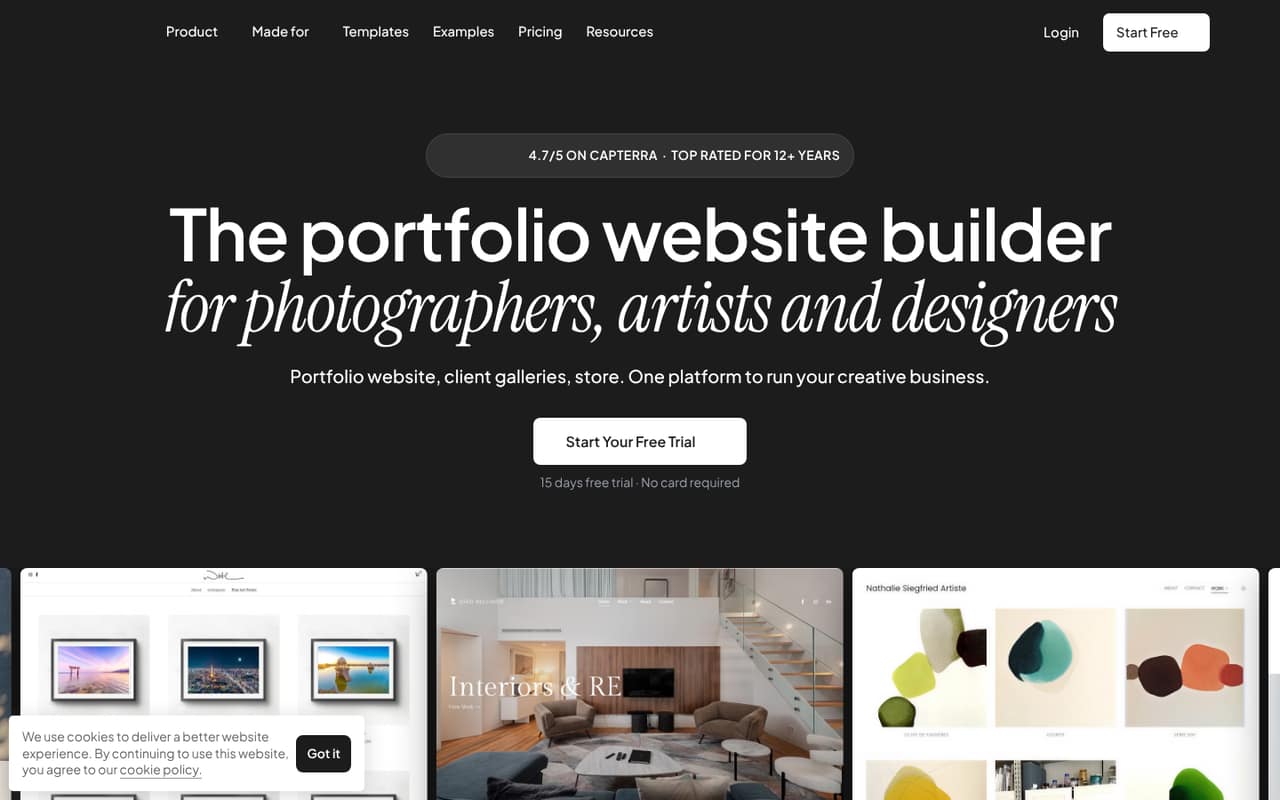
Pixpa combines portfolio sites, private client galleries, a store and blogging. It looks like a good fit for a small creative business that wants those tools together, rather than a general-purpose team workspace.
There is no free plan, and the pricing page lists a 15-day trial but does not publish plan prices. That makes it hard to budget for one person, let alone a team of three or five.
Good fit if
- Photographers sharing client galleries
- Creatives selling prints or digital files
- Small teams building a portfolio site
Skip it if
- Teams that need a free plan
- Buyers who need clear costs upfront
- Teams needing more than two Creator contributors
ScoresHow it rates
What works
- Portfolio, galleries, store and blog in one platform
- 200+ responsive portfolio templates
- Private galleries support proofing and comments
- Store charges zero commission, per the homepage
- 15-day trial is listed
What doesn't
- No free plan
- Plan prices are not published
- Basic limits sites to 10 pages or galleries
- Creator includes up to two contributors
- Additional storage pricing is not published
01Who Pixpa is for
Pixpa is aimed at creative businesses that need a public portfolio and a way to share or sell work. A solo photographer can use it for a portfolio, client galleries and print or digital-file sales; a small studio can also use the site for blogging and marketing. The homepage says its store charges zero commission and supports payments through Stripe and PayPal.
For a team of one to 10, the contributor limits matter. The Creator plan lists two contributors, while Professional and Advanced list unlimited contributors. That makes Pixpa a more natural fit for solo operators and very small teams unless they are ready for a higher tier. It is less compelling if all you need is a basic website or if you need to know the exact bill before signing up. The pricing page lists plan features but does not show the plan prices.
02Pixpa free plan and trial
Pixpa does not list a free plan. The pricing page lists a 15-day trial, but it does not explain what plan features the trial includes or whether a payment method is required. Ask Pixpa before starting if either detail affects your decision.
The cheapest listed plan is Basic, described for personal websites and small portfolios. It includes 10 pages or galleries, 200 website gallery images, up to three store products and 3 GB of original-file storage. Its price is not published, so there is no way to confirm the cost of continuing after the trial from the pricing page. If you need more pages or store products, Creator lists unlimited pages and website gallery images, with up to 10 store products and 5 GB of original-file storage.
03What a small team pays for Pixpa
We can't give you a reliable monthly bill for one person, three people or five: the pricing page lists Basic, Creator, Professional and Advanced, but does not show their prices. It offers monthly billing, yearly billing at 40% off and two-year billing at 55% off, without publishing the amounts those discounts apply to. Per-seat math is therefore not possible from the listed prices.
Plan limits still help you identify which tier to ask about. Basic has no contributor limit listed and covers up to three store products. Creator lists two contributors and up to 10 products, so a three-person team should ask Pixpa which plan permits that setup. Professional lists unlimited contributors and up to 100 products; Advanced adds unlimited products. Both list unlimited pages and website gallery images.
Additional storage is available, but its price is not published. Designer website setup is listed as a limited-time $199 offer alongside $399. Confirm the plan, billing term and any add-on charges with Pixpa before budgeting.
04Getting started with Pixpa
Pixpa describes a visual editor for arranging sections and adjusting layout, style, spacing and color without code. Its pricing page lists 200+ responsive templates, so a small team can start from a design rather than building a site from scratch. The platform also combines galleries, a store and blogging, which means you can keep those jobs together instead of choosing separate tools for each one.
Pixpa does not publish a setup-time estimate, so plan to allow time for selecting a template, adding portfolio work and configuring galleries and products. One commenter on r/AskPhotography described Pixpa galleries as private or public, with unique links, and mentioned integrations including Mailchimp, Sumo and BookingBug. Treat that as one user's report and verify that the integrations you need are currently available. We would make a short list of day-one requirements before choosing a plan.
05When small teams outgrow Pixpa
The first pressure points are the plan limits. Basic stops at 10 pages or galleries, 200 website gallery images and three store products. Creator removes page and website-gallery-image limits, but caps the store at 10 products and lists two contributors. A growing team, a larger catalog or more original-file storage may need Professional or Advanced; the prices for those upgrades are not published.
Also check whether Pixpa covers the way you deliver client work. One Reddit commenter praised Pixpa's private or public galleries and unique album links, while another photographer described digital delivery and print ordering in their own gallery tool. That second comment is about a different service, not Pixpa, so confirm Pixpa's ordering and delivery details for your workflow. A commenter also warned that moving platforms can be painful and suggested comparing needs before committing. Keep a record of what you need before building the full site.
From the threadsWhat users say
The Reddit discussion includes a positive recommendation for Pixpa's galleries and marketing integrations. Other commenters stress that the right website builder depends on individual needs, so the small amount of discussion is encouraging but not enough to establish broad user sentiment.
You can create private or public galleries for your clients with a unique link for each album
My clients take delivery via digital download straight from their client galleries
There is no such thing as the perfect website builder for photographers
It was both a stand alone sir, and a proofing system
Questions people ask
Is Pixpa free?
No free plan is listed. Pixpa's pricing page lists a 15-day trial, but does not say what features the trial includes or whether you need to provide a payment method. Basic is the lowest listed plan; its price is not published. Check those trial details with Pixpa before you sign up.
How much does Pixpa cost?
Pixpa's pricing page does not publish the prices for Basic, Creator, Professional or Advanced. It lists monthly, yearly and two-year billing, with yearly billing marked 40% off and two-year billing 55% off. Ask Pixpa for a quote that specifies the plan, billing period and any add-ons.
What does Pixpa Basic include?
Basic is described for personal websites and small portfolios. It lists 10 pages or galleries, 200 website gallery images, up to three store products and 3 GB of original-file storage. The pricing page does not publish its price, so confirm the current cost before choosing it.
Does Pixpa charge commission on store sales?
Pixpa's homepage says its store charges zero commission and supports direct payments through Stripe and PayPal. The pricing page lists product limits that vary by plan: up to three on Basic, 10 on Creator, 100 on Professional and unlimited on Advanced. Confirm payment processing costs separately with the payment providers.
How many team members can use Pixpa?
The pricing page lists two contributors on Creator and unlimited contributors on Professional and Advanced. It does not list a contributor limit for Basic. If you have more than two people working on the site, ask Pixpa which plan you need and whether contributors are counted as paid seats.