
We may earn a commission if you buy through links on this page. It never changes a score or a ranking. How we make money
The bottom line
Start with FreeOffice; pay for NX if your team needs more computers or mobile devices.
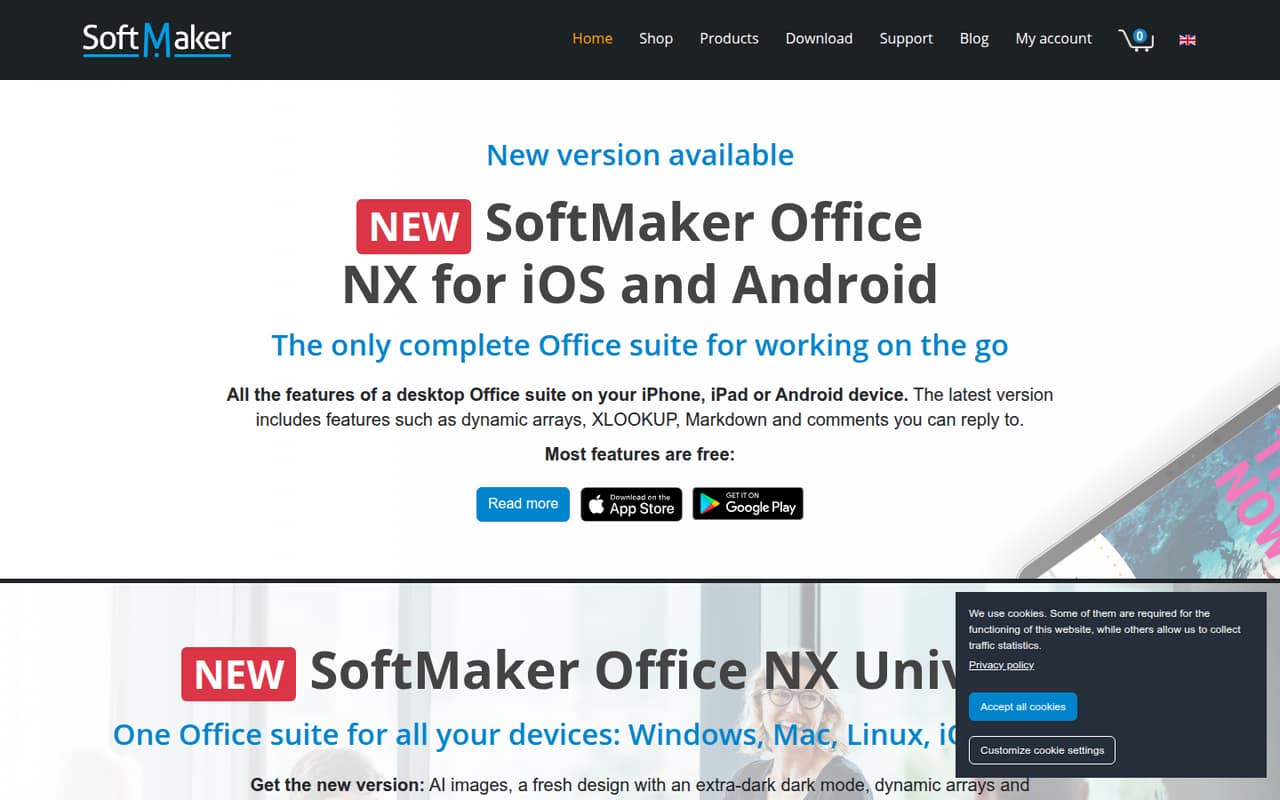
PlanMaker is SoftMaker Office’s spreadsheet app, with dynamic arrays and XLOOKUP listed among its features. It runs within a suite offered for Windows, Mac, Linux, iOS and Android.
FreeOffice is free for home or commercial use on up to three computers. For a team needing more devices, NX Universal starts at $4.16 per month per license when billed annually, with commercial use listed for one computer and one mobile device.
Good fit if
- Budget-conscious teams up to three computers
- Teams wanting XLOOKUP and dynamic arrays
- People using multiple operating systems
Skip it if
- Teams needing published setup guidance
- Teams seeking documented integrations
- Businesses needing many commercial seats
ScoresHow it rates
What works
- FreeOffice is free for home or commercial use
- FreeOffice covers up to three computers
- Dynamic arrays and XLOOKUP are listed
- NX Universal covers desktop and mobile platforms
- Professional 2026 offers a one-time purchase
What doesn't
- FreeOffice's listed limit is three computers
- Paid commercial use is limited per license
- Setup time is not published
- Integration details are not published
- Volume licenses start at five computers
01Who PlanMaker is for
PlanMaker is for a small team that needs a spreadsheet app without automatically signing up for a large office-software bill. SoftMaker presents it as the spreadsheet component of its Office suite, and the homepage lists dynamic arrays and XLOOKUP. Those are useful features to look for if your work depends on formulas and lookup functions.
For a solo user or a team using no more than three computers, FreeOffice is the lowest-cost place to start: the pricing lists it as free for home or commercial use. If the team needs more devices, SoftMaker Office NX Universal is listed at $4.16 per month per license when billed annually, or $4.99 month to month. The commercial allowance is one computer and one mobile device per license. That makes it a more relevant paid option for a small business than NX Home, which is for household, non-commercial use. PlanMaker is available through a suite listed for Windows, Mac, Linux, iOS and Android.
02PlanMaker free plan and trial
FreeOffice is listed as free of charge for home or commercial use, with use on up to three computers. That makes it a sensible starting point for a solo owner or a very small team whose workstations fit within that cap. SoftMaker’s homepage presents PlanMaker as part of its Office suite; check that the FreeOffice version covers your spreadsheet needs before choosing it for a larger rollout.
The paid NX plans include a 30-day free trial. NX Home is for household, non-commercial use, while NX Universal is offered to home and commercial users. For commercial use, Universal lists one computer and one mobile device. FreeOffice’s listed allowance is based on computers; the pricing does not state a mobile-device allowance for it. If your team needs more than three computers, or wants mobile access under a paid business plan, compare Universal’s per-license terms with your device count before starting the trial.
03What a small team pays for PlanMaker
For commercial work, the clearest subscription option is SoftMaker Office NX Universal: the pricing lists $4.16 per month per license when billed annually, or $4.99 month to month. One person pays $49.92 for a year at the annual rate, or $4.99 each month. Three licenses cost $12.48 per month equivalent, or $14.97 month to month; five cost $20.80 per month equivalent, or $24.95 month to month. Annual totals are $149.76 for three and $249.60 for five.
Each Universal license lists commercial use for one computer and one mobile device. NX Home is cheaper at $2.49 per month billed annually or $2.99 month to month, but its commercial allowance is only one computer and one mobile device; it is otherwise for non-commercial household use. FreeOffice costs nothing for up to three computers. For a one-time option, Professional 2026 is $149.95 and lists one company or organization computer. Commercial volume licenses are listed at $329 for five computers, $658 for ten and $1,645 for 25. Check which license matches your actual business devices.
04Getting started with PlanMaker
SoftMaker lists its Office NX Universal suite for Windows, Mac, Linux, iOS and Android, so first choose the devices your team will use and confirm the plan’s computer and mobile-device allowance. The homepage highlights PlanMaker as the spreadsheet app in the suite, with dynamic arrays and XLOOKUP among its features.
SoftMaker does not publish a setup-time estimate on the vendor's site cited here. It also does not list integrations or a team onboarding process there, so we would not budget on the assumption that it connects to your existing tools or imports a team’s workflows automatically. The 30-day trial on NX Home and NX Universal gives a team a chance to check the app against its own spreadsheets before paying. For day one, identify who needs a license, which computers and phones they will use, and whether your work is commercial. Ask SoftMaker about setup steps and integrations if those are requirements; the platform list alone does not answer those questions.
05When small teams outgrow PlanMaker
The first practical limit is device count. FreeOffice is listed for up to three computers, so a team with four or more workstations needs to check a paid license or volume option. NX Universal’s commercial allowance is one computer and one mobile device per license; adding business users means adding licenses at the listed rate. At five users, that is $20.80 per month equivalent with annual billing, or $24.95 month to month.
A second trigger is buying for an organization rather than a household. NX Home is labeled for non-commercial household use, so its lower price is not the fit for a business team. Professional 2026 lists one company or organization computer per purchase, while volume licenses begin at five computers. A team that needs a larger deployment should compare those volume prices with the recurring Universal cost. SoftMaker’s listed feature details here focus on spreadsheet functions and platform availability; if the team needs documented integrations or a particular collaboration workflow, confirm those requirements with the vendor before scaling.
Questions people ask
Is PlanMaker free?
FreeOffice is listed as free of charge for home or commercial use on up to three computers. Paid SoftMaker Office NX plans also have a 30-day free trial. Check the computer allowance and your commercial-use needs before choosing a plan.
Which platforms can I use PlanMaker on?
SoftMaker lists its Office NX Universal suite for Windows, Mac, Linux, iOS and Android. PlanMaker is presented as the spreadsheet component of SoftMaker Office. Check the plan terms for the number of computers and mobile devices allowed.
Does PlanMaker include XLOOKUP?
SoftMaker’s homepage lists XLOOKUP as a PlanMaker feature. It also highlights dynamic arrays. The pricing details do not specify which features are included in each edition, so confirm the feature set for your chosen version with SoftMaker.
Can I use PlanMaker for commercial work?
FreeOffice is listed for home or commercial use on up to three computers. NX Universal also lists commercial use, for one computer and one mobile device per license. NX Home is for household, non-commercial use apart from its listed one-computer and one-mobile commercial allowance.
How many devices does a PlanMaker license cover?
FreeOffice is listed for up to three computers. NX Home and NX Universal list up to five computers and five mobile devices for household use; each also lists commercial use for one computer and one mobile device. Check the plan terms for your situation.