
We may earn a commission if you buy through links on this page. It never changes a score or a ranking. How we make money
The bottom line
A capable visual layer for existing codebases, with a useful free tier and rising seat costs.
Plasmic is worth considering if your small team wants designers or content editors to build production experiences alongside an existing codebase. Its free plan includes 3 collaborators, unlimited projects, and unlimited headless CMS.
Good fit if
- Small teams with a React codebase
- Designers building production-ready pages
- Teams sharing visual editing work
Skip it if
- Teams wanting a standalone site builder
- People avoiding code and setup
- Teams needing low-cost seats beyond three
ScoresHow it rates
What works
- Free plan includes 3 collaborators
- Unlimited projects and headless CMS on Free
- Connects visual editing to existing code
- Can use your own hosting infrastructure
- Figma import and API connections
What doesn't
- Paid prices require annual billing
- Monthly-billing prices are not published
- Five Pro collaborators cost $123 monthly equivalent
- One user reports production errors with undefined data
- Some users find documentation and learning difficult
01Who Plasmic is for
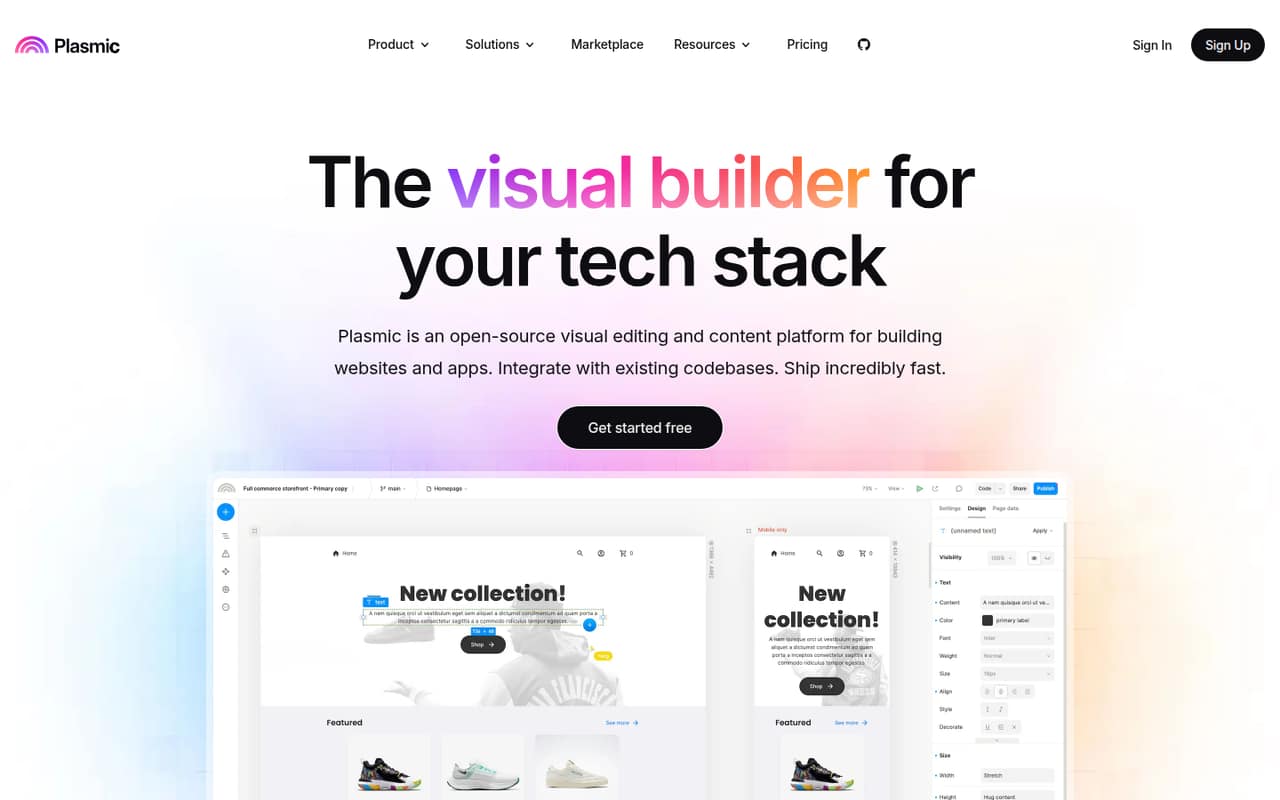
Plasmic suits a small team of developers, designers, and content editors who need to build or update web experiences in a real codebase. It is not just a drag-and-drop site maker: the point is to connect visual editing with your React components, data sources, and deployment setup.
For a team of 1-3, the free plan may be enough to get started. It includes unlimited projects and headless CMS, with community forum support. That makes it a practical option for a startup or a small product team watching monthly spend. The fit is weaker if you want a complete no-code app builder without developer involvement. One Reddit commenter describes Plasmic as useful for giving content editors approved building blocks, while another says the documentation and app logic took some figuring out. Budget for setup and learning, not just the subscription.
02Plasmic free plan and trial
The pricing page lists a Free plan at $0 per month for up to 3 collaborators. It includes unlimited projects, unlimited headless CMS, and community forum support. That is a generous starting point if your team is small and can live with Plasmic branding; removing the badge is listed on Starter, not Free.
The free tier also gives you room to connect a project to your workflow before committing to a paid plan. The pricing page lists no free trial, and it does not publish a separate trial period. If you need a custom favicon or want to remove the Plasmic badge, Starter is the cheapest paid option at $39 per month when billed yearly. Monthly billing prices are not published.
03What a small team pays for Plasmic
The pricing page lists Free at $0 for up to 3 collaborators. For one person, that means $0 if the free features are enough; the cheapest paid plan is Starter at $39 per month billed yearly. Starter also covers up to 3 collaborators, so a three-person team can pay $0 or choose Starter for its custom favicon, badge removal, and AI support chat.
For five people, Pro is the lowest listed plan that fits. It costs $103 per month billed yearly and includes 4 collaborators; the fifth adds $20, for $123 per month. Pro allows up to 10 collaborators. Scale costs $399 per month billed yearly, includes 8 collaborators, and charges $40 for each additional collaborator. The listed paid prices are monthly equivalents with annual billing and a stated 20% saving. Monthly-billing prices are not published, so ask Plasmic for those before budgeting. Free and Starter list no collaborator add-ons.
04Getting started with Plasmic
Plasmic is most useful when a developer can connect it to your codebase and set up the components and data sources that other teammates will use. That means setup is more involved than starting with a standalone website builder, especially if you want visual changes to work with an existing app. The product supports React components, data sources, deployment environments, and design systems.
For day one, decide whether you will connect HTTP or GraphQL endpoints, use built-in connectors, and deploy through your existing hosting setup. The product description also lists Figma import to turn designs into React code. One Reddit user says the importer saves time, while another says imported pages still needed work to become responsive. Users also mention documentation and app logic as learning hurdles. Plasmic offers community forum support on Free and priority support on Pro.
05When small teams outgrow Plasmic
The first obvious ceiling is collaborators. Free and Starter stop at 3, and Pro includes 4 before charging $20 per additional collaborator. A five-person team pays $123 per month billed yearly on Pro; Scale includes 8 collaborators but starts at $399 per month. For a team that mainly needs a shared editing space, those jumps may be hard to justify.
You may also outgrow Plasmic if your team wants a simpler visual tool with less codebase setup, or if editors need a workflow that requires little developer support. Reddit feedback is mixed: users praise code integration, branching, and Figma import, but one reports production errors when data returns undefined. Another says documentation and understanding app logic were frustrating. Before expanding access, check whether the team needs Pro’s 30-day version history or Scale’s 90-day history, content creator mode, A/B testing, and scheduled content. Ask the vendor about monthly pricing and fit for your deployment needs.
Questions people ask
What does Plasmic’s free plan include?
The pricing page lists 3 collaborators, unlimited projects, unlimited headless CMS, and community forum support on Free. It costs $0 per month. The free plan does not list badge removal or a custom favicon; those are included with Starter, which costs $39 per month when billed yearly.
How much does Plasmic cost for a small team?
A team of up to 3 can use Free at no cost or choose Starter for $39 per month billed yearly. For 5 collaborators, Pro costs $103 per month billed yearly with 4 included, plus $20 for the fifth seat: $123 total per month. Monthly-billing prices are not published.
Can you use Plasmic without coding?
Plasmic offers a visual builder, but its product description focuses on connecting that editor to an existing codebase, components, and data sources. A developer may need to handle setup and integrations. Reddit users describe the visual editor positively, while some say learning the app logic and documentation takes effort.
Can Plasmic connect to an existing codebase?
Yes. Plasmic is designed to work with existing codebases and supports React components, data sources, and deployment environments. Its listed capabilities also include HTTP and GraphQL API connections. A Reddit user reports hosting code in GitHub and deploying through Vercel or Netlify.
Where can you deploy a Plasmic project?
Plasmic says you can deploy to your choice of hosting infrastructure, including on-premise or behind firewalls. A Reddit user also mentions deploying through Vercel or Netlify. Check the setup requirements for your particular codebase and hosting environment before committing to a team workflow.
Sources
- Plasmic homepage
- Plasmic pricing page
- Reddit: Been working for 2 years on Plasmic, a visual builder for React, Vue, Angular, HTML. Create beautiful, optimized experiences, and bring your own components. Speed up your dev time, or enable content editors/designers to publish without further requests on developers.
- Reddit: Plasmic vs Toddle
- Reddit: Plasmic, a visual builder for React
- Reddit: Introducing Plasmic, the visual page builder for Next.js