
We may earn a commission if you buy through links on this page. It never changes a score or a ranking. How we make money
The bottom line
Good creative and approval tools, but no ongoing free plan or published subscription price.
PlayPlay brings AI video tools, templates, brand controls and approval workflows together for business teams. It could suit a small team that regularly makes social, HR, sales or company-update content and wants a consistent look without video-editing skills.
The free option is a 7-day trial, not a lasting plan. The subscription price and seat limit aren’t published, so we can’t calculate what one, three or five people would pay. Ask for a quote before building it into your budget.
Good fit if
- Teams making regular business videos
- Brands needing consistent visual assets
- Small teams with approval workflows
Skip it if
- Teams needing a lasting free plan
- Buyers requiring clear seat pricing
- Occasional video creators on tight budgets
ScoresHow it rates
What works
- AI tools cover video, copy, images and voice-overs
- Templates address social, HR, sales and company updates
- Brand controls save logos, colors and fonts
- Feedback and approvals are built into the platform
- Trial includes unlimited videos for seven days
What doesn't
- No ongoing free plan is listed
- Subscription price requires a custom quote
- Seat limit for subscriptions isn’t published
- Trial videos retain PlayPlay branding
- Trial allows a maximum of two logos
01Who PlayPlay is for
PlayPlay is aimed at business teams creating videos and visuals for social media, company updates, HR communications and sales presentations. For a small team of one to ten, it may make sense if several people need to produce branded content and gather feedback or approval in one place.
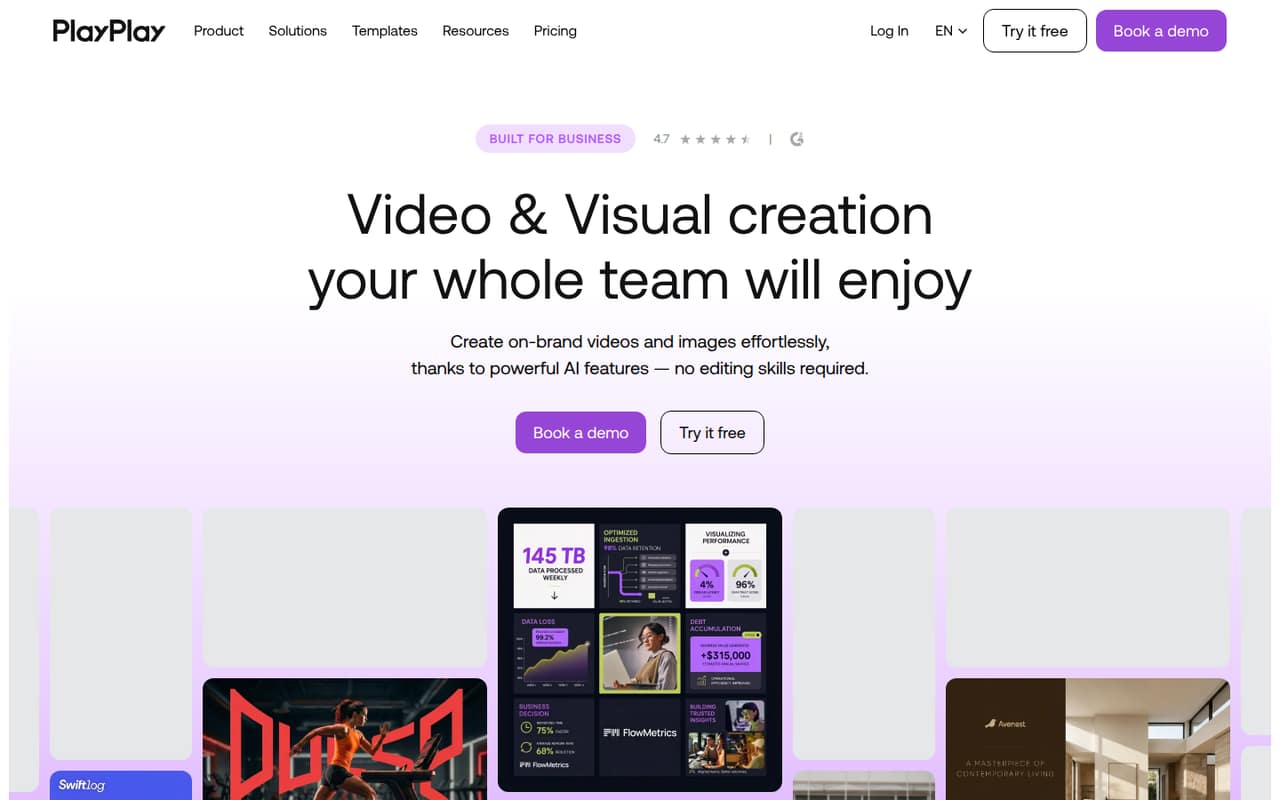
The platform combines templates with AI tools for generating videos, clipping footage, writing copy, creating images and producing voice-overs. Brand controls save logos, colors and fonts to apply to new assets, while resizing tools adapt visuals for major platforms and formats. AI avatars are another option for content creation.
We’d put it on the shortlist when regular content production and brand consistency matter more than predictable per-seat costs. The vendor doesn’t publish subscription prices or a seat limit, so a small team with a strict software budget should request a quote before committing.
02PlayPlay free plan and trial
PlayPlay lists a 7-day free trial, not an ongoing free plan. The trial includes unlimited videos, allows up to two logos and doesn’t require a credit card. PlayPlay branding stays on videos made during the trial.
That’s enough time to explore the platform’s templates and AI creation tools, but the trial’s branding limit may not suit a team evaluating finished content for external use. The vendor doesn’t list a free plan that remains available after the trial, nor does it publish the subscription price. If you need ongoing use, ask PlayPlay for a quote and confirm the seat limit and billing terms before the trial ends.
03What a small team pays for PlayPlay
The pricing page lists a Subscription with a custom quote. Monthly and annual prices aren’t published, and the subscription seat limit isn’t published either. That means we can’t calculate a reliable monthly or annual cost for one person, three people or five people, or work out whether the price is per seat or a team rate.
There are no add-ons listed in the available pricing information. The trial is the only listed way to try PlayPlay without subscribing: it lasts seven days and includes unlimited videos, with PlayPlay branding left on the videos.
Before budgeting, ask PlayPlay for written quotes for your actual team size—one, three or five seats, for example—and confirm whether each quote is monthly or annual, what happens when you add seats, and whether any features cost extra. Until those details are clear, small teams can’t compare the subscription fairly with per-seat tools.
04Getting started with PlayPlay
PlayPlay is described as a template-based tool for business teams that want to create content without editing skills. That points to a more approachable starting point than a traditional editing workflow, but the vendor doesn’t publish a setup-time estimate or a detailed learning-curve description.
The listed features include saving logos, colors and fonts, using templates, resizing visuals and collecting feedback and approvals. A practical first step would be to gather your brand assets and decide who creates content and who approves it. The vendor doesn’t publish which integrations a small team needs on day one, so confirm whether your existing storage, publishing or collaboration tools connect before subscribing. Likewise, ask what onboarding or support is included; those details aren’t listed in the pricing information.
05When small teams outgrow PlayPlay
The available pricing information doesn’t show a published seat limit for subscriptions, so there’s no clear threshold for when a team must move to another tier. The main scaling concern is cost visibility: with a custom quote and no published monthly or annual price, it’s harder to forecast the bill as more coworkers join.
The trial has a two-logo maximum and keeps PlayPlay branding on videos. Teams that need more branding flexibility during evaluation may reach that limit quickly, though the subscription lists removal of PlayPlay branding. It also lists unlimited videos, so video volume alone isn’t a published subscription cap.
Before a team grows, ask PlayPlay how pricing changes with additional seats, whether approval roles affect the quote, and which features are included. If the quote doesn’t fit your budget or the vendor can’t clarify seat terms, those are practical reasons to compare other tools.
Questions people ask
Is PlayPlay free?
PlayPlay lists a 7-day free trial, not an ongoing free plan. The trial includes unlimited videos, allows up to two logos and requires no credit card. Videos retain PlayPlay branding. After the trial, the subscription price is a custom quote, so ask the vendor for current pricing.
What is PlayPlay?
PlayPlay is a video and visual creation platform for business teams. It offers templates, AI tools for video, copy, images and voice-overs, brand controls, resizing and collaboration and approval workflows. Its listed use cases include social media, HR communications, company updates and sales presentations.
How much does PlayPlay cost?
PlayPlay lists its subscription as custom quote. Monthly and annual prices aren’t published, and the subscription seat limit isn’t published. Ask the vendor for a quote based on your team size, and confirm the billing schedule and what happens when you add seats.
Can I remove PlayPlay branding?
The trial keeps PlayPlay branding on videos. The subscription plan lists removal of PlayPlay branding, but its price is a custom quote. If branded exports are essential, confirm the subscription terms and the expected cost with PlayPlay before your trial ends.
What can I make with PlayPlay?
PlayPlay lists templates for social media, company updates, HR communications and sales presentations. Its AI tools can generate videos, clip video, write copy, create images and produce voice-overs. It also offers AI avatars, brand controls and tools to resize visuals for major platforms and formats.