
We may earn a commission if you buy through links on this page. It never changes a score or a ranking. How we make money
The bottom line
Good portrait-retouching tools, but the high entry price and unclear team licensing deserve a close look.
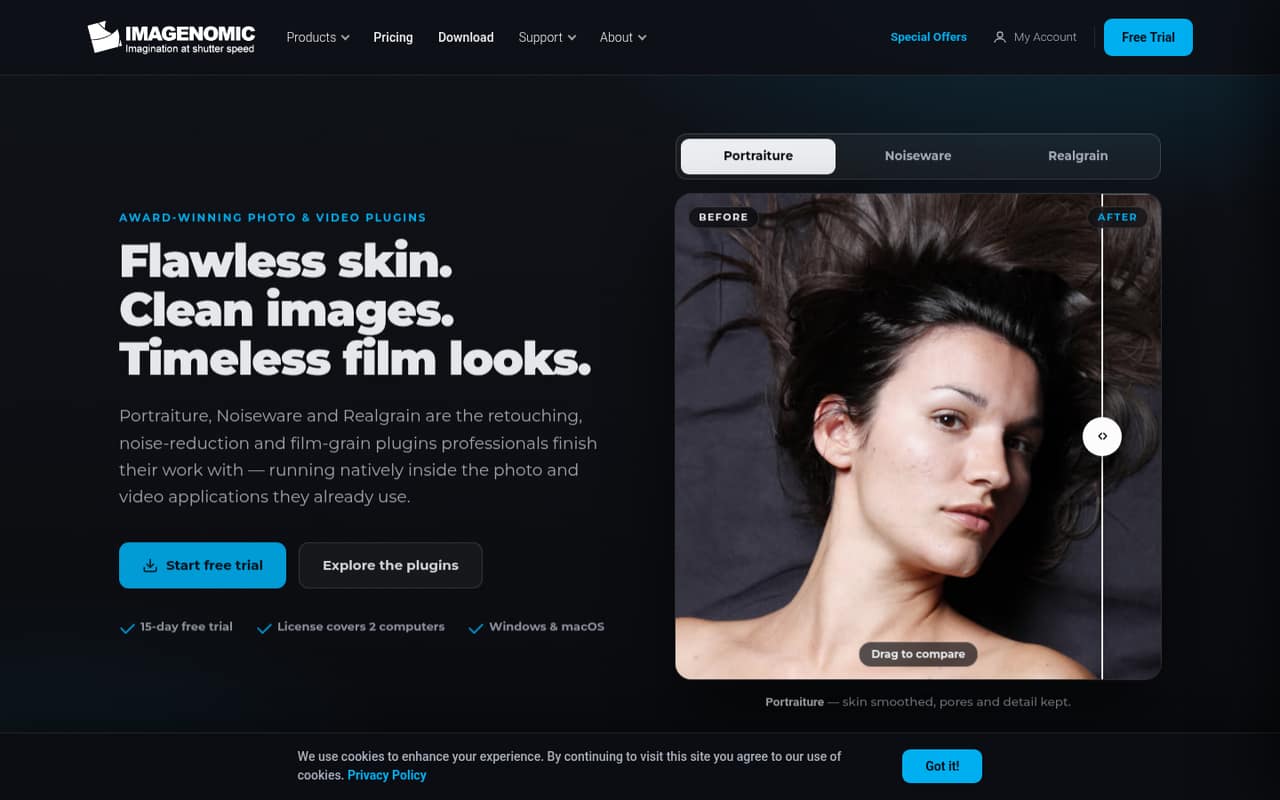
Portraiture is for editors who regularly retouch portraits and want skin smoothing that preserves pores and fine detail. It offers AI smoothing, masking, and portrait fill light inside supported photo and video editors.
There’s no free plan, and a Portraiture-only license starts at $249.95 one-time. Annual subscriptions are available through bundles, but the vendor doesn’t list monthly billing or per-seat pricing. For a small team, confirm how licenses work for multiple editors before budgeting.
Good fit if
- Portrait studios with repeat retouching
- Editors already using a supported host
- Teams needing photo and video plugins
Skip it if
- Teams looking for a free plan
- Editors who rarely retouch portraits
- Teams needing published seat pricing
ScoresHow it rates
What works
- AI smoothing aims to preserve pores and fine detail
- Includes AI masks for hair, eyes, and skin
- Offers photo and video plugin options
- One license covers two computers
- Annual bundles include other Imagenomic plugins
What doesn't
- No free plan
- Portraiture-only licenses start at $249.95
- No monthly billing is listed
- Team seat pricing is not published
- Features depend on supported host applications
01Who Portraiture is for
Portraiture fits a small photography or video team that retouches portraits often enough to justify a dedicated plugin. It smooths skin while aiming to preserve pores, hair, and fine detail, with AI masking for skin, eyes, and hair plus portrait fill light. It runs inside supported editing applications rather than serving as a standalone editor.
For a one-person shop, the price is easier to justify when portrait work is a regular service. A team of three to ten should weigh how many editors need access: the pricing page says one license covers two computers, but doesn’t spell out how many people may use it. The tool is less compelling for occasional retouching or a team watching every subscription closely. Check the host list before buying: available versions are tied to specific applications, including Photoshop, Lightroom Classic, Premiere Pro, After Effects, DaVinci Resolve, Final Cut Pro, and Affinity.
02Portraiture free plan and trial
Portraiture has no free plan. The pricing page lists a 15-day trial, but doesn’t publish which features or host versions the trial includes, or whether any output restrictions apply. Confirm those details with the vendor before building a client workflow around it.
The cheapest Portraiture-only purchase is $249.95 one-time for a host-specific photo or video version. If you prefer an annual subscription, the Photo Suite is listed at $129.95 per year and includes Portraiture Photo alongside Noiseware Photo and Realgrain Photo. That bundle costs less upfront, but it is a subscription and includes products you may not need. There is no monthly billing listed.
03What a small team pays for Portraiture
A Portraiture-only license is listed at $249.95 one-time for one host-specific version, and one license covers two computers. The vendor doesn’t publish a per-seat rate or clarify whether two computers means two users, so these team totals assume each editor needs a separate license: one editor costs $249.95; three cost $749.85; five cost $1,249.75.
For photo editors, the Photo Suite subscription is $129.95 per year per assumed editor. That works out to $389.85 annually for three editors and $649.75 for five, or about $32.49 and $54.15 per month respectively when averaged across the year. Those are annual payments, not monthly billing. The suite includes three photo plugins and supports Photoshop, Lightroom Classic, and Affinity. The pricing page lists no paid add-ons, overages, or seat costs, but check licensing for a shared team. The Photo + Video for Creative Cloud bundle is $179.95 per year and includes three photo and three video plugins.
04Getting started with Portraiture
The first setup task is choosing the right version for the application your team already uses. The pricing page lists separate Portraiture options for Photoshop, Lightroom Classic, Premiere Pro and After Effects, DaVinci Resolve, and Final Cut Pro; the Photo Suite also lists Affinity. A license covers two computers, but the vendor doesn’t publish setup time or clarify team-user rules.
The workflow is designed to run inside a supported editing application, so the main day-one check is host compatibility. Portraiture’s feature set includes AI skin smoothing, masks for hair, eyes, and skin, fill light, and controls intended to keep results consistent within an image and across a set. That gives portrait editors useful controls to learn, but the vendor doesn’t publish a learning-time estimate. Before purchase, confirm the exact host and operating-system requirements for your chosen version; some individual listings specify Windows and macOS.
05When small teams outgrow Portraiture
Portraiture may stop fitting when several editors need access and you need clear, centralized licensing. The pricing page gives a two-computer allowance per license, but doesn’t publish seat pricing, shared-user rules, team administration, or volume discounts. At three or five editors, the simple estimate can rise to hundreds or more than a thousand dollars for individual one-time licenses, so ask the vendor how your team should license the product before expanding.
You may also outgrow the host-specific approach if your workflow adds applications that aren’t on the listed compatibility options. The product is a portrait-retouching plugin, not a general photo or video editor; its listed tools focus on skin smoothing, masking, fill light, and consistent portrait results. If you need broader editing or team collaboration features, check whether your existing editor or another workflow covers those jobs. The pricing page doesn’t list add-on or overage charges, but that alone doesn’t answer how multi-editor use is licensed.
Questions people ask
Does Portraiture have a free plan?
No. The pricing page lists a 15-day trial, but no free plan. It doesn’t specify the trial’s feature limits or restrictions, so check with the vendor before relying on it for client work. The cheapest Portraiture-only purchase is listed at $249.95 one-time.
How much does Portraiture cost?
Portraiture-only photo or video versions are listed at $249.95 one-time for supported hosts. The Portraiture Photo + Video bundle is $299.95 one-time. Annual subscriptions are available in bundles, including the Photo Suite at $129.95 per year; monthly billing is not listed.
Which editing applications does Portraiture support?
The listed options cover Photoshop, Lightroom Classic, Affinity, Premiere Pro, After Effects, DaVinci Resolve, and Final Cut Pro, depending on the version or bundle. Check the exact product listing for your host before buying, since the options are not identical across plans.
Does one Portraiture license cover multiple computers?
The pricing page says one license covers two computers. It doesn’t explain whether those computers can belong to different editors or how licenses are handled for a team. If several people need access, ask the vendor to confirm the licensing terms before calculating your total.
Can Portraiture be used for video?
Yes. Portraiture is available as a video plugin for supported hosts, including Premiere Pro, After Effects, DaVinci Resolve, and Final Cut Pro. Individual video versions are listed at $249.95 one-time, while the Photo + Video for Creative Cloud bundle includes video plugins for Adobe hosts.