
We may earn a commission if you buy through links on this page. It never changes a score or a ranking. How we make money
The bottom line
Good for quick branded videos; check the watermark and yearly cost before adding seats.
Powtoon is worth considering if your team regularly needs short, branded videos or presentations and does not have a video editor on staff. Its free plan covers basic 720p videos, but exports carry a watermark and videos stop at three minutes.
For watermark-free downloads, Lite lists at $15 per person per month when billed yearly. That works out to $45 a month equivalent for three people, but the annual bill is $540. Reddit users have mixed views on Powtoon’s look and editing experience, so try the free plan before committing.
Good fit if
- Small teams making recurring explainers
- Training and internal communications
- Marketers using branded templates
Skip it if
- Teams needing polished custom animation
- Occasional video creators on tight budgets
- Teams needing published monthly billing
ScoresHow it rates
What works
- Free plan includes screen recording
- Templates and drag-and-drop editing
- AI tools cover scripts, voiceovers, and avatars
- Brand controls support company colors and logos
- Lite offers watermark-free exports
What doesn't
- Free exports include a Powtoon watermark
- Free videos are limited to three minutes
- Lite limits watermark-free exports to five monthly
- Individual plan prices are listed with yearly billing
- A Reddit user reports disliking Powtoon’s timeline
01Who Powtoon is for
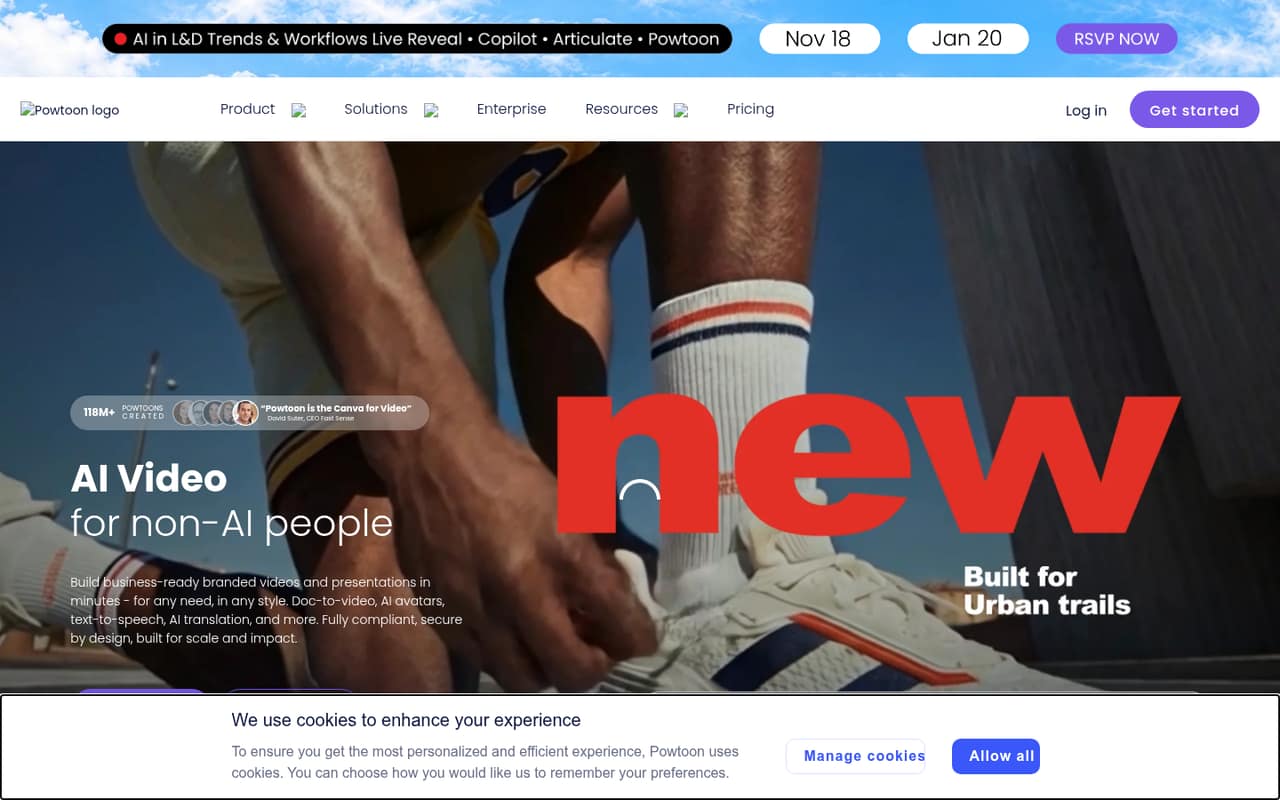
Powtoon is for small teams that need to make videos and presentations without building a video-editing workflow from scratch. The homepage lists marketing, training, and internal communications as use cases. A team of one to five people could use its templates and drag-and-drop editor for explainers, onboarding, or short company updates.
The fit depends on how often you publish. If one person makes an occasional video, the Free plan may be enough to try the format. If several people need watermark-free downloads, Lite starts at $15 per person per month when billed yearly. That is a meaningful recurring cost for a team watching each subscription, especially if only one or two people make videos regularly. Powtoon also offers AI tools for turning files into videos, writing scripts, creating voiceovers, and making avatar videos. It makes most sense when those jobs come up often enough to justify a dedicated tool.
02Powtoon free plan and trial
Powtoon has a Free plan, listed with 720p video, screen recording, videos up to three minutes, and a Powtoon watermark. That gives a small team a way to learn the editor and make short drafts without paying. The catch is the watermark: it makes the plan a poor fit for customer-facing or polished branded exports.
The cheapest listed individual plan for watermark-free downloads is Lite, at $15 per month when billed yearly. It includes HD 1080p MP4 downloads, videos up to 10 minutes, and five watermark-free exports per month. The pricing details do not list a free trial, so the Free plan is the available way to try Powtoon without a paid subscription. Check whether three minutes and the watermark are acceptable before building a repeatable workflow around it.
03What a small team pays for Powtoon
The pricing page lists Lite at $15 per person per month, billed yearly. That is $180 per person for a year: $540 for three seats, or $900 for five. The equivalent monthly costs are $45 and $75, but the listed billing is annual. For more editing capacity, Professional is listed at $40 per month billed yearly, or $120 monthly equivalent for three seats and $200 for five. The page also shows $70 per month for Professional while labeling it billed yearly, so ask Powtoon to confirm monthly billing before budgeting.
Lite includes five watermark-free exports a month and 300 AI credits per year. Professional lists unlimited premium exports, 500 AI credits per year, and 10GB of storage. Advanced is $125 per month billed yearly, which works out to $375 for three seats or $625 for five on a monthly-equivalent basis. Extra AI credits cost $49 for 125, $99 for 300, or $149 for 450; purchases are final, non-refundable, and non-transferable. The pricing page does not state a seat minimum.
04Getting started with Powtoon
Powtoon’s listed workflow is browser-based: choose a template, edit with drag-and-drop tools, and export a video or presentation. Screen recording can capture your screen, camera, or both for editing in Powtoon Studio. The AI features can also turn documents, presentations, PDFs, and other files into videos, or generate scripts, voiceovers, and avatar videos. That is a lot of options, so a team should start with one repeatable job rather than trying every feature at once.
The vendor does not list specific third-party integrations in its pricing details. Ask about the tools your team needs to connect, especially if videos must fit an existing learning or publishing workflow. Reddit feedback is mixed: one commenter on r/instructionaldesign liked Powtoon’s corporate-friendly templates but disliked its timeline, where elements share one line, and reported occasional MP4 export glitches. Another described the platform as potentially useful for quick creation but questioned its visual style. Try a short project before assigning the whole team.
05When small teams outgrow Powtoon
The first reason to upgrade is a hard plan limit. Free videos stop at three minutes and carry a watermark. Lite raises the video limit to 10 minutes and allows five watermark-free exports a month; a team making more finished videos may need Professional, which lists unlimited premium exports and videos up to 20 minutes. Advanced allows videos up to 30 minutes and adds custom characters and branding, but costs $125 per person per month when billed yearly.
A second pressure is team coordination. Enterprise lists team management, collaboration, admin and licensing controls, and unlimited users, but its price is custom. The individual plans do not list those team controls. Ask Powtoon how its licensing works before expanding seats. Reddit users also flag possible creative and workflow limits: one commenter dislikes the timeline structure and reports occasional MP4 export glitches, while another discussion describes Powtoon’s look as cheap or cartoonish. If you need more control over editing or a different visual style, compare alternatives before standardizing on it.
From the threadsWhat users say
Reddit sentiment is mixed: users see Powtoon as useful for quick, template-led video creation, but some dislike its appearance and editing workflow. One commenter praised its corporate-friendly templates while noting timeline and export frustrations.
Powtoon templates are more corporate friendly I think
I do HATE their timeline though (every element is on the same line instead of separate lines like every other video editor)
my first impressions are that it looks cheap and cartoonish, especially given it's price
Questions people ask
Is Powtoon still free?
Yes. Powtoon lists a Free plan with 720p video, screen recording, and videos up to three minutes. Exports include a Powtoon watermark. For watermark-free downloads, Lite is the cheapest listed individual plan.
What does Powtoon’s free plan include?
The Free plan includes 720p video, screen recording, videos up to three minutes, and a Powtoon watermark. It is suitable for trying the editor or making short drafts, but the watermark can be a problem for finished branded videos.
Can Powtoon turn a document into a video?
Powtoon lists an AI doc-to-video feature that can turn documents, presentations, PDFs, and other files into videos. The pricing details do not specify which plans include each AI feature, so confirm availability with Powtoon before choosing a plan.
Does Powtoon have a free trial?
Powtoon lists a Free plan, but its pricing details do not list a separate free trial. The Free plan gives you a way to try the editor, with 720p video, a three-minute limit, and a watermark.
Does Powtoon support screen recording?
Yes. Screen recording is listed on the Free plan. Powtoon says you can record your screen, camera, or both, then edit the recording in Powtoon Studio.