
We may earn a commission if you buy through links on this page. It never changes a score or a ranking. How we make money
The bottom line
ProHance covers workforce productivity broadly, but custom pricing and monitoring concerns weigh on small teams.
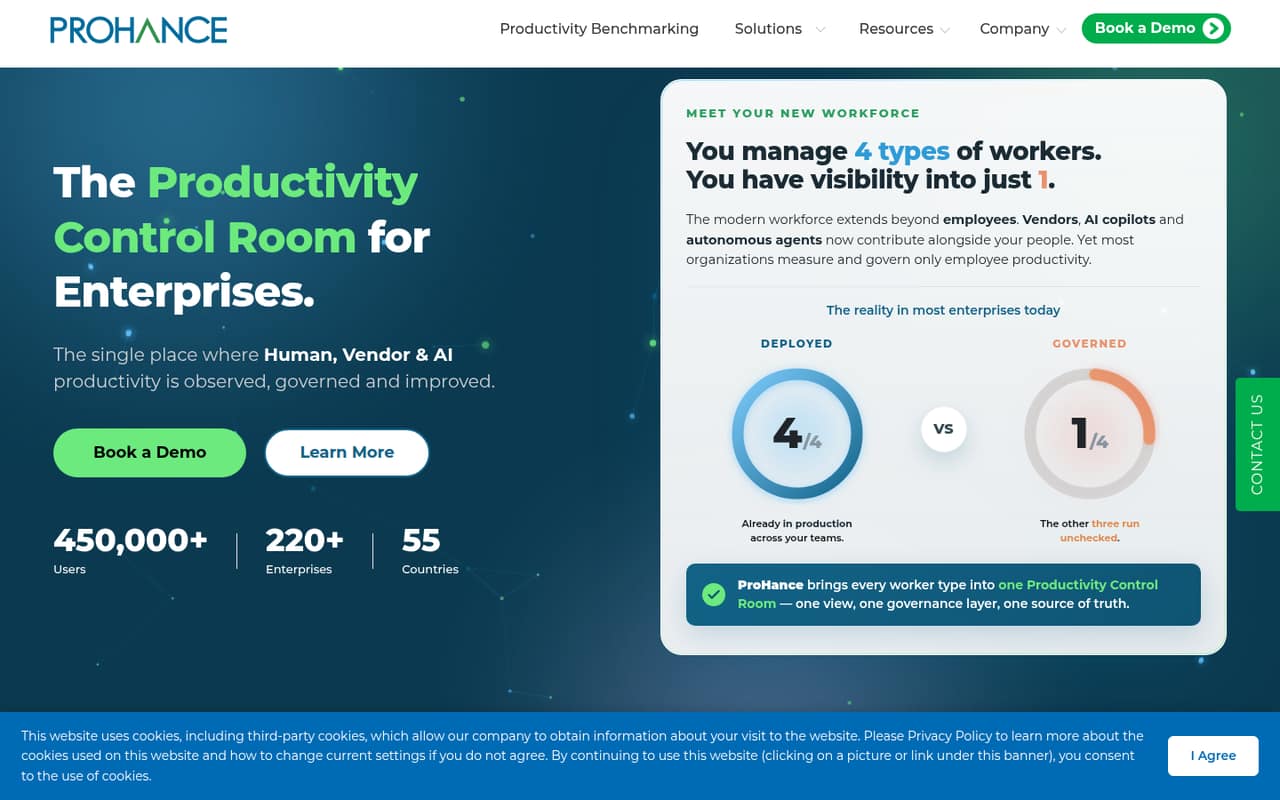
ProHance brings work time, work output, workflow management, analytics, and asset optimization under one enterprise productivity control room. It also aims to govern productivity across employees, vendors, AI copilots, and autonomous agents.
For a 1–10-person team watching subscription costs, the fit is hard to judge: the vendor lists custom pricing, with no published free plan, trial, or rates. Reddit users also describe intrusive monitoring and disputed activity records, so teams should ask exactly what is tracked and how it is used.
Good fit if
- Enterprises governing workforce productivity
- Teams coordinating employee and vendor work
- Leaders managing AI agents and copilots
Skip it if
- Budget-conscious small teams
- Teams seeking published per-seat pricing
- Workplaces wary of activity monitoring
ScoresHow it rates
What works
- Combines work time and work output areas
- Includes job allocation and prioritization
- Supports process digitization
- Offers enterprise productivity analytics
- Covers employees, vendors, copilots, and agents
What doesn't
- Pricing is custom and unpublished
- No free plan or trial is listed
- Seat and usage limits are unpublished
- Specific work-time functions aren't detailed
- Reddit users report intrusive monitoring concerns
01Who ProHance is for
ProHance is aimed at enterprises that want a central view of productivity across employees, vendors, AI copilots, and autonomous agents. Its product areas cover work time, work output, workflow management, analytics, and asset optimization. In plain terms, it brings workforce productivity into one place to observe, govern, and improve.
For a small team of 1–10, that breadth may be more than you need if your main goal is tracking hours or coordinating a few jobs. The vendor lists job allocation, prioritization, and process digitization, which may matter when work passes through formal workflows. But the pricing page lists custom pricing, and it doesn't publish a small-team rate. We’d treat ProHance as a fit only if enterprise-wide governance is a real need and the budget can handle a vendor quote. Ask for a demo of the specific work-time and output functions you need before comparing it with simpler time trackers.
02ProHance free plan and trial
The pricing page lists no free plan and no free trial. It also doesn't list a self-serve entry tier, so there’s no published free option for a small team to start with and grow into. The cheapest way in is a custom quote from the vendor; the starting price is not published.
That makes evaluation harder for a team with a tight budget. Before committing time to a sales process, ask whether ProHance offers a time-limited trial, a guided pilot, or a small deployment for a few seats. Those options aren't listed in the pricing details. Also request the minimum contract size, any implementation fees, and whether the quote changes based on users, modules, or usage. The vendor doesn't publish those costs or limits, so get the full terms in writing.
03What a small team pays for ProHance
ProHance's pricing page lists custom, quote-based pricing; it publishes no monthly or annual rate. That means we can't calculate a supported per-seat cost for one person or a total for a team of three or five. Ask the vendor for both monthly and annual options, and have it spell out any minimum seat count or contract value before comparing quotes.
The vendor also doesn't publish seat limits, usage limits, or add-on prices. Its product areas include work time, work output, workflow management, advanced analytics, and asset optimization, but the pricing details don't say which are bundled or sold separately. Ask for an itemized quote covering the modules your team needs, setup or implementation charges, and any extra fees for vendors or AI-related governance. With no published starting price, a few seats could be affordable or a poor budget fit; the quote is the only reliable way to know.
04Getting started with ProHance
The public product description explains ProHance's work areas but doesn't publish a step-by-step setup guide, onboarding timeline, or learning curve. It also doesn't list integrations for a small team to connect on day one. We can't responsibly estimate implementation effort from the available details, so ask the vendor to walk through the rollout for your headcount and workflows.
Before agreeing to a quote, ask what your team must install or configure, who manages access, how employees and vendors are added, and what training is included. If you need to bring productivity data together from existing tools, confirm the specific integrations and whether they carry an extra fee. Reddit users describe activity tracking that affected their workday, so include employee communication, monitoring settings, and data visibility in the setup discussion. Get the answers in writing rather than assuming the default settings will suit your team.
05When small teams outgrow ProHance
For small teams, the first pressure point may be the price and scope, not a published seat cap. The vendor doesn't publish per-seat rates, minimums, or usage limits, so a growing team should ask whether costs rise with headcount, added product areas, or vendor and AI-agent coverage. The product is framed for enterprise governance; a team that only needs basic time tracking may be paying for more than it uses.
The other pressure point is how monitoring works in practice. One Reddit thread describes screen captures and app-time tracking, while users in another thread report activity records they believe missed work. Those are user reports, not a complete description of every deployment, but they make it important to check how activity is measured and reviewed. If your team needs flexible work across notebooks, phones, or offline tasks, ask how those activities appear in reports. Consider moving to a simpler tool if the governance overhead or monitoring approach doesn't match how your team works.
From the threadsWhat users say
Reddit sentiment in the Reddit threads we read is strongly negative, with concerns about intrusive monitoring and activity records that users say can miss work. These are individual user accounts, not a full picture of every ProHance deployment.
It also records your screen and take screenshots time to time and also monitors the time you spent on a particular application
I know for many days it showed that I didn’t get on for hours at a time, hours within which I know I was actively submitting work for the company
Yea my company uses prohance too. Good luck to cognizant employees coz this stupid app tracks decently smh
Why does messing around on a computer = work? So much of my job has me thinking and writing in notebooks or on whiteboards, reading, testing apps on televisions or phones
Questions people ask
What is ProHance used for?
ProHance describes itself as an enterprise Productivity Control Room. Its product areas cover work time, work output, workflow management, advanced analytics, and asset optimization. The vendor says it brings employee, vendor, AI copilot, and autonomous-agent productivity into one view.
How much does ProHance cost?
The pricing page lists custom, quote-based pricing and does not publish monthly or annual rates. It also doesn't publish seat or usage limits, or add-on prices. Ask the vendor for an itemized quote for your headcount, required product areas, contract term, and any implementation fees.
Does ProHance have a free plan or trial?
The pricing details list no free plan and no free trial. The vendor's cheapest published route is a custom quote, but it doesn't publish a starting price. Ask whether a pilot or time-limited evaluation is available before agreeing to a paid deployment.
Does ProHance monitor employee activity?
The vendor's homepage describes work-time and productivity product areas but doesn't detail specific monitoring functions. Reddit users report activity tracking, app monitoring, and screen captures in their workplaces. Ask the vendor which data is collected, what administrators can see, and how settings differ by deployment.
Is ProHance a good fit for a small team?
It may fit a small team only if enterprise-style productivity governance across people, vendors, or AI agents is a clear need. The custom pricing and lack of a listed free tier make costs hard to assess for a few seats. Get a quote and confirm the monitoring approach before deciding.
Sources
- ProHance homepage
- ProHance pricing, compiled via web search from b2saas.com, g2.com, employee-monitoring.net, itqlick.com, getapp.com
- Reddit: Cognizant to monitor employees with software called prohance and my experience with prohance monitoring tool!!
- Reddit: Heads up to future job hunters
- Reddit: Prohance