
We may earn a commission if you buy through links on this page. It never changes a score or a ranking. How we make money
The bottom line
A friendly place to host small Python apps—until your workload needs more freedom.
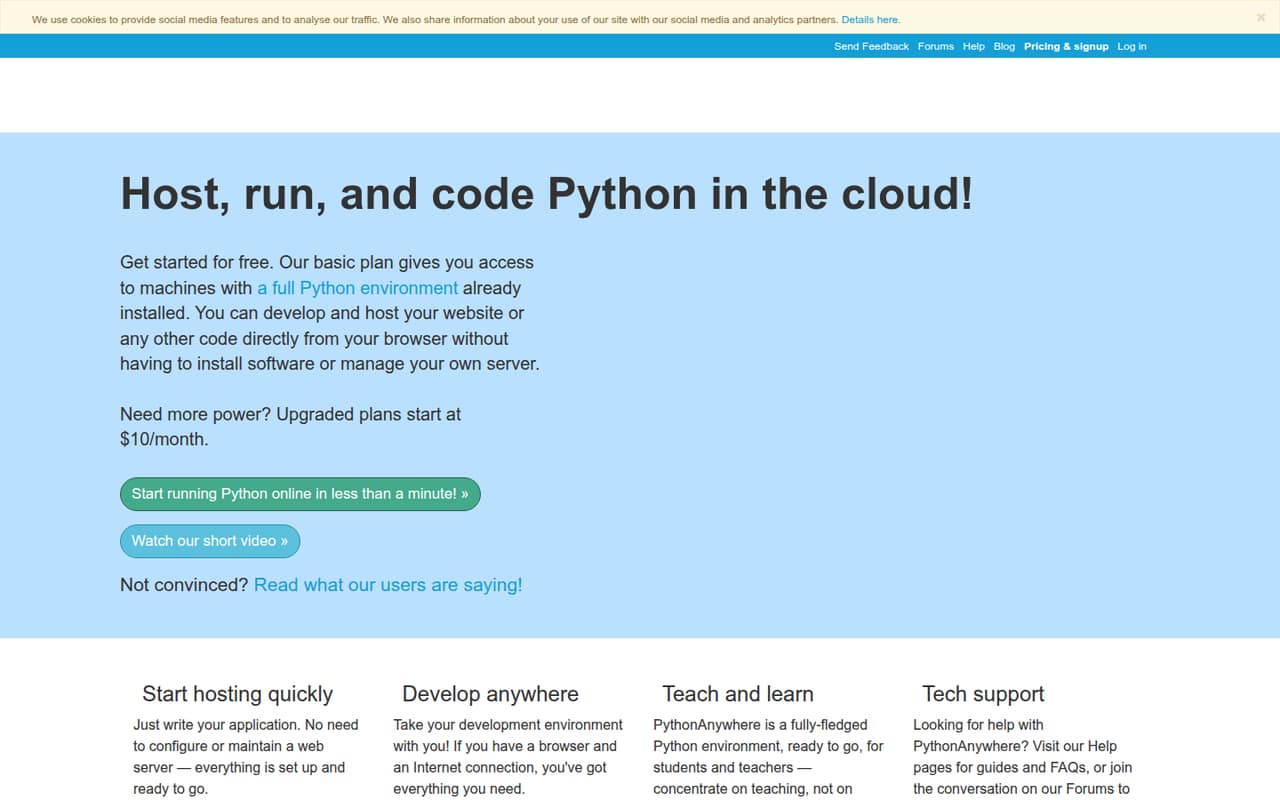
A small team does not need to manage a server just to get a simple Python web app online. PythonAnywhere puts coding, consoles, scheduled tasks and web hosting in a browser, with a free Beginner plan for learning and small projects.
The $10 monthly Developer plan adds capacity for a small site, but the free plan's restricted outbound internet and reports of limits around background work may matter. It is a practical starting point, not a fit for every growing app.
Good fit if
- Python learners and small projects
- Teams hosting a simple Python site
- Founders avoiding server administration
Skip it if
- Apps relying on unrestricted outbound access
- Workloads needing Celery or threading
- Teams needing published seat pricing
ScoresHow it rates
What works
- Code and run Python in a browser
- Free Beginner plan includes one web app
- Host Django, Flask and other WSGI apps
- Scheduled tasks are included on Developer
- Git, Mercurial and Subversion project access
What doesn't
- Free plan restricts outbound internet
- Developer costs $10 monthly
- Additional CPU seconds cost extra; price isn't published
- PostgreSQL add-on price varies by configuration
- Reddit users report uptime and workload limitations
01Who PythonAnywhere is for
PythonAnywhere suits a solo developer or a small team of roughly 1–10 people that wants to build or host a Python app without managing its own server. It brings a code editor, browser-based consoles, file storage and web hosting together in one browser-based workspace.
For a team on a tight budget, the free Beginner plan can cover learning, experiments and a small project: it includes one web app, up to two consoles and 512MB of private storage. A team ready to host a small website can look at Developer, which includes one web app, three web workers and scheduled tasks for $10 a month.
It supports Django, Flask, web2py, Bottle and other WSGI apps, and includes tools for Git and other repositories. PythonAnywhere is less compelling when an app depends on unrestricted outbound network access or background-job tools such as Celery. One Reddit thread praised its simplicity for getting a Flask app running without the fuss of a VPS; another raised missing threading and Celery support.
02PythonAnywhere free plan and trial
The Beginner plan costs $0 and includes one web app, up to two consoles, 100 CPU-seconds per day and 512MB of private storage. It also comes with restricted outbound internet, so it may not work for an app that needs to call an external API. One Reddit post describes the free tier's outbound whitelist blocking calls to an AI service.
That makes Beginner useful for learning Python, trying a small project or hosting a simple app that fits its limits. It is not the best choice if a core feature depends on open outbound access, or if the app needs more CPU time. A separate free trial is not listed. The cheapest paid option is Developer, at $10 monthly or an annual-plan equivalent of $8.33 per month.
03What a small team pays for PythonAnywhere
The pricing page lists Developer at $10 per month, or $8.33 per month with annual billing. Annual subscriptions pay for 10 months per year, so that is $100 for the year. Developer includes one web app, three web workers, 5,000 CPU-seconds per day, 5GB of private storage and 20 scheduled tasks.
PythonAnywhere publishes plan prices, not a per-seat rate. If each person needed a separate Developer subscription, one subscription would cost $10 monthly or $100 annually; three would total $30 monthly or $300 annually; five would total $50 monthly or $500 annually. These are subscription-count examples, not a claim that each teammate needs a separate plan. Ask the vendor how team access works before budgeting seats.
Custom plans are listed at $10–$500 per month, with capacity choices. Additional CPU seconds are available, but the price is not published. A private PostgreSQL server and storage are optional add-ons whose prices vary by configuration. Paid plans bill monthly and can be canceled anytime with a one-month minimum.
04Getting started with PythonAnywhere
The basic appeal is that the editor and Python consoles run in a browser, and PythonAnywhere hosts web apps without requiring you to manage your own server. That should make it easier to get started than setting up a server yourself, though the vendor does not publish a setup-time estimate.
For a first project, the main choices are a Python app framework, the files or repository to work with, and whether the free plan's limits fit. PythonAnywhere lists support for Django, Flask, web2py, Bottle and other WSGI apps. You can upload and download files, or work with Git, Mercurial and Subversion projects. The platform also lists preinstalled Python versions and libraries.
A team can add scheduled tasks on Developer; the plan lists 20. Teachers can use tools to view student files and consoles and distribute files. Reddit users describe the platform as simple for getting a Flask app online, while one user reported running into deployment bugs. Teams relying on outside APIs should check the plan's outbound rules before building around them.
05When small teams outgrow PythonAnywhere
The first sign may be a workload that no longer fits the plan. Beginner allows 100 CPU-seconds per day and restricted outbound internet. Developer raises the daily CPU allowance to 5,000 seconds and adds workers and scheduled tasks, but the listing still describes one web app. Custom offers configurable capacity, up to 20 web apps and up to 100,000 CPU-seconds per day, at a custom price of $10–$500 monthly.
Some needs call for a different setup rather than a bigger plan. In a Flask Reddit thread, a user said they could not use pgvector with PythonAnywhere's PostgreSQL version and reported no support for threading or Celery. Another Reddit post describes outbound restrictions blocking external API calls on the free tier. A Django user complained about recurring server downtime, while other commenters said they moved to other hosts for simplicity or cost reasons.
Before scaling, confirm outbound access, background-work support, database requirements and team access with the vendor. If those requirements do not fit, it may be time to move.
From the threadsWhat users say
Reddit sentiment is mixed. Users praise the simple route to hosting a Python app, while others report limits involving outbound internet, background work, database compatibility, uptime or cost.
I genuinely think its the easiest way to get a Python webapp running without all the fuss of a VPS
there is no support for threading or Celery
PythonAnywhere's free tier has a strict outbound internet whitelist
Really had enough of PA servers being down like every other day
Questions people ask
Is PythonAnywhere free?
Yes. The Beginner plan costs $0 and includes one web app, up to two consoles, 100 CPU-seconds per day and 512MB of private storage. Its outbound internet is restricted, so check that limit if your app needs to call external services.
How much does PythonAnywhere cost for a small website?
The Developer plan costs $10 monthly, or $8.33 per month with annual billing. It includes one web app, three web workers, 5GB of private storage, 5,000 CPU-seconds per day and 20 scheduled tasks.
Can I host a Flask or Django app on PythonAnywhere?
Yes. PythonAnywhere lists support for Django, Flask, web2py, Bottle and other WSGI apps. The free Beginner plan includes one web app; Developer also includes one web app and adds more listed capacity.
Is PythonAnywhere safe to use?
PythonAnywhere hosts apps in its cloud environment, so you do not have to manage your own server. That alone does not establish whether it meets your security needs. Ask the vendor about its security practices and check that your app and account are configured appropriately.
Can PythonAnywhere run background jobs?
The Developer plan lists 20 scheduled tasks, which can run scripts periodically. That is different from support for every background-job system. A Reddit user reports that PythonAnywhere does not support Celery or threading, so confirm your specific workload with the vendor.