
We may earn a commission if you buy through links on this page. It never changes a score or a ranking. How we make money
The bottom line
Good test coverage tools, but the paid plan’s five-user minimum leaves tiny teams with a free-tier ceiling.
A small team may not need a dedicated test management tool if a shared document handles its test cases and results. Qase is worth considering when manual runs, automated tests, and CI results need one shared view, with requirements and release readiness tracked alongside them.
The Free plan covers up to four users, but limits projects, runs, storage, and test history. The Teams plan adds capacity and integrations, but pricing starts at five users: $175 per month billed annually or $210 month to month for five seats. That minimum is the main budget hurdle.
Good fit if
- Teams combining manual and automated testing
- QA teams tracking requirements and coverage
- Small teams that fit the free limits
Skip it if
- Solo users needing advanced paid features
- Teams requiring on-premises-only data storage
- Teams unwilling to pay for five seats
ScoresHow it rates
What works
- Combines manual runs, automated tests, and CI results
- Free plan includes up to four users
- Links requirements with test cases and results
- Shows historical pass and fail patterns
- Teams plan includes 35+ integrations
What doesn't
- Free plan is limited to two projects
- Free test history lasts 30 days
- Teams requires at least five users
- Extra AI credits cost $0.40 each
- A Reddit user raised privacy concerns
01Who Qase is for
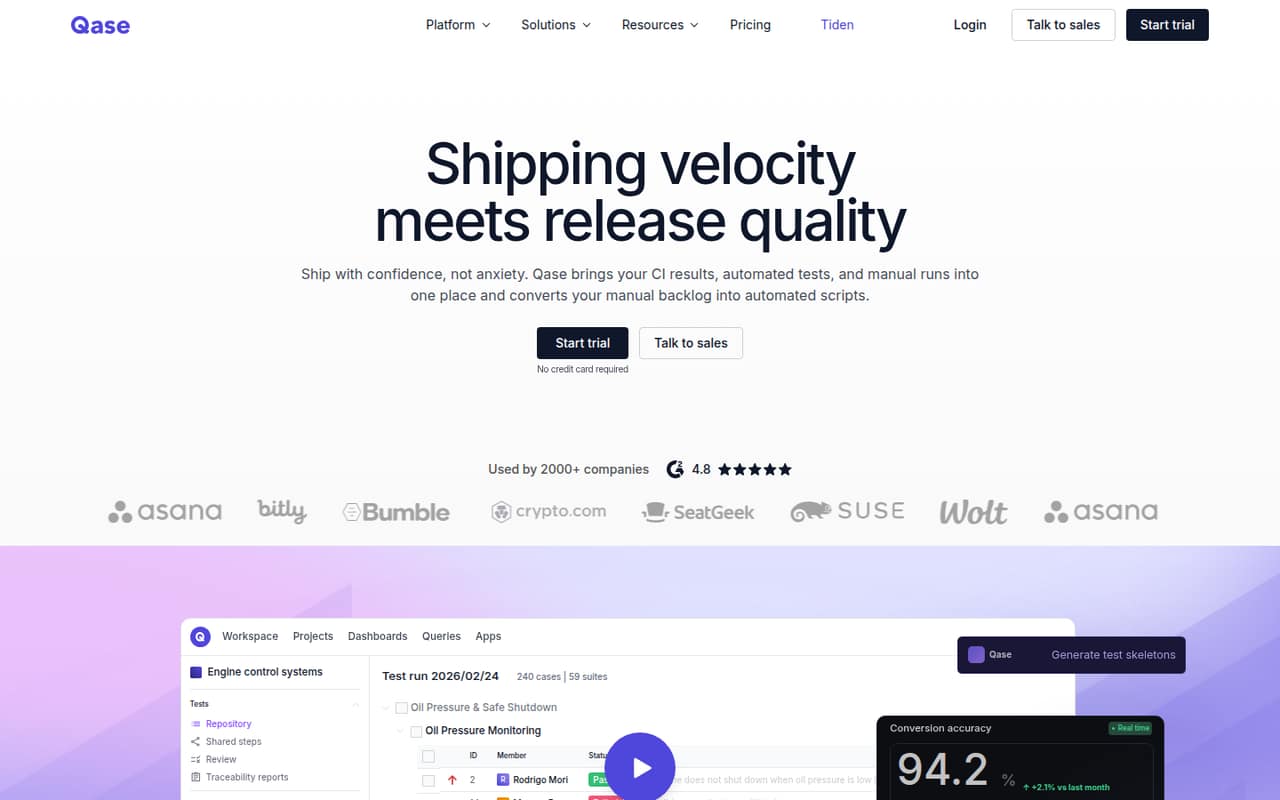
Qase is for teams that need more structure than a shared document can offer. It brings manual test runs, automated tests, and CI results into one view, with tools to track requirements, test coverage, and release readiness. That fits a QA team building reusable sanity or regression suites, or a small engineering group trying to connect test results to requirements.
The Free plan supports up to four users, so a small team can start without a subscription if its work fits within two projects, two active test runs, 500 MB of storage, and 30-day test history. The paid Teams plan is aimed at teams needing advanced test management, but requires five or more users. The pricing page lists it at $35 per user per month with annual billing or $42 month to month. That five-seat threshold makes Qase a better budget fit for a team of five than a solo tester seeking paid features.
02Qase free plan and trial
Qase’s Free plan costs $0 and allows up to four users and two projects. It includes two active test runs, 500 MB of storage, and 30-day test history. That can be enough for a small team getting test cases out of scattered documents and into a shared system, provided it can work within those caps.
The plan stops short of unlimited projects, runs, and storage, and its history is much shorter than the Teams plan’s two years. Qase lists a 14-day free trial, but the trial details aren’t published here, so ask which plan and features it covers before relying on it. If your team needs the paid Teams features, the plan is listed for five or more users, at $35 per user per month billed annually or $42 billed monthly.
03What a small team pays for Qase
The pricing page lists Teams at $42 per user per month month to month, or $35 per user per month with annual billing. At those per-seat rates, one seat would be $42 monthly or $35 per month on annual billing; three seats would be $126 or $105 per month, respectively. But Teams is listed for 5+ users, so those one- and three-seat figures are rate math, not available plan totals. A team of three can use Free if its limits work.
For five Teams seats, the bill is $210 per month month to month or $175 per month with annual billing ($2,100 for a year). The plan includes unlimited projects, test runs, and storage, plus 2,000 AI credits per month and two-year test history. Extra AI credits cost $0.40 each. Collaborator seats are listed at $10 per user per month; check with Qase about how those seats work alongside the five-user minimum. Enterprise pricing is custom.
04Getting started with Qase
Qase’s basic job is clear: bring test cases and results together, then connect coverage and requirements to those tests. A team setting it up will need to organize its test cases and projects, decide how it wants to run tests, and connect relevant tools. Qase says it supports converting manual test cases into scripts for supported frameworks, and its AI feature can generate test cases from Jira or GitHub issues.
The vendor doesn’t publish a setup-time estimate, so we wouldn’t promise a same-day rollout. Teams includes 35+ integrations, but the pricing information doesn’t name them all; confirm that your CI and work-tracking tools are supported before you commit. One Reddit commenter described Qase’s UX as “not really intuitive,” so allow time for the team to learn the workflow rather than assuming setup is effortless.
05When small teams outgrow Qase
The first ceiling is on Free: four users, two projects, two active runs, 500 MB of storage, and 30-day history. A team that needs unlimited projects, runs, and storage, longer history, or the Teams plan’s 35+ integrations will have to consider a paid plan. That means a jump to at least five users, even if the team has fewer people. Five seats cost $210 monthly or $175 per month with annual billing.
Growing teams should also check whether 2,000 monthly AI credits are enough; extra credits cost $0.40 each. Enterprise offers unlimited users, unlimited data retention, and a 24/5 support SLA at custom pricing. In one Reddit discussion, a QA lead cited privacy concerns and expensive Enterprise changes; another commenter said their workplace couldn’t store data outside its own servers. Those are individual reports, not proof of a security problem, but teams with strict data rules should ask Qase about its arrangements before moving test data.
From the threadsWhat users say
Reddit sentiment is mixed: one user said they liked Qase for a personal project, while other commenters raised concerns about privacy and usability. The discussions are small and don’t establish a broad consensus.
I use Qase for a personal project and like it
Tried Qase, but it's a no go. Privacy isn't great and changes in the enterprise plan cost a fortune
since its bloating jira, the ux is bad, and really not intuitive
We are not allowed to store data (even test data) outside of our own servers
Questions people ask
What does Qase’s free plan include?
Qase’s Free plan allows up to four users and two projects. It includes two active test runs, 500 MB of storage, and 30-day test history. It costs $0, but teams needing more projects, runs, storage, or longer history should compare the Teams plan.
How much does Qase cost for a small team?
Teams is listed at $42 per user per month with monthly billing, or $35 per user per month with annual billing. The plan is for five or more users, so five seats cost $210 monthly or $175 per month billed annually. Smaller teams can use Free within its limits.
Can Qase manage both manual and automated tests?
Yes. Qase brings manual test runs, automated tests, and CI results into one shared view. It also says teams can convert manual test cases into scripts for supported frameworks. Check with Qase that your specific automation framework is supported.
Does Qase have AI test case creation?
Yes. Qase lists AI test creation from Jira or GitHub issues. The Teams plan includes 2,000 AI credits per month, and extra credits are listed at $0.40 each. Ask Qase how many credits your workflow is likely to use.
Is Qase suitable for teams with strict data rules?
A Reddit commenter said their workplace could not store data outside its own servers, while another user raised privacy concerns. Those accounts don’t establish Qase’s security arrangements. If your team has strict data or hosting requirements, ask Qase directly how it handles those requirements before uploading test data.