
We may earn a commission if you buy through links on this page. It never changes a score or a ranking. How we make money
The bottom line
QLess can organize busy service queues, but small teams must request a quote to know what it costs.
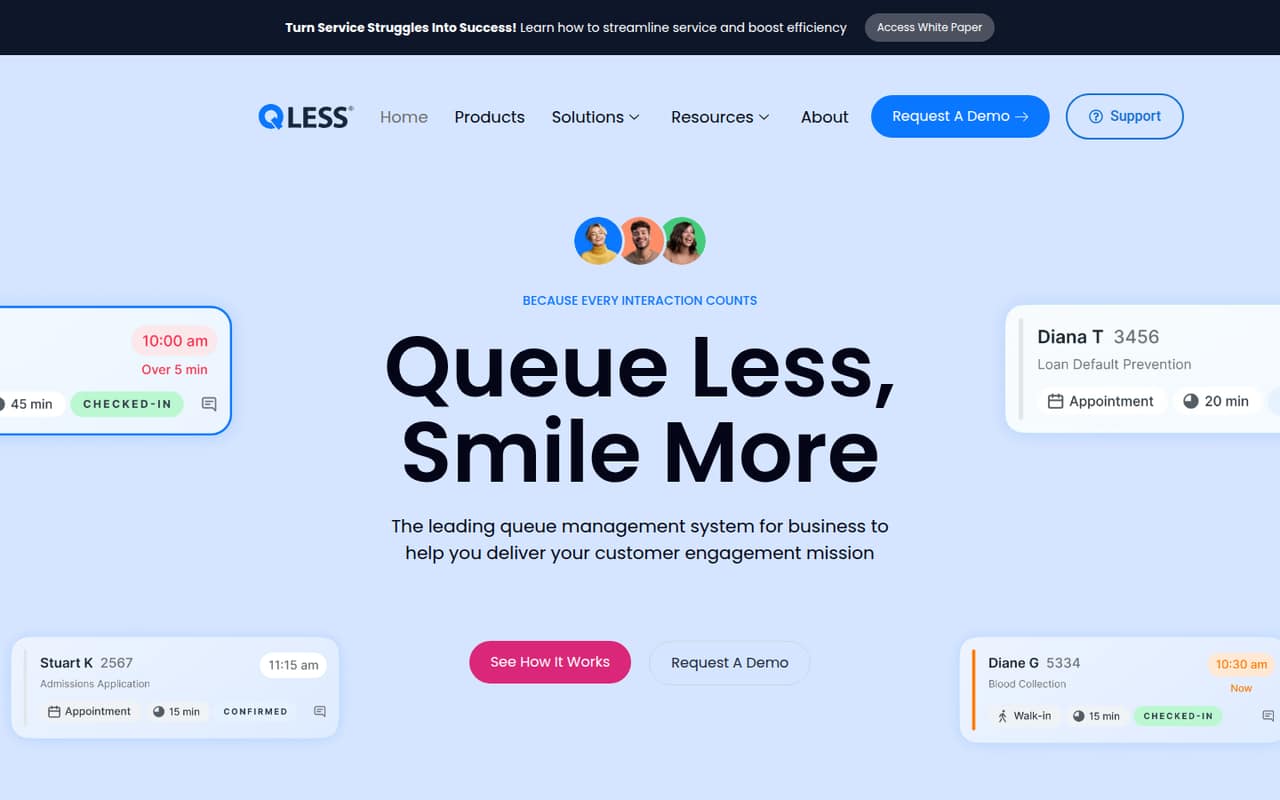
QLess brings walk-ins, appointments, virtual visits and callbacks into one queue-management platform, with customer updates and operational insights. That breadth makes sense for service teams handling steady traffic, not every small office with an occasional line.
There’s no listed free plan, and the vendor doesn’t publish a starting price or billing terms. Reddit users describe both useful peak-time organization and extra work when the system doesn’t fit the staffing or workflow.
Good fit if
- Busy walk-in service teams
- Teams combining appointments and queues
- Organizations needing virtual service
Skip it if
- Teams with only occasional walk-ins
- Buyers needing published prices
- One-person desks with limited capacity
ScoresHow it rates
What works
- Handles walk-ins, appointments, virtual visits and callbacks
- Sends customer notifications and reminders
- Offers arrival-time guidance
- Supports remote service delivery
- Includes operational insights and customer surveys
What doesn't
- No free plan is listed
- Starting price is not published
- Monthly and annual billing details are unavailable
- Add-on pricing is not published
- Reddit users report workflow and staffing friction
01Who QLess is for
QLess is for service organizations that need to coordinate walk-ins with appointments, virtual visits and callbacks. The platform gives customers a way to join a virtual queue instead of waiting in a physical line, while teams can send updates and monitor service operations. It also supports virtual service for teams handling work remotely.
For a small team of one to ten, the fit depends less on headcount than on how often customers arrive and how many service paths staff need to coordinate. A team with steady traffic, limited waiting space or a mix of scheduled and walk-in visits has a clearer reason to consider it. If a few customers arrive at a time and staff can handle the line informally, QLess may add check-in steps without solving a major problem. Reddit users describe both situations: some find it helpful at peak times, while others say it creates extra work in lightly staffed print centers.
02QLess free plan and trial
QLess does not list a free plan. Trial availability is not published, so ask the vendor whether your team can try the software before signing a contract. The product’s listed capabilities include virtual queues, appointment management, customer notifications, virtual service, operational insights and customer surveys; the vendor does not identify a free tier that includes any of them.
The cheapest way in is to request a quote from sales. There is no published entry-level plan or price to compare against a small team’s budget. Before taking a sales call, write down the workflows you need—such as walk-ins plus appointments—and ask which features are included in the quote, whether there is a trial, and what happens if you add or remove users. Don’t budget on the assumption that a free app or trial is available.
03What a small team pays for QLess
QLess pricing is quote-based through sales. The pricing information does not list a starting price, per-seat rate, monthly or annual billing terms, or add-on prices. That means we can’t give a grounded cost for one person, a three-person team or a five-person team, and there’s no published per-seat math to extend to a larger group.
For a budget-conscious team, this is the main buying hurdle: a feature list can’t tell you whether the service fits your monthly software budget. Ask sales for a written quote for your actual team size, and request separate totals for one, three and five users if your staffing may change. Ask whether the quote covers virtual queues, appointments, callbacks, customer messages, surveys and operational insights, or whether any of those carry extra charges. Also confirm contract length, billing frequency, implementation fees and how additional users affect the price. Those costs and terms are not published, so get them in writing before comparing QLess with other scheduling tools.
04Getting started with QLess
QLess’s setup effort and learning curve are not published. The listed capabilities span queue check-in, appointments, callbacks, customer notifications, virtual service, surveys and operational insights, so a team should decide which of those workflows it actually wants before asking for a rollout plan. A small service desk may need a different setup from an organization managing several kinds of visits.
The vendor does not publish integration details on the vendor's site. Ask which systems QLess connects to, whether those connections are included in your quote and what staff need to do to manage check-ins and updates. Reddit users report that implementation can matter as much as the idea: one thread praised the concept but criticized how it was put into practice, while commenters mentioned extra work and concerns about fit with existing workflows. Ask for a walkthrough using your real service process and clarify who handles configuration and staff training.
05When small teams outgrow QLess
QLess is designed to coordinate several service channels, so a team may outgrow it when its existing process can no longer keep walk-ins, appointments and remote visits organized. The reverse can also happen: a team may decide the platform is more process than it needs if customer volume is low or only one associate is available. The vendor does not publish user limits, queue limits or upgrade thresholds, so ask sales what changes as your operation grows.
Cost can become a constraint, too. Since seat prices, add-ons and billing terms are not published, a growing team should request pricing at its expected future size before committing. Reddit users describe QLess as useful during peak periods, but some say required check-in steps, metrics or poor workflow fit made it frustrating. Others note that texting customers about completed orders was useful. If the tool adds work without improving the customer wait or staff coordination, revisit the process and compare alternatives.
From the threadsWhat users say
Reddit sentiment is mixed but leans negative in the Office Depot print-center discussions: some workers value QLess during busy periods or for customer texts, while others describe it as an extra burden. Comments suggest that staffing, traffic and implementation shape whether it helps.
Qless itself isn't bad. It's a good system and a good idea when used properly
Hated that. Made sense for heavy traffic print centers that had multiple workers and lines all day, but most print centers are 1 associate
Honestly I miss it. The actual queue function was useless but I would use it to send an Order Complete text to customers
we use it everyday at my store because our store is small (pretty sure tier 2) and there’s not enough space for people to line up for copy and print
Questions people ask
Is the QLess app free?
QLess does not list a free plan, and trial availability is not published. The vendor’s pricing information says pricing is quote-based through sales, without a published starting price. Ask sales whether a trial is available and which features it would include before budgeting.
How does QLess work?
QLess helps organizations manage walk-ins, appointments, virtual visits and callbacks. Customers can join a virtual queue rather than wait in a physical line, and teams can send notifications, reminders and arrival-time guidance. The platform also lists operational insights and customer surveys.
What is a QLess Flex appointment?
The vendor's site does not define a QLess Flex appointment. QLess lists appointment management alongside walk-ins, virtual visits and callbacks, but the vendor does not publish details for a feature with that name. Ask sales what Flex means and whether it is included in your quote.
How much does QLess cost for a small team?
QLess pricing is quote-based. The vendor does not publish a starting price, per-user rate, monthly or annual terms, or add-on prices, so there is no reliable public total for a one-, three- or five-person team. Request a quote for your team size and workflows.
Can QLess handle walk-ins and appointments together?
Yes. QLess lists appointment management alongside walk-ins, virtual visits and callbacks. It also lists virtual queues, customer notifications and arrival-time guidance. Ask the vendor to show how those workflows would work for your service team and confirm which capabilities are covered by your quote.