
We may earn a commission if you buy through links on this page. It never changes a score or a ranking. How we make money
The bottom line
A flexible AI spreadsheet for data-heavy work, with a free starting point and paid seats from $18/month annually.
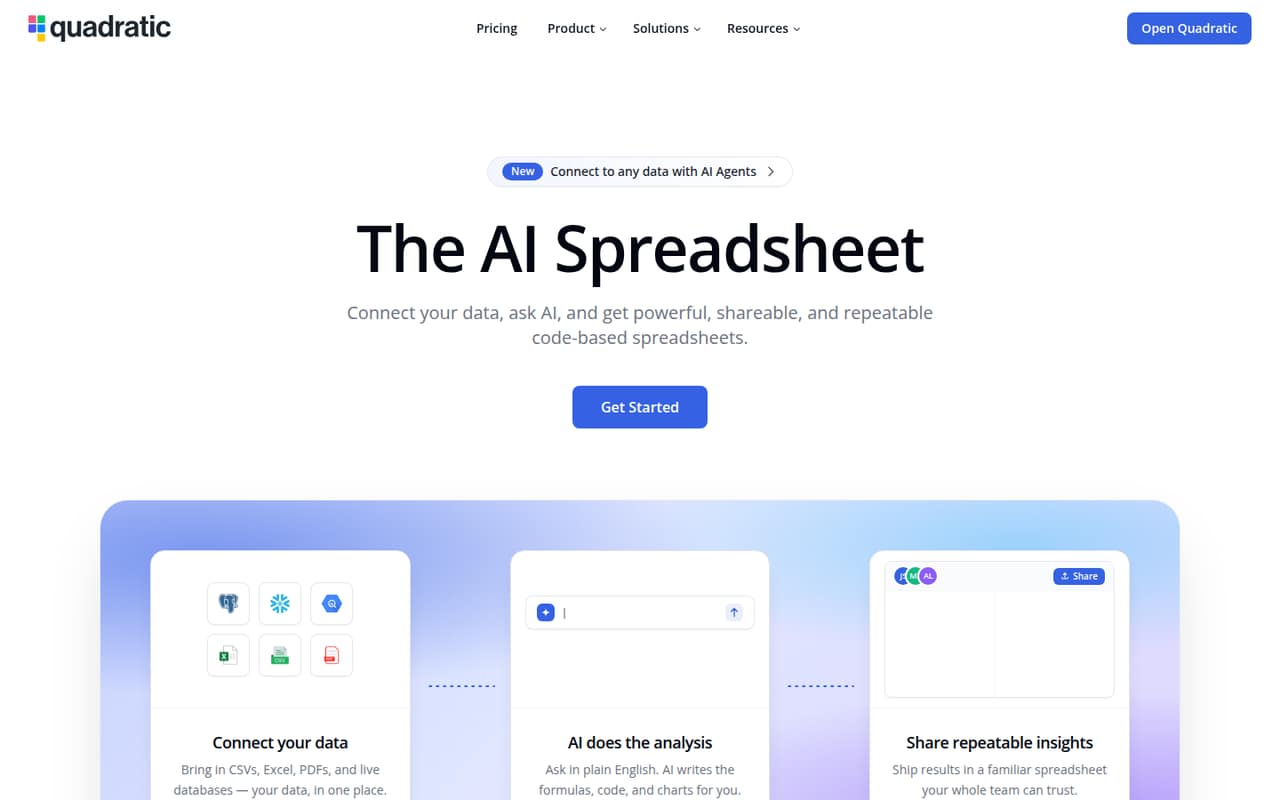
Quadratic combines spreadsheet cells with AI, Python, SQL, and live data connections. Its homepage says sheets can handle 100 million rows, and the free Personal plan gives individuals a way to start without a subscription.
For shared team work, Pro costs $18 per user per month with annual billing, or $54/month equivalent for three seats. That includes $20 in monthly AI credits per user, but the vendor doesn't publish a monthly billing rate.
Good fit if
- Small teams analyzing connected data
- Spreadsheet users who want Python or SQL
- Teams testing AI-assisted analysis
Skip it if
- Teams needing unlimited AI usage
- Groups requiring extensive free-plan sharing
- Buyers who need published monthly rates
ScoresHow it rates
What works
- Free Personal plan for getting started
- AI can generate formulas, Python, and SQL
- Connects databases, files, APIs, and services
- Pro includes unlimited sharing, files, and connections
- Homepage says sheets handle up to 100 million rows
What doesn't
- Personal has limited AI usage and sharing
- Monthly paid-plan rates are not published
- Pro's $20 monthly AI credit is limited
- Extra AI credits are listed only for Business
- Setup time and learning curve are not published
01Who Quadratic is for
Quadratic is for a small team that spends time in spreadsheets but also needs to query databases, work with code, or analyze larger files. It brings spreadsheet cells together with AI, Python, SQL, and live data connections, so teammates can ask questions in natural language and inspect or edit the generated work.
For one person, the free Personal plan is a sensible place to start. A team that needs shared workspaces should budget for Pro: at $18 per user per month with annual billing, three seats come to $54 per month equivalent. That is a real subscription to weigh against the time saved on analysis, especially for a team watching software costs. The fit is strongest when people need connections to sources such as Postgres, QuickBooks, or Google Analytics. If the team only needs basic tables and formulas, Quadratic's AI and data features may be more than the job requires.
02Quadratic free plan and trial
Quadratic's Personal plan costs $0 and is aimed at individuals getting started. The pricing page lists limited AI usage, limited sharing, files, and connections, plus limited support. That makes it useful for exploring the spreadsheet and trying its AI-assisted workflow before paying, but the limits matter if several coworkers need regular access or the team depends on multiple live connections.
The free plan is not a free team workspace with unlimited sharing: those allowances are listed as limited. Quadratic does not list a free trial in its pricing details. For a team that needs a shared workspace, the cheapest listed paid option is Pro at $18 per user per month with annual billing. The vendor doesn't publish a monthly Pro rate, so ask for that price if you don't want an annual commitment.
03What a small team pays for Quadratic
The pricing page lists Pro at $18 per user per month with annual billing and Business at $36 per user per month with annual billing. It says annual billing saves 10%; monthly rates are not published. On Pro, one seat is $18/month equivalent, or $216 for a year. Three seats are $54/month equivalent, or $648 per year; five are $90/month equivalent, or $1,080 per year.
Business costs $36 per seat per month with annual billing: one seat is $432 per year, three are $108/month equivalent or $1,296 per year, and five are $180/month equivalent or $2,160 per year. Pro includes $20 in AI credits per user per month; Business includes $40 and lets teams buy extra credits on demand. Pro also lists additional models, privacy controls, and unlimited sharing, files, and connections. The pricing page says new team members are charged the per-user price, prorated for the remainder of the current period. Enterprise pricing is custom.
04Getting started with Quadratic
The core workspace is a spreadsheet, with AI, Python, and SQL available for analysis. That gives spreadsheet users a familiar starting point, while the code features may take more learning for teammates who haven't used Python or SQL. The vendor doesn't publish a setup-time estimate, so a small team should plan to check its own data sources and workflow before committing to a rollout.
For a first project, Quadratic lists connections for databases, files, APIs, and services including Postgres, QuickBooks, and Google Analytics. Its homepage also describes importing multi-GB CSV and Parquet files. The product supports MCP connections for Claude, Cursor, ChatGPT, or another MCP-enabled agent, and an API for triggering AI runs and reading or writing cells. Those options can serve teams with different workflows, but the vendor doesn't publish a setup checklist or implementation time. Start with the single connection and analysis task the team needs most.
05When small teams outgrow Quadratic
The first reason to move up is usually a free-plan boundary: Personal has limited AI usage, sharing, files, connections, and support. Pro removes the listed sharing, file, and connection limits, but costs $18 per seat per month with annual billing. As the team adds seats, that cost rises directly: five Pro users are $1,080 per year at the listed annual rate.
A team may also need more AI capacity. Pro includes $20 in AI credits per user each month; Business doubles that to $40 and allows on-demand credit purchases, for a higher annual price of $36 per user per month. Enterprise is the listed option for custom AI usage, SSO, self-hosting, and dedicated support, but its price is custom. The homepage says sheets can handle 100 million rows, but the pricing details don't describe plan-specific data limits. Ask Quadratic about any usage limits relevant to your workload before upgrading or moving.
Questions people ask
Does Quadratic have a free plan?
Yes. The pricing page lists Personal at $0 for individuals getting started. It includes limited AI usage, sharing, files, connections, and support. Those limits may make it a poor fit for a team that needs regular shared work, but it offers a no-cost starting point. The pricing details do not list a free trial.
How much does Quadratic Pro cost for a small team?
Pro is listed at $18 per user per month with annual billing. That works out to $54 per month equivalent for three seats, or $648 for a year. Five seats come to $90 per month equivalent, or $1,080 annually. The vendor doesn't publish a monthly billing rate.
What does Quadratic include in its paid plans?
Pro includes $20 in AI credits per user per month, additional models, privacy controls, and unlimited sharing, files, and connections. Business includes $40 in monthly AI credits per user, on-demand extra credits, and everything in Pro. Both listed prices are per user and use annual billing.
Can Quadratic connect to databases and business tools?
Quadratic lists connections to databases, files, APIs, and services including Postgres, QuickBooks, and Google Analytics. The product description also lists MCP support for Claude, Cursor, ChatGPT, and other MCP-enabled agents. Personal has limited connections; Pro lists unlimited connections.
Does Quadratic offer monthly billing?
The pricing page lists annual rates and says annual billing saves 10%, but it does not state monthly rates for Pro or Business. If you want to pay month to month, ask Quadratic for the current rate before choosing a plan. Personal is listed as free.