
We may earn a commission if you buy through links on this page. It never changes a score or a ranking. How we make money
The bottom line
Quip brings docs, spreadsheets, and chat into Salesforce, but small teams pay per seat.
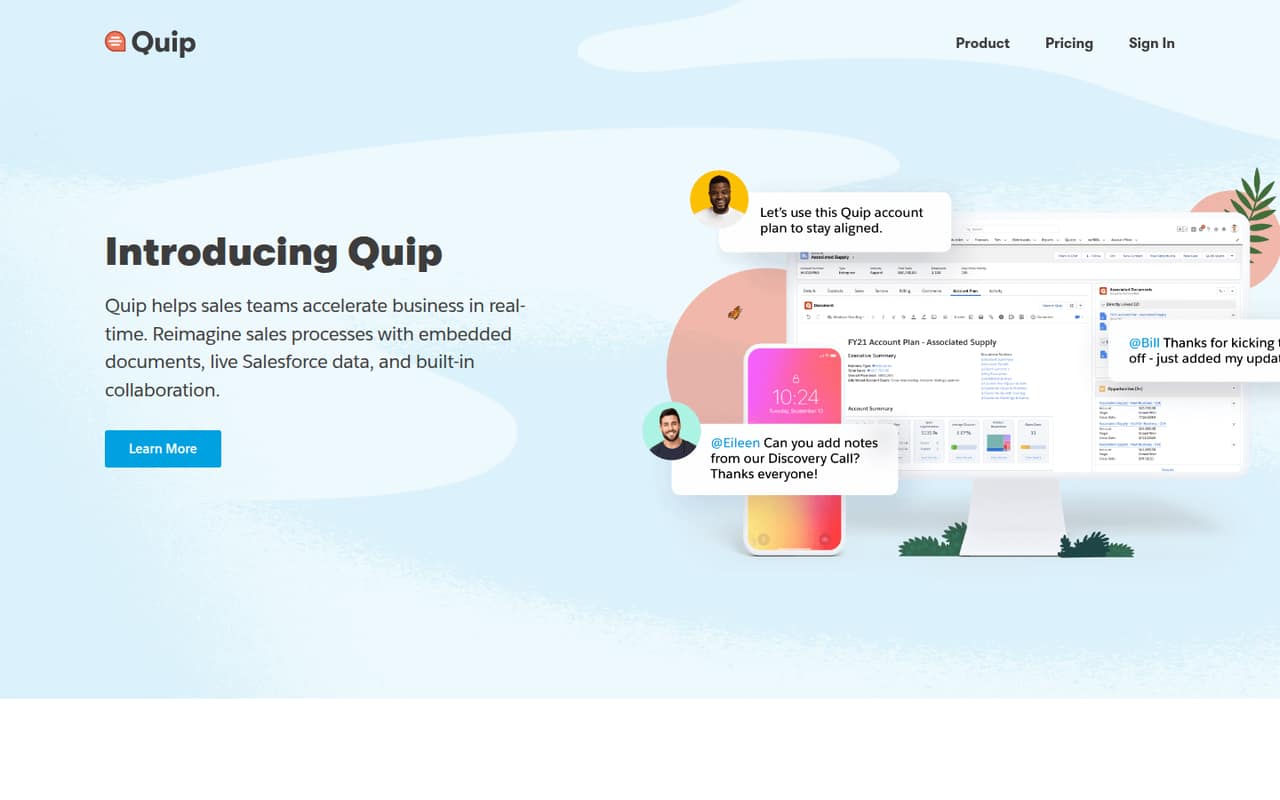
Quip combines collaborative documents, spreadsheets, and chat, with Salesforce embedding and workflow tools for teams already working in Salesforce. Starter costs $10 per user per month with annual billing, and Quip has no free plan.
For a small team, the appeal is having shared work and conversations together; the trade-off is a recurring seat cost. Reddit comments from Amazon employees praise Quip compared with alternatives, but also describe migration worries and disagreement over its future.
Good fit if
- Salesforce-centered teams
- Shared account planning
- Teams needing docs and chat
Skip it if
- Teams that need a free plan
- Budget-first document collaboration
- Teams avoiding Salesforce workflows
ScoresHow it rates
What works
- Starter includes unlimited documents and spreadsheets
- Built-in chat works in docs and spreadsheets
- Spreadsheets can sit inside documents
- Advanced embeds documents in Salesforce objects
- Workflow automation supports account and deal planning
What doesn't
- No free plan
- Starter costs per user
- Plus and Advanced monthly prices aren't published
- The $30 offer has purchasing restrictions
- Reddit comments raise migration and continuity concerns
01Who Quip is for
Quip is most compelling for small sales or service teams that already work in Salesforce and want shared notes, spreadsheets, and conversations tied to their work. Starter is listed for small teams and businesses at $10 per user per month with annual billing, so a team of three starts at $30 per month on that billing basis. There is no free plan, which makes it a tougher sell for a solo user or a team watching every subscription.
The product combines collaborative documents, spreadsheets, and chat. Teams can put a spreadsheet inside a document, chat where the work lives, and use workflow tools for processes such as account planning and mutual close plans. Salesforce embedding and two-way data sync are listed on Advanced, not Starter. That makes Quip a better match when Salesforce records are central to the work than for a team that simply needs a basic shared document editor.
02Quip free plan and trial
Quip has no free plan. The pricing details don't list a free trial, so a small team should not budget on being able to use a trial before paying. That leaves Starter as the cheapest listed way in: $10 per user per month with annual billing, or $12 per user per month with a monthly commitment.
Starter includes unlimited documents and spreadsheets, built-in chat in documents and spreadsheets, group and one-to-one messaging, and desktop, tablet, and mobile access. It covers the core collaboration features, but the listed Salesforce capabilities—editing live documents in Salesforce, two-way sync with Salesforce data, and embedding documents in Salesforce objects—are part of Advanced. If a team needs those features, Starter isn't the equivalent at a lower price; it would need to consider Advanced.
03What a small team pays for Quip
Starter is $10 per user per month when billed annually, or $12 per user per month with a monthly commitment. That puts one person at $10 or $12 per month, respectively. Three people cost $30 per month on annual billing or $36 with monthly billing; five cost $50 or $60. Annual-billing prices are monthly equivalents, not the total annual bill.
Quip Plus is listed at $25 per user per month with annual billing, but its monthly price isn't published. Three seats work out to $75 per month on that annual-billing basis. Advanced is $100 per user per month with annual billing, or $300 for three seats; its monthly price also isn't published. Advanced is the plan that lists Salesforce embedding and two-way sync.
The pricing page lists a special offer of $30 for the first five users, but says Starter cannot be purchased or combined with Quip for Salesforce. The offer's full terms aren't specified here, so ask the vendor whether it applies to your setup before counting on it.
04Getting started with Quip
Quip's listed core tools are documents, spreadsheets, and chat, so a team can start by deciding which shared work belongs in each and who needs access. The product also supports team rooms and one-to-one messages. The vendor doesn't publish a setup-time estimate in the pricing details, so we wouldn't promise a same-day rollout or a particular onboarding effort.
For a team already using Salesforce, decide early whether documents merely need to be shared or must live inside Salesforce records. The pricing page puts editing live documents in Salesforce, syncing Salesforce data both ways, and embedding documents in Salesforce objects on Advanced. Those requirements affect both setup planning and the budget. The product description names account planning and mutual close plans as workflows teams can standardize and automate, but doesn't specify implementation steps. Reddit comments from Amazon employees describe migration concerns, though they don't establish what setup is like for a new Quip customer.
05When small teams outgrow Quip
The first pressure point is cost: Starter charges by the user, so the bill grows as the team adds seats. A team needing single sign-on, an enterprise API, customization, or Custom Live Apps would need Plus, listed at $25 per user per month with annual billing. Salesforce-heavy teams needing live editing in Salesforce, two-way data sync, or embedded documents would need Advanced at $100 per user per month with annual billing. Monthly prices for both higher plans aren't published.
A team may also outgrow Quip if its needs don't fit the listed Salesforce and collaboration features, or if the per-seat bill no longer makes sense. Reddit discussions from Amazon employees show mixed views: some say Quip works better for collaboration than alternatives, while others describe planned or completed moves to other tools amid reports of possible deprecation at Amazon. Those comments concern Amazon's internal use, not proof that Quip is shutting down for all customers. Teams with long-lived documentation should ask Quip about export and migration options before committing.
From the threadsWhat users say
Sentiment in the Amazon employee discussions is mixed but often favorable to Quip's collaboration experience. Several commenters prefer it to alternatives, while migration concerns and complaints about collaboration or sharing add a note of caution.
Loop is hot garbage. Quip is so much better for collaboration
Anyone tried Loop? It's like quip with fewer features and slightly worse in every way
Yes, I hated it. Making comments on it was very stupid
As painful as it is my team decided to stop creating quips in January. But the announcement said they’ll automatically transfer existing quips to OneDrive in Q3
Questions people ask
What is a Quip document?
A Quip document is a collaborative document where a team can bring work and communication together. Quip also supports spreadsheets, which can be embedded in documents, and built-in chat in documents and spreadsheets.
Is Quip shutting down?
The Reddit reports about expected deprecation concern Amazon employees and their organization's use of Quip. They don't establish a general shutdown for all Quip customers. If continuity matters to your team, ask Quip directly about the service's status and your data export options.
Does Quip have a free plan?
No. Quip doesn't list a free plan. Starter is the lowest-priced listed plan at $10 per user per month with annual billing, or $12 per user per month with a monthly commitment. A free trial isn't listed in the pricing details.
Which Quip plan includes Salesforce embedding?
Quip Advanced lists editing live documents in Salesforce, two-way sync with Salesforce data, and embedding documents in Salesforce objects. Starter includes the core documents, spreadsheets, and chat features, but those Salesforce capabilities are listed under Advanced.
What companies use Quip?
Quip is Salesforce's productivity platform, with features for teams that collaborate in documents, spreadsheets, and chat inside Salesforce. Reddit discussions include comments from Amazon employees about using or migrating from Quip, but those comments don't establish which companies currently use it.