
We may earn a commission if you buy through links on this page. It never changes a score or a ranking. How we make money
The bottom line
Unlimited manual signing and templates cost $0; automation is charged by usage.
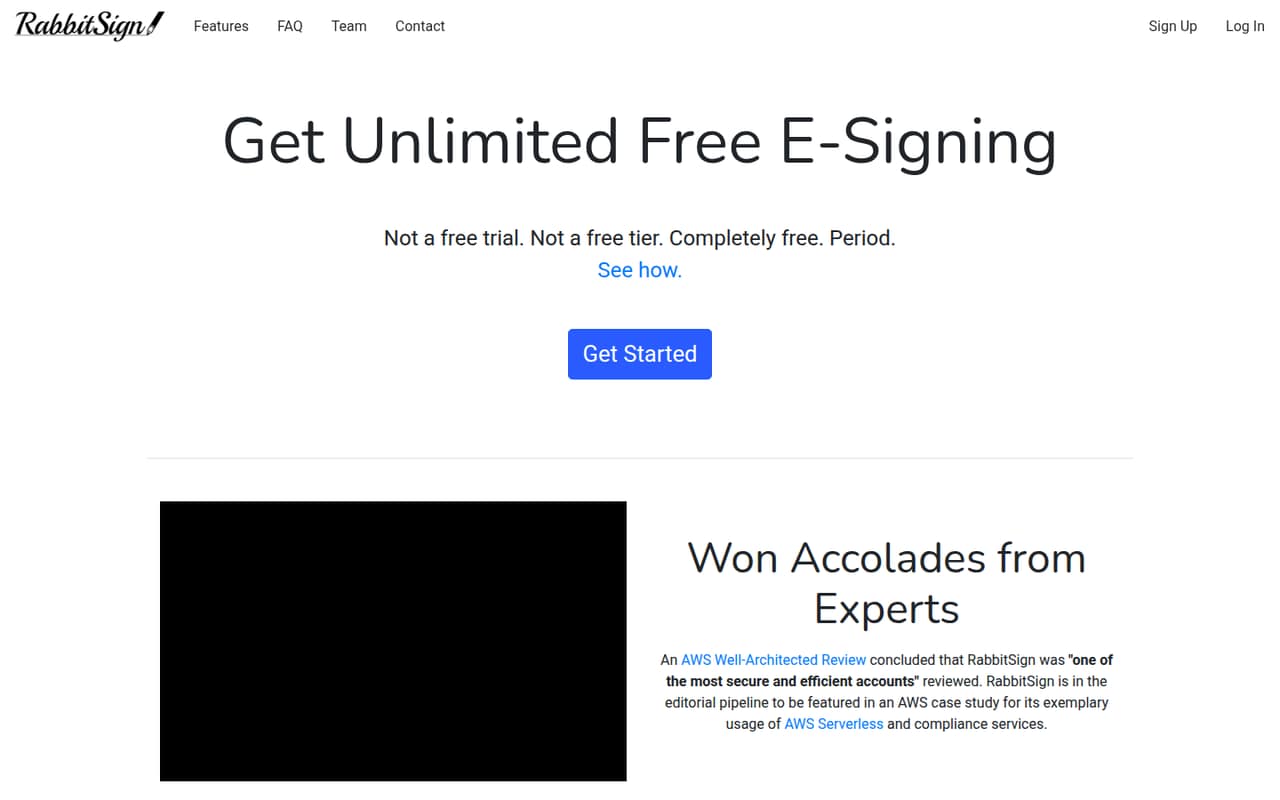
RabbitSign is worth considering if your small team mainly needs to send documents for manual signatures. The pricing page lists unlimited signature requests, documents and templates for free, plus free HIPAA compliance.
The catch is that team seat pricing and setup details are not published. Batch sending and API use have usage-based prices, so check your expected volume and confirm how team access works before committing.
Good fit if
- Teams sending occasional signature requests
- Budget-conscious template workflows
- Teams needing HIPAA signatures
Skip it if
- Teams needing published seat pricing
- High-volume batch sending
- Teams requiring confirmed integrations
ScoresHow it rates
What works
- Unlimited manual signature requests and documents listed at $0
- Unlimited templates and template links
- HIPAA compliance included free
- Append-only ledger records signed documents
- Batch and API rates are listed per usage
What doesn't
- Monthly and annual paid plan prices are not published
- Seat pricing and team access rules are not published
- Batch sending costs $0.025 per folder after its free allowance
- API folder creation costs $0.10 per folder
- Setup steps and integrations are not specified
01Who RabbitSign is for
RabbitSign fits a small team of one to ten people that needs signatures but wants to avoid another per-seat subscription. It is most appealing when people manually send documents, reuse the same forms, and do not need to automate a high volume of paperwork.
In plain terms, you prepare a document or template, send it for signature, and RabbitSign records signed documents on an append-only ledger as proof of existence. The homepage also says user data is encrypted in transit and at rest, and lists SOC 2 Type II and ISO 27001:2022 compliance. It offers free HIPAA-compliant signatures, with registration required for HIPAA.
The fit depends on how RabbitSign handles multiple team members: seat pricing and access rules are not published. Before adopting it across a team, ask whether every signer or sender can use the free workflow without added charges. It is less suited to buyers who need clearly priced automation before estimating their monthly bill.
02RabbitSign free plan and trial
The pricing page lists Unlimited Free Usage for manual workflows at $0 per month. It includes unlimited signature requests, documents, templates and template links. Manually created folders and templates have no charge, and HIPAA compliance is included free. That is a generous starting point for a small team that sends documents one at a time and reuses standard forms.
The free plan’s stated scope is manual use; batch sending and API access are priced separately by usage. Batch Send includes a one-time free allowance of 20 folders, while the Developer API includes 10 folders and 100 non-folder-creating calls as one-time free allowances. The vendor does not publish a free-trial offer or monthly and annual prices for paid plans. Confirm whether multiple team members are covered by the free workflow, since seat rules are not published.
03What a small team pays for RabbitSign
For manual signing, the pricing page lists $0 per month. That makes the listed charge $0 for one person and, if the same free terms cover every team member, $0 for three or five people too. But RabbitSign does not publish seat pricing or say whether those totals apply to multi-user teams. Ask the vendor to confirm before budgeting. There is no monthly-versus-annual comparison because paid monthly and annual plan prices are not published.
For batch sending, the listed one-time free allowance is 20 folders; the add-on rate is $0.025 per folder created. Batch Send allows up to 200 folders per batch, with no stated limit on folders or batches sent. The Developer API includes 10 free folders and 100 free calls that do not create folders, then lists $0.10 per folder and $1 per 1,000 such calls. It also lists up to three API keys. Both offerings include HIPAA compliance free. Estimate folder volume first, and ask how the free allowances apply to your account.
04Getting started with RabbitSign
The basic workflow appears aimed at manual sending: create a document or reusable template, then request signatures. RabbitSign says templates and manual signature requests are unlimited on its free offering, so a team with a few standard forms may have little ongoing setup beyond preparing those forms.
The public pricing details do not specify onboarding steps, how long setup takes, or which integrations are available. They also do not explain team roles or how to invite and manage several users. We would treat setup effort as unknown rather than assume it is plug-and-play. Before moving real documents, ask RabbitSign for the steps to create a template, invite teammates, and export or retrieve signed records. If your day-one workflow depends on a connection to another app, confirm that integration directly; availability is not published on the vendor's site.
05When small teams outgrow RabbitSign
RabbitSign’s free manual workflow may be enough for a team that sends documents individually and reuses templates. The clearest reason to move beyond it is needing batch sending or software-driven signing: those workflows have usage-based charges rather than a published flat plan. Batch Send costs $0.025 per folder created after its one-time 20-folder free allowance; API folder creation costs $0.10 after its one-time 10-folder allowance.
A growing team may also need a firmer budget for seats, annual billing, or higher-volume automation. RabbitSign does not publish monthly or annual paid plan prices or seat rules, so a predictable team-wide total is hard to calculate from the listed prices. Before expanding, ask for a quote based on users and expected folder volume, and confirm team access, integrations, and record-handling needs. If those answers do not fit your workflow or budget, compare tools with published per-seat plans and the automation features you need.
Questions people ask
Is RabbitSign free for a small team?
RabbitSign lists unlimited manual signature requests, documents, templates and template links at $0 per month. However, it does not publish seat pricing or clarify whether the same terms cover every member of a multi-user team. Confirm team access with the vendor before treating the total as $0 for your whole group.
Does RabbitSign charge per signature?
The listed free manual workflow has unlimited signature requests and documents, with no per-signature charge stated. Batch sending and API folder creation are priced by folder, not by signature, on the pricing details. Ask RabbitSign how your workflow is classified if you plan to send documents in batches or through the API.
What does RabbitSign charge for batch sending?
Batch Send includes a one-time free allowance of 20 folders. The listed rate is $0.025 per folder created, and the pricing details allow up to 200 folders per batch. RabbitSign does not publish a monthly plan price for batch sending, so estimate costs from your expected folder volume.
Does RabbitSign support HIPAA-compliant signatures?
Yes. RabbitSign’s homepage says it offers free HIPAA-compliant signatures, and the pricing details include HIPAA compliance free with manual use, Batch Send and the Developer API. The homepage says users can register for HIPAA. Confirm any account setup or workflow requirements with RabbitSign before sending sensitive documents.
Does RabbitSign have an API, and what does it cost?
RabbitSign lists a Developer API with up to three API keys, a one-time free allowance of 10 folders, and 100 free calls that do not create folders. After the allowance, the listed rates are $0.10 per folder created and $1 per 1,000 non-folder-creating calls. Monthly and annual API plan prices are not published.