
We may earn a commission if you buy through links on this page. It never changes a score or a ranking. How we make money
The bottom line
Good receipt capture for one business, but no free plan and unclear seat pricing complicate budgeting.
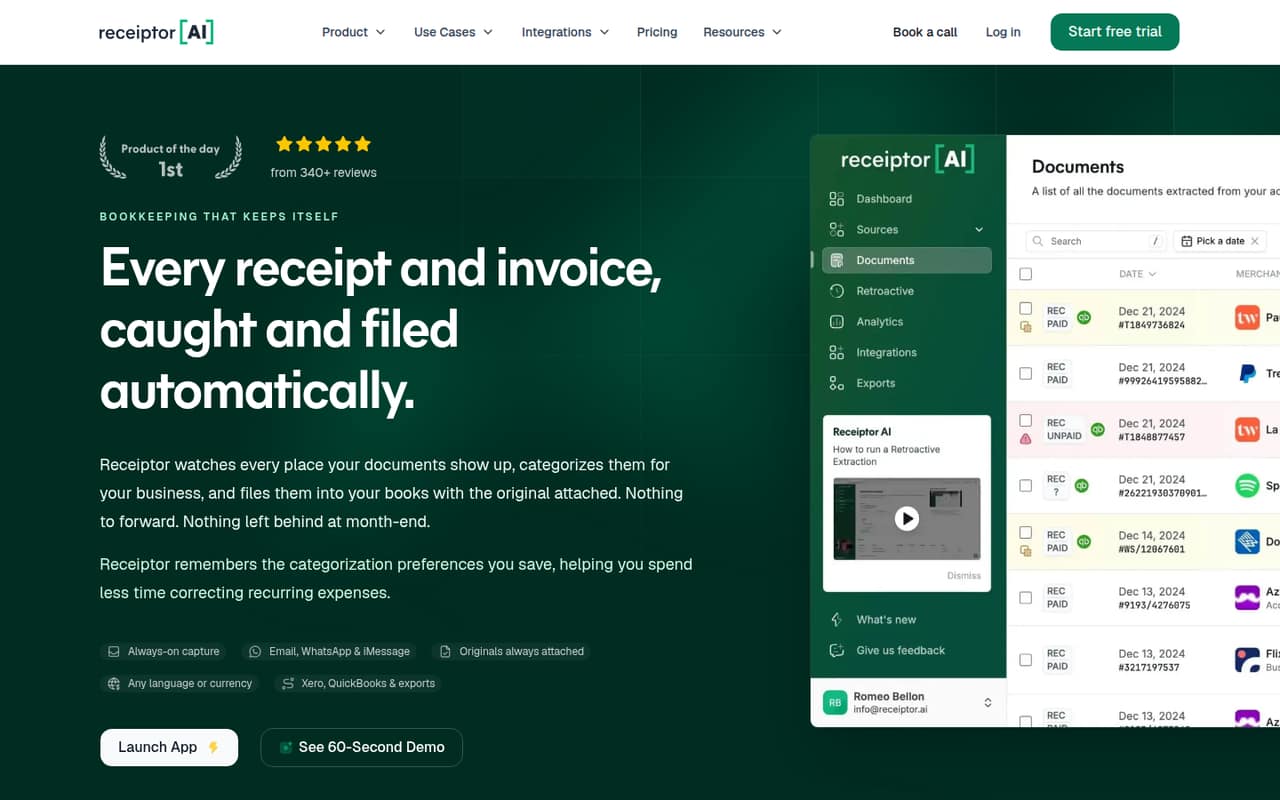
Receiptor AI collects receipts and invoices from connected email and messaging sources, extracts their details, and organizes them for bookkeeping. It can send documents to Xero or QuickBooks with the original attached.
The pricing page lists Starter at $29 monthly, with no free plan or trial listed. For a small team, the key questions are whether the included monthly limits fit and how many team members can access the account.
Good fit if
- Small businesses chasing scattered receipts
- Teams using Xero or QuickBooks
- Businesses with repeat supplier categorization
Skip it if
- Teams needing a free bookkeeping tool
- Businesses with unpredictable document volume
- Buyers requiring published per-seat pricing
ScoresHow it rates
What works
- Captures receipts and invoices from connected sources
- Extracts key details and available line items
- Sends documents to Xero or QuickBooks
- Keeps the original attached to accounting exports
- Reuses saved supplier categorization preferences
What doesn't
- No free plan or trial is listed
- Starter caps documents at 50 per month
- Extra documents cost $0.25 each on Starter
- Additional AI usage rates are not published
- Seat allowances and per-seat prices are not listed
01Who Receiptor AI is for
Receiptor AI is aimed at a small business that spends too much time finding receipts across inboxes and getting them into its books. It collects receipts and invoices from connected email and messaging sources, extracts details such as supplier, date, total and tax, then organizes the documents for bookkeeping.
For a one-to-ten-person company, the fit depends less on headcount than on document volume and accounting setup. The Starter plan is listed for one business and includes one accounting connection, with Xero and QuickBooks supported for exports. Saved supplier preferences can reduce repeated categorization work, while multi-entity routing is relevant to businesses managing more than one legal entity.
The budget-conscious catch: there is no free plan, and Starter starts at $29 per month. Before paying, confirm that your inbox sources are supported and ask how many people can access the account; the pricing page does not list a seat allowance or per-seat charge.
02Receiptor AI free plan and trial
Receiptor AI has no free plan, and a free trial is not listed. The cheapest way in is Starter, listed at $29 per month or $24.17 per month with yearly billing. The pricing page says yearly billing gives two months free, but the exact billed total is not published.
Starter includes 500 items and 50 documents per month, then charges $0.03 per extra item and $0.25 per extra document. It also includes $0.50 of AI usage per month, one accounting connection, unlimited email accounts and mobile scanners. That makes the entry plan easier to assess if your volume is predictable, but it is not a low-risk free test. Ask the vendor about access for your staff and any additional AI usage charge before subscribing.
03What a small team pays for Receiptor AI
The pricing page lists Starter at $29 per month, or $24.17 per month with yearly billing. Those are plan prices, not published per-seat rates. The listed subscription price is the same for a one-, three- or five-person business, but the vendor does not publish how many staff accounts are included, so we can’t give a verified total for three or five seats. Confirm user access before treating the plan price as your full team cost.
Growth costs $79 monthly or $65.83 monthly with yearly billing; Scale is $199 monthly or $165.83 with yearly billing. Quarterly billing saves 10%, but exact billed totals are not published. Starter overages can add up: extra documents are $0.25 each, extra items $0.03 each, and each additional accounting connection is $12 per month. Extra AI usage is billed monthly at an unpublished rate. Growth includes one export destination; extra destinations cost $5 per month each. Retroactive Scan is a separate one-time charge based on email volume.
04Getting started with Receiptor AI
Receiptor AI’s setup-time estimate and step-by-step onboarding process are not published. Based on its listed features, a practical first setup means connecting the email or messaging sources where receipts arrive, choosing an accounting connection, and setting categorization preferences. The product says it can route documents to Xero or QuickBooks and attach the original document to an export.
Keep the first pass narrow: connect the inboxes you rely on, check that the accounting destination matches your books, and review how suppliers and entities are categorized before routing a larger volume. The product describes saved preferences for matching future supplier documents, which should help with repeat categorization. The names of supported email and messaging services are not listed in the pricing details, so confirm those before buying. We’d also ask the vendor what staff access and permissions setup looks like; those details are not published.
05When small teams outgrow Receiptor AI
The first pressure point is volume. Starter includes 50 documents and 500 items a month; extra documents cost $0.25 each and extra items cost $0.03 each. If your monthly flow is regularly above those limits, Growth includes 250 documents and 2,500 items for $79 per month, with a lower $0.15 charge per extra document. Scale raises the included amounts to 1,000 documents and 10,000 items, with $0.10 per extra document, for $199 monthly.
Accounting and export connections can also push up the bill: extra accounting connections cost $12 per month each, and extra export destinations cost $5 per month each. Growth includes one export destination; Scale includes three. Businesses handling multiple legal entities may find Scale’s multi-entity and team workflow positioning a better fit. If you need more staff accounts, custom integrations, custom authentication or a custom SLA, ask the vendor about availability and cost. Enterprise has custom pricing, so the total is not published.
Questions people ask
Does Receiptor AI have a free plan or trial?
No free plan or free trial is listed. The cheapest subscription is Starter at $29 per month, or $24.17 per month with yearly billing. Starter includes 500 items and 50 documents per month, with charges for usage beyond those limits. The vendor does not publish the exact yearly billed total.
How much does Receiptor AI cost for a small business?
Starter is listed at $29 monthly, Growth at $79, and Scale at $199. Yearly billing lists equivalent monthly prices of $24.17, $65.83 and $165.83, respectively. The pricing page does not list a seat allowance or per-seat rate, so confirm staff access before budgeting for a team.
Can Receiptor AI send receipts to QuickBooks or Xero?
Yes. Receiptor AI lists accounting exports to Xero or QuickBooks, with the original document attached. Starter includes one accounting connection; extra connections cost $12 per month each. Growth includes two connections and Scale includes five, with the same extra-connection charge.
What happens when I exceed Receiptor AI’s monthly limits?
Extra items cost $0.03 each on all subscription plans. Extra documents cost $0.25 each on Starter, $0.15 on Growth and $0.10 on Scale. Additional AI usage is billed monthly, but the rate is not published. Check your expected volume before choosing a plan.
Can Receiptor AI recover receipts from old emails?
Yes. Retroactive Scan is a separate, one-time charge based on the number of emails scanned. Rates range from $0.025 per email for up to 1,000 emails to $0.012 per email for more than 50,000. The pricing page lists lower per-email rates at higher volume tiers.