
We may earn a commission if you buy through links on this page. It never changes a score or a ranking. How we make money
The bottom line
Good value for remote access, but shared team use costs more than the Solo headline price.
RemotePC lets people connect to Windows, Mac, and Linux computers from another computer, mobile device, or browser. File transfer, remote printing, multi-monitor support, and session tools make it useful beyond basic screen access.
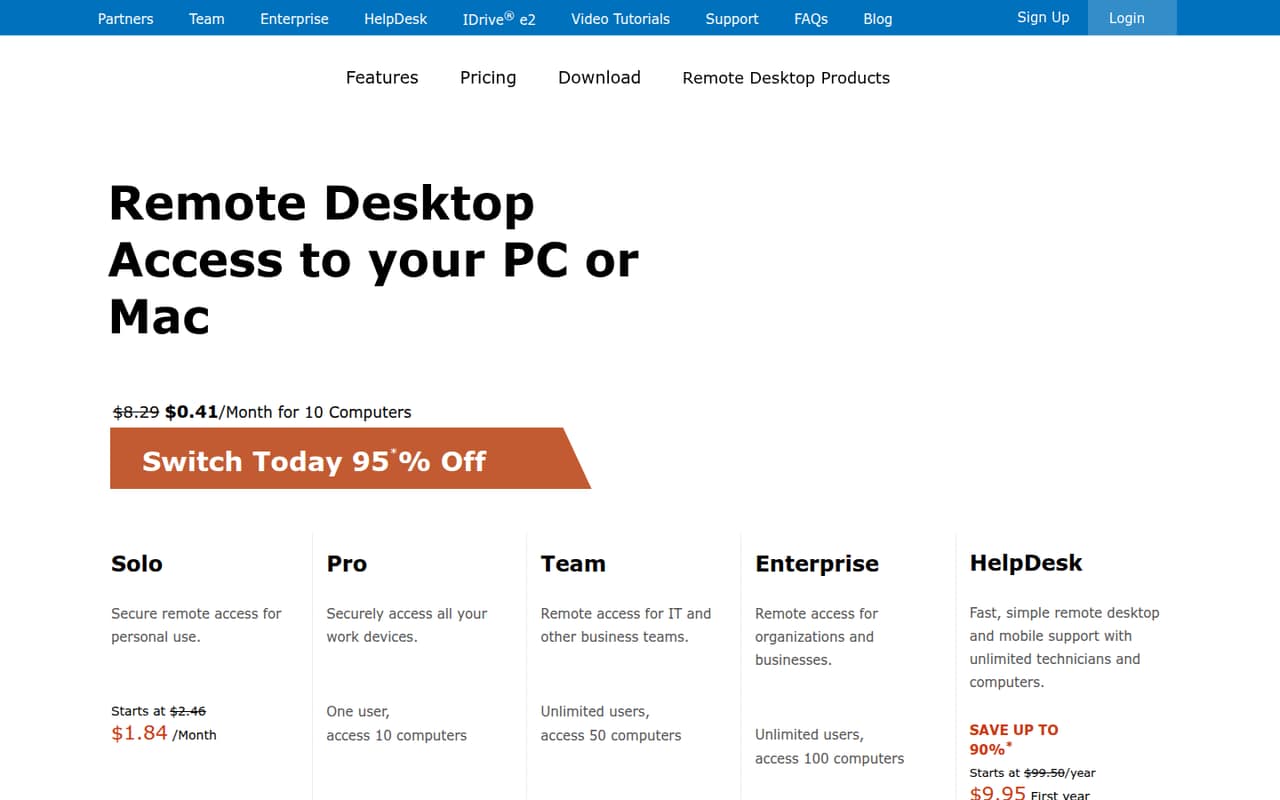
There’s no free plan, but the pricing page lists a 7-day trial and Solo at $1.84 per month with annual billing. For a team sharing access, Team costs $18.72 per month with annual billing; check the computer and user add-ons before you commit.
Good fit if
- Solo users with one computer
- Small teams sharing remote access
- People needing file transfer and printing
Skip it if
- Teams that need a free plan
- Support teams needing proven reliability
- Users who only need a VPN
ScoresHow it rates
What works
- Connects to Windows, Mac, and Linux computers
- Includes file transfer and remote printing
- Supports multi-monitor viewing and switching
- Solo starts at $1.84 monthly with annual billing
- Team includes unlimited users and 50 computers
What doesn't
- No free plan
- Trial feature details are not listed
- Solo covers only one computer
- Pro starts with one user; extra users cost more
- Some Reddit users report unexpected app termination
01Who RemotePC is for
RemotePC is for people who need to work on or manage a computer from somewhere else. It connects to Windows, Mac, and Linux computers from another computer, a mobile device, or a browser. That fits a founder checking an office PC while traveling, or a small team that needs to reach shared workstations.
For one person and one computer, Solo is the cheapest listed fit. Teams that need several computers or shared access should compare Pro and Team instead: Pro is for one user and 10 computers, while Team lists unlimited users and 50 computers. That difference matters more than the low Solo headline price if several people need access.
RemotePC also includes file transfer, remote printing, multi-monitor support, and session tools such as chat and recording. If you only need a VPN or a way to connect to a server with SSH, a remote desktop service may be more than you need.
02RemotePC free plan and trial
RemotePC does not list a free plan. The pricing page lists a 7-day free trial, but it does not specify which features or plan limits apply during those seven days. Check the trial terms before relying on it for a team rollout.
The cheapest paid option is Solo: one user, one computer, and unlimited remote access. It costs $1.84 per month with annual billing, shown as a monthly equivalent, or $2.46 per month with monthly billing. Solo includes PC, Mac, and Linux access. If you need more than one computer, the pricing page lists a Solo two-computer option at $3.72 per month. For several computers under one user, Pro starts at $6.22 monthly with annual billing and includes 10 computers.
03What a small team pays for RemotePC
For one person and one computer, Solo costs $1.84 per month with annual billing or $2.46 with monthly billing. If that person needs up to 10 computers, Pro costs $6.22 or $8.29 per month, respectively. The pricing page shows these as monthly equivalents and says annual billing saves 25%.
For a team of three or five sharing access, Team is the plan that lists unlimited users and 50 computers. It costs $18.72 per month with annual billing or $24.96 with monthly billing. That works out to an effective $6.24 or $8.32 per person for three people, and about $3.74 or $4.99 for five. Those are simple divisions of the flat plan price, not per-seat rates.
Watch the add-ons: Pro starts with one user, and additional-user options are listed from $59.62 to $202.12 for the first year, covering 5–45 users. Team computer expansions are listed separately, starting at $37.47 per month for 100 computers.
04Getting started with RemotePC
RemotePC is built around connecting to a host computer from another computer, mobile device, or browser. The product description lists Windows, Mac, and Linux access, but it does not spell out a step-by-step setup process or publish a setup-time estimate here. A commenter in one Reddit thread said setup took 15 minutes; treat that as one person’s report, not a promise for your team.
For day one, decide which computers need to be reachable and who needs access. The plan you choose sets the listed computer and user allowances, so that choice affects setup as well as cost. RemotePC lists AI access with ChatGPT, Claude, and other assistants, plus file transfer, printing, and session tools. The available details do not describe separate integrations or a setup process for those tools, so confirm requirements with the vendor if they are central to your workflow.
05When small teams outgrow RemotePC
The first sign you may need to move up is a mismatch between your user count and plan. Solo is limited to one user and one computer; Pro lists one user and 10 computers. Pro also offers additional-user tiers, but the listed first-year range is $59.62 to $202.12 for 5–45 users, so ask for the exact tier price before budgeting. Team includes unlimited users and 50 computers; Enterprise lists 100 computers and roles and access permissions.
You may also outgrow the service if you need dependable remote support without interruptions. In one Reddit thread, a user said the app sometimes terminated unexpectedly and stopped allowing access until someone intervened. That is an individual report, not proof of a widespread problem, but it is worth weighing for client support. Another Reddit post describes a serious access concern; it does not establish that RemotePC caused a security breach. Test your own setup and review access controls before relying on it for sensitive systems.
From the threadsWhat users say
Reddit comments include people who use RemotePC successfully for remote work and troubleshooting, alongside reports of lag, unexpected termination, and a serious security allegation. These are individual accounts, not a clear consensus.
I run a digital print business and work remotely using RemotePC
It took all of 15 minutes and a 22USD/year subscription
it’s not uncommon for the app to terminate unexpectedly and stop allowing users in until some kind of intervention
TWO SEPARATE TIMES INTRUDERS HAVE HACKED INTO MY COMPUTER AND STOLEN CREDIT CARD INFORMATION
Questions people ask
How much does RemotePC cost?
The pricing page lists Solo at $1.84 per month with annual billing or $2.46 with monthly billing. Pro is $6.22 or $8.29, Team is $18.72 or $24.96, and Enterprise is $37.47 or $49.96. Annual prices are monthly equivalents, and annual billing saves 25%.
Does RemotePC have a free plan?
No. RemotePC does not list a free plan. The pricing page lists a 7-day trial, but does not specify which plan features or limits apply during the trial. Solo is the cheapest paid plan and covers one user and one computer.
How do I set up RemotePC?
RemotePC connects a host computer to another computer, mobile device, or browser. One Reddit commenter reported setting it up in 15 minutes, but that is a single user’s experience. Check RemotePC’s current setup instructions and confirm which plan covers your users and computers.
Can RemotePC access a Mac?
Yes. RemotePC lists access to Mac computers, as well as Windows and Linux computers. Connections can come from another computer, a mobile device, or a browser. The plan descriptions include PC, Mac, and Linux access.
How do I reset my RemotePC personal key?
The pricing details do not give steps for resetting a personal key. Check your RemotePC account settings for the current controls or contact RemotePC support for instructions. If you suspect someone else has access, review account sessions and change your account password as well.