
We may earn a commission if you buy through links on this page. It never changes a score or a ranking. How we make money
The bottom line
Automatic tracking and focus tools, with team project timesheets starting at $16 per seat monthly.
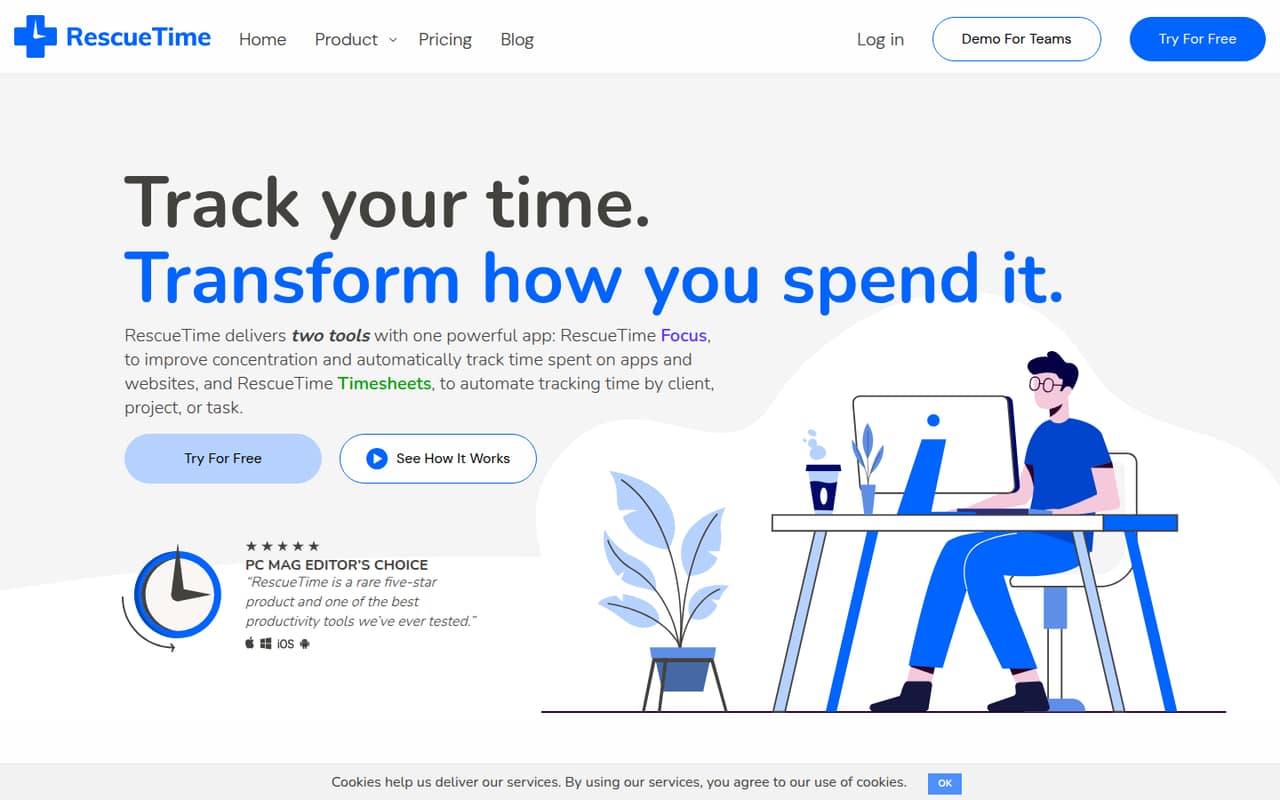
RescueTime combines automatic app and website tracking with focus sessions, goals, alerts, and productivity reports. For a small team, the key split is between Team for team reports and Team+ for shared clients, projects, tasks, and billable rates.
There is a free plan, but its included features and limits are not published. Paid plans start at $7 per month for one person billed annually; a team of three needs $30 per month annual-equivalent for Team or $48 for Team+.
Good fit if
- Teams building focus habits
- Automatic app and website tracking
- Shared project time and billing
Skip it if
- Teams needing published free-plan limits
- Teams tracking offline work
- Teams wary of background activity tracking
ScoresHow it rates
What works
- Tracks app and website activity automatically
- Focus sessions can block distractions
- Goals, alerts, and productivity reports
- Team+ includes shared projects and billable rates
- Annual plans reduce the monthly price
What doesn't
- Free-plan features and limits are not published
- Team+ costs $16 per seat monthly, billed annually
- No setup-time estimate is published
- No integrations list is published
- A Reddit user reports Chrome tab-tracking problems
01Who RescueTime is for
RescueTime makes sense for a one-to-ten-person team that wants a clearer view of where computer time goes, plus help staying focused. It automatically tracks app and website use, then adds goals, alerts, productivity reports, and Focus sessions that can block distractions.
The right plan depends on what you need to report. Solo and Solo+ are for individuals; Team adds individual and team reports, while Team+ adds shared clients, projects, and tasks, a team weekly calendar view, and billable rates. That makes Team a fit for teams building focus habits and Team+ a better match for client work that needs time tracked against projects.
If the team mostly works away from computers, this is a narrower fit: RescueTime’s described tracking centers on apps and websites. A Reddit user studying with physical textbooks said that limitation frustrated them.
02RescueTime free plan and trial
RescueTime lists a free plan, but the vendor does not publish its included features or usage limits in the pricing details. That means we would not assume the free version includes Focus sessions, reports, or project timesheets; check with RescueTime before building a team workflow around it.
The listed trial lasts 14 days. The vendor does not publish which paid-plan features the trial includes, so ask whether it covers the particular tools you need, especially team reports or shared project tracking.
If the free plan falls short, the cheapest listed paid option is Solo at $7 per month billed annually, or $9 month to month. That is an individual plan, not the team plan for shared team reporting.
03What a small team pays for RescueTime
The pricing page lists Solo at $7 per month with annual billing or $9 monthly. Solo+ is $12 annual-equivalent or $15 monthly. For teams, Team costs $10 per user per month billed annually or $12 monthly; Team+ costs $16 or $18 per user, respectively.
For three people, Team comes to $30 per month annual-equivalent, or $36 month to month. Team+ costs $48 annual-equivalent or $54 monthly. For five people, Team is $50 annual-equivalent or $60 monthly; Team+ is $80 or $90. Annual prices are monthly equivalents billed annually.
Choose Team for team reports and focus features. Choose Team+ when you need shared clients, projects, tasks, or billable rates. The listed add-ons are none, so those plan prices are the published subscription costs; ask the vendor about any other charges before buying.
04Getting started with RescueTime
The product’s core workflow is automatic: RescueTime tracks app and website activity, then provides reports, goals, and alerts. Focus sessions can block distracting websites, apps, email, or chat. That removes the need to start a timer for each tracked activity, but the vendor does not publish a setup-time estimate or a step-by-step onboarding timeline.
The vendor also does not publish an integrations list in the pricing details. For day one, decide who needs access to individual or team reports and whether you need shared clients, projects, and tasks; the latter are listed under Team+. Confirm the setup steps and any integrations you rely on with RescueTime before choosing a plan.
Reddit feedback suggests browser tracking can need attention: one user reported Chrome tab mix-ups, while another commenter suggested installing the RescueTime extension to improve web tracking. That is user advice, not a vendor guarantee.
05When small teams outgrow RescueTime
The first upgrade point is usually the work you need to report. Team includes individual and team reports, but shared clients, projects, tasks, the weekly team calendar view, and billable rates are listed under Team+. Moving from Team to Team+ adds $6 per seat per month on annual billing, or $6 month to month, based on the listed prices.
Seat costs also add up as the team grows: five Team+ seats cost $80 per month annual-equivalent or $90 monthly. A larger team should compare that recurring cost with how much value it gets from automatic tracking and billing features.
A Reddit user complained that Chrome tracking could count an open YouTube tab as time spent there, and another suggested the extension. Older Reddit discussion also raised a gap for tracking physical study time. If your team needs precise task-level context, offline work tracking, or a different approach to browser activity, ask RescueTime whether its current setup covers that before expanding.
From the threadsWhat users say
Reddit comments include long-time users who praise RescueTime’s detail and support. Sentiment is not all positive: one user reported Chrome tab-tracking problems, and another raised a concern about how much data the tool can track.
RescueTime is amazing. I've had it installed since 2012
Rescuetime seems to have a real problem with multiple tabs in Chrome
fast reply to feature/improvement requests, frequent upgrades
Doesnt that mean they can track all your data?
Questions people ask
What does RescueTime do?
RescueTime automatically tracks time spent on apps and websites. It combines that activity tracking with Focus sessions for blocking distractions, goals and alerts, and productivity reports. Paid team plans add team reporting, while Team+ lists shared clients, projects, tasks, and billable rates.
Is there a free version of RescueTime?
Yes, RescueTime lists a free plan. The vendor does not publish its included features or limits in the pricing details, so confirm what the free version covers before relying on it for a team workflow. A 14-day trial is also listed.
How much does RescueTime cost for a team of three?
For three people, Team costs $30 per month as an annual-billing equivalent, or $36 month to month. Team+ costs $48 per month annual-equivalent or $54 month to month. The annual prices are monthly equivalents billed annually.
Which RescueTime plan tracks shared projects?
Team+ lists shared clients, projects, and tasks, plus a team weekly calendar view and billable rates. Team lists focus features for teams and individual and team reports. If you only need individual project tracking, Solo+ is the plan described for individuals tracking projects and time.
Does RescueTime offer a free trial?
RescueTime lists a 14-day free trial. The vendor does not publish which plan features the trial includes in the pricing details, so ask whether it covers the tools you need, such as team reports or shared project tracking.
Sources
- RescueTime homepage
- RescueTime pricing page
- Reddit: [OS] Dayflow: a free and open source time tracker that shows what you actually did, not just which apps were open (RescueTime/Toggl alternative)
- Reddit: How much time are you actually working on the computer? Use Rescuetime to track it. I didn't do so well, but now I know to improve it!
- Reddit: Alternative to RescueTime
- Reddit: RescueTime Alternative?