
We may earn a commission if you buy through links on this page. It never changes a score or a ranking. How we make money
The bottom line
Revid AI packs in useful creation tools, but seat costs and free-plan limits need clarification.
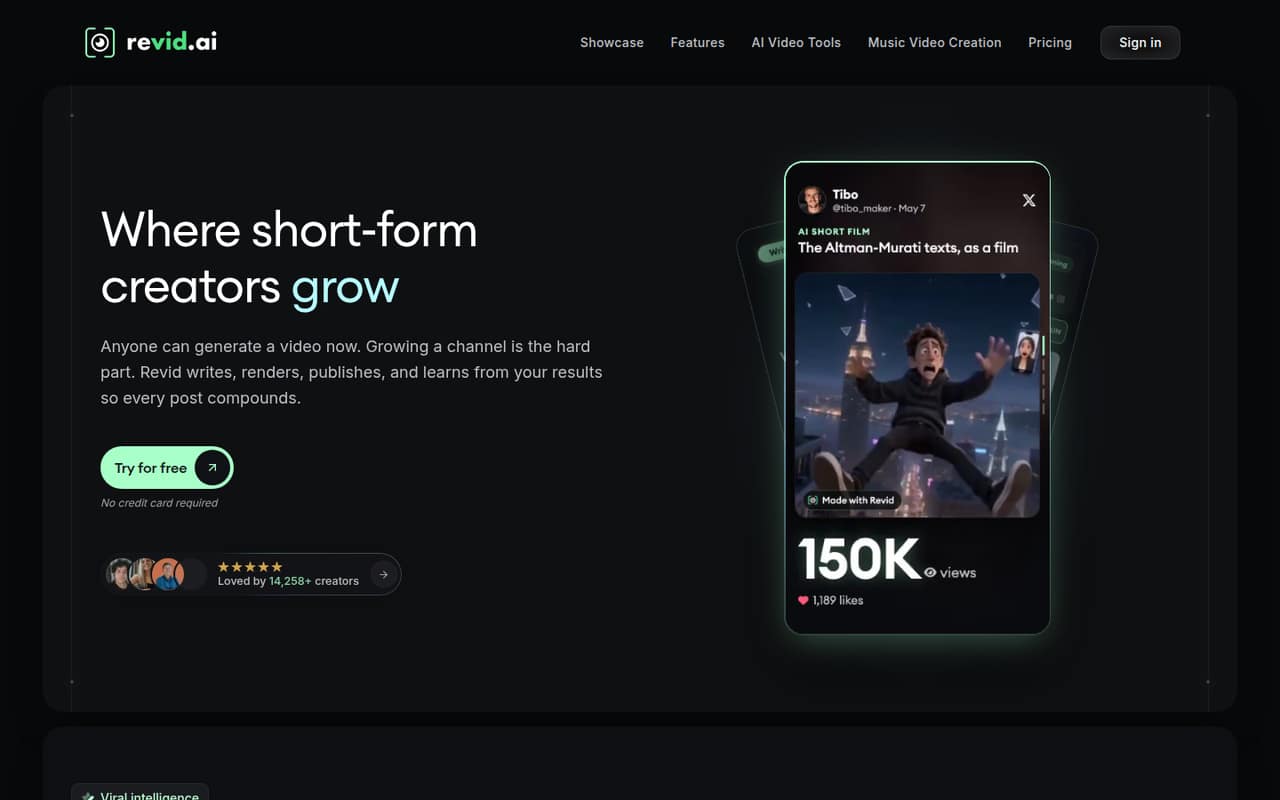
Revid AI brings trend discovery, script generation, video creation, editing, and publishing into one workflow. It can make multi-minute videos as well as short-form clips, and the listed plans start at $39 per month.
For a small team, the catch is the buying detail: Revid offers a free plan, but its limits aren’t published, and the pricing page doesn’t say how many seats each paid plan includes. Reddit commentary is limited; one post flags credit use and brand control as things to watch.
Good fit if
- Creators making short-form videos
- Small teams testing AI video workflows
- Faceless channels and trend remixing
Skip it if
- Teams needing clear per-seat pricing
- Teams requiring published free-plan limits
- Creators who want full brand control
ScoresHow it rates
What works
- Trend discovery and video creation in one workflow
- Turns prompts, topics, and URLs into scripts
- Creates videos with visuals, voiceover, and subtitles
- Includes an editor for refining generated videos
- Growth lists 2,000 AI credits monthly
What doesn't
- Free-plan limits aren’t published
- Seat allowances aren’t published
- Annual billing rate isn’t stated
- Reddit commentary warns credits can add up
- Outputs may need human review
01Who Revid AI is for
Revid AI is aimed at creators and small marketing teams that need a steady flow of social video without stitching together separate tools for ideas, scripts, editing, and publishing. The workflow covers finding trending videos, turning prompts, topics, or URLs into scripts, and making finished videos with visuals, voiceover, and subtitles. It also supports music-to-video creation and multi-minute videos, not only short clips.
For a one-to-ten-person team, the fit depends on how often you publish and whether Revid’s automation and trend research save enough work to justify a paid plan. Hobby and Growth are both listed at $39 per month, while Ultra is $199. The pricing page doesn’t state seat allowances, so a small team should confirm whether one plan covers several people before budgeting. Revid is less compelling if your main need is occasional editing or if you need predictable per-seat costs up front.
02Revid AI free plan and trial
Revid AI lists a free plan, but the pricing page doesn’t publish what it includes, how many videos or credits it covers, or where its limits start. A free trial is not listed either. That makes the free tier worth checking for basic fit, but not something we can confidently recommend as a continuing production plan.
Before building a team workflow around it, ask Revid what the free plan allows, whether exports carry restrictions, and whether a free account can connect to publishing or automation features. If you need a known paid starting point, Hobby is listed at $39 per month. It includes creating videos from text or links, access to 3M+ viral videos to remix, and editable short-form videos. Growth is also $39 per month and lists credits and additional tools.
03What a small team pays for Revid AI
The pricing page lists Hobby at $39 per month, Growth at $39 per month, and Ultra at $199 per month. It shows monthly prices and an Annually selector, but doesn’t state an annual-billing rate. Add-ons are not listed. The page also doesn’t publish how many seats come with each plan, so these are plan prices—not confirmed team totals.
For one person, the listed entry price is $39 per month on either Hobby or Growth. If each of three people needed a separate $39 plan, the arithmetic would be $117 per month; for five, it would be $195. That’s an illustration, not a confirmed Revid seat model. At Ultra’s listed rate, the same assumption would be $597 for three separate plans or $995 for five. Ask the vendor whether team members share a subscription or need individual accounts. Growth lists 2,000 AI credits monthly; a Reddit post warns credits can add up, but doesn’t quantify usage or extra costs.
04Getting started with Revid AI
Revid presents the workflow as search, generation, editing, and automation: find a video or format, create a script and video from an input, refine the result, then publish or connect the workflow to automation tools. The product description covers prompts, topics, URLs, songs, and other inputs. A Reddit review-style post also describes a browser-based production dashboard, but that alone doesn’t establish how long setup takes.
The exact onboarding steps, named integrations, and social-platform connection requirements aren’t published in the pricing details. Before adopting it, check which channels Revid can publish to, whether your team’s automation tools are supported, and how many people can access the workspace. For a small team, a sensible first step is to try one complete path—from idea to edited video to publication—before making Revid part of a regular content calendar. Don’t assume a particular connector or setup time without confirming it with Revid.
05When small teams outgrow Revid AI
A team may outgrow its starting plan when it needs more monthly credits, more automated workers, or a wider set of watched channels. Growth lists 2,000 AI credits, three Auto-Mode workers, and five watched channels; Ultra lists 12,000 credits, ten workers, and 50 watched channels. Ultra is $199 per month, compared with $39 for Growth. Those plan limits offer a clear capacity distinction, but the vendor doesn’t publish seat allowances or the cost of adding users.
There’s another kind of growing pain: creative control. A post in a Reddit discussion says Revid outputs still need human review and warns that credits can add up and brand control needs attention. Treat that as a user’s caution, not a measured finding. If your team needs detailed brand controls, predictable credit consumption, or confirmed multi-user permissions, ask Revid for specifics before upgrading. If its answers don’t match your workflow, a more specialized editor or publishing tool may fit better.
From the threadsWhat users say
The available Reddit discussion is limited and mixed. One commenter questions whether Revid and avatar-focused tools are comparable, while a review-style post highlights speed alongside credit and brand-control concerns.
they seem to solve different problems
Its appeal is speed and volume
credits can add up
outputs still need huma
Questions people ask
Is Revid AI free to use?
Revid AI lists a free plan, but its pricing page doesn’t publish the included credits, video limits, or feature restrictions. A free trial isn’t listed either. Ask Revid what the free tier allows before relying on it for regular team publishing.
How much does Revid AI cost per month?
The pricing page lists Hobby and Growth at $39 per month, and Ultra at $199 per month. It shows monthly prices alongside an annual selector, but doesn’t state an annual rate. Seat allowances aren’t published, so those prices may not be the full cost for a team.
What is the difference between Hobby and Growth?
Both are listed at $39 per month. Hobby includes creating videos from text or links, access to 3M+ viral videos to remix, and editable short-form videos. Growth lists 2,000 AI credits monthly, three Auto-Mode workers, five watched channels, 100+ AI video tools, and creation up to 4K.
Does Revid AI support publishing and automation?
Revid describes publishing to social platforms and building the product into workflows with automation tools. The available plan details don’t name specific integrations or list connection limits. Confirm your required channels and tools with Revid before making it part of a team workflow.
Can Revid AI create longer videos?
Yes. Revid’s described workflow includes multi-minute video creation, not just short clips. Growth lists video creation up to 4K. The available pricing details don’t specify maximum video duration or the credit cost for a particular length, so ask Revid about your intended format.
Sources
- Revid AI homepage
- Revid AI pricing page
- Reddit: Revid.ai vs HeyGen !! AI Video Generator: Best AI Video Tool, Workflow for TikTok & More
- Reddit: Revid AI vs InVideo AI: Which AI Video Generator Is Worth Your Money ?
- Reddit: Revid AI vs HeyGen: Which AI Video Generator Is Better ?
- Reddit: Revid AI in 2026: Fast Short-Form Video Automation, but Watch the Credits and Brand Control 🎛️