
We may earn a commission if you buy through links on this page. It never changes a score or a ranking. How we make money
The bottom line
Row Zero brings warehouse data into a spreadsheet, with team features starting at $20 per user monthly.
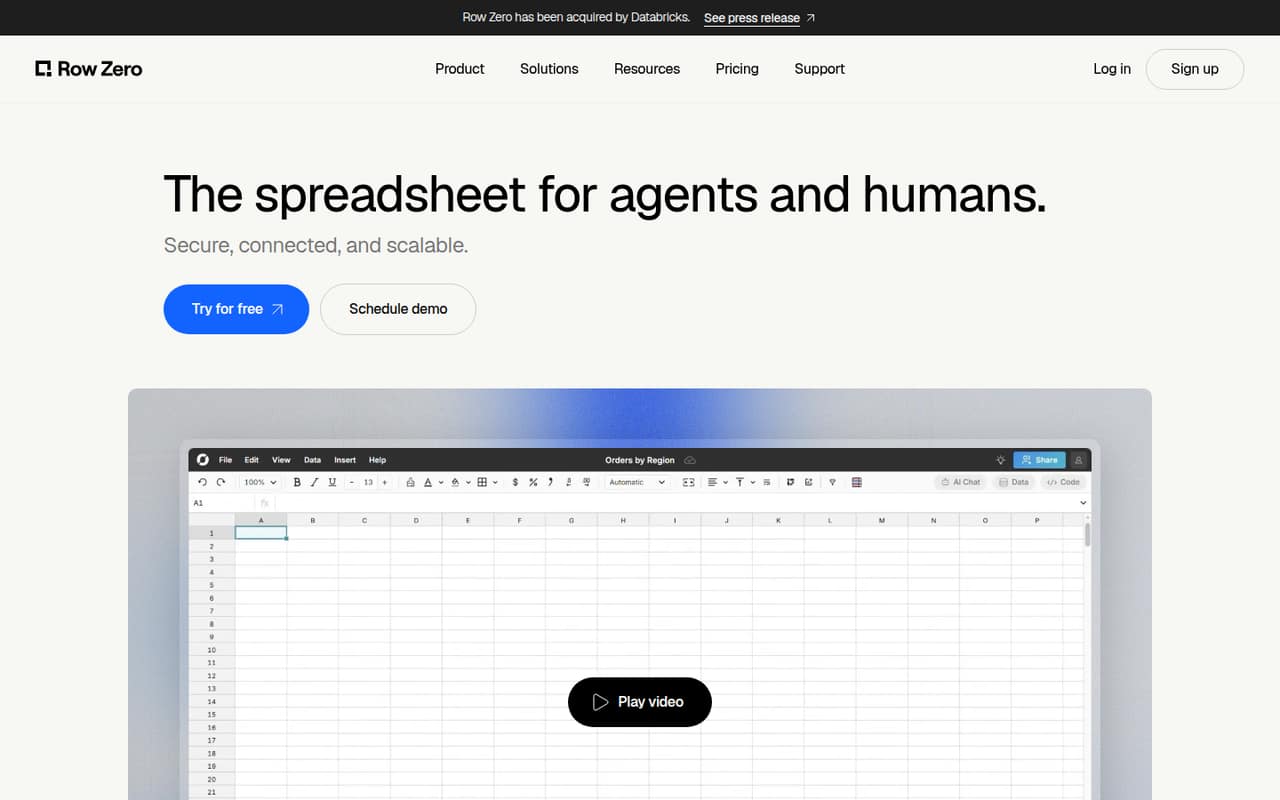
Row Zero pairs familiar spreadsheet tools with large-dataset support, warehouse connections, and an AI assistant. It’s a better fit for teams working with data than for anyone who just needs a basic shared sheet.
There’s a free plan for one workbook, while Pro costs $12 per user monthly. The Business plan, at $20 per user monthly, adds automated refresh and warehouse write-back—features that may make it the practical choice for a small data team.
Good fit if
- Small teams working with large datasets
- Spreadsheet users querying warehouse data
- Teams that need warehouse write-back
Skip it if
- Teams needing a basic shared spreadsheet
- Buyers who need published annual rates
- Teams needing a named connector confirmed
ScoresHow it rates
What works
- Free plan includes one workbook and 5GB
- Supports 400+ spreadsheet functions
- Business includes automated data refresh
- Business includes warehouse write-back
- Homepage lists support for 2 billion-plus rows
What doesn't
- Free plan is limited to one workbook
- Free AI models have weekly limits
- Business costs $20 per user monthly
- Annual rates are not published
- Setup time and specific connector list are not published
01Who Row Zero is for
Row Zero is for small teams—roughly one to ten people—whose spreadsheets need to handle more data or connect to a warehouse. It combines Excel-compatible formulas, pivot tables, charts, and models with SQL queries and warehouse connections. The homepage lists support for datasets exceeding two billion rows, while the pricing page lists 5GB per workbook on Free and Pro.
The fit depends on the work, not just headcount. A team that mostly tracks projects or expenses may not need this much data capacity. But analysts, operations teams, and people working with warehouse data may value being able to query, edit, and collaborate in a spreadsheet. For a solo user, Pro starts at $12 monthly. A team that needs automated refresh or write-back should budget for Business at $20 per user monthly. That’s a meaningful subscription for a small team, so it makes most sense when those data features replace a more awkward workflow.
02Row Zero free plan and trial
The Free plan is aimed at individuals getting started. The pricing page lists one workbook, 5GB per workbook (10M+ rows), 400+ spreadsheet functions, and AI models with weekly limits. That’s enough to explore the spreadsheet and work with a sizable dataset, but one workbook is a tight ceiling for ongoing work across multiple projects.
The vendor lists no separate free trial. If you need unlimited workbooks, version history, or CSV export, Pro is the cheapest listed plan, at $12 per user monthly. Free and Pro both list 5GB per workbook, so paying for Pro does not raise that listed workbook limit. Teams seeking automated refresh, warehouse write-back, and consolidated billing will need Business, rather than assuming those features are included in Free.
03What a small team pays for Row Zero
The pricing page lists monthly rates and shows an annual billing toggle, but does not publish annual prices. Pro is $12 per user monthly: one person pays $12, three pay $36, and five pay $60. Business is $20 per user monthly: one person pays $20, three pay $60, and five pay $100. Those totals are simple per-seat multiplication, before any taxes or other charges.
For an individual who needs unlimited workbooks, version history, and CSV export, Pro is the lower-cost paid option. For a team that needs the listed automated refresh and warehouse write-back features, Business is the practical starting point. It also lists consolidated billing. Enterprise pricing is custom and includes a dedicated data plane, custom connectors, and AI with your own key and no rate limits. The pricing page lists no add-ons. Before budgeting annually or choosing Enterprise, ask Row Zero for a written quote and confirm which features your team needs.
04Getting started with Row Zero
Row Zero should feel familiar to people who already work in spreadsheets: the product lists Excel-compatible formulas, pivot tables, charts, and spreadsheet models. The extra setup is likely to come from connecting a warehouse and deciding who can access or change data, rather than learning basic spreadsheet concepts. The product lists SQL queries, live data connections, and write-back on Business.
The vendor does not publish a setup-time estimate or a step-by-step onboarding path in the pricing details. The specific warehouse connector list is also not named there, so confirm that your data source is supported before committing. For a first project, identify the warehouse, decide who needs access, and check whether your workflow needs read-only analysis or write-back. Row Zero lists SSO, SCIM, OAuth connections, row-level security, export restrictions, and Private Link among its security controls; ask the vendor which are available on the plan you’re considering.
05When small teams outgrow Row Zero
The first sign you’ve outgrown Free is needing more than one workbook: the plan lists a single workbook, and its AI models have weekly limits. Pro removes the workbook cap and adds version history and CSV export, but it still lists 5GB per workbook. A team that needs automated refresh, write-back, or consolidated billing will need Business at $20 per user monthly.
The next constraint may be scale or governance. The homepage advertises support for more than two billion rows, but the Business plan’s row limit is not published. Enterprise lists 1B+ rows, custom connectors, and a dedicated data plane, with custom pricing. Ask Row Zero to confirm the applicable limits and cost before moving sensitive or especially large workloads. For a five-person team, Business totals $100 monthly at the listed rate; if those team features aren’t useful, that cost may be hard to justify against a simpler spreadsheet.
Questions people ask
Is Row Zero safe?
Row Zero lists SSO, SCIM, Private Link, OAuth connections, row-level security, and export restrictions as security controls. Those features may suit teams with access-control requirements, but they do not establish that every control is included on every plan. Ask Row Zero which controls apply to your plan and how your data is handled.
How much does Row Zero cost?
The pricing page lists Free at $0, Pro at $12 per user monthly, and Business at $20 per user monthly. Enterprise has custom pricing. Annual rates are not published, despite an annual billing toggle. A three-person Business team totals $60 monthly at the listed per-seat rate; five people total $100.
What is Row Zero?
Row Zero is a cloud spreadsheet for people working with large datasets. It combines spreadsheet functions, pivot tables, charts, and models with warehouse connections and SQL queries. The product also lists an AI assistant, live updates, and collaboration, with the homepage advertising support for datasets exceeding two billion rows.
What does Row Zero’s free plan include?
The Free plan lists one workbook, 5GB per workbook (10M+ rows), 400+ spreadsheet functions, and AI models with weekly limits. It is aimed at individuals getting started. The plan does not list unlimited workbooks, and the vendor lists no separate free trial.
Which Row Zero plan includes warehouse write-back?
Business lists write-back to a data warehouse, automated data refresh, unlimited workbooks, and consolidated billing. It costs $20 per user monthly. Pro is $12 per user monthly, but its listed features are unlimited workbooks, 5GB per workbook, version history, and CSV export.