
We may earn a commission if you buy through links on this page. It never changes a score or a ranking. How we make money
The bottom line
Rows brings AI analysis and live data into a spreadsheet, with limits to check before you scale.
Rows is for small teams that want to import business data, analyze it in plain language, and share reports without SQL queries. Its Free plan is a useful starting point, but it allows just five AI tasks each month.
Plus costs $8 per user monthly or $6 per user with annual billing. Pro adds a workspace fee on top of each seat, so teams should price out the full total before committing.
Good fit if
- Small teams building recurring reports
- Analysts who want plain-language queries
- Teams combining live business data
Skip it if
- Teams needing many free AI tasks
- Buyers who want predictable seat-only pricing
- Teams requiring published setup support details
ScoresHow it rates
What works
- Free plan available for exploration
- Ask for analysis in plain language
- Imports data from business tools
- Data Tables can refresh every minute on Pro
- Shareable reports can be embedded elsewhere
What doesn't
- Free includes only five AI tasks monthly
- Free file imports are limited to 1 MB
- Plus Data Tables automate daily, not every minute
- Pro charges a workspace fee plus seats
- Enterprise pricing is custom
01Who Rows is for
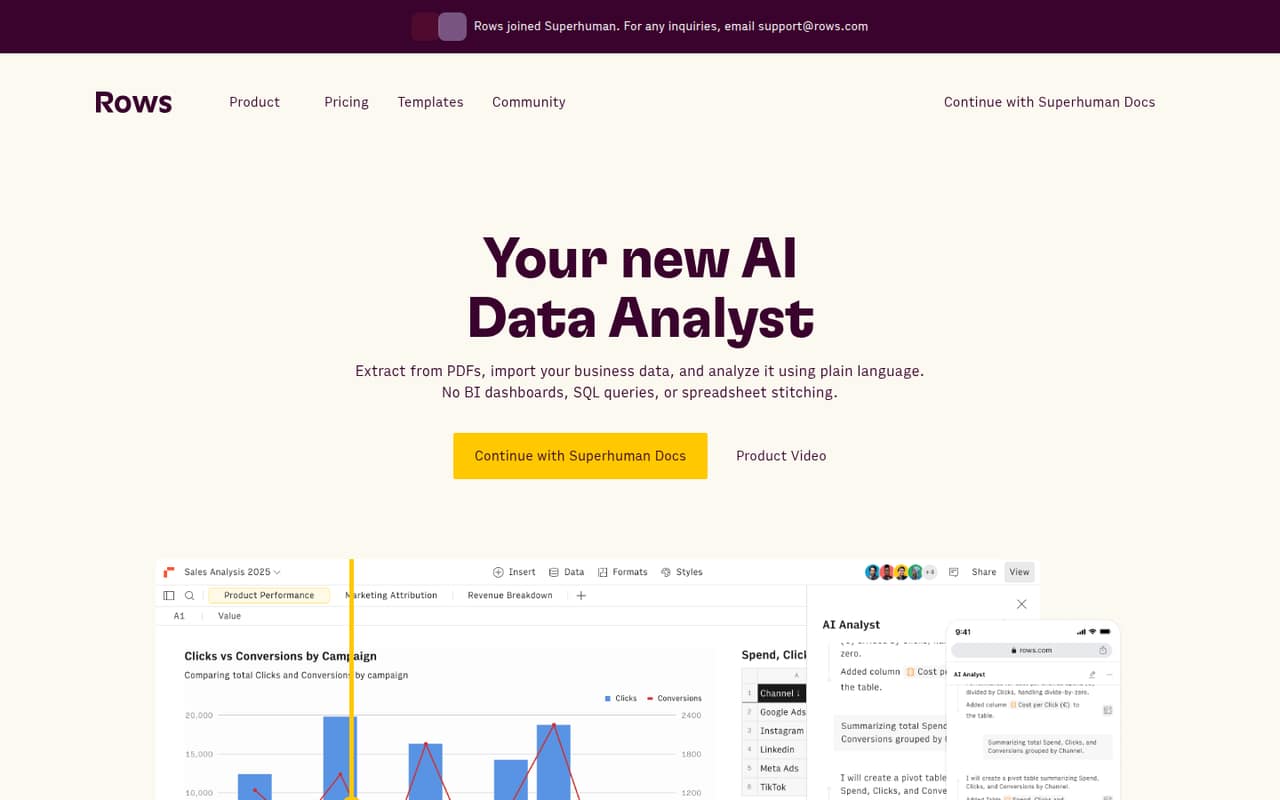
Rows makes the most sense for a small team that spends time pulling business data together and turning it into reports. It combines a spreadsheet with AI analysis: you can import data from business tools, ask questions in plain language, and build reports, models, and dashboards without SQL queries.
For a team of one to five, that can be useful when the job is recurring reporting rather than general-purpose document work. Live integrations and automatic refreshes may help bring sources together, while RowsX can import tables from websites. Interactive reports can be shared or embedded elsewhere.
The budget fit depends on how much automation you need. Free is a limited way to explore; Plus is the lower-cost paid plan for teams that can work with daily Data Tables automation. If you need refreshes every minute, Pro adds a workspace charge as well as per-user pricing.
02Rows free plan and trial
Rows has a Free plan at $0, and no free-trial terms are listed. It includes five AI tasks per month, 10 integration accounts, three guests, 1 MB file imports, and 500 cell enrichment tasks per month. That is enough room to explore the spreadsheet-based workflow, connect a small number of accounts, and try a few analyses.
The limit to watch is those five AI tasks: regular analysis can run through them quickly. File imports also stop at 1 MB on Free, and the plan is limited to 10 integration accounts. Plus is the cheapest paid option, at $8 per user monthly or $6 per user with annual billing. Its allowance rises to 200 AI tasks monthly and file imports to 5 MB.
03What a small team pays for Rows
The pricing page lists Plus at $8 per user monthly or $6 per user with annual billing. That works out to $24 per month for three seats, or $18 per month at the annual rate. Five seats cost $40 monthly or $30 per month at the annual rate. Annual billing totals $216 a year for three seats and $360 for five.
Pro adds a workspace fee: $79 per workspace monthly or $59 per workspace with annual billing, plus $8 or $6 per user, respectively. Three seats therefore cost $103 monthly, or $77 per month at the annual rate; five cost $119 monthly or $89 at the annual rate. Those annual-rate totals are $924 and $1,068 per year.
Plus includes 200 AI tasks monthly and daily Data Tables automation. Pro raises the limit to 1,000 tasks and offers automation every minute. The pricing page lists no other paid add-ons or overage prices, so ask Rows about extra usage before relying on it.
04Getting started with Rows
Rows is described as a spreadsheet-based tool, so the basic work is to bring data into a spreadsheet and use it for analysis and reporting. The vendor describes importing business data through live integrations, extracting information from PDFs, and importing website tables with RowsX. You can then ask for analysis in plain language and share reports.
For a small team, the first setup decision is which sources need to be connected and how often they should refresh. The vendor describes automated refreshes as frequent as every minute, while the plan details specify daily Data Tables automation on Plus and every-minute automation on Pro. That makes the plan choice part of setup if reports depend on current data.
The vendor does not publish a setup-time estimate or a detailed learning-curve measure. Confirm that your specific sources are supported and ask about setup help if your team needs it.
05When small teams outgrow Rows
The first sign you need a paid plan may be running through Free's five AI tasks per month, needing more than 1 MB for file imports, or wanting more than 10 integration accounts. Plus raises the AI allowance to 200 tasks and file imports to 5 MB, but its Data Tables automate daily rather than every minute.
Pro may fit when your reporting depends on more frequent automation or when 100 integration accounts and 200 guests suit your workflow. It allows 1,000 AI tasks monthly, but the workspace fee changes the math: three seats cost $103 monthly, or $77 per month at the annual rate. Five seats cost $119 monthly, or $89 at the annual rate.
If you exceed Pro's published limits, Enterprise offers unlimited AI tasks and integration accounts, plus advanced API endpoints and custom AI models and integrations. Its price is custom, so ask for a quote before building it into your budget.
Questions people ask
Is Rows better than Excel?
It depends on the job. Rows is a spreadsheet-based AI data analyst with plain-language analysis, live business-data integrations, PDF extraction, and shareable reports. If those are the tasks you need, its feature set may fit better. The available product details do not compare Rows with Excel feature by feature.
What does the Rows Free plan include?
Free includes five AI tasks per month, 10 integration accounts, three guests, 1 MB file imports, and 500 cell enrichment tasks monthly. It costs $0. The vendor does not list free-trial terms, so Free is the published way to start without a subscription.
How much does Rows cost for a team of three?
Plus costs $24 per month for three seats at the monthly rate, or $18 per month at the annual rate. Pro costs $103 monthly, or $77 per month at the annual rate, because it adds a workspace fee to the per-user charge.
Can Rows refresh data automatically?
Yes. Rows describes automated refreshes as frequent as every minute. The plan details list daily Data Tables automation on Plus and every-minute automation on Pro. Check which connected data sources and workflows support the refresh schedule you need.
Can Rows analyze PDFs and website data?
Rows lists AI extraction from PDFs and other documents, and RowsX imports tables from thousands of websites. The product details do not specify file-format coverage beyond PDFs and other documents, so confirm your file and website needs with the vendor.