
We may earn a commission if you buy through links on this page. It never changes a score or a ranking. How we make money
The bottom line
Good event controls and branding, but check the guest limits and ticket fees first.
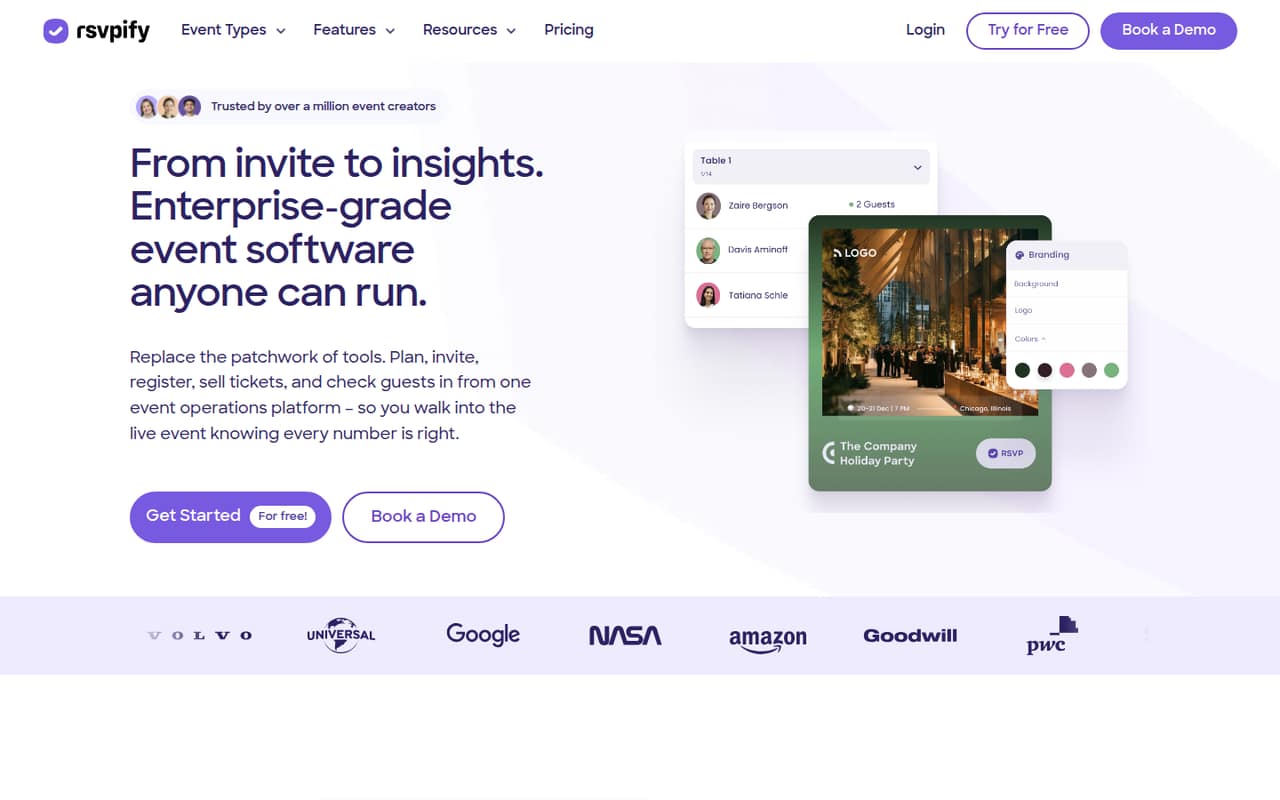
RSVPify combines branded event pages, registration forms, guest management, ticketing, and check-in. The free plan covers a small event, while Starter is the cheapest paid option for more room and custom questions.
We like its fit for events that need tailored guest information and a polished page. But ticketing fees aren't published, and one wedding user found the interface clunky, so small teams should try the free tier before paying.
Good fit if
- Events with custom guest questions
- Small teams managing several event details
- Hosts who want branded event pages
Skip it if
- Teams needing unlimited free registrations
- Ticket sellers needing fully listed fees
- Hosts seeking the simplest RSVP form
ScoresHow it rates
What works
- Branded event pages and online invitations
- Custom forms collect RSVP and guest details
- Manage plus-ones, meals, and seating
- Stripe ticket sales and donation collection
- Plus adds collaborators and check-in
What doesn't
- Free plan caps events and guest counts
- Ticket fees are not published
- Starter has no listed collaborator or check-in feature
- Annual rates require upfront payment
- One wedding user found the interface clunky
01Who RSVPify is for
RSVPify is for a small team—or a solo host—running events where guest details matter as much as the headcount. It can handle branded event pages, custom registration forms, ticket sales, guest lists, seating, meal choices, communications, and check-in. That covers work events and fundraisers as well as weddings and birthdays.
For a one-off, low-stakes gathering, a basic form may be enough. RSVPify makes more sense when you need a controlled guest list, custom questions, or several event operations in one place. The free plan can cover a small event; Starter is $24 per month billed annually or $39 month to month. Teams that need collaborators or check-in have to look at Plus, listed at $89 per month annually or $125 monthly. That can suit a small event crew, but the vendor doesn't publish per-seat pricing, so ask how access works for your team before budgeting.
02RSVPify free plan and trial
The Free plan costs $0 and includes 100 registrations per month, one event at a time, up to 100 invited guests per event, and 100 email credits per month. That's enough to try RSVPify for a small event or run an event that stays within those limits.
The limits can pinch if you host multiple events at once, invite more than 100 guests, or send more than 100 emails in a month. The listed Free plan doesn't include the Starter plan's custom questions and seating chart, or Plus features such as collaborators and check-in. No free-trial terms are listed. If you need more capacity or Starter features, the cheapest paid plan is Starter: $24 per month with annual billing, charged upfront, or $39 with monthly billing.
03What a small team pays for RSVPify
RSVPify lists plan prices rather than per-seat rates. Starter is $39 per month with monthly billing, or $24 per month when billed annually ($288 upfront). Dividing that package price across a team gives a rough budget, not a published seat price: one person pays the full $39 or $24 monthly equivalent; three people split it to $13 or $8 each; five split it to $7.80 or $4.80 each.
Starter includes 150 registrations per month, two events at a time, 150 invited guests per event, 200 email credits, custom questions, and a seating chart. If your team needs event collaborators and check-in, Plus is the relevant listed plan at $125 monthly or $89 per month billed annually ($1,068 upfront). Split across three, that's about $41.67 or $29.67 per person; across five, $25 or $17.80. Ticketing is listed at $0 per month plus per-ticket fees, but the fee amounts aren't published. Ask RSVPify for the fee schedule and whether any seat limits apply.
04Getting started with RSVPify
Plan on setting up the event page, registration questions, guest list, and any ticketing or payment details you need. RSVPify lists website embedding, Stripe payments, guest communications, and check-in among its features, so decide early whether guests will register on an RSVPify page or through an embedded form. The exact setup time isn't published.
A wedding user on Reddit said RSVPify's WordPress plugin codes worked well and praised separating guests by event, managing parties, and limiting plus-ones. Another commenter said importing a CSV was a bit annoying because of the required headers and formatting. That points to a manageable setup if your guest data is tidy, with some cleanup likely if it isn't. One user also described the interface as clunky and said they preferred using a computer. We would make a small test event and check the guest flow before inviting everyone.
05When small teams outgrow RSVPify
The first upgrade signals are straightforward: Free stops at 100 registrations a month, one event at a time, and 100 invited guests per event. Starter raises those limits to 150 registrations, two simultaneous events, and 150 guests per event. If you need collaborators or check-in, the listed path is Plus, which allows 500 registrations, five simultaneous events, and 500 invited guests per event.
A team may outgrow the tool when event volume, guest counts, or email needs exceed those caps—or when it needs features beyond the listed package. Professional raises the limits further and adds embedded forms and advanced integrations; Enterprise offers custom limits and single sign-on. Ticketing costs also deserve a fresh look as sales rise because the per-ticket fee amounts aren't published. Reddit feedback is mixed: one workshop host praised the branding and customization, while a wedding user said the interface felt clunky and the app had only a bare-minimum feature set. Compare the next plan's caps and ask for ticket-fee details before scaling up.
From the threadsWhat users say
Reddit comments are mixed. One workshop host likes RSVPify's branding and customization, and a wedding user praised guest controls; another wedding user found the interface clunky, while a separate commenter was bluntly negative.
generally use RSVPify for my workshop because they have better branding and customization options
I liked that I could separate guests by events they were invited to
the UI feels pretty clunky to me and the app only has the bare minimum feature set so you need to use a computer
it's total SHIT!
Questions people ask
What does RSVPify do?
RSVPify is event software for building branded event pages, collecting registrations, managing guests, selling tickets, and checking people in. Its listed features also include seating charts, meal choices, guest communications, reporting, and analytics.
How do I cancel an RSVPify subscription?
RSVPify's cancellation steps aren't published in the pricing details. Check your account billing settings or contact RSVPify before your next renewal, and confirm whether your plan is billed monthly or annually.
Can I upload my own invitation to RSVPify?
RSVPify lists branded event pages and online invitations, but its feature details don't confirm whether you can upload your own invitation design. Ask RSVPify about supported file formats and customization before building your event around that option.
Can guests RSVP through my website?
RSVPify lists embeddable registration forms for websites. You can also create a branded event page and direct guests there. Check the plan features before choosing an embedded form, since the pricing lists that option under Professional.
Is RSVPify suitable for a wedding?
It can manage wedding RSVPs, parties, meal choices, seating, and plus-ones. A wedding user on Reddit reported using RSVPify with WordPress and said the guest controls worked well. Check the guest cap on your chosen plan before sending invitations.