
We may earn a commission if you buy through links on this page. It never changes a score or a ranking. How we make money
The bottom line
Salt costs nothing to license, but it asks small teams to bring technical skills and setup time.
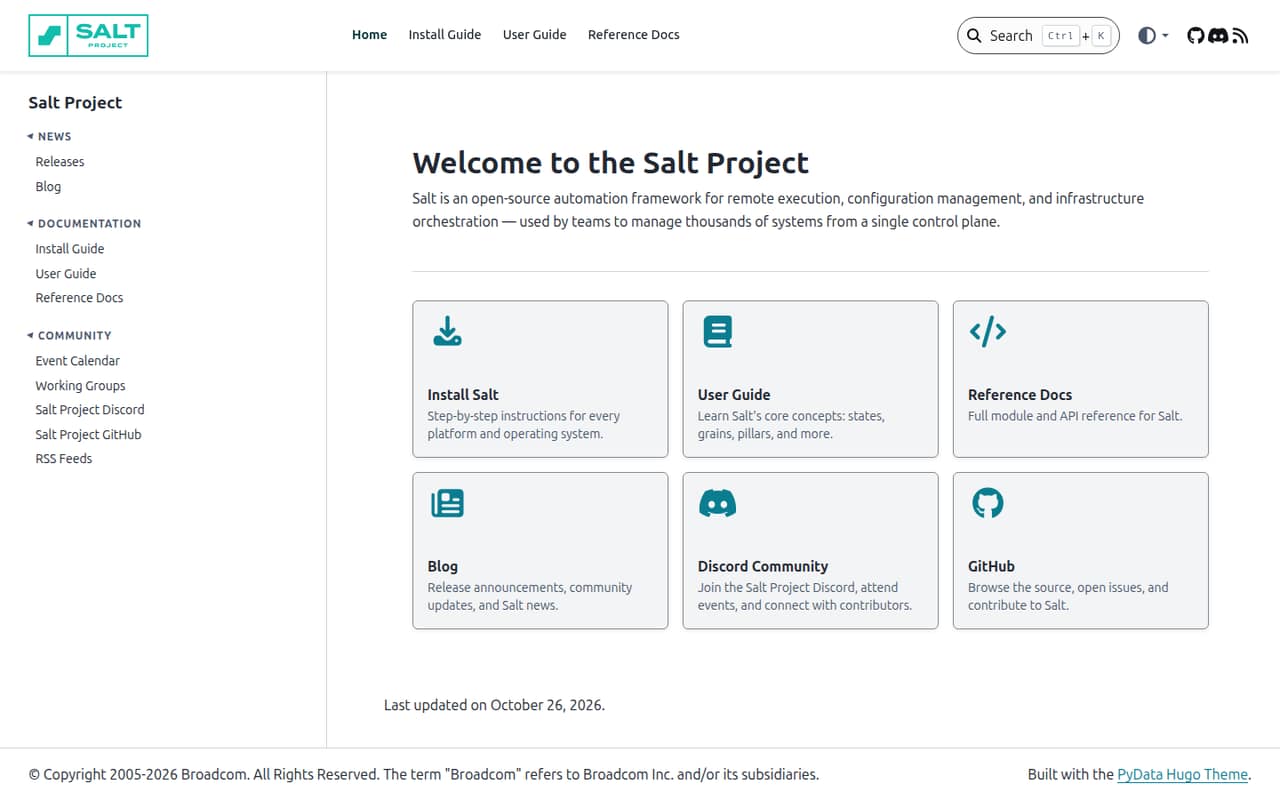
Salt is open-source software for running commands remotely, managing configuration, and orchestrating infrastructure. Its homepage says teams can manage thousands of systems from one control plane.
The pricing notes list no commercial plans or billing options. That makes Salt appealing for budget-conscious technical teams, but the vendor doesn't publish setup effort or the cost of operating it.
Good fit if
- Technical teams managing multiple systems
- Teams automating configuration changes
- Budget-conscious infrastructure operators
Skip it if
- Teams seeking a turnkey hosted tool
- Small teams without technical ownership
- Buyers needing published support pricing
ScoresHow it rates
What works
- Open-source software with no listed license price
- Remote execution across managed systems
- Configuration management and orchestration in one framework
- Homepage describes one control plane for thousands of systems
- User guide covers states, grains, and pillars
What doesn't
- Commercial plans and billing options aren't published
- Setup time isn't published
- No published seat pricing for small teams
- Day-one integrations aren't specified
- Teams need technical capacity to operate an automation framework
01Who Salt is for
Salt suits a small infrastructure or operations team that already has someone comfortable working with systems and automation. It can help a team of one to ten people run remote tasks, manage configuration, and coordinate infrastructure from a central control plane.
In plain terms, Salt lets operators define and carry out work across managed machines rather than treating each one as a separate task. The homepage says teams use it to manage thousands of systems from one control plane, though that scale may be more than a small team needs. Its open-source model can suit a tight software budget, but free licensing doesn't remove the work of setup and ongoing ownership. We would look elsewhere if the team wants a polished service with published seat prices and a clearly described setup path. Salt makes more sense when someone on the team can take responsibility for its technical configuration.
02Salt free plan and trial
Salt is open-source software, and the pricing notes identify a free option. It is better understood as free-to-use software than as a conventional hosted plan with a defined seat allowance. The user guide covers states, grains, and pillars as core concepts, alongside Salt's remote execution and configuration-management role.
The vendor's pricing notes list no commercial plans, monthly or annual billing options, or trial details. They also don't specify a free-plan limit, such as a cap on users or managed systems. So there is no published point at which a team has to upgrade, but there may be costs associated with the infrastructure and staff time needed to run it; those costs aren't listed. The cheapest way in is the open-source software. Ask the vendor about any commercial support or services you need before budgeting for them.
03What a small team pays for Salt
The pricing notes list Salt as free and show no commercial plans or monthly or annual billing options. That means the listed software license cost is $0 for one person, three people, or five people. There is no published per-seat price to multiply, so a paid monthly or annual total for those team sizes can't be calculated.
This is not a published SaaS plan with a defined seat price. The vendor also doesn't publish a commercial starting price, add-on prices, or the cost of any support or services. A small team should therefore treat the license price and its full operating budget as separate questions: the software is open-source, while hosting, infrastructure, and the time needed to manage it may add costs that aren't listed. Before committing, ask the vendor whether your intended deployment has any fees and what support options cost. Don't assume the $0 license means a $0 total operating cost.
04Getting started with Salt
Salt's user guide covers states, grains, and pillars as core concepts. Those concepts provide a starting point for understanding how the framework handles configuration and system data, while the product's listed uses include remote execution and infrastructure orchestration. A team should expect to spend time learning how these pieces fit its environment.
The vendor doesn't publish a setup-time estimate or a list of integrations a small team needs on day one. We would identify the systems to manage, decide who owns configuration, and confirm that Salt fits the team's environment before rolling it out more widely. Salt's central-control-plane approach is aimed at managing systems, not at eliminating the need for technical decisions. The docs establish the concepts to learn, but they don't give a published effort estimate. Plan for a technical owner rather than assuming setup is a quick, no-code task.
05When small teams outgrow Salt
Salt's published material here doesn't set a user, system, or task limit that tells a team when it has outgrown the tool. Its homepage says teams can manage thousands of systems from one control plane, so scale alone isn't an obvious reason to move away. The more practical trigger for a small team may be whether it can keep the framework configured and maintained.
A team may want a different tool if it needs a hosted service, a clear commercial support package, or published per-seat pricing for a growing headcount. The pricing notes list no paid tiers, upgrades, or add-ons, so there is no stated seat-cost threshold to plan around. Before expanding use, ask the vendor about support, commercial services, and any deployment costs. If the team's needs go beyond what the open-source setup can comfortably support, compare the total operating effort—not just the license price—with tools that publish those terms.
Questions people ask
Is Salt free to use?
Salt is open-source software, and the pricing notes identify a free option. They list no commercial plans or billing options. That covers the software's listed price, not every cost of running it: infrastructure and staff time may add expenses, and the vendor doesn't publish those costs.
Does Salt charge per user or managed system?
The vendor's pricing notes list no commercial plans, seat prices, or system-based charges. They also don't publish a free-plan cap for users or managed systems. If your budget depends on a specific deployment size, ask the vendor whether any fees apply to that use.
What does Salt do?
Salt is an open-source framework for remote execution, configuration management, and infrastructure orchestration. Its homepage describes managing systems from a single control plane. The user guide also covers states, grains, and pillars as core concepts.
Does Salt offer a free trial?
The pricing notes don't list a free trial or trial length. They identify an open-source free option instead. The vendor doesn't publish commercial plan or billing details in those notes, so ask directly if you need a trial of a particular paid service or support offering.
How hard is Salt to set up?
The vendor doesn't publish a setup-time estimate. Its user guide covers states, grains, and pillars, which are core concepts teams should expect to learn. Salt is an infrastructure automation framework, so a small team should plan for a technical owner and confirm the fit with its environment.