
We may earn a commission if you buy through links on this page. It never changes a score or a ranking. How we make money
The bottom line
Good for basic writing help and developer integrations; team plans have a 10-seat floor.
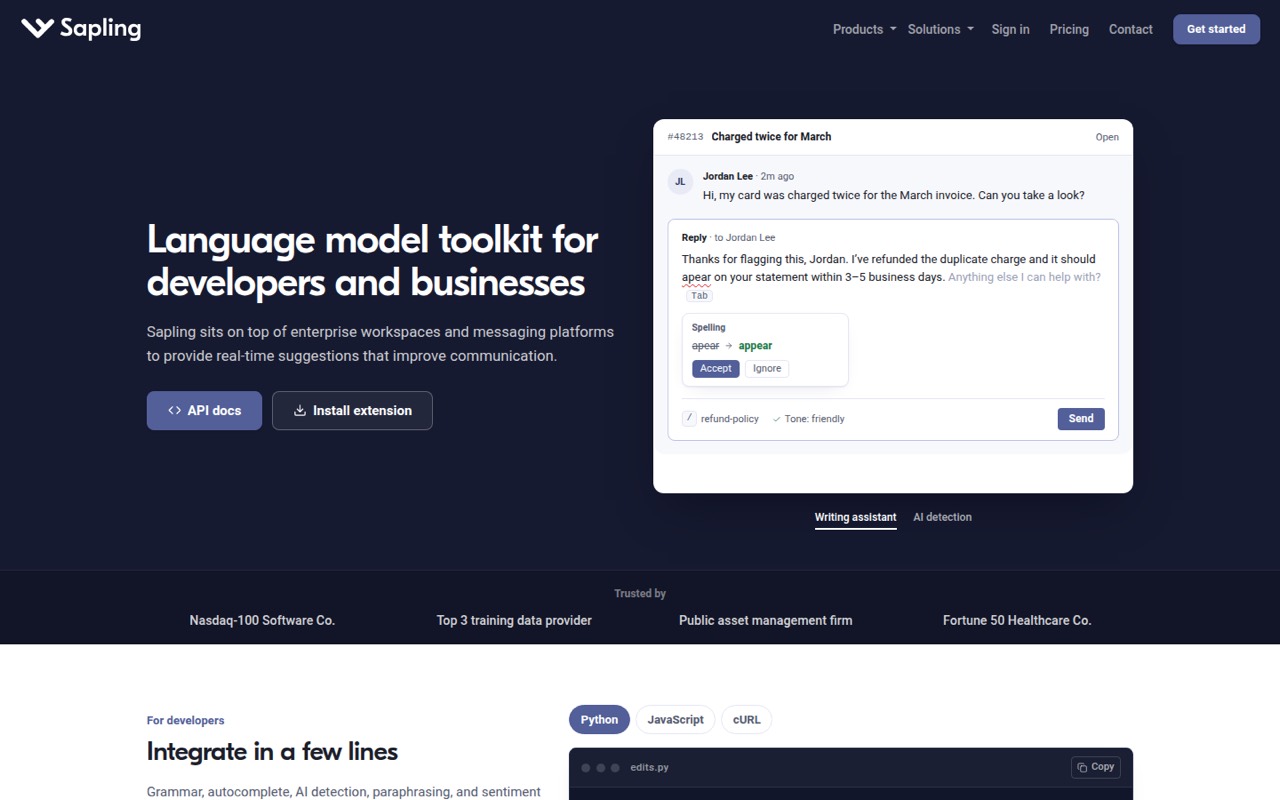
Sapling combines writing suggestions, AI detection, autocomplete, rephrasing, shared snippets, and developer tools. Its free plan covers basic suggestions and limited detector checks, so a small team can start without a subscription.
Pro costs $25 per person monthly or $12 per person per month billed annually. Enterprise starts at 10 seats, which makes it a harder fit for teams of three to five seeking shared controls. API usage is metered, and its per-character rates aren't published in the pricing details.
Good fit if
- Teams needing writing suggestions
- Developers adding language tools
- Small teams testing AI detection
Skip it if
- Teams needing shared controls under 10 seats
- Buyers needing predictable API costs
- Teams wanting published setup guidance
ScoresHow it rates
What works
- Free plan includes basic writing suggestions
- Free detector checks allow 2,000 characters
- Pro includes unlimited snippets
- API supports requests up to 200,000 characters
- Browser extension, SDK, API, and MCP options
What doesn't
- Enterprise starts at 10 seats
- Pro costs $25 monthly without annual billing
- API usage is metered by character
- API character rates aren't published
- Setup time and onboarding details aren't published
01Who Sapling is for
Sapling suits a solo user or small team that wants writing help inside its work tools, or a developer adding language features to a product. It provides grammar suggestions and language-quality scoring, AI detection with overall and sentence-level predictions, autocomplete, and rephrasing through its API and SDK.
For a team of one to five, the free plan is a sensible place to check whether basic suggestions and limited detector checks are enough. Pro is the next step for an individual who needs advanced suggestions or more detector capacity. Teams wanting shared snippets can use Sapling’s searchable library and text-expansion macros, but the listed free allowance is 20 snippets and Pro raises that to unlimited. Enterprise is aimed at teams needing controls and support, but its listed minimum of 10 seats makes it a less natural fit for smaller groups. Developers can also connect through the API, SDK, browser extension, or MCP server.
02Sapling free plan and trial
Sapling’s Free plan costs $0 and includes basic writing suggestions, 2,000 AI detector characters per check, up to five files per detector batch, and 20 snippets. That’s enough to try the writing tools or check shorter passages, but the detector allowance is a per-check limit, not a published monthly quota.
Pro raises the detector limit to 100,000 characters per check, supports 10 files per batch, adds advanced writing suggestions, and removes the snippet cap. Pricing lists Pro at $25 monthly or $12 per month when billed annually. Sapling also lists a one-month free trial, but the pricing details don’t specify which plan it applies to or what happens when it ends. Confirm those terms before budgeting around the trial.
03What a small team pays for Sapling
For one Pro user, the pricing page lists $25 per month, or $12 per month billed annually. That makes three Pro users $75 monthly or $36 per month on annual billing; five users are $125 monthly or $60 per month on annual billing. The annual figures are monthly rates, and the pricing details don’t state the total annual charge.
Enterprise is listed at $15 per user per month and starts at 10 seats, so its minimum listed seat count works out to $150 per month before any contract variation. Sapling says Enterprise pricing varies by seats and contract, so ask for a quote rather than treating that as a guaranteed final bill. A team of three or five can use individual Pro seats, but the Enterprise minimum rules out that plan at those sizes.
The API is metered by character and has a one-time $5 minimum. Sapling lists requests up to 200,000 characters, but not the per-character rates. Get a usage estimate before putting API calls into a product budget.
04Getting started with Sapling
The right setup depends on how your team plans to use Sapling. The browser extension is one listed route for writing assistance across messaging platforms; developers can use the API or SDK, and MCP clients can call Sapling language tools through its MCP server. Shared snippets offer a way to store searchable text and text-expansion macros.
Sapling doesn’t publish a setup-time estimate or step-by-step onboarding details in its pricing information, so we wouldn’t promise a same-day rollout. A team using the browser extension can start with that interface, while a team integrating the API, SDK, or MCP server should plan for developer work. The product description names Claude and Claude Code as MCP clients, along with other MCP clients, but doesn’t list specific messaging-platform integrations. Check the current docs and confirm your team’s exact apps before choosing a rollout plan.
05When small teams outgrow Sapling
The first reason to upgrade is hitting a Free plan limit: detector checks stop at 2,000 characters, batches at five files, and the snippet allowance at 20. Pro raises detector checks to 100,000 characters and batches to 10 files, with unlimited snippets and advanced writing suggestions. It costs $25 per person monthly or $12 per month with annual billing.
A growing team may outgrow the individual-plan economics when it wants Enterprise controls and support. That plan starts at 10 seats, with a listed rate of $15 per user per month, and pricing varies by seats and contract. Smaller teams can’t meet the stated seat minimum. Developers may also need to revisit their budget as API use grows: billing is per character, but Sapling doesn’t publish the rates in the pricing details. Ask for expected usage costs and contract terms before scaling up.
Questions people ask
What does Sapling’s free plan include?
The Free plan includes basic writing suggestions, 2,000 AI detector characters per check, five files per detector batch, and 20 snippets. It costs $0. The character limit is per check; Sapling’s pricing details don’t list a monthly detector quota.
How much does Sapling Pro cost?
Sapling Pro costs $25 per person per month, or $12 per person per month when billed annually. It includes 100,000 AI detector characters per check, 10 files per batch, unlimited snippets, and advanced writing suggestions.
Can a team of three or five buy Sapling Enterprise?
Enterprise starts at 10 seats, so teams of three or five don’t meet the listed minimum. Its stated rate is $15 per user per month, with final pricing varying by seats and contract. Ask Sapling for a quote if your team needs Enterprise controls.
How does Sapling charge for API use?
Sapling describes its language and AI detection APIs as metered by character, with a one-time $5 minimum. Requests can be up to 200,000 characters. The per-character rates aren’t published in the pricing details, so request an estimate before committing.
What tools can connect to Sapling?
Sapling offers a browser extension, API, SDK, and MCP server. Its product description names Claude and Claude Code among the MCP clients, along with other MCP clients. Check Sapling’s current docs to confirm whether your particular apps and workflows are supported.