We may earn a commission if you buy through links on this page. It never changes a score or a ranking. How we make money
The bottom line
Good appointment-booking basics, but small teams need a paid plan from day one.
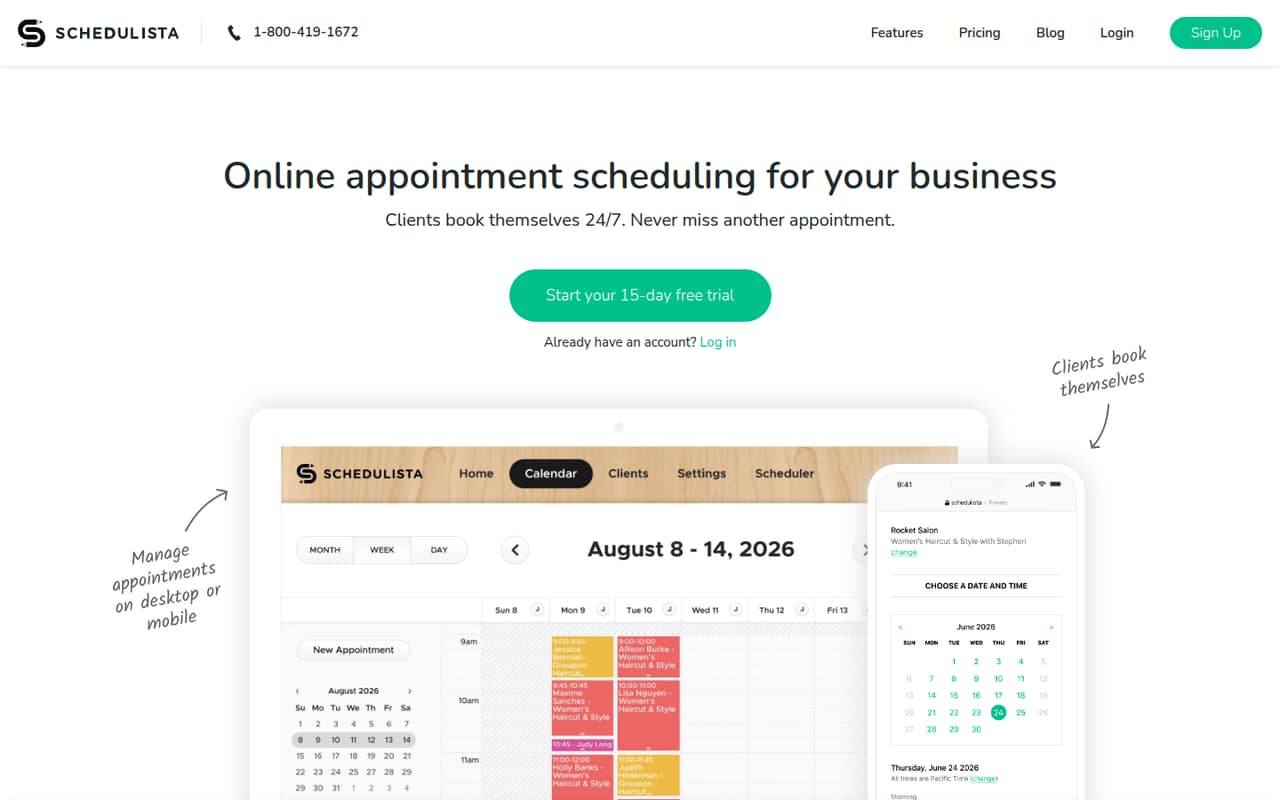
Schedulista helps appointment-based businesses take bookings around the clock through a standalone page or website integration. It also offers reminders, card payments, calendar sync, and mobile apps for managing appointments and availability.
There’s no free plan. The pricing page lists Just You at $19 per month and a flat $39 per month for 2–15 staff. That makes the cost easy to understand for a small team, but annual prices aren’t published.
Good fit if
- Solo appointment-based businesses
- Small teams taking online bookings
- Businesses that want SMS reminders
Skip it if
- Teams looking for a free plan
- Businesses needing published annual pricing
- Teams over 15 staff avoiding sales contact
ScoresHow it rates
What works
- Clients can book online 24/7
- Includes unlimited SMS reminders and email confirmations
- Offers card payments during booking
- Syncs with Google Calendar
- Has iPhone and Android management apps
What doesn't
- No free plan
- The free trial lasts 15 days
- Annual-billing prices aren’t published
- Teams over 15 staff must contact Schedulista
- Enterprise pricing isn’t published
01Who Schedulista is for
Schedulista is for businesses that sell time by appointment and want clients to book without calling during business hours. A solo provider can use a standalone booking page or add booking to a website, then manage appointments and availability in the mobile apps. The listed solo plan costs $19 per month.
Small teams of 2–15 staff have a flat-fee plan listed at $39 per month. That price can make sense for a team of 3 or 5 if online bookings, reminders, and card payments save staff from handling each appointment manually. Schedulista also offers Google Calendar sync and booking on Facebook and Instagram pages. It’s a focused scheduling tool, not a general-purpose business system. Teams comparing budgets should note there’s no free plan, and the pricing page doesn’t list annual-billing prices.
02Schedulista free plan and trial
Schedulista doesn’t offer a free plan. The pricing page lists a 15-day free trial, so you can try the service before committing to a paid subscription. The cheapest listed option is Just You at $19 per month for one user.
The listed solo plan includes all features, and the pricing page describes it as a flat fee with no setup charges. The 2–15 staff plan also lists a 15-day trial, flat fee, and no setup charges. If you’re considering that team plan, ask Schedulista what the trial includes and whether you need to enter payment details to start. A trial is a short evaluation window, not an ongoing free tier for a business that only needs occasional bookings.
03What a small team pays for Schedulista
The pricing page lists Just You at $19 per month for one user. That comes to $228 over 12 monthly payments; an annual-billing price isn’t published. For 2–15 staff, the listed flat fee is $39 per month, or $468 over 12 monthly payments.
That means a team of 3 pays $39 per month total, equivalent to $13 per person each month. A team of 5 also pays $39 total, or $7.80 per person each month. Those per-person figures are simple divisions of the flat fee, not separate per-seat prices. The team plan’s listed range is 2–15 staff, and teams above 15 need to contact Schedulista.
No add-ons are listed in the pricing details. The prices are monthly, while annual-billing prices and Enterprise pricing aren’t published. Before budgeting, confirm whether any payment processing fees apply to card payments; those fees aren’t specified in the listed plan details.
04Getting started with Schedulista
The basic setup choice is how clients will reach your booking page: use Schedulista’s standalone page or integrate booking with your website. The product also lists Google Calendar sync, email confirmations, unlimited SMS reminders, and card payments. A small team can decide which of those it needs before inviting clients to book.
The exact setup time and learning curve aren’t published in the pricing details, so we wouldn’t assume it’s a same-day job. Plan to check that appointment availability, reminders, and any payment settings match the way your business works. If clients book through social pages, Schedulista also offers booking on Facebook and Instagram. Its iPhone and Android apps let staff manage appointments and availability on the go. Ask Schedulista for its current setup instructions and whether website integration needs help from a developer.
05When small teams outgrow Schedulista
The clearest pricing breakpoint is team size. Just You covers one user, while the $39-per-month plan is listed for 2–15 staff. If your business grows beyond 15 staff, Schedulista says to contact the company; Enterprise is listed for any team size, but its price isn’t published. That makes costs harder to forecast as you grow.
You may also outgrow the product if you need a published annual rate or a free tier to keep scheduling costs down. Schedulista’s listed features focus on online booking, reminders, payments, calendar sync, social booking, and mobile appointment management. If your team needs capabilities beyond that set, confirm they’re available before moving your whole workflow. The pricing details don’t list add-ons, so ask about any extra costs or requirements before expanding your use.
Questions people ask
Does Schedulista have a free plan?
No. The pricing page lists a 15-day free trial, but not an ongoing free plan. The lowest listed price is $19 per month for Just You, which covers one user. If you need scheduling after the trial, budget for a paid plan.
How much does Schedulista cost for a small team?
The pricing page lists a flat fee of $39 per month for 2–15 staff. That’s the listed total for a team of 3 or 5, not a per-seat charge. Annual-billing prices aren’t published, so confirm the available billing options with Schedulista.
Can clients book appointments online?
Yes. Schedulista lets clients book appointments 24/7 through a standalone booking page or a website integration. It also offers booking on Facebook and Instagram pages, so businesses can provide more than one way for clients to reach their schedule.
Can Schedulista collect payments when clients book?
Yes. Schedulista offers card payments that can automatically charge clients when they book or capture card details to help reduce no-shows. The listed plan details don’t specify payment processing fees, so ask the vendor about those before relying on card payments.
Does Schedulista sync with Google Calendar?
Yes. Schedulista synchronizes with Google Calendar. It also has iPhone and Android apps for managing appointments and availability. If calendar sync is central to your workflow, confirm the current setup steps and how it handles your team’s calendars with Schedulista.