
We may earn a commission if you buy through links on this page. It never changes a score or a ranking. How we make money
The bottom line
A versatile PDF toolkit for small teams, with free light use and clear paid limits.
Sejda PDF covers everyday PDF jobs, including editing, signing, converting, merging, and securing files. Its free plan can work for occasional tasks, but the three-tasks-per-hour limit makes it a poor fit for a busy shared workflow.
For recurring work, Web Monthly costs $7.50 per user, while Desktop+Web Annual works out to $5.25 per user per month when billed yearly. We like the choice of browser and offline tools, but teams should check whether the task limits and per-seat pricing suit their workload.
Good fit if
- Small teams with occasional PDF tasks
- Teams needing web and offline editing
- People handling varied PDF jobs
Skip it if
- Teams needing unlimited free use
- High-volume work on tight deadlines
- Teams requiring published integrations
ScoresHow it rates
What works
- Free plan includes three tasks per hour
- Tools cover editing, conversion, and page management
- Desktop app works offline
- Paid plans remove hourly and page limits
- Annual Desktop+Web plan costs $5.25 monthly per user
What doesn't
- Free tasks are limited to single-file processing
- Free plan has a 50 MB file cap
- Paid tasks have a 21-minute limit
- Team discount details for small teams are not published
- One Linux thread reports a font-style issue
01Who Sejda PDF is for
Sejda PDF makes sense for a one-to-ten-person team that regularly handles documents but does not need a dedicated enterprise PDF system. It brings editing, signing, conversion, page organization, compression, OCR, and security tools together, so a small team can use one service for a range of routine PDF jobs.
The free plan is a practical starting point for one person or a team with occasional work: it allows three tasks per hour, single-file processing, and files up to 50 MB and 200 pages, with limits depending on the tool. For recurring browser work, Web Monthly is $7.50 per user. If people need offline access too, Desktop+Web Annual is $63 per user per year. That adds up quickly across a few seats, so compare the cost with how often your team actually edits PDFs. Sejda is less attractive for teams that need high-volume processing without task time limits or published workflow integrations.
02Sejda PDF free plan and trial
The free plan costs $0 and includes one user, three tasks per hour, and single-file processing. The pricing information lists file limits of up to 50 MB and 200 pages, depending on the tool, plus OCR for up to 10 pages. That is enough for occasional edits or a small document cleanup, but not continuous team processing.
There is no free trial listed. The main stopping points are the hourly task cap, single-file workflow, and smaller file and OCR limits. If you need more room for a short project, the Web Week Pass costs $5 per user for seven days. It includes unlimited documents without page or hourly limits, uploads up to 500 MB, OCR up to 100 pages, and a 21-minute limit per task. It is web access only, with no Desktop app.
03What a small team pays for Sejda PDF
Web Monthly costs $7.50 per user per month. That is $22.50 monthly for three seats or $37.50 for five. Desktop+Web Annual is $63 per user per year, equivalent to $5.25 per user per month: three seats cost $189 per year, or $15.75 per month equivalent; five cost $315 per year, or $26.25 per month equivalent. The annual plan includes web and desktop access, batch processing, uploads up to 500 MB, OCR up to 100 pages, and unlimited documents without page or hourly limits.
The Web Week Pass is a one-time $5 per user for seven days. The Desktop Week Pass is a one-time $7.95 and includes web and desktop access. Both week passes are for short-term use. Team volume discounts start at two users, and the pricing information lists a 20% discount for 10 users; exact pricing for three- or five-person teams is not published. Add-on and overage costs are not published either, so ask before relying on paid work beyond the stated limits. Paid tasks can take up to 21 minutes.
04Getting started with Sejda PDF
The easiest starting point is the web version: Sejda describes it as an online PDF editor, so there is no desktop installation step for browser-based work. The desktop app works offline and keeps files on your computer. The vendor does not publish setup steps or a learning-time estimate, so we would start with the free plan and check whether the needed tools fit the team’s routine before buying seats.
The feature set is broad, but the basic jobs are familiar: edit text or images, sign or annotate, merge or split, convert, and manage pages. The vendor does not publish integration details in the pricing information, so ask whether the service connects to the storage or document workflow your team already uses. One Reddit thread about installing the Linux desktop app on Solus describes using a Debian package; a commenter said it worked but showed the wrong font style. That is a specific Linux report, not a general setup guide.
05When small teams outgrow Sejda PDF
The first sign you need a paid plan is hitting three tasks per hour or needing batch processing, larger uploads, or more OCR pages. Web Monthly and Desktop+Web Annual remove page and hourly limits, but they still list a 21-minute maximum per task. If your team regularly has jobs that take longer, ask Sejda how those are handled before committing. The vendor does not publish add-on or overage costs.
Seat costs also rise linearly unless your team qualifies for a volume discount. Three Web Monthly seats cost $22.50 per month and five cost $37.50; the published 20% discount applies at 10 users, while exact discounts for smaller groups are not published. Teams that need detailed integration information should confirm availability with the vendor. Reddit feedback is limited: one Linux installation thread includes a user saying the app worked, alongside a report of incorrect font styling. That points to a possible platform-specific snag, not a broad verdict on the product.
From the threadsWhat users say
The available Reddit discussion is a single Linux installation thread, so it is too limited to represent Sejda PDF users broadly. Replies are mixed: one user reports success, while others discuss packaging and a font-style problem.
that works like a charm
Nobody should be distributing software as .deb files
Yea..it's a hard to diagnose bug...but I'm pretty sure it is not set by theme though...cause the deb version uses the proper one :)
I'm not sure how to fix that
Questions people ask
What does Sejda PDF’s free plan include?
The free plan includes one user and three tasks per hour, with single-file processing. The pricing information lists files up to 50 MB and 200 pages, depending on the tool, and OCR up to 10 pages. That should cover occasional PDF jobs, but regular batch work will likely need a paid plan.
How much does Sejda PDF cost for a small team?
Web Monthly costs $7.50 per user per month, so three seats cost $22.50 monthly and five cost $37.50. Desktop+Web Annual costs $63 per user per year, or $5.25 per month equivalent. Three annual seats total $189 per year; five total $315. Team discounts for three or five users are not published.
Does Sejda PDF work offline?
Yes. Sejda’s desktop app works offline and keeps files on your computer. The browser-based web version processes files on Sejda’s servers. Desktop access is included in the Desktop+Web Annual plan and Desktop Week Pass; the Web Monthly plan and Web Week Pass are web access only.
Is Sejda PDF safe to use?
The product description distinguishes how files are handled: the web version processes files on Sejda’s servers, while the desktop app works offline and keeps files on your computer. We cannot make a broader security guarantee from that alone. Teams handling sensitive documents should review Sejda’s current security and privacy details before choosing a workflow.
What can I do with Sejda PDF?
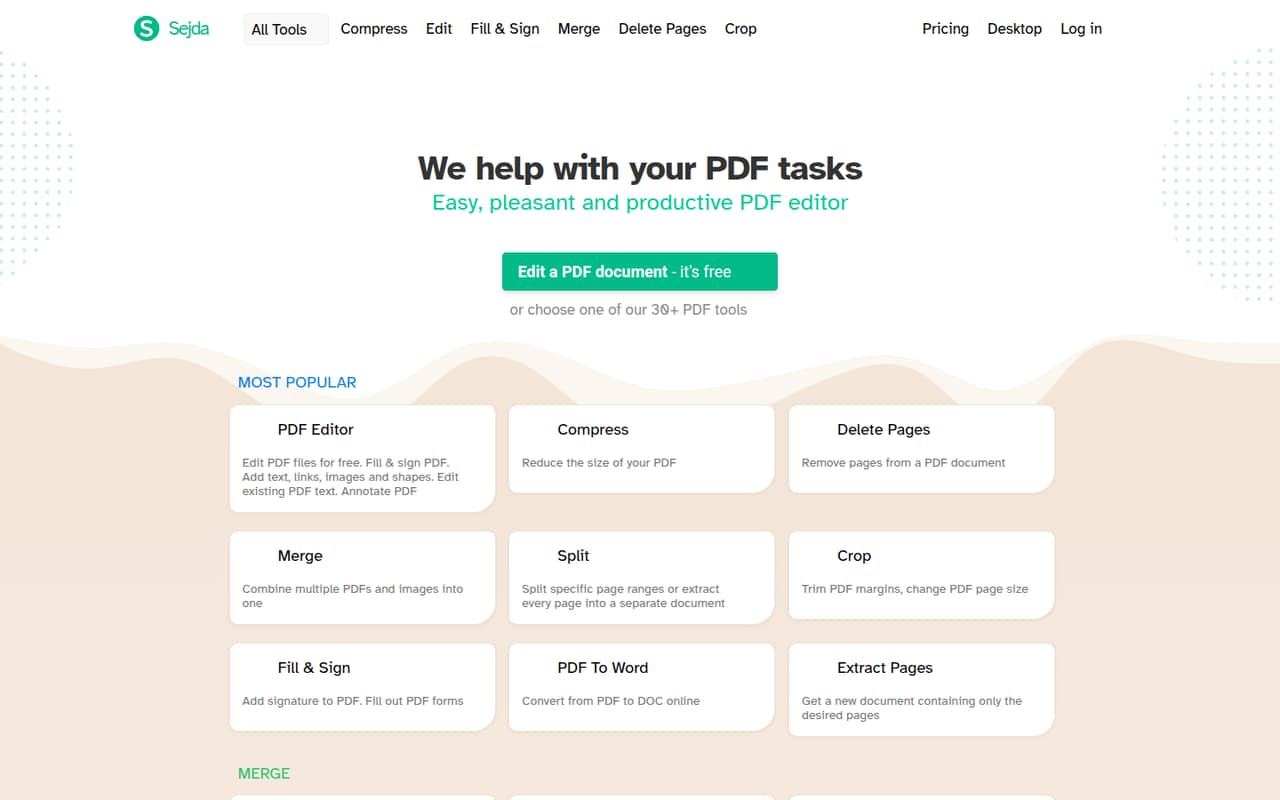
Sejda PDF offers tools to edit, annotate, fill, and sign PDFs; merge or split files; convert documents; compress and OCR scans; and secure files with passwords, permissions, watermarks, or flattened forms. You can also reorder, delete, crop, rotate, resize, and extract pages.