
We may earn a commission if you buy through links on this page. It never changes a score or a ranking. How we make money
The bottom line
A promising modeling and 3D-printing option, though team licensing needs clarification.
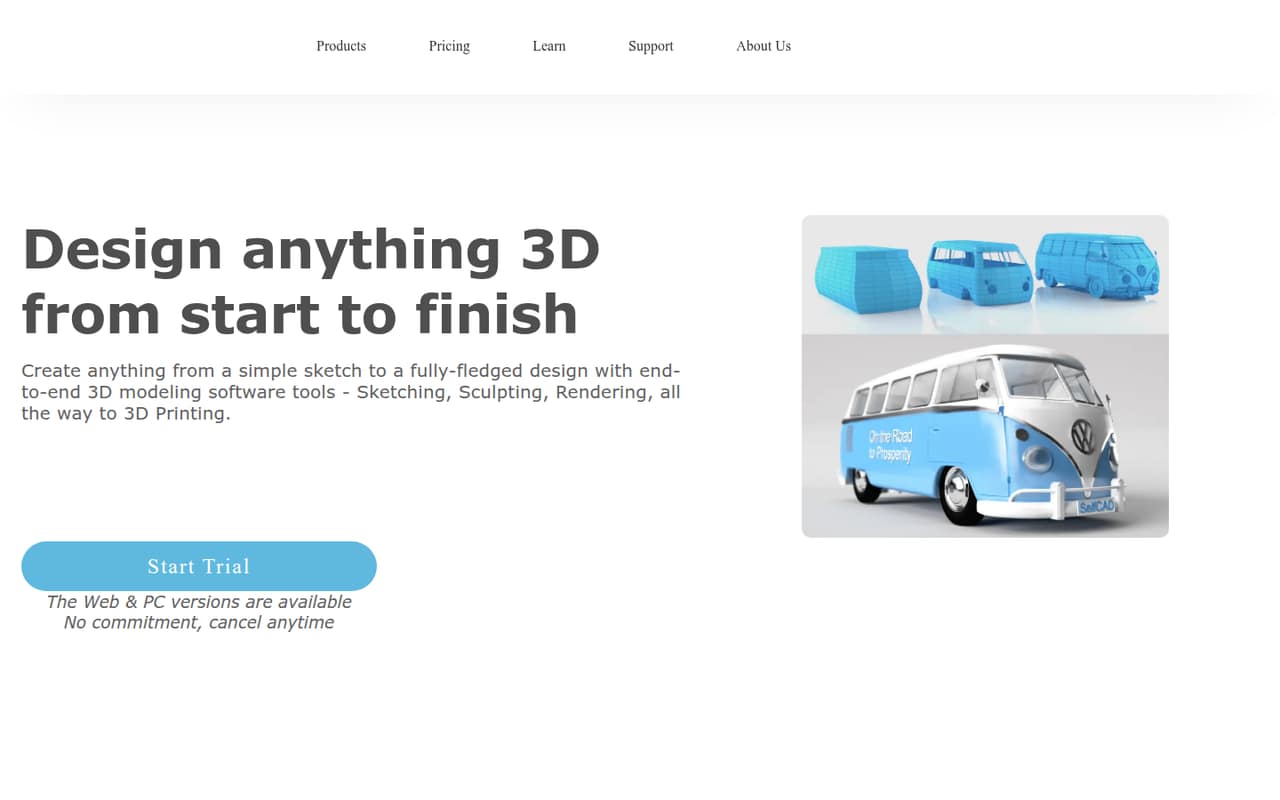
SelfCAD combines sketching, sculpting, rendering and 3D-print preparation in browser and PC workflows. Its free plan covers basic modeling, while some import/export and design tools are restricted; Pro is listed at $14.99 monthly or $139.99 billed annually.
For a small team, the main question is licensing: SelfCAD does not publish seat limits, so we can’t confirm what three or five users will pay. Interactive tutorials may help beginners get started, but teams should check how offline work and project syncing fit their workflow.
Good fit if
- Small teams making 3D-printable designs
- Beginners who value interactive tutorials
- Designers wanting browser and PC workflows
Skip it if
- Teams needing published seat pricing
- People requiring fully offline installation
- Teams needing confirmed collaboration features
ScoresHow it rates
What works
- Free plan includes basic modeling tools
- Combines sketching, sculpting and rendering
- Includes tools for preparing 3D prints
- Interactive tutorials support learning
- PC version supports offline projects
What doesn't
- Free plan restricts several tools
- Seat and usage limits are not published
- Team pricing is therefore unclear
- Installation may require internet, per one Reddit user
- Support options are not specified
01Who SelfCAD is for
SelfCAD is worth considering if one to five people need to make, refine and prepare 3D models for printing without stitching together separate modeling and rendering tools. It offers sketching, sculpting, rendering and 3D-print preparation, with browser, PC and hybrid workflows. Interactive tutorials are aimed at beginners as well as professionals.
The free plan gives a budget-conscious team a way to start with basic modeling. That may suit a founder, product designer or maker who needs to create designs and see whether the workflow fits before paying. It is less straightforward to recommend for a team that needs shared project controls or known per-seat costs: SelfCAD does not publish seat limits, and the listed features do not establish a team collaboration workflow. For a team that mostly needs individual modeling work, it could be a practical option; ask the vendor about licensing before standardizing on it.
02SelfCAD free plan and trial
The Free Plan costs $0 and includes basic modeling tools. The pricing listing says direct file import and export, 3D sketching, image-to-3D and deformation tools are restricted, so this is a starter plan rather than full access to every modeling feature. The exact restriction levels are not published.
SelfCAD also lists a 10-day free trial. The trial’s feature set and what happens when it ends are not specified, so check those terms before using it to plan a project. You can start without a subscription if basic modeling is enough; if the restricted tools block your work, Pro is the listed paid option. The vendor does not publish seat or usage limits for Pro.
03What a small team pays for SelfCAD
SelfCAD Pro is listed at $14.99 per month or $139.99 billed annually, equivalent to about $11.67 per month. For one person, that is $14.99 month to month or $139.99 for a year. SelfCAD does not publish whether these prices are per seat or how many seats a plan includes, so team totals need vendor confirmation.
For budgeting only, if each person requires a separate subscription at the listed rate, three users would total $44.97 monthly or $419.97 yearly. Five would total $74.95 monthly or $699.95 yearly. Those are conditional calculations, not confirmed team quotes. The vendor also lists a $599 one-time Perpetual License for lifetime access, but does not publish how it applies to multiple users. No add-ons are listed. Ask SelfCAD to confirm seats, usage limits and whether the annual or perpetual option covers each person before committing.
04Getting started with SelfCAD
The learning ramp may be manageable for newcomers who benefit from guidance: SelfCAD includes interactive tutorials, and one commenter on r/prusa3d praised its detailed beginner tutorials. The software offers browser and PC options, with the PC version supporting offline projects and hybrid syncing between online and offline work.
There is one setup caveat for teams that need to work without a connection. A Reddit user looking for offline alternatives reported that SelfCAD requires an internet connection upon installation; that is a user report, not a published installation requirement. The feature information does not list specific integrations, so don’t assume a connection to your team’s storage or design tools. Before rollout, check the install requirements, test the file import and export formats your team uses, and ask how syncing works across users. Setup effort and integration details are not published.
05When small teams outgrow SelfCAD
The first reason to reconsider SelfCAD is a workflow need its free plan restricts. If your work depends on direct file import or export, 3D sketching, image-to-3D or deformation tools, check whether Pro removes the limits you hit. The pricing listing does not spell out the exact restrictions, so confirm before building a team process around a particular feature.
The next pressure point is scale: SelfCAD does not publish seat or usage limits, leaving the cost of adding people uncertain. A team that needs confirmed collaboration features or a fully offline installation should ask the vendor directly before expanding. Reddit opinions are mixed and anecdotal. One commenter described SelfCAD as a possible step up from Tinkercad, while another said users had to “hope somebody's listening.” That concern is not proof of a support problem, but it is a reason to check support channels and product fit before making it core to a growing team.
From the threadsWhat users say
The small amount of Reddit discussion is mixed: some users like SelfCAD’s tutorials and see it as a middle ground for modeling, while others raise concerns about offline use and community support. These are individual impressions, not a broad consensus.
Also has detailed tutorials for beginners
Looks like a nice halfway between TinkerCAD and OnShape
Selfcad who requires a internet connection upon install
SelfCAD, ya gotta hope somebody's listening
Questions people ask
Does SelfCAD have a free plan?
Yes. The Free Plan costs $0 and includes basic modeling tools. It restricts direct file import and export, 3D sketching, image-to-3D and deformation tools. The pricing listing does not specify the exact limits, so check whether the features you need are available before starting a project.
How much does SelfCAD Pro cost?
SelfCAD Pro is listed at $14.99 per month or $139.99 billed annually, which works out to about $11.67 per month. SelfCAD does not publish seat limits or confirm how team licensing works, so ask the vendor for a quote if more than one person needs access.
Does SelfCAD work offline?
The PC version supports working on projects and storing them offline, and SelfCAD describes syncing online and offline projects. However, one Reddit user reported that installation requires an internet connection. Confirm the current install requirements and offline workflow with SelfCAD if internet access is a firm constraint.
What can I make with SelfCAD?
SelfCAD provides tools for sketching, sculpting and rendering 3D designs, plus tools for preparing designs for 3D printing. It also offers interactive tutorials. The Free Plan restricts some direct import and export, 3D sketching, image-to-3D and deformation tools; the exact limits are not published.
Does SelfCAD offer a lifetime license?
Yes. SelfCAD lists a Perpetual License for a one-time payment of $599 and describes it as lifetime access. The listing does not say whether that price covers one person or multiple users. Ask the vendor to confirm licensing and any usage limits before buying for a team.
Sources
- SelfCAD homepage
- SelfCAD pricing, compiled via web search from saasworthy.com, professional3dservices.com, selfcad.com, note.com, getapp.ca
- Reddit: Truly offline tinkercad alternatives
- Reddit: Anyone have positive or negative thoughts on Selfcad?
- Reddit: Tinkercad to Selfcad
- Reddit: Any advice/opinions/thoughts on using SelfCad? What are your favorite features and nightmares? I'm pumped to get started and about to teach myself with all the tutorials but also wonder for real world opinions.