
We may earn a commission if you buy through links on this page. It never changes a score or a ranking. How we make money
The bottom line
Good for quick file handoffs; paid plans cost more when every teammate needs one.
Small teams that occasionally need to send files can start with Send Anywhere’s free browser service. It lists real-time transfers up to 50GB and links up to 10GB, with links expiring after 48 hours.
Paid plans start at $5.99 per month, but the listed benefits focus on larger links, storage and download allowances—not team administration. Reddit comments praise ease of use but raise security concerns, so ask the vendor about protections before sending sensitive files.
Good fit if
- Small teams sharing files occasionally
- People who need large-file links
- Teams that prefer browser transfers
Skip it if
- Teams needing published seat pricing
- Sensitive workflows without security answers
- Organizations needing team administration
ScoresHow it rates
What works
- Free real-time transfers up to 50GB
- Free links can reach 10GB
- Upload up to 1,000 files at once
- Desktop app offered when browsers are unsupported
- Paid plans include Chrome and Outlook extensions
What doesn't
- Free links expire after 48 hours
- Lite limits downloads to 200GB
- Paid plan prices are per month
- Annual rates are not published
- Reddit users raise security concerns
01Who Send Anywhere is for
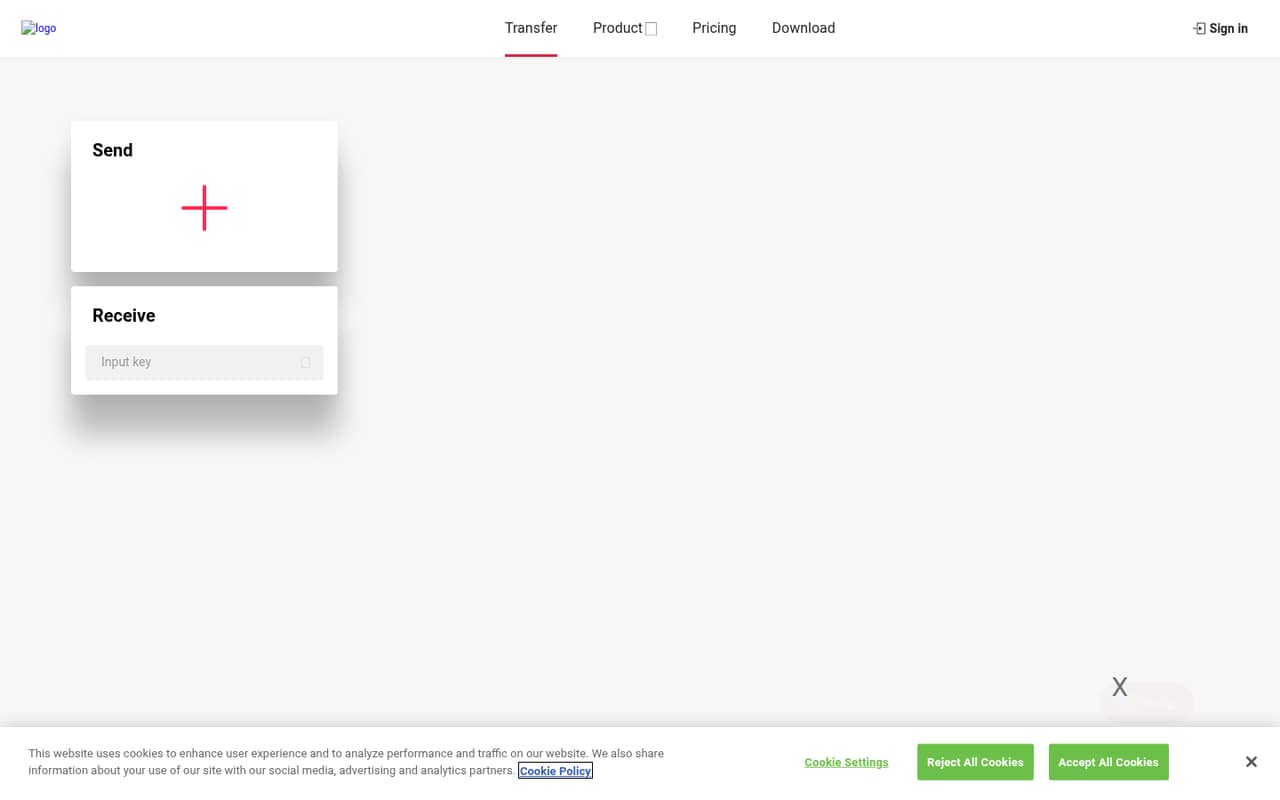
Send Anywhere suits a small team of one to ten people that occasionally needs to pass large files without setting up a shared storage system. The service is for sending and receiving files through a browser; the homepage recommends its desktop app when a browser is unsupported. That makes it a straightforward option for a one-off handoff or a client file that is too large for ordinary email.
The free plan covers basic transfers, so a team watching every subscription can try the core service without a monthly charge. Link sharing is limited to 10GB, and links expire after 48 hours. If your work involves emailing large files regularly, the Lite plan adds larger link transfers, storage and Chrome and Outlook extensions for $5.99 per month. The pricing page does not list team administration or seat-based controls, so we would treat Send Anywhere as a transfer utility—not a team file-management system.
02Send Anywhere free plan and trial
The free plan costs $0 per month and covers 1:1 real-time transfers up to 50GB. It also allows link creation up to 10GB, with a 10GB link transfer limit and 48-hour link expiration. The homepage lists sending and receiving as the core service, and users can upload up to 1,000 files at a time. A free trial is not listed.
The main catch is that the free plan is not a substitute for permanent file storage: links expire after two days, and the transfer limit for links is 10GB. The pricing page does not list a free download-data allowance or link storage for this plan. If you need longer-lived links or larger link transfers, Lite starts at $5.99 per month.
03What a small team pays for Send Anywhere
The pricing page lists Lite at $5.99 per month and Standard at $9.99 per month. If each person needs a separate paid plan, one person would pay $5.99 or $9.99 monthly. Three people would total $17.97 on Lite or $29.97 on Standard; five would total $29.95 or $49.95. These are simple per-person calculations, not published team prices: Send Anywhere does not list seat-based billing.
Lite includes up to 200GB of download data, 20GB link transfers, 2GB of link storage, unlimited link expiration, and Chrome and Outlook extensions. Standard raises those limits to 500GB of download data, 30GB link transfers and 5GB storage, with the same extensions and unlimited link expiration. The plans also include large-file emailing, link management and download-page customization. A yearly-billing option is listed, but its rates are not published. No separate add-on prices are listed.
04Getting started with Send Anywhere
The simplest starting point is the browser: Send Anywhere describes its core service as sending and receiving files, so a team can begin there rather than installing a desktop client. The homepage recommends the desktop app when a browser is unsupported. It also lists batch uploads of up to 1,000 files, which may help when a handoff includes many items.
For basic transfers, the learning curve should be modest: choose files and send them or create a link. The vendor’s listed paid-plan features include Chrome and Outlook extensions, which may suit people who send large files from those tools. They are not listed as part of the free plan. We would start with the browser and add the desktop app or extensions only if the team’s devices or workflow call for them. A Reddit commenter described the app as working easily, while another said it worked but offered little detail.
05When small teams outgrow Send Anywhere
You may need to upgrade when the free plan’s 10GB link limit or 48-hour expiration no longer fits your handoffs. Lite raises the link transfer limit to 20GB, adds 2GB of link storage and removes the listed expiration limit. Standard raises the link limit to 30GB and storage to 5GB. Both paid plans have download-data caps, so frequent use could make those limits important too.
A growing team may also outgrow the product if it needs published per-seat pricing or team administration: the pricing page lists monthly plan prices, but not team controls or seat terms. At five people, separate Lite plans would add up to $29.95 a month, if each person needs one. Reddit users describe the service as easy to use, but one commenter called it increasingly bloated, and another raised past security issues. Before standardizing on it, ask Send Anywhere about security and whether its plan fits your team’s file volume.
From the threadsWhat users say
Reddit sentiment is mixed: some commenters say the service works easily, while others raise security concerns or describe it as bloated. The comments offer limited detail, so they are a cautionary signal rather than a broad verdict.
I've been using it for a while, don't know about the security aspects of it. It works easily and beautifully
I've used it multiple times before but I can't say much about it other than it works
It’s had some pretty horrific security issues found in it inner past, FYI
I've used https://send-anywhere.com/ for quite a while, but it's coming increasingly bloated and I'd prefer a self hosted solution for sending files
Questions people ask
Is Send Anywhere free?
Yes. The pricing page lists a free plan at $0 per month. It includes 1:1 real-time transfers up to 50GB and links up to 10GB, with a 10GB link transfer limit and 48-hour expiration. Lite and Standard are paid plans for larger link transfers, more storage and longer-lived links.
What is the largest file I can send with Send Anywhere?
The free plan lists 1:1 real-time transfers up to 50GB. For link transfers, the free limit is 10GB; Lite raises it to 20GB and Standard to 30GB. These are different transfer methods, so check which one fits your workflow before sending a large file.
Does Send Anywhere have a desktop app?
Yes. Send Anywhere offers a desktop app as an alternative when a browser is unsupported. The homepage presents browser sending and receiving as the core service. The published plan details do not list a separate desktop-app price, so ask the vendor if you need pricing or compatibility details for a particular device.
Is Send Anywhere safe for sensitive files?
Reddit comments include both uncertainty about security and a claim about past security issues. Those comments do not establish the service’s current security protections. Before using it for sensitive files, ask Send Anywhere about encryption, access controls, retention and how links are protected. Avoid relying on a general safety claim without those details.
How much does Send Anywhere cost for a small team?
Lite is $5.99 per month and Standard is $9.99 per month. If five people each need a separate plan, that would total $29.95 on Lite or $49.95 on Standard. Send Anywhere does not list seat-based team pricing, and the annual-billing rates are not published, so confirm billing terms with the vendor.