
We may earn a commission if you buy through links on this page. It never changes a score or a ranking. How we make money
The bottom line
Strong receipt capture and verification, but you’ll pay even if your team only needs the basics.
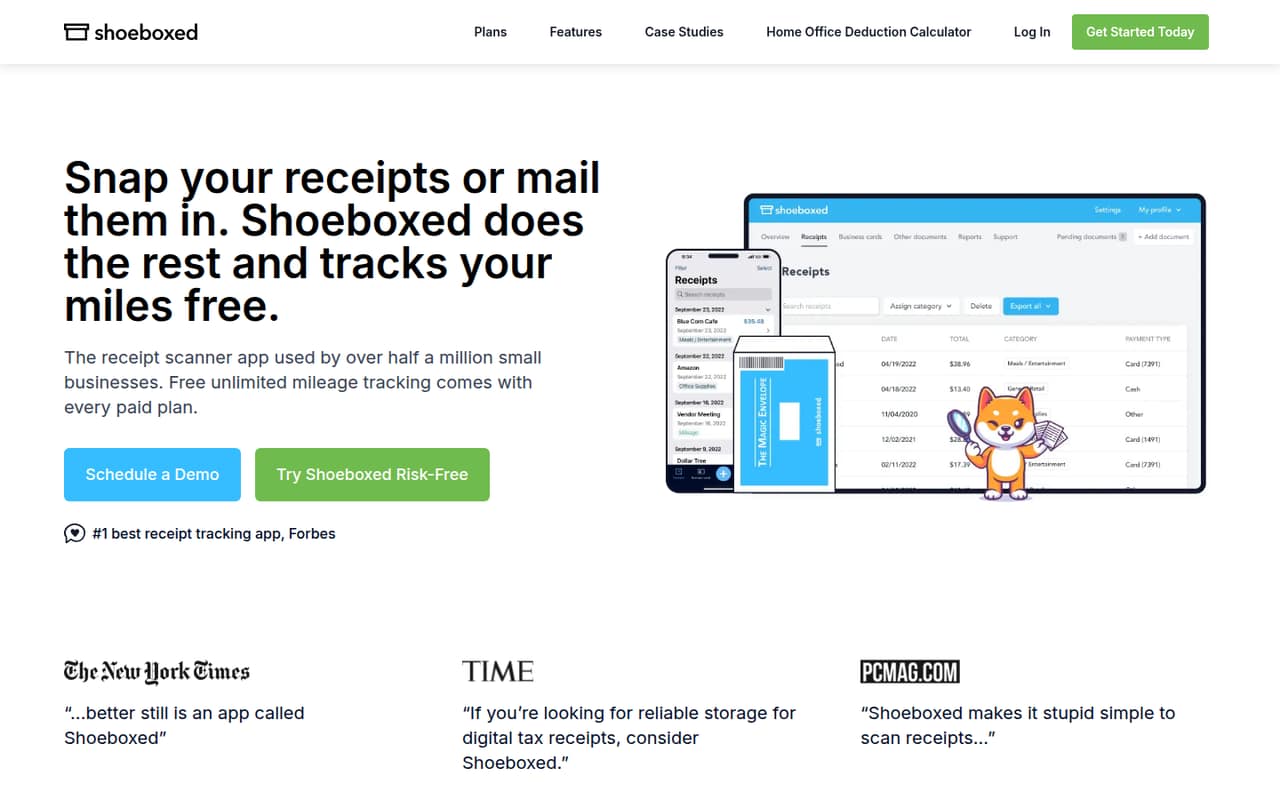
Shoeboxed turns receipts sent by mail, phone, email, Gmail, or computer upload into searchable records in a cloud dashboard. It also offers expense reports, tax categories, and mileage tracking, with unlimited mileage included in paid plans.
For a team of up to three, Starter costs $9 monthly or $8.08 per month with annual billing. There’s no free plan, so teams with only a few receipts should compare the price with the time they’ll save.
Good fit if
- Teams handling paper receipts
- Small businesses needing verified scans
- Teams using QuickBooks Online or Xero
Skip it if
- Teams that need a free plan
- People who want offline-only storage
- Businesses with very few receipts
ScoresHow it rates
What works
- Accepts receipts by mail, phone, email, Gmail, or upload
- Verification experts check OCR-extracted receipt details
- Creates expense reports with receipt images
- Includes unlimited mileage tracking with paid plans
- Pro and higher list QuickBooks Online and Xero integrations
What doesn't
- No free plan is listed
- Starter includes only 20 paper scans per year
- Accounting integrations aren’t listed in Starter’s inclusions
- Extra scans and envelopes can add to the bill
- Cloud-only storage may not suit offline-first users
01Who Shoeboxed is for
Shoeboxed suits a solo business owner or a small team that spends enough time sorting receipts to justify a monthly subscription. Starter covers up to three users, while Pro covers five and Plus covers ten, so a team of one to ten can choose a plan sized to its headcount and scan volume.
The main job is turning receipts into organized records. Submit them by mail, phone, email, Gmail, or computer upload; OCR extracts the details, and verification experts check them before they reach the cloud dashboard. From there, teams can search and organize scans, create expense reports, and use standard or custom tax categories. Paid plans include unlimited mileage tracking.
Budget-conscious teams should count both seats and receipt volume. Starter is the cheapest way in, but its 20 paper scans per year may not suit a business that regularly mails in receipts. Teams needing accounting sync should look at Pro or higher.
02Shoeboxed free plan and trial
Shoeboxed doesn’t list a free plan. The pricing page lists a 30-day paid, refundable trial, but the refund conditions and any trial-specific scan limits aren’t published. Ask Shoeboxed to confirm those terms before signing up.
The cheapest listed option is Starter: $9 per month, or $8.08 per month with annual billing. It includes 50 digital scans per month, 20 paper scans per year, one Magic Envelope per year, three users, and three years of scan storage. Starter is a reasonable entry point if those limits fit, but it is not a free receipt scanner. If you’re still deciding whether receipt capture is worth paying for, compare the subscription with the time your team currently spends filing and finding receipts.
03What a small team pays for Shoeboxed
The monthly price is per plan, not per seat. One person can start on Starter for $9 monthly or $8.08 per month with annual billing; with three included users, that works out to $3 or about $2.69 per seat monthly. Starter is also the lowest-cost fit for a three-person team, provided 50 digital scans per month and 20 paper scans per year are enough.
A five-person team needs Pro, listed at $29 monthly or $24.75 per month with annual billing. That’s $5.80 or $4.95 per included seat. Pro adds 250 digital scans per month, 50 paper scans per month, and listed Gmail sync and QuickBooks Online/Xero integrations. For ten users, Plus costs $79 monthly or $66.42 per month with annual billing, about $7.90 or $6.64 per seat. It includes 1,000 digital and 150 paper scans per month.
Watch the allowances: extra digital scans cost $0.19 each on Starter and $0.09 on Pro or Plus. Extra envelopes cost $9 each; paper overages are also billed. Annual prices are monthly equivalents, not the monthly-billing rate.
04Getting started with Shoeboxed
The basic workflow is straightforward on paper: send or upload receipts, let OCR extract the details, and review the organized records in the cloud dashboard. Shoeboxed accepts receipts by mail, phone, email, Gmail, or computer upload, so a team can choose between paper handling and digital capture. The service says verification experts check OCR results before adding them to the dashboard.
For a small team, the main setup decision is how receipts will arrive and who will organize them. If accounting sync matters on day one, the pricing page lists Gmail sync and QuickBooks Online/Xero integrations on Pro, Plus, and Paper Plus; those integrations aren’t listed among Starter’s inclusions. Expense reports can include receipt images and be exported, shared, or printed. Teams can also use 15 standard tax categories or create custom ones.
Shoeboxed’s pricing page and product details don’t publish a setup-time estimate or a detailed onboarding checklist. One Reddit commenter praised its QuickBooks connection, while another said the website felt slow; that’s an individual report, not a guarantee of the experience for your team.
05When small teams outgrow Shoeboxed
The first growth trigger is hitting the plan’s scan allowance. Starter includes 50 digital scans per month and only 20 paper scans per year; Pro raises that to 250 digital and 50 paper scans per month, while Plus offers 1,000 digital and 150 paper scans per month. Extra scans cost more, so compare the overage bill with moving to a higher tier.
Headcount can force an upgrade too: Starter includes three users, Pro five, and Plus and Paper Plus ten. Shoeboxed doesn’t publish a per-seat add-on price, so ask the vendor what happens if your team exceeds a plan’s included users. Businesses needing more than 300 paper scans per month must contact Shoeboxed.
A different kind of mismatch is privacy preference. One Reddit poster wanted an offline equivalent because Shoeboxed is cloud-based; another commenter said they found the website slow. On the other hand, a user who chose Shoeboxed valued its flexibility for storing financial documents. If offline storage is a requirement, or the paper volume exceeds published limits, ask about Custom or consider a different workflow.
From the threadsWhat users say
The Reddit comments lean positive about Shoeboxed’s receipt and document organization, but the sample is small and includes practical reservations. Users mention low receipt volume, cloud-only storage, and one report of a slow website.
I don't save enough receipts to make it worth paying for (fewer than 5 per month)
they only offer cloud-based service and I'm uncomfortable with having so much detail about my personal spending preferences in the hands of the internet
I found their website slow because of whatever script-heavy language its written in, but I didn't need to use it for more than a few minutes a month anyway, so it was no big deal
Questions people ask
Does Shoeboxed have a free plan?
No free plan is listed. Shoeboxed lists a 30-day paid, refundable trial, but the refund terms and trial limits aren’t published. The lowest-cost paid plan is Starter at $9 per month, or $8.08 per month with annual billing.
What does Shoeboxed Starter include?
Starter includes 50 digital scans per month, 20 paper scans per year, one Magic Envelope per year, three users, and three years of scan storage. The listed price is $9 monthly or $8.08 per month with annual billing.
Does Shoeboxed work with QuickBooks Online or Xero?
The pricing page lists QuickBooks Online and Xero integrations on Pro, Plus, and Paper Plus. They aren’t listed among Starter’s inclusions. If you need an integration on a different plan or with another version of an accounting product, confirm compatibility with Shoeboxed.
Can I track mileage with Shoeboxed?
Shoeboxed supports automatic mileage tracking. Unlimited mileage tracking is included at no extra charge with paid plans. The pricing details don’t specify separate mileage limits for the paid tiers, so ask Shoeboxed if your team needs a particular tracking workflow.
Is Shoeboxed available offline?
Shoeboxed organizes receipt scans in a cloud dashboard. A Reddit user described the service as cloud-based and wanted an offline option. The available product details don’t list an offline mode, so ask Shoeboxed directly if keeping records off the cloud is a requirement.
Sources
- Shoeboxed homepage
- Shoeboxed pricing page
- Reddit: Shoeboxed, Expensify or Lemon? I want to go paperless, what's the best way? (CA)
- Reddit: Is there an offline equivalent of Shoeboxed for tracking expenses?
- Reddit: Seeking Review: Has anyone used Shoeboxed for receipts? How is the app for android?
- Reddit: Shoeboxed.com Review: Digitizing Your Paper Documents, Organizing Them Online Just In Case