
We may earn a commission if you buy through links on this page. It never changes a score or a ranking. How we make money
The bottom line
Good for building and optimizing storefront pages; less compelling if you only need a few basic pages.
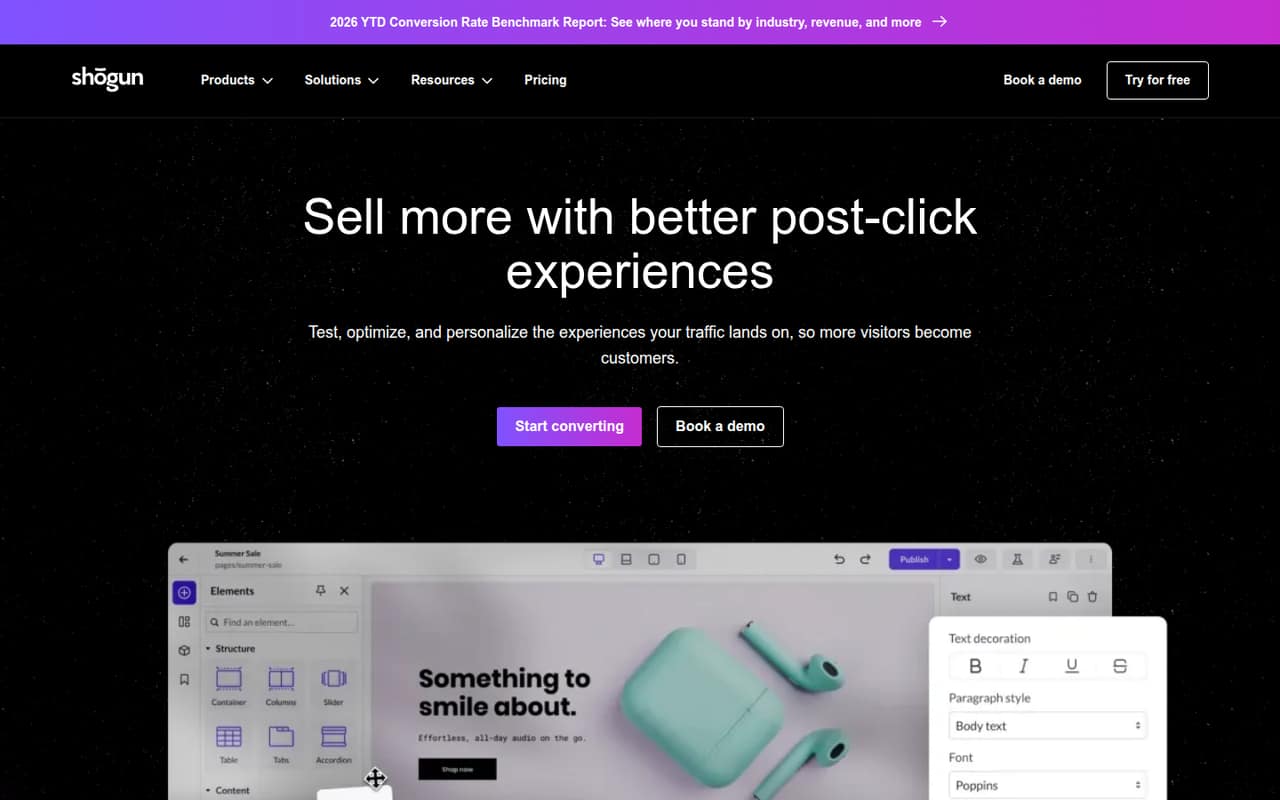
Shogun combines a visual page builder with templates, scheduling, personalization, and storefront A/B testing. Draft Mode is free, but it does not publish pages; paid publishing starts with Build at $39 per month, or $31 per month with annual billing.
For a small ecommerce team, the main questions are whether you need more than a standard store editor and how many monthly MTUs your pages will use. Shogun does not list per-seat pricing, and its Pro plan prices need clarification before you commit.
Good fit if
- Ecommerce campaign landing pages
- Teams testing storefront changes
- Stores managing frequent promotions
Skip it if
- Teams needing only basic pages
- Stores with tight traffic budgets
- Buyers requiring clear per-seat pricing
ScoresHow it rates
What works
- Free Draft Mode includes the visual builder and templates
- Build includes 25 published pages
- Grow adds scheduling and global content sections
- Personalize content by audience, behavior, or campaign
- Advanced supports syncing content across stores
What doesn't
- Draft Mode cannot publish pages
- Build is capped at 25 published pages
- Monthly MTU limits vary by plan
- Store syncing requires an Advanced license per store
- Pro's listed annual price exceeds its monthly price
01Who Shogun is for
Shogun suits a small ecommerce team that wants more control over landing pages and product experiences than a basic storefront editor may offer. Its visual builder is for making pages without code, while templates give the team a starting point for campaigns. The product also includes tools for testing page changes and showing different content to different audiences.
For a team of one to five, it makes most sense when storefront campaigns are part of regular work and someone will use the builder beyond a one-off launch. Build starts at $39 per month when billed monthly, or $31 per month with annual billing, and includes 25 published pages. That is a meaningful recurring cost for a small shop that only needs a couple of simple pages. Shogun lists plan prices per month, not per seat, so confirm how team access works before treating the price as a complete team budget.
02Shogun free plan and trial
Draft Mode is free and includes the advanced visual builder, all page templates, and up to 2,000 monthly MTUs or 24,000 annually. Its key limit is the name: Draft Mode includes zero published pages. It is for trying the builder and preparing drafts, not for putting Shogun-built pages live.
The cheapest listed plan that includes published pages is Build, at $39 per month or $31 per month with annual billing. Build allows 25 published pages and includes page analytics, all templates, and the same 2,000 monthly MTU limit as Draft Mode. Shogun also lists a 14-day free trial for Pro. That is a separate option for teams considering storefront tests; the listed Pro plan includes up to three active tests.
03What a small team pays for Shogun
Build is the cheapest listed plan for publishing pages: $39 per month, or $31 per month with annual billing. That equals $39 or $31 monthly for one account, and $468 or $372 over a year, respectively. Shogun does not publish per-seat prices or a seat requirement. If the same plan price covers a team, its simple per-person split is $13 monthly for three people or $7.80 for five; with annual billing, it is about $10.33 or $6.20 per person monthly. These are arithmetic splits, not published seat prices.
For more capacity, Grow is $199 monthly or $159 per month with annual billing; Advanced is $499 or $399. Pro is listed at $39 monthly and $80 per month with annual billing, which conflicts with the page's general claim that annual billing saves 20%. Confirm Pro's price and team access with Shogun before budgeting. Content syncing also requires one Advanced license per store to sync to or from, and separate add-on pricing is not published.
04Getting started with Shogun
Shogun's visual builder, templates, and codeless storefront customization are meant to let a team create pages without building them from scratch in code. A practical first project is a single campaign or product page: choose a template or start freely, build the content, then check that the selected plan allows the page to be published. Draft Mode can help explore the builder, but it cannot publish pages.
The pricing details do not give a setup timetable or spell out which ecommerce platform connections your store needs. We would confirm platform compatibility, access requirements, and who can publish before choosing a plan. Also ask what counts toward MTUs and how your store's traffic will be measured; Shogun lists different monthly MTU ceilings by plan. Teams planning tests or personalization should define those needs before setup, rather than assuming every feature is included with the cheapest publishing plan.
05When small teams outgrow Shogun
Build is the first pressure point: it allows 25 published pages and up to 2,000 monthly MTUs. A team that needs unlimited published pages or scheduled promotions moves into Grow at $199 monthly, or $159 per month with annual billing. Grow raises the MTU limit to 10,000 monthly and adds content scheduling and global content sections.
Traffic-heavy stores may need Advanced, which lists up to 50,000 monthly MTUs and costs $499 monthly or $399 with annual billing. If the team wants to sync content across stores, Shogun requires an Advanced license for each store involved; the separate syncing add-on price is not published. Teams focused on storefront A/B testing should compare Pro, listed with up to three active tests, but confirm its unusual annual price first. If your store needs more capacity than the listed MTU limits, ask Shogun about options and overage costs before upgrading.
Questions people ask
Can I publish pages with Shogun's free plan?
No. Draft Mode is free and includes the visual builder and templates, but it lists zero published pages. Build is the cheapest listed plan that includes publishing, with 25 published pages. It costs $39 per month or $31 per month with annual billing.
Does Shogun let teams build pages without code?
Shogun describes Build as codeless storefront customization and includes a visual page builder. Teams can start from page templates or design pages freely. The published plan details do not specify a setup timetable, so confirm what your store requires before planning a launch.
How many pages can I publish on Build?
Build includes 25 published pages, page analytics, all page templates, and up to 2,000 monthly MTUs or 24,000 annually. Grow and Advanced list unlimited published pages, with higher MTU limits and additional features.
Does Shogun include A/B testing?
Shogun offers a Pro plan for storefront A/B testing. Its listed features include up to three active tests and advanced test types, plus a 14-day free trial. The plan lists $39 monthly and $80 per month with annual billing, so confirm the price with Shogun.
What does Shogun charge for syncing content across stores?
Content syncing requires one Advanced license per store that you sync to or from. Shogun does not publish a separate add-on price for syncing. Advanced is listed at $499 monthly or $399 per month with annual billing, so ask whether each store needs its own full license.