
We may earn a commission if you buy through links on this page. It never changes a score or a ranking. How we make money
The bottom line
Shorby packs links and tracking into one page, but costs more once you need team seats.
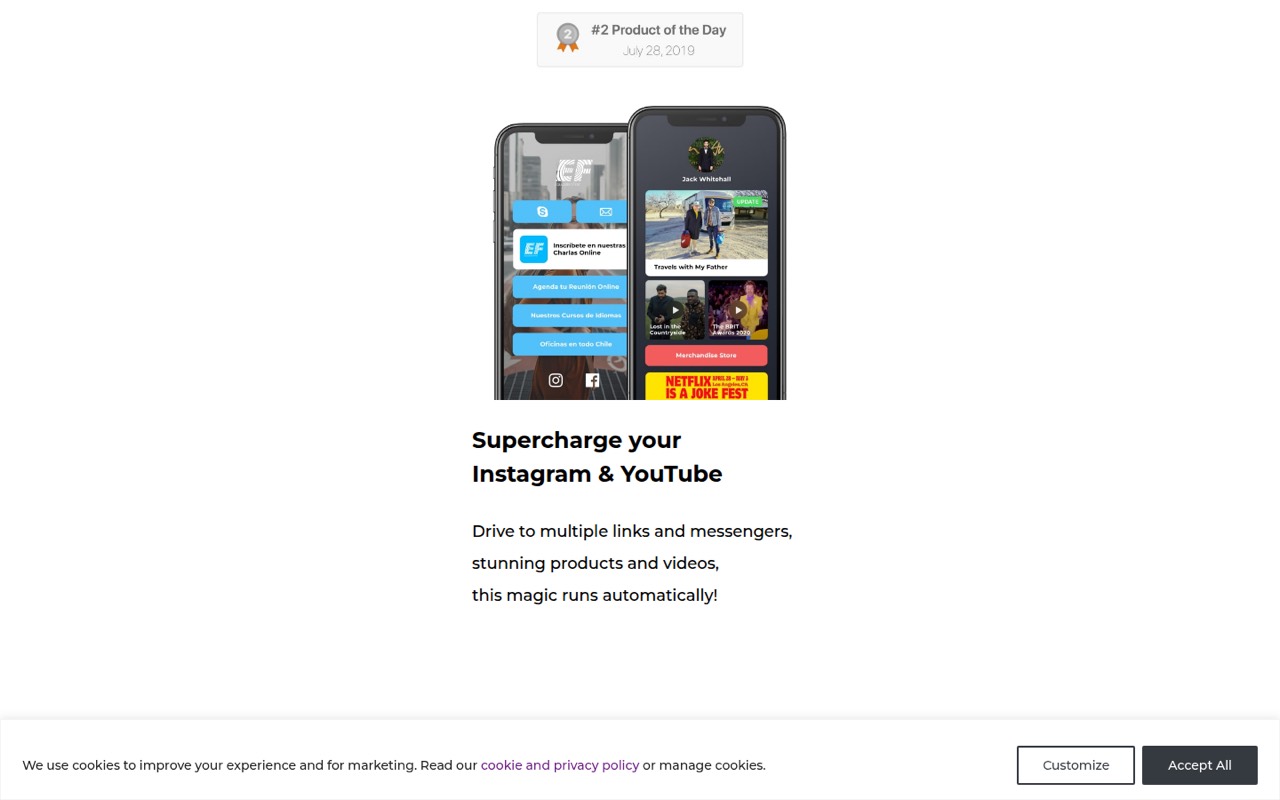
Shorby combines mobile-friendly link pages, messenger buttons, dynamic feeds, and link shortening. It can fit a creator or small business that wants one bio link to do more than send visitors to a list of URLs.
There’s no free plan, and team collaboration starts at the $99 monthly Agency plan, or $82 per month with annual billing. For a small team watching subscription costs, the main question is whether tracking and client projects justify that jump.
Good fit if
- Creators who need tracked bio links
- Small agencies managing client pages
- Businesses using messenger buttons
Skip it if
- Teams that need a free plan
- Groups seeking low-cost shared seats
- Users who only need one basic link
ScoresHow it rates
What works
- SmartPages combine links, buttons, and content feeds
- Supports multiple messenger button types
- Dynamic feeds include YouTube, Shopify, and RSS
- Pro includes custom domains and ad tracking
- Agency lists up to 10 team members per project
What doesn't
- No free plan is listed
- Team collaboration requires the Agency plan
- Agency costs $99 month to month
- Rocket does not list dynamic feeds
- Setup time and learning curve are not published
01Who Shorby is for
Shorby is aimed at people and small teams that want one mobile-friendly page to collect links, contact options, and content. Its SmartPages can stack rich links and messenger buttons, while dynamic feeds can pull in recent posts from services such as YouTube, Shopify, WordPress, and RSS. The URL shortener and retargeting pixels are useful when you want to track clicks or build ad audiences from page visitors.
For one person, Rocket starts at $12 per month with annual billing, or $15 month to month. Pro is a better fit if you need custom domains, ad tracking, or dynamic feeds. A team managing client projects should look at Agency, which lists 10 team members per project and costs $82 per month with annual billing or $99 month to month. That is a bigger commitment than a basic link page, so Shorby makes most sense when its tracking or agency tools will get regular use.
02Shorby free plan and trial
Shorby does not list a free plan, and a free trial is not published in the pricing material. That means there is no no-cost tier to test before choosing a paid plan. The cheapest listed way in is Rocket: $12 per month when billed annually, or $15 for month-to-month billing.
Rocket includes five pages, 10 rich links per page, multiple messenger buttons on a page, and click insights. It does not list dynamic feeds, custom domains, or Google Analytics and ad tracking; those features appear on Pro. If you only need a straightforward link page, Rocket is the entry point. If you need tracking pixels or feeds, budget for Pro instead, at $24 per month with annual billing or $29 month to month.
03What a small team pays for Shorby
The pricing page lists Rocket at $15 per month, or $12 per month with annual billing. That makes a one-person setup $15 month to month or $144 for a year paid upfront. Pro is $29 month to month or $24 per month with annual billing, totaling $348 or $288 a year. Pro lists 50 pages, 50 rich links, five dynamic feeds per page, ad tracking, and a custom domain per project.
For a shared team plan, Agency lists 10 team members per project, 250 pages, and three or more projects. It costs $99 month to month or $82 per month with annual billing, charged yearly. For three people, that works out to $33 per person monthly or $27.33 per person monthly on annual billing. For five, the effective costs are $19.80 or $16.40 per person. Those are per-seat averages, not separate seat prices. The pricing material lists no add-ons; confirm any project or seat needs with Shorby before buying.
04Getting started with Shorby
The basic setup is to build a SmartPage, add links and contact buttons, then share its URL. Shorby describes a drag-and-drop builder with logos, colors, video blocks, and countdown timers. You can also connect dynamic feeds from sources including RSS, YouTube, Shopify, WordPress, Etsy, and Apple Podcasts. These options give a team more to configure than a page with a few static links.
The vendor does not publish a setup-time estimate or a learning-curve rating in the pricing details. Pixel and custom-domain setup may also need extra attention: Pro lists Google Analytics and ad tracking plus a custom domain per project, but setup steps are not specified here. Before choosing a plan, check with Shorby about the exact instructions for your domain and ad platforms. If you only need links and messenger buttons, Rocket has a shorter feature list to configure.
05When small teams outgrow Shorby
The first pressure point is feature access. Rocket is capped at five pages and 10 rich links per page. Pro raises that to 50 pages and 50 rich links, and adds five dynamic feeds per page, ad tracking, and a custom domain per project. Teams that need those features will have to move from Rocket to Pro, even if they do not need every other Pro feature.
The next step for collaboration is much more expensive: Agency is the plan that lists team members and multiple projects. It includes 10 team members per project and three or more projects, at $99 month to month or $82 per month with annual billing. A team of three or five pays the same plan price, so its effective cost per person falls as more seats are used. If your group needs more than 10 team members per project, or a feature not listed on these plans, ask Shorby about availability and pricing before committing.
Questions people ask
Does Shorby have a free plan or free trial?
Shorby does not list a free plan, and a free trial is not published in the pricing material. Its cheapest listed option is Rocket, at $15 per month with month-to-month billing or $12 per month when billed annually. Ask Shorby whether it offers a trial or demo before you commit.
How much does Shorby cost for one person?
Rocket costs $15 per month when billed monthly, or $12 per month with annual billing, which totals $144 for the year. Pro costs $29 month to month or $24 per month with annual billing. Pro is the listed option for custom domains, Google Analytics, and ad tracking.
How much does Shorby cost for a team of three or five?
Agency is the plan that lists team members, with 10 members per project. It costs $99 per month or $82 per month with annual billing. At those prices, a three-person team averages $33 or about $27.33 per person monthly; a five-person team averages $19.80 or $16.40.
Which Shorby plan includes custom domains and tracking?
Pro lists Google Analytics and ad tracking, along with one custom domain per project. It costs $29 per month with monthly billing or $24 per month with annual billing. Agency also lists Google Analytics and a custom domain per project, but its listed feature set does not mention ad tracking.
What can Shorby dynamic feeds connect to?
Shorby’s dynamic content feeds can pull in content from RSS, YouTube, Shopify, WordPress, Etsy, and Apple Podcasts. Pro and Agency list five dynamic feeds per page. Rocket does not list dynamic feeds, so teams that need them should budget for Pro or Agency.