
We may earn a commission if you buy through links on this page. It never changes a score or a ranking. How we make money
The bottom line
A strong $0 option for small teams that need capable editing, not shared review workflows.
Shotcut gives small teams a free, open-source editor for Windows, Mac, and Linux, with support for hundreds of formats through FFmpeg and resolutions up to 4K. Its free plan has no listed resolution caps, watermarks, or time limits, and commercial use is permitted.
The trade-off is usability: Reddit users range from enthusiastic longtime users to people frustrated by slow-feeling basic edits or an unfamiliar interface. We’d consider it for budget-conscious teams editing independently, but not assume it will suit a shared production workflow.
Good fit if
- Budget-conscious video teams
- Independent editors on three platforms
- Projects using varied media formats
Skip it if
- Teams needing shared review workflows
- Editors who want guided onboarding
- Teams requiring published support commitments
ScoresHow it rates
What works
- Free plan permits commercial use
- No listed watermarks or time limits
- Supports hundreds of formats through FFmpeg
- Edits files without importing first
- Available for Windows, Mac, and Linux
What doesn't
- Some Reddit users report slow-feeling basic edits
- Some users find the interface unfriendly
- No team seat pricing is listed
- No setup-time estimate is published
- Shared review features are not listed
01Who Shotcut is for
Shotcut suits a one-to-five-person team that needs to edit video without adding a recurring software bill. It is a free, open-source editor for Windows, Mac, and Linux, so people working on different operating systems can use the same product. The free plan permits commercial use, which makes it a practical candidate for small businesses making their own videos.
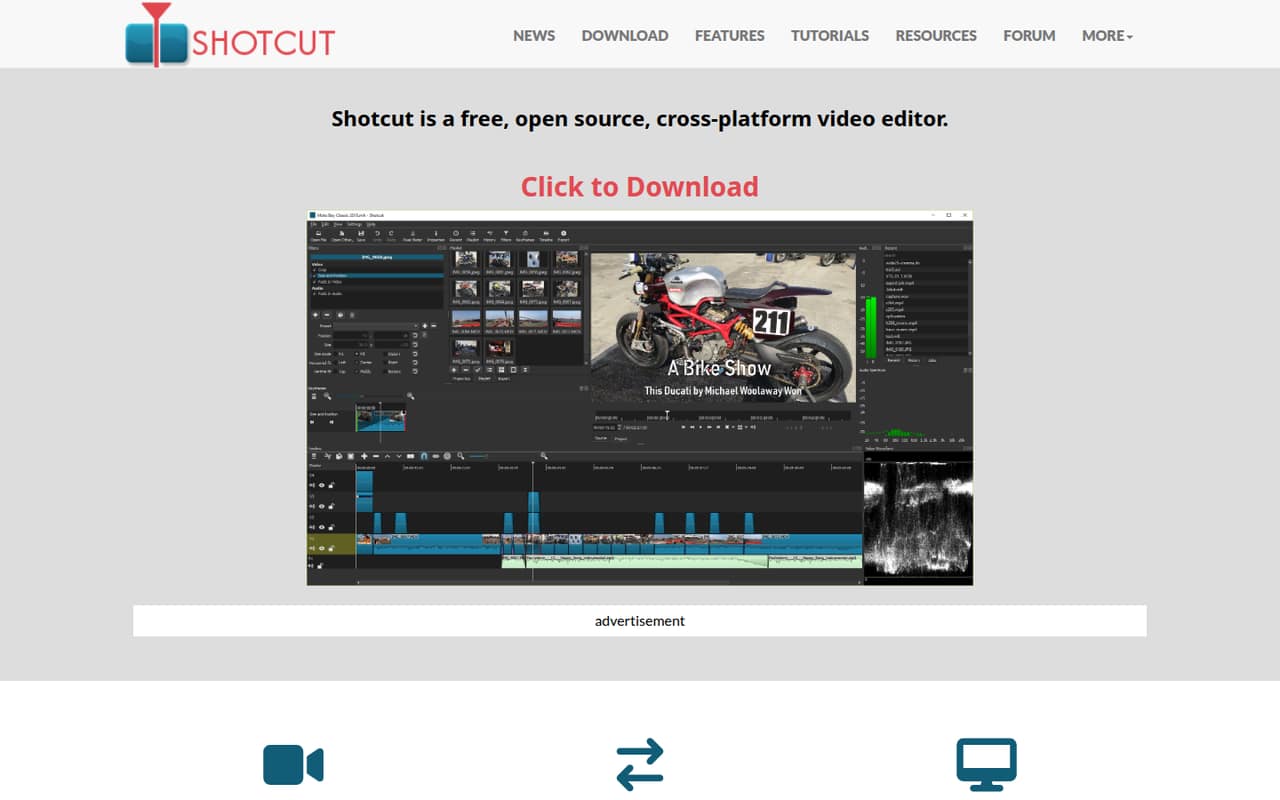
In plain terms, it lets you arrange and edit video and audio on a timeline, use files without importing them first, and work with multiple formats, resolutions, and frame rates in one project. FFmpeg support covers hundreds of audio and video formats, and the feature list includes resolutions up to 4K.
We’d shortlist Shotcut for teams making social clips, internal videos, or straightforward client work on a tight budget. It is less clearly suited to teams that need shared review, centralized project management, or a polished first-run experience: those needs aren’t part of its listed feature set.
02Shotcut free plan and trial
Shotcut’s free, open-source download costs $0. The pricing information lists no resolution caps, watermarks, or time limits, and says commercial use is permitted. It includes the editor’s stated capabilities, such as native timeline editing, multiple formats and frame rates in one project, capture options, and support up to 4K.
There is no paid subscription tier listed as a step up from the free download. The separate Microsoft Store build costs $11.49 as a one-time purchase and includes automatic updates; its listing also has a one-week free trial. That trial applies to the Store build, not a time-limited version of the free download.
For a small team that can install and update the free app itself, the $0 download is the cheapest way in. The Store build is an optional paid route for users who want automatic updates.
03What a small team pays for Shotcut
The free download is $0, so the listed cost is $0 per person per month: $0 for one person, $0 for three, and $0 for five. Annual cost is also $0 at each of those team sizes; Shotcut lists no monthly or annual subscription for the free version. The pricing information does not list per-seat billing or a team plan.
The Microsoft Store build is a $11.49 one-time purchase, with a one-week free trial and automatic updates. The pricing page does not publish whether that purchase covers multiple people or devices, so don’t multiply it into a team quote without checking the Store terms. It also does not list an annual price or recurring fee for that build.
There are no add-ons listed. For a budget-conscious team, the main cost question is therefore not an editor subscription but whether the optional Store purchase fits how each person installs and updates software. Ask the vendor or Store seller about multi-user licensing if you want the paid build across several seats.
04Getting started with Shotcut
Shotcut’s setup effort is not published as a time estimate. The feature list describes dockable panels for media properties, filters, history, encoding, and jobs, which lets editors arrange the workspace around their process. It also supports native timeline editing, so files can be edited without importing them first.
For day-one media handling, the listed integration is FFmpeg support for hundreds of audio and video formats. Shotcut also lists capture from screen, webcam, audio devices, SDI, HDMI, and IP streams. The available feature information does not list integrations for cloud storage, team chat, or review and approval tools.
The learning curve appears to depend on the editor. Some Reddit users call Shotcut simple and easy to learn; another thread includes complaints about the interface feeling unfriendly. One user also reports delays during basic actions, while commenters suggest proxy files or reduced preview scaling as workarounds. We’d budget time to learn the interface and check performance with your own media before making it the team standard.
05When small teams outgrow Shotcut
Shotcut does not list a paid tier with more seats or extra editing features, so growth is less about upgrading and more about whether the workflow still fits. The listed capabilities cover editing, capture, formats, and up to 4K, but do not mention shared review, centralized administration, or team collaboration. If those become requirements, ask the vendor whether they are supported before building a process around the app.
User reports are mixed. Some Reddit users say Shotcut handles their projects and suits straightforward editing; others describe lag during basic actions or frustration with the interface. One longtime user recommends frequent saves and mentions proxy editing as an option, while another says lowering preview scaling helps. Those reports are individual experiences, not a performance guarantee.
A growing team may also want a clearer support commitment or published multi-user licensing terms. Neither support response targets nor team-seat pricing are listed here. If your editors work independently and the free feature set still covers the job, there may be no cost-driven reason to move on. If the team needs coordinated review or predictable performance across its own footage and hardware, compare options before standardizing.
Questions people ask
Is Shotcut really free for commercial work?
Yes. The pricing information lists the Shotcut download at $0 and says commercial use is permitted. It also lists no resolution caps, watermarks, or time limits for the free plan. The separate Microsoft Store build is optional and costs $11.49 as a one-time purchase.
What operating systems does Shotcut support?
Shotcut is available for Windows, Mac, and Linux. That makes it an option for small teams whose editors use different operating systems. The available feature information does not specify minimum system requirements, so check the vendor’s current requirements for the computers you plan to use.
Can Shotcut edit 4K video?
Yes. Shotcut’s listed capabilities include resolutions up to 4K, and its free plan is listed with no resolution caps. Individual users on Reddit report different performance experiences, so the 4K support claim does not guarantee smooth editing on every computer or with every project.
Does Shotcut support different video and audio formats?
Shotcut supports hundreds of audio and video formats and codecs through FFmpeg, according to its feature list. It also supports multiple formats, resolutions, and frame rates within one project. If you rely on a particular camera format or codec, confirm that exact workflow with the vendor.
Does Shotcut have a free trial?
The free Shotcut download is not described as a time-limited trial; the pricing information lists no time limits. The one-week free trial applies to the $11.49 Microsoft Store build, which is a separate one-time purchase option that includes automatic updates.
Sources
- Shotcut homepage
- Shotcut pricing, compiled via web search from shotcut.org, freealternatives.to, softwarefinder.com, toptoolspick.com
- Reddit: Shotcut honest review
- Reddit: Any good video editors on Linux? I tried ShotCut, but I'm not sold.. like GIMP it just feels so bad? Idk.. maybe I have to get used to Open Source programs being like this.
- Reddit: Am I psychopath for using Shotcut, and enjoying it?
- Reddit: (Video editing) Shotcut is CRIMINALLY underrated.