
We may earn a commission if you buy through links on this page. It never changes a score or a ranking. How we make money
The bottom line
A budget-friendly visual builder, with seat and site limits to watch as your team grows.
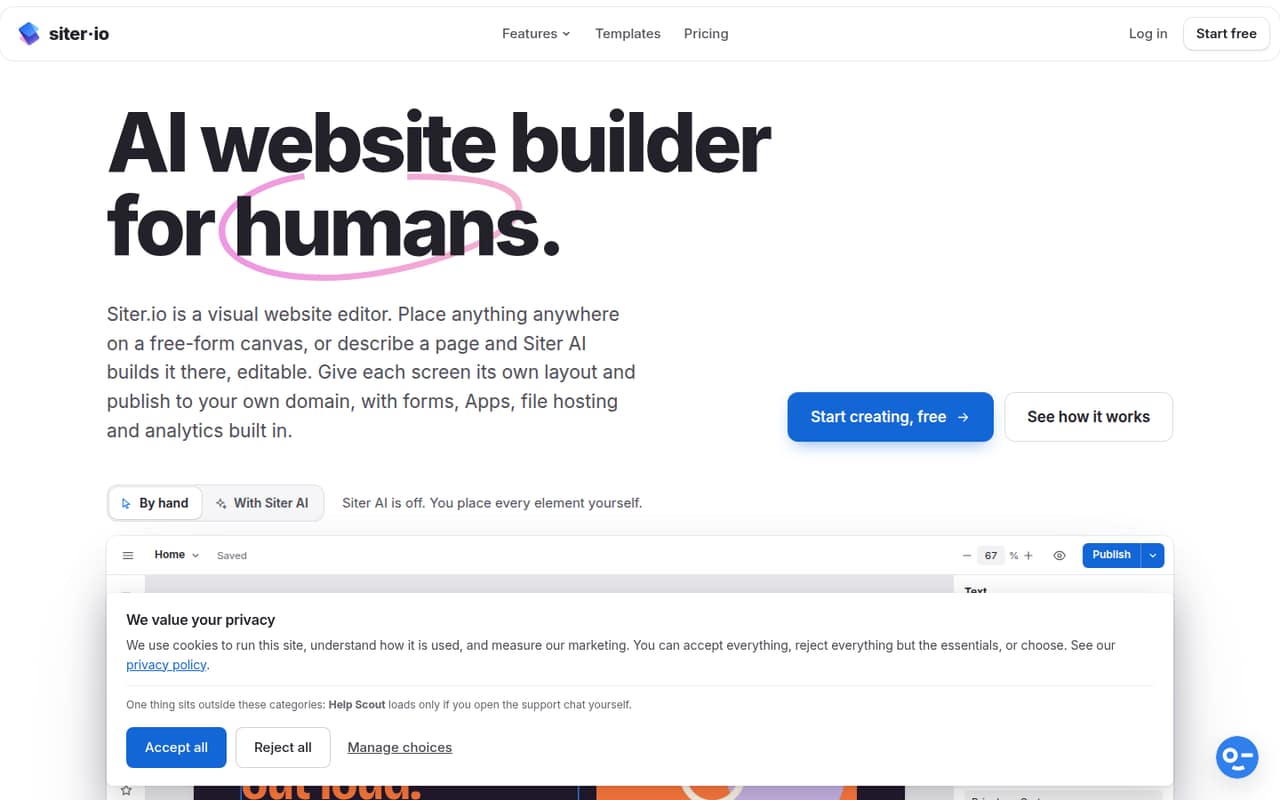
Siter lets a small team lay out pages on a free-form canvas or ask its AI to add editable elements. It also includes responsive layouts, templates, forms, Apps, file hosting and analytics.
The free plan can publish one small website, and paid plans start at $7 per month with annual billing. For a team, check the editor-seat limit and add-on cost: the cheapest plan with room for three editors is Solo plus an extra seat.
Good fit if
- Design-led teams building simple sites
- Solo owners publishing one small website
- Teams that want editable AI pages
Skip it if
- Teams needing many editor seats
- Businesses with large page counts
- Teams requiring published integrations
ScoresHow it rates
What works
- Free plan includes one website and three pages
- Free-form canvas supports visual page layout
- AI can add editable page elements
- Solo includes two editor seats
- 143 templates across 17 categories, per the homepage
What doesn't
- Free plan limits traffic to 1 GB monthly
- Free plan allows just one form
- Solo needs an extra-seat add-on for three editors
- Extra editor seats cost more on higher plans
- Setup time and integrations are not published
01Who Siter is for
Siter fits a solo owner or a small, design-minded team that needs to publish a few straightforward websites without hiring a developer. It combines a free-form visual canvas with AI page editing: place elements yourself, or describe a page or change and let Siter AI add editable elements. The homepage lists 143 templates across 17 categories, which gives a small team starting points for different kinds of sites.
For one person building a simple site, the Free plan may be enough to get started. A custom domain or more pages means looking at Solo, while teams managing multiple sites may need Plus. Its responsive layouts, forms, Apps, file hosting and analytics cover common site-building needs. We’d check whether the Apps and any required integrations fit your workflow before choosing it; their specific integration options aren’t published in the published plan details.
02Siter free plan and trial
The Free plan includes one website with up to three pages, one form with 10 submissions per month, 1 GB of traffic per month and 100 AI credits once. That is a workable starting point for a basic site, but the traffic and page limits make it a tight fit for a site that grows or gets steady visitor volume. The 100 AI credits are a one-time allowance, not a monthly allocation.
The pricing page lists the Free plan, but a separate free trial is not published. If you need a custom domain, more than three pages or unlimited visitor traffic, the cheapest paid option is Solo. It includes one website, 10 pages, two editor seats and 600 AI credits per month. Solo costs $8 per month with monthly billing or $7 per month with annual billing.
03What a small team pays for Siter
For one editor, Solo is the cheapest paid plan: $8 per month month-to-month, or $7 per month with annual billing. It includes two editor seats, so one person does not need to buy an extra seat just to get started.
For three editors, Solo needs one extra seat. The pricing lists that seat at $4 per month, making the monthly-billing total $12 per month. With annual billing, the Solo base price is $7 per month, but the annual billing terms for the add-on aren’t published, so check the total before committing.
For five editors, Plus is the cheapest listed plan that can fit the team: it includes four seats, and its extra seat is listed at $6 per month. That makes $20 per month with monthly billing ($14 for Plus plus $6 for the seat). Plus costs $12 per month with annual billing, but the annual add-on total isn’t published. Plus also includes three websites, 50 pages per website and 5 GB of file storage. Pro costs $28 monthly or $24 with annual billing and includes six seats.
04Getting started with Siter
Siter’s visual canvas is the main way to build a page: add and position elements, then adjust them with editing controls. You can also describe a page or change to Siter AI, which adds editable elements to the canvas. Templates offer another starting point, and the product includes separate layouts for desktop, tablet and phone breakpoints.
That points to a visual, hands-on setup rather than a coded workflow, but the vendor doesn’t publish how long setup takes or a formal learning curve. The published product details don’t name specific third-party integrations either. For day one, decide who will edit the site, pick a template or canvas approach, and confirm the domain and any required Apps or forms suit your needs. A commenter on Reddit asked about importing existing HTML, CSS and JavaScript; the discussion didn’t establish whether that capability is available.
05When small teams outgrow Siter
The first pressure point is often seats. Solo includes two editors, Plus includes four and Pro includes six; extra seats are listed at $4, $6 and $8 per month on those respective plans. Teams beyond those included seats should compare the add-on cost with a different workflow before inviting more people. Multiple websites can also push an upgrade: Solo includes one, Plus three and Pro five.
Page and form limits create another upgrade trigger. Free stops at three pages, Solo at 10 and Plus at 50; Pro lists unlimited pages and forms. Free also has a 1 GB monthly traffic limit, while Solo includes unlimited visitor traffic. The Reddit discussion is too small to establish a broad user verdict. One commenter asked about importing existing code, and another noted that the roadmap wasn’t public. If importing code or public feature voting matters to your team, ask Siter directly whether those needs are supported.
From the threadsWhat users say
The available Reddit discussion is sparse and mostly neutral, with an early commenter saying the builder looked appealing. Questions about importing code and access to the roadmap point to areas a buyer may want to clarify.
Wow, looks really cool!
Something I’ve been wanting for a while in many no-code builders is a way to import existing HTML/CSS/JS. Is this on the roadmap for Siter?
There is a Roadmap, but it is not available to the general public
Personally I like to be able to vote on what features would be useful, but I suppose your way works too
Questions people ask
Can I use Siter for free?
Yes. The Free plan includes one website with three pages, one form with 10 submissions per month, 1 GB of monthly traffic and 100 AI credits once. It is suited to a small site, but you’ll need a paid plan for more pages or unlimited visitor traffic.
How much does Siter cost for a small team?
Solo costs $8 per month with monthly billing or $7 per month with annual billing, and includes two editor seats. Three editors need one extra seat, listed at $4 per month. Plus costs $14 monthly or $12 with annual billing and includes four seats; its extra seat is listed at $6 per month.
Does Siter include a custom domain?
Custom domain publishing is listed as a Siter feature, and Solo is described as the plan for individuals with a custom domain. The Free plan’s listed inclusions do not mention custom domain publishing. Check the current plan details with Siter if your domain requirement is central to your purchase.
Can Siter AI build or edit a whole page?
Siter AI lets you describe a page or a change, then adds editable elements to the canvas. That means the AI output can be adjusted in the visual editor. The plan details list a one-time 100 credits on Free, 600 per month on Solo, 800 on Plus and 2,000 on Pro.
When should I upgrade from Siter Free?
Upgrade when you need more than three pages, more than one form, over 10 monthly form submissions or more than 1 GB of monthly traffic. Solo raises the page limit to 10 and includes unlimited visitor traffic, two editor seats and 600 AI credits per month.