
We may earn a commission if you buy through links on this page. It never changes a score or a ranking. How we make money
The bottom line
SketchWow makes casual, animated diagrams; its $49 lifetime price is appealing if the license fits your team.
It offers templates, editing tools, animation, and several export formats. Reddit users describe it as fun for presentation artwork, while one Azure-focused discussion favors more informational diagrams for network work. Check seat terms before budgeting for several people: the pricing page doesn’t specify whether its prices cover one user or a team.
Good fit if
- Presentation-friendly visual explainers
- Small teams wanting sketch-style diagrams
- Creators who need animated visuals
Skip it if
- Teams that require a free plan
- Strictly technical network diagrams
- Buyers needing published seat terms
ScoresHow it rates
What works
- 150+ templates are listed with both paid plans
- Autodraw fixes messy mouse-drawn sketches, per the homepage
- Exports include JPG, PNG, PDF, GIF, and SVG
- Pro Lifetime is listed at $49 one time
- Homepage advertises 150 AI credits that do not expire
What doesn't
- No free plan or free trial is listed
- Monthly subscription costs $39
- Annual billing is not listed
- Pricing details don’t specify how many seats are included
- Support response times are not listed
01Who SketchWow is for
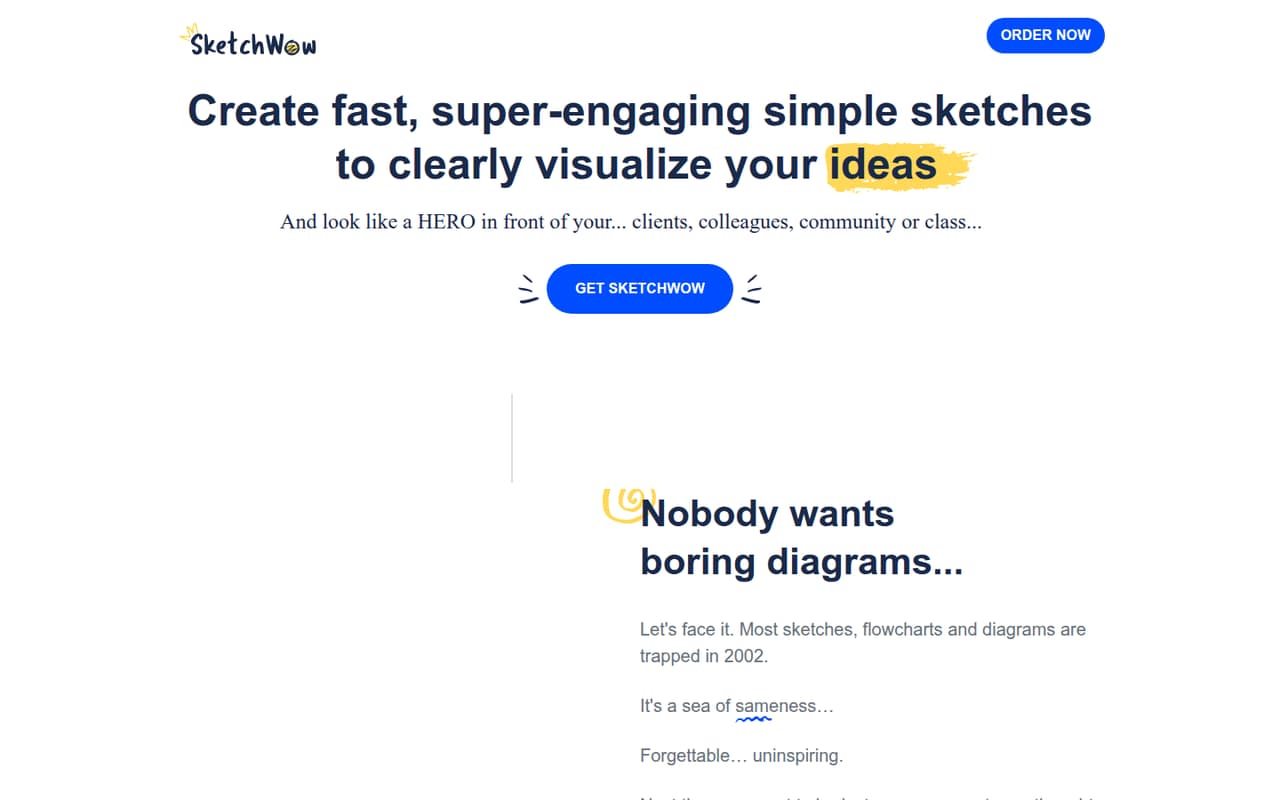
SketchWow is aimed at people who need diagrams that feel more conversational than a standard flowchart. A small team of one to ten could use it for presentation artwork, explainers, or diagrams where a hand-drawn look helps hold attention. The homepage lists templates, AI-assisted visual creation, editing tools, animation, and exports; you can start from a template or a blank canvas.
It is less clearly suited to teams producing precise infrastructure diagrams or who simply need a free diagramming canvas. In one Reddit discussion about Azure network diagrams, a commenter said they used another free tool for infrastructure work, while others described SketchWow as useful for presentation artwork. That’s a good dividing line: consider SketchWow when the visual style is part of the job, not just a way to document a system. The pricing page lists a $49 one-time purchase, but the team license terms aren’t specified, so ask before buying for multiple people.
02SketchWow free plan and trial
SketchWow has no free plan listed, and the vendor doesn’t list a free trial in its pricing details. That means a small team should not count on a free tier for ongoing diagrams or a trial period to check the workflow before paying.
The cheapest way in depends on how long you plan to use it. The pricing page lists Pro Lifetime for a one-time $49 payment, compared with a $39 monthly Subscription. The homepage also advertises 150 AI credits that do not expire with a one-time $49 purchase. Confirm that the offer and credit terms still apply at checkout, and check whether the price covers one person or multiple users. If you want to test how SketchWow fits your work before committing, ask the vendor whether a trial or refund option is available.
03What a small team pays for SketchWow
The pricing page lists two options: Subscription at $39 per month, billed monthly, or Pro Lifetime for a one-time $49 payment. Annual billing is not listed. Both plans include unlimited pages per document, unlimited sketches, 150+ templates, 950 elements, shapes and icons, and exports in JPG, PNG, PDF, GIF, and SVG.
The vendor doesn’t specify in the pricing details whether these prices are per seat or cover a team. If $39 is per user, three people would cost $117 monthly and five would cost $195 monthly. If the $49 lifetime price is per user, that would be $147 for three or $245 for five, paid once. Treat those totals as conditional, not confirmed team quotes; ask the vendor what the license covers before purchase. The pricing details list no add-ons. The homepage advertises 150 AI credits with the one-time $49 offer, but confirm how that offer relates to the plans at checkout.
04Getting started with SketchWow
SketchWow’s listed workflow is straightforward in concept: choose one of 150+ templates or open a blank canvas, customize the elements, then export the result. The homepage also advertises Autodraw, which fixes messy mouse freehand drawings, plus animated icons or lines. Those features suggest you don’t need to draw every element by hand, but the vendor doesn’t publish a setup-time estimate or a detailed learning curve.
For day-one planning, check whether your team needs to install anything, how collaborators share or edit files, and whether your preferred tools connect to SketchWow. The vendor doesn’t list integrations in the pricing details, so ask which connections are supported rather than assuming it fits an existing workflow. A Reddit commenter noted they had not figured out how to use animated flows in a presentation. If animation is central to your work, confirm the presentation workflow before committing.
05When small teams outgrow SketchWow
A team may outgrow SketchWow when it needs more than visual creation: for example, documented multi-user permissions, established integrations, or clear per-seat licensing. The vendor doesn’t specify seat counts or collaboration terms in the pricing details, so a growing team should ask how access works before standardizing on it. At $39 monthly, a per-user license would add up quickly; the vendor needs to confirm whether that is how it bills.
The tool may also be the wrong fit when diagrams need to prioritize technical detail over presentation style. In one Reddit thread about network design, a commenter said they used a free diagramming tool for infrastructure diagrams, while another described SketchWow as fun for presentation artwork. Other commenters liked animated flows but raised a question about presenting them. That’s not proof of a product limitation, but it flags a workflow to verify. If your team needs plain, precise diagrams or known integration and license terms, compare those needs before expanding use.
From the threadsWhat users say
The small amount of Reddit discussion is mixed: users see appeal for presentation artwork and animation, but some prefer conventional diagrams for technical work. One commenter also raised uncertainty about using animated flows in a presentation.
Looks fun for presentation artwork
I tend to use draw.io for infra diagrams as it's free and does a pretty good job
You can animate the flows
But haven't figured out how to use it in a presentation yet
Questions people ask
Does SketchWow have a free plan?
The pricing details list no free plan and no free trial. The cheapest listed option is Pro Lifetime at $49 one time. The vendor doesn’t specify whether that price covers one person or a team, so check the license terms before buying for multiple users.
How much does SketchWow cost?
The pricing page lists a Subscription for $39 per month, billed monthly, and Pro Lifetime for a one-time $49 payment. It does not list annual billing. The pricing details don’t specify seat coverage, so confirm the total for your team with the vendor.
What can I export from SketchWow?
The pricing page lists JPG, PNG, PDF, GIF, and SVG exports. The homepage also describes transparent PNG exports. If a particular format or export setting is important to your team, confirm the available options with the vendor before purchase.
Does SketchWow support animated diagrams?
Yes. The homepage lists animated designs, including animated icons or lines, and the Reddit discussion mentions animated flows. One commenter said they had not figured out how to use those flows in a presentation, so check the presentation workflow if animation is a must-have.
Does SketchWow include AI credits?
The homepage advertises 150 AI credits that do not expire with a one-time $49 purchase. The pricing details list Pro Lifetime at $49 but don’t describe AI credits as part of that plan. Confirm at checkout whether the credits are included in the offer you’re buying.