
We may earn a commission if you buy through links on this page. It never changes a score or a ranking. How we make money
The bottom line
A strong free knowledge base for small teams, with paid upgrades for more control and capacity.
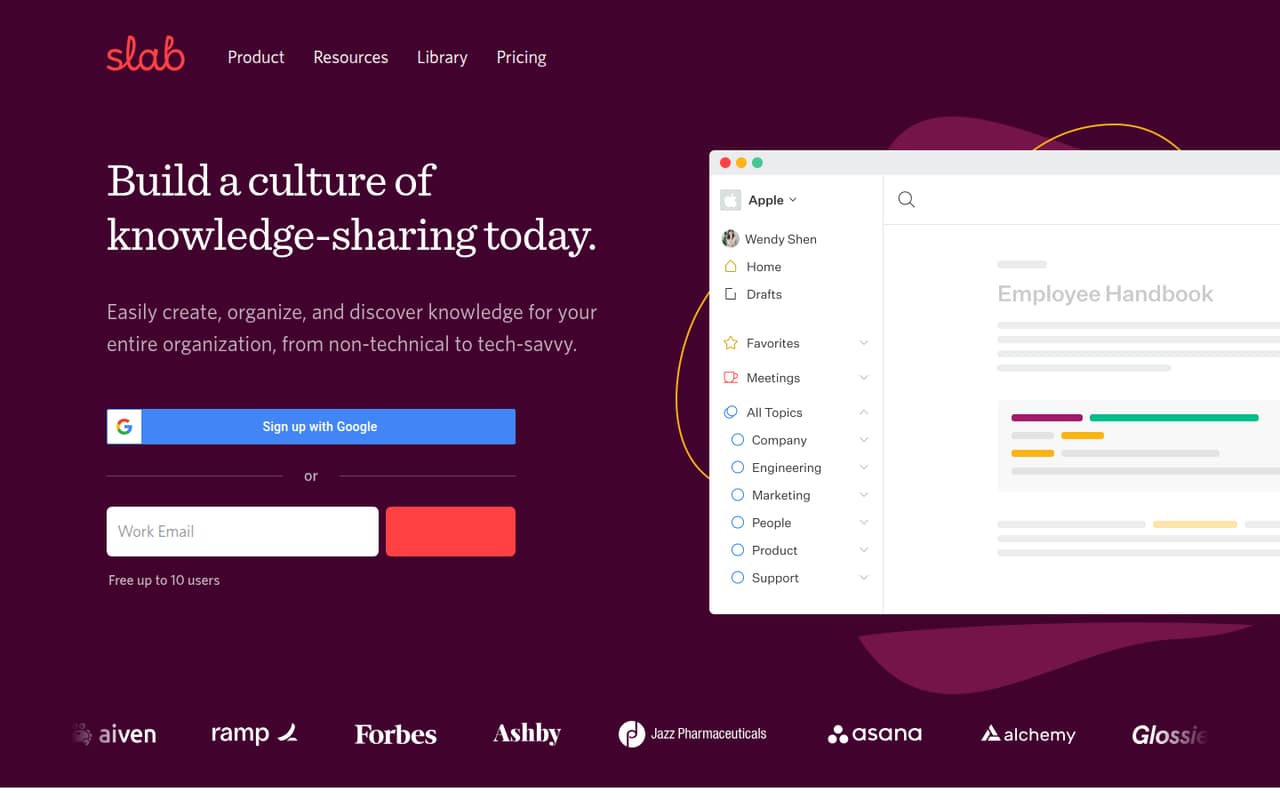
Slab gives teams a place to write, organize, and find company knowledge, including through search across Slab and integrated tools. Its free plan supports up to 10 users, which makes it a credible starting point for a small team.
The main catch is paid-plan pricing: Startup and Business prices are listed for annual billing, while monthly prices aren’t published. We’d start free and upgrade only when the team needs a paid-plan capability or runs into a limit.
Good fit if
- Teams sharing company procedures
- Small teams needing a free knowledge base
- Teams searching across connected tools
Skip it if
- Teams needing published monthly pricing
- Organizations with at least 100 users on a budget
- Teams that need published support details
ScoresHow it rates
What works
- Free plan supports up to 10 users
- Unlimited posts and topics on Free
- Unified search includes integrated tools
- Startup includes unlimited standard integrations
- Homepage offers migration help
What doesn't
- Paid monthly prices aren’t published
- Free attachments are limited to 10MB
- Free version history lasts 90 days
- Startup allows three guests per user
- Enterprise requires at least 100 users
01Who Slab is for
Slab fits a small team that needs one place for company knowledge: policies, procedures, ideas, and other useful guidance. It’s designed for both non-technical and tech-savvy teams, so it can suit a team of a few people without requiring a technical audience. The free plan supports up to 10 users, making it a sensible place to start if the budget is tight.
The product combines an editor, Topics for organizing content, and search across Slab and integrated tools. That mix is most useful when people need to find shared answers, not just store documents. The free plan includes unlimited posts and topics, but limits attachment size, version history, and usage analytics. Teams that need private topics or larger attachments may need to consider Startup. If you mainly need a shared file drive or project tracker, Slab’s knowledge-base focus may be more than you need.
02Slab free plan and trial
Slab’s Free plan costs $0 and supports up to 10 users. The pricing page lists unlimited posts and topics, 10MB attachments, 90 days of version history, and 30 days of usage analytics. That is enough room for a small team to build a useful knowledge base before paying, provided those attachment and history limits work for you.
The next listed tier is Startup, at $6.67 per user per month when billed annually. Slab positions it for growing teams needing private topics; it also includes unlimited users, three guests per user, 25MB attachments, 365 days of version history, and unlimited standard integrations. A free trial is not listed. Monthly billing is offered for paid plans, but Slab doesn’t publish those prices.
03What a small team pays for Slab
Startup is the cheapest paid plan. The pricing page lists $6.67 per user per month when billed annually: one person works out to $80.04 per year, three to $20.01 per month or $240.12 per year, and five to $33.35 per month or $400.20 per year. These are annual-billing prices expressed as monthly equivalents; Slab doesn’t publish the monthly-billing rates.
Business is listed at $12.50 per user per month with annual billing. That’s $37.50 monthly equivalent for three people, or $62.50 for five, before annual billing. It includes 100MB attachments, unlimited version history, and three premium integrations. Startup includes 25MB attachments and unlimited standard integrations. Slab lists no add-ons, but the paid per-seat price means each additional team member adds to the bill. Enterprise is for teams of at least 100 users and has no published price, so it’s unlikely to be the relevant tier for most small teams.
04Getting started with Slab
Slab’s product description centers on writing content, organizing it into Topics, and finding it with search. That gives a small team a straightforward starting point: decide what knowledge belongs in the workspace, create useful posts, and group them so people can browse. Slab says its editor is designed to look good by default, though the vendor doesn’t publish a setup-time estimate or a step-by-step onboarding timeline.
For day-one connections, Slab describes integrations with the rest of a team’s software stack and unified search across Slab and integrated tools. The specific integrations available aren’t listed in the pricing details, so check with Slab that your must-have tools are supported before committing. The homepage also offers help with switching, but doesn’t detail the scope or cost of migration assistance. We’d start with the Free plan and a small set of shared topics before moving more company knowledge in.
05When small teams outgrow Slab
The first reason to upgrade is a Free-plan limit: more than 10 users, attachments over 10MB, a need for more than 90 days of version history, or a need for more than 30 days of usage analytics. Startup raises the attachment limit to 25MB and version history to 365 days, and Slab positions it for teams needing private topics. Its annual-billing price is $6.67 per user per month.
A team may also outgrow Startup if it needs 100MB attachments, unlimited version history, or more than three premium integrations; those are listed under Business at $12.50 per user per month billed annually. Business includes three premium integrations, while Enterprise lists unlimited premium integrations and is for at least 100 users. Before upgrading, check whether the feature you need is included and ask Slab for the monthly rate if you don’t want annual billing. If your team needs a different kind of tool, such as project tracking, Slab’s knowledge-base focus may not cover that job.
Questions people ask
Is Slab free for a small team?
Yes. Slab’s Free plan costs $0 and supports up to 10 users, with unlimited posts and topics. It also has limits: 10MB attachments, 90 days of version history, and 30 days of usage analytics.
How much does Slab cost for three people?
Startup is listed at $6.67 per user per month when billed annually. For three people, that works out to $20.01 per month equivalent, or $240.12 per year. Slab offers monthly billing but doesn’t publish its monthly price.
Does Slab have a free trial?
A free trial isn’t listed. Slab does offer a Free plan for up to 10 users, so a small team can start without paying. The plan has limits on attachment size, version history, and analytics history.
What is the difference between Startup and Business?
Startup includes 25MB attachments, 365 days of version history, and unlimited standard integrations. Business includes 100MB attachments, unlimited version history, and three premium integrations. Their listed annual-billing rates are $6.67 and $12.50 per user per month, respectively.
Can Slab search connected tools?
Slab describes unified search across its own content and integrated tools. It also says it connects with the rest of a team’s software stack. Check with Slab that the specific tools your team depends on are supported.