
We may earn a commission if you buy through links on this page. It never changes a score or a ranking. How we make money
The bottom line
A practical slide-making assistant with a useful free tier and costs that add up by person.
Small teams that turn reports, spreadsheets, or rough notes into presentations may save time with SlideSpeak. Its free plan includes 100 credits and about three presentations, while Premium starts at $30 per month or $29 per month with annual billing.
The trade-off is that credits and file limits matter, and the listed prices are per subscription rather than a team quote. One Reddit user also reported duplicated words returning after editing and saving a downloaded deck, so review exported slides carefully.
Good fit if
- Teams turning reports into slides
- People making a few decks monthly
- Users who need editable PowerPoint files
Skip it if
- Teams needing predictable unlimited usage
- Organizations requiring published team pricing
- Users expecting error-free slide editing
ScoresHow it rates
What works
- Makes slides from PDFs, Word, Excel, text, or ideas
- Free plan includes 100 credits
- Exports native PowerPoint files
- Can translate presentations while preserving layout
- Premium includes version history
What doesn't
- Free plan has a 50 MB file limit
- Free credits cover about three presentations
- Premium costs $30 monthly per subscription
- Team discounts are not listed
- A Reddit user reported recurring duplicated words
01Who SlideSpeak is for
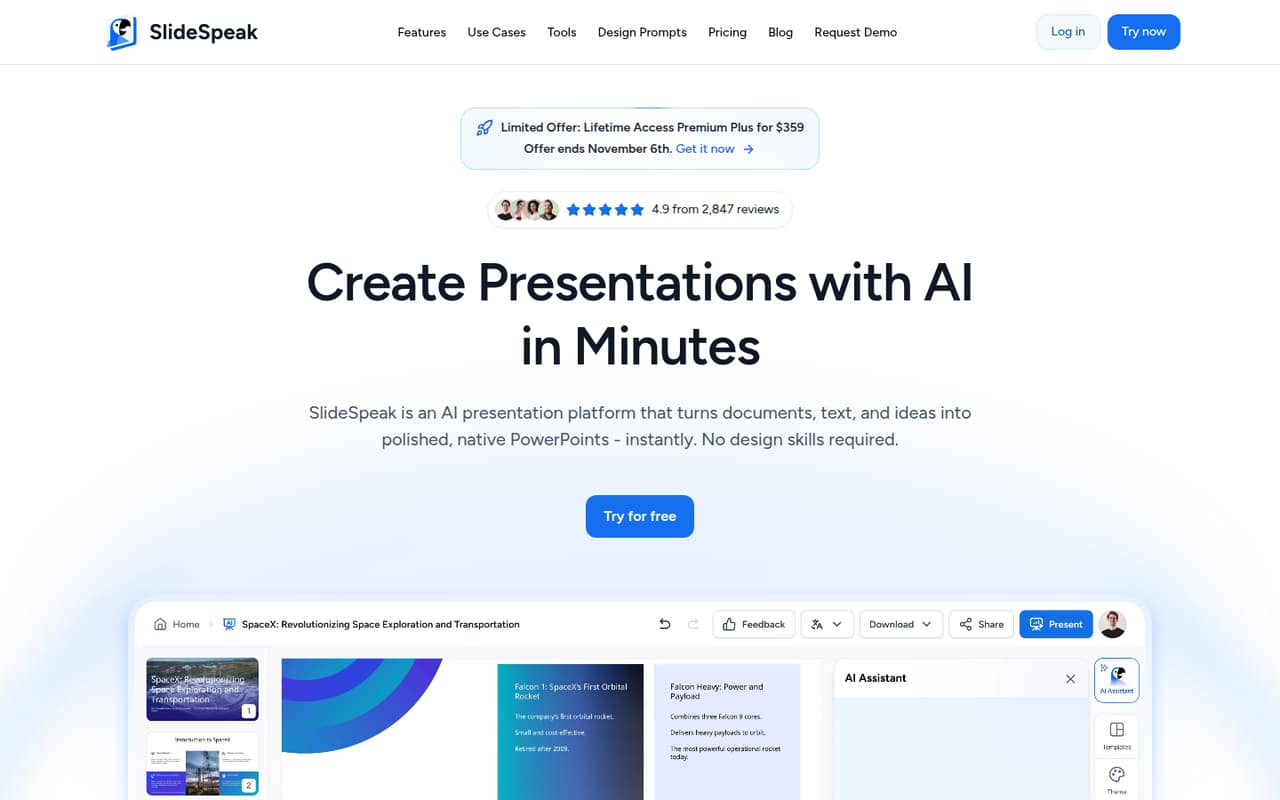
SlideSpeak is aimed at small teams that regularly turn published material into presentations: think a founder preparing investor updates, a consultant summarizing client documents, or a team lead reshaping spreadsheet data for a meeting. It can take PDFs, Word files, Excel spreadsheets, text, or ideas and turn them into structured presentations. The AI can also rewrite slide content, generate visuals and charts, translate decks, and export editable PowerPoint files.
For a one-to-five-person team with a modest software budget, the free plan is a sensible place to see whether the workflow fits. If several people make presentations regularly, budget for a paid subscription for each person who needs access; the listed plans don't show a team bundle. SlideSpeak is less compelling for a team that only makes a deck now and then, or one that needs detailed control over shared workspaces or integrations before adopting a tool.
02SlideSpeak free plan and trial
The free plan costs $0 and includes 100 credits at sign-up, a 50 MB file-size limit, and about three presentations. The plan also lists support for more than 150 languages. That gives a small team a low-commitment way to try document-to-slide creation before paying.
The limit is credits, not just the number of files: the pricing page describes the presentation count as approximate. If your source file is larger than 50 MB, or you need more credits, the free tier may stop short. The published pricing lists no free trial. The cheapest paid option is Premium, at $30 per month or $29 per month with annual billing. Check the current credit use for your intended workflow before budgeting around the approximate presentation count.
03What a small team pays for SlideSpeak
Premium is the cheapest paid plan that fits regular use: the pricing page lists it at $30 per month, or $29 per month with annual billing. Assuming one subscription per person, one person pays $30 monthly or $29 per month on annual billing. Three people come to $90 monthly or $87 per month on annual billing; five come to $150 or $145 per month, respectively. At the annual rates, those are $348, $1,044, and $1,740 for a year. The listed prices don't specify a team discount.
Premium includes 1,000 credits a month, 30-day version history, no file-size limit, and about 27 presentations or 13 AI videos. Premium Plus is $40 monthly or $34 per month with annual billing, with 2,500 credits and 90-day history. Add-ons include a 500-credit bundle for $10, 2,000 credits for $30, and 5,000 credits for $50; each lasts 12 months. A custom template costs $129. Enterprise pricing is custom.
04Getting started with SlideSpeak
The listed workflow looks simple: provide a PDF, Word file, Excel spreadsheet, text, or idea, then use AI to generate or revise the presentation. SlideSpeak also lists tools for editing slide wording, making images and charts, translating presentations, and exporting a native PowerPoint file. That should make the first step familiar to anyone who already works with those file types.
The feature list doesn't name integrations or give a setup checklist, so ask the vendor whether your team can connect its existing storage or collaboration tools before making that a requirement. No technical setup effort is published in the published pricing and feature details. A Reddit user described uploading an existing PowerPoint, downloading the result, and then editing it in PowerPoint; they later reported words reappearing after saves. That makes a careful review of the exported deck a sensible part of your workflow.
05When small teams outgrow SlideSpeak
The first pressure point is usage: Free gives 100 sign-up credits and a 50 MB file limit, while Premium raises the allowance to 1,000 monthly credits and removes the size limit. A team that regularly runs through credits may need Premium Plus, which lists 2,500 monthly credits, or one-time credit bundles. Those purchases can make costs less predictable if several people rely on the tool.
The second pressure point is team administration. Premium and Premium Plus prices are listed per plan, and the pricing details don't spell out a team discount or shared-workspace controls. Enterprise is the listed option for custom credit volumes, multiple custom templates, SSO, and priority support, but its price is custom. One Reddit user reported that duplicated words returned after editing and saving a downloaded deck. That is a reason to check output carefully; teams that need dependable editing or advanced controls should ask the vendor about their specific workflow before scaling.
From the threadsWhat users say
The small amount of Reddit discussion is mixed: one user said the result looked good, then described duplicated words returning after saves. Another post announces a feature but offers no clear independent assessment.
The outcome looked pretty good
all of a sudden most slides had some duplicated words in them
When I corrected and saved again they kept on coming back
I'm super curious to hear what you think
Questions people ask
What does SlideSpeak do?
SlideSpeak turns documents, text, and ideas into presentations. Its listed inputs include PDFs, Word files, and Excel spreadsheets. The AI can draft and revise slide content, generate images and charts, translate presentations, and export native PowerPoint files.
Does SlideSpeak have a free plan?
Yes. The free plan costs $0 and includes 100 sign-up credits, a 50 MB file-size limit, and about three presentations. It also lists support for more than 150 languages. There is no free trial listed separately from the free plan.
How much does SlideSpeak cost for a small team?
Premium is listed at $30 per month, or $29 per month with annual billing. Assuming one subscription per person, three people would pay $90 monthly or $87 per month on annual billing. The listed pricing does not specify a team discount.
Can SlideSpeak export editable PowerPoint presentations?
Yes. SlideSpeak lists export to native .pptx files and describes the output as editable, with fonts and layouts intact. One Reddit user reported duplicated words returning in a downloaded deck after editing and saving, so check the exported slides before sharing them.
What happens when I run out of SlideSpeak credits?
You can move to a higher monthly allowance or buy a credit bundle. Premium lists 1,000 credits per month and Premium Plus lists 2,500. One-time bundles cost $10 for 500 credits, $30 for 2,000, or $50 for 5,000; the pricing page says they last 12 months.