
We may earn a commission if you buy through links on this page. It never changes a score or a ranking. How we make money
The bottom line
A capable free starting point; paid commercial use is priced per computer, not as a team workspace.
SoftMaker Office is worth considering if your small team needs desktop and mobile tools for documents, spreadsheets, and presentations without immediately paying for a subscription. FreeOffice is free for commercial use, and the paid NX Home plan starts at $2.49 per month with annual billing.
The catch is the commercial device allowance: NX Home covers one computer and one mobile device. That makes the per-person math manageable, but it is not a shared team license. Reddit users praise the speed and simplicity, while warning that Microsoft Office file compatibility can vary.
Good fit if
- Budget-conscious small businesses
- Teams using Windows, Mac, or Linux
- People who want desktop and mobile apps
Skip it if
- Teams needing shared multi-user licensing
- Heavy Excel macro or VBA users
- Workflows requiring guaranteed file fidelity
ScoresHow it rates
What works
- FreeOffice is free for commercial use
- Runs on desktop and mobile platforms
- PlanMaker highlights XLOOKUP and dynamic arrays
- TextMaker supports Markdown and replyable comments
- Paid plans include a 30-day free trial
What doesn't
- FreeOffice seat limits are not published
- Paid commercial plans cover one computer
- Feature usage caps are not fully published
- Team onboarding and setup effort are not published
- Reddit users report possible Office file compatibility issues
01Who SoftMaker Office is for
SoftMaker Office is a fit for a small team of one to ten people that mainly needs desktop apps for writing, spreadsheets, and presentations, and wants to keep recurring software costs down. The suite runs on Windows, Mac, Linux, iOS, and Android, so it can suit teams with a mix of computers and mobile devices.
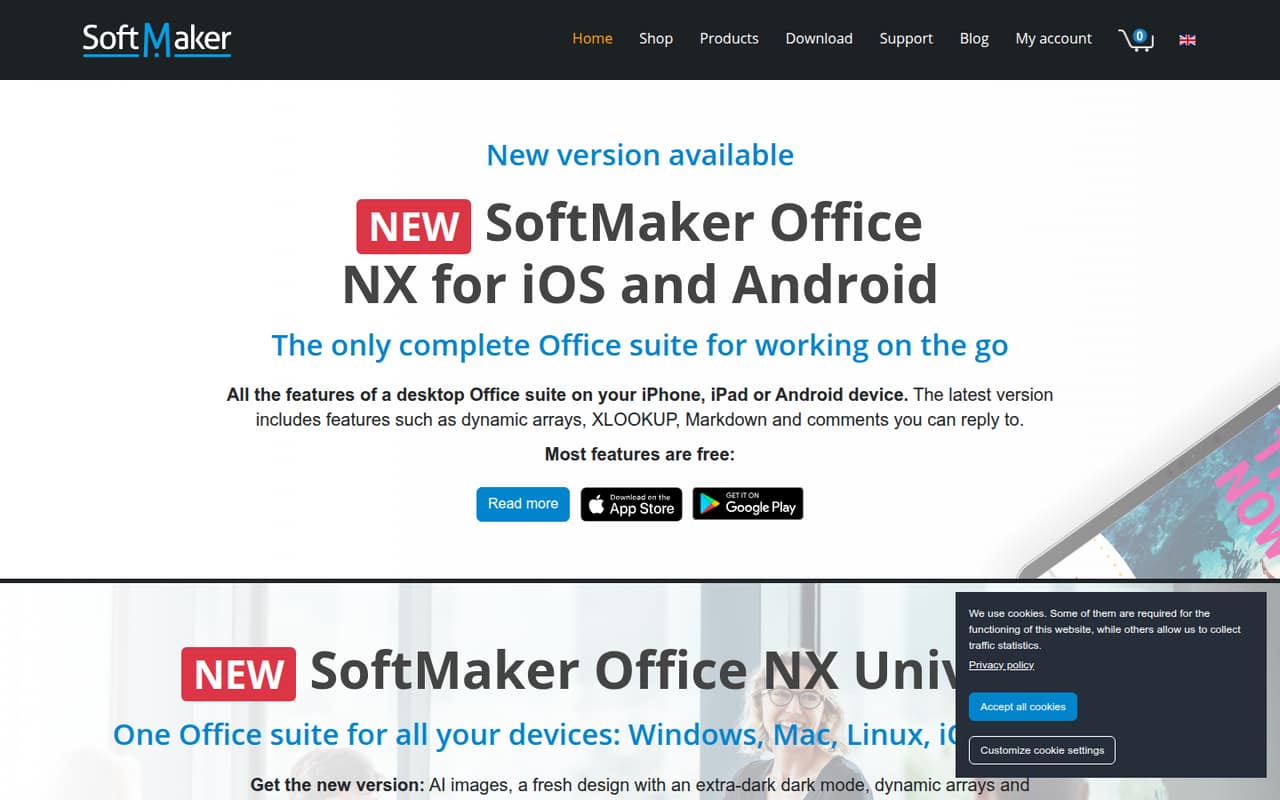
The homepage describes a complete Office suite. It highlights PlanMaker spreadsheet features such as dynamic arrays and XLOOKUP, plus Markdown support and replyable comments in TextMaker. Those features may be enough for everyday office work, but they don’t tell us whether your particular files will transfer perfectly from Microsoft Office. Reddit users give mixed accounts of compatibility, so teams exchanging complex files should check their own workflows before standardizing. FreeOffice is the low-budget starting point; paid plans make more sense when you need their additional features or license terms.
02SoftMaker Office free plan and trial
SoftMaker FreeOffice is free for personal and commercial use, and the pricing information lists it for Windows, Mac, Linux, iOS, and Android. That makes it a sensible first stop for a small business that wants to avoid a per-seat bill. The vendor does not publish other FreeOffice seat limits, so ask SoftMaker how its commercial terms apply if several employees will install it.
Paid NX Home, NX Universal, and Professional 2026 plans list a 30-day free trial. NX Home adds a commercial allowance of one computer and one mobile device; the free plan’s specific feature limits are not published. The pricing information also does not publish FreeOffice feature usage caps. Check that the free version covers your team’s needs before moving to a paid plan.
03What a small team pays for SoftMaker Office
FreeOffice costs $0, but the vendor does not publish its other seat limits. For a paid commercial option, NX Home lists one computer and one mobile device per user. It costs $2.99 per month, or $29.90 per year when billed annually ($2.49 per month equivalent).
Assuming each employee needs an individual commercial allowance, three people cost $8.97 monthly or $89.70 per year with annual billing. Five cost $14.95 monthly or $149.50 per year. NX Universal is $4.99 monthly or $49.90 annually per user, so three annual seats cost $149.70 and five cost $249.50. It includes stated AI and translation allowances.
For larger purchases, the pricing page lists NX Universal volume subscriptions at $199 for five computers and $398 for ten; it also lists Professional 2026 perpetual volume licenses at $329 for five and $658 for ten. Ask the vendor to confirm the volume billing period and which plan fits your team. Professional 2026 is $149.95 for a new single license, with commercial use on one company computer plus one portable computer for the main user.
04Getting started with SoftMaker Office
The listed platform coverage is broad: Windows, Mac, Linux, iOS, and Android. That gives a small team a route to install apps on its existing computers and mobile devices. The vendor doesn’t publish a team setup time or onboarding requirements in the pricing details, so we wouldn’t budget a specific number of hours based on the published information alone.
For day one, decide where the team will store working files and how you’ll exchange documents with people outside the company. The published feature descriptions name TextMaker comments, Markdown support, and PlanMaker spreadsheet functions, but don’t describe a shared team workspace or integrations for storage and collaboration. Ask SoftMaker about those needs before rolling out paid seats. One Reddit commenter describes SoftMaker’s products as “fast and simple with good tooling,” but that’s an individual user’s view, not a promise about your team’s learning curve.
05When small teams outgrow SoftMaker Office
The first pressure point is licensing: NX Home and NX Universal list commercial use for one computer and one mobile device. Each additional employee needs their own paid allowance unless the vendor confirms another arrangement. FreeOffice may keep costs at zero, but its other seat limits are not published. Teams should confirm those terms rather than assume the free plan covers an unlimited number of work computers.
The next concern is file compatibility. One Reddit commenter says SoftMaker has been good for their work, while other commenters warn that non-Microsoft suites may not open Office files perfectly. A commenter who works with complex Office files reports good compatibility, but says heavy VBA or macro use is a different case. If your team depends on complex spreadsheets, macros, or exact formatting, test representative documents and ask the vendor about support before switching. A growing team may also need shared collaboration features or integrations not described in the listed plans.
From the threadsWhat users say
Reddit sentiment is mixed: some users find SoftMaker fast, simple, and capable, while others caution that compatibility with Microsoft Office files can be imperfect. Those reports are individual experiences, so teams with complex documents should verify their own workflows.
I've had good luck with Softmaker's proucts. They're fast and simple with good tooling
There's a free version you can get from freeoffice.com that does fine for 90% of users
Crucially, like just about every program that's not MS Office, it will have a hard time opening MS Office files perfectly
Never had any issues whatsoever with MS office compatibility, and I work with complex MS-Office-made files every day
Questions people ask
Is SoftMaker Office free for business use?
Yes. The pricing information lists SoftMaker FreeOffice as free for personal and commercial use across Windows, Mac, Linux, iOS, and Android. Other seat limits are not published, so ask SoftMaker how its terms apply if several people at your company will install it.
How much does SoftMaker Office cost for a small business?
NX Home is listed at $2.99 per month or $29.90 per year with annual billing, per commercial allowance. It covers one computer and one mobile device. NX Universal is $4.99 monthly or $49.90 annually and includes stated AI and translation limits. FreeOffice costs $0.
Does SoftMaker Office have a free trial?
Yes. The paid NX Home, NX Universal, and Professional 2026 plans list a 30-day free trial. The free plan is FreeOffice, which is listed as free for personal and commercial use. Check the vendor’s current checkout terms for trial details before subscribing.
Which devices can run SoftMaker Office?
The pricing information lists SoftMaker Office and FreeOffice for Windows, Mac, Linux, iOS, and Android. NX Home and NX Universal list commercial use on one computer and one mobile device. The commercial device allowance for Professional 2026 is one company computer plus one portable computer for the main user.
Will SoftMaker Office open Microsoft Office files correctly?
Reddit users report different experiences: some say they have had good compatibility, while others caution that Office files may not open perfectly in alternatives. The comments particularly flag heavy VBA or macro use as a risk. Test your team’s real documents and ask SoftMaker about critical file types before switching.
Sources
- SoftMaker Office homepage
- SoftMaker Office pricing, compiled via web search from freeoffice.com, softmaker.com, updatestar.com, softgalaxy.pro, alternative2office.org
- Reddit: [Office Suite Linux] MS Office VS le tante alternative [LibreOffice, OnlyOffice, G Workspace (web), SoftMaker, FreeOffice, WPS, Zoho, MS Office (web)], come vi trovate? Se al livello personale "va bene", al livello professionale, "la compatibilità 1-1 100%" funziona o bisogna andare di VM/Dual Boot?
- Reddit: Best office alternative
- Reddit: Is Softmaker Office NX a good alternative to MS Office?
- Reddit: Has anyone else used SoftMaker Office (for Linux) and been disappointed?